00197044-02_IM_706_1_DE_EN.pdf - 第41页
Station S oftware 706. 1 / Install ation Man ual Ausgabe 11/2012 E dit ion 41 7 First B ooting after I nstal lati on W hen a mac hine is boote d f or the firs t tim e after ins tallation, t he stat ion sof tware det ects…
Station Software 706.1 / Installation Manual Ausgabe 11/2012 Edition
40
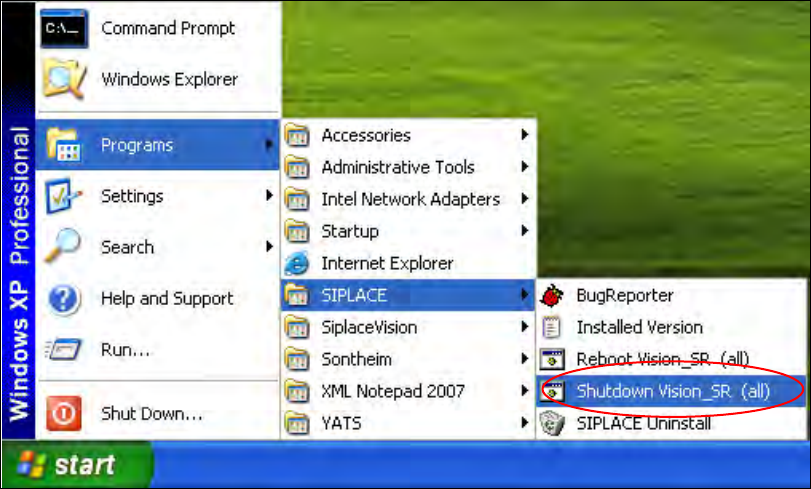
► To do this, open the Start menu and select Programs
SIPLACE
Shutdown Vision_SR
(all).
Figure 6-4: Shutting down the machine computer and Vision computer
► Switch the machine off when the computer systems have shut down.
► Switch the machine back on again. This then reboots the Vision computer and the machine
computer.
Station Software 706.1 / Installation Manual Ausgabe 11/2012 Edition
41
7 First Booting after Installation
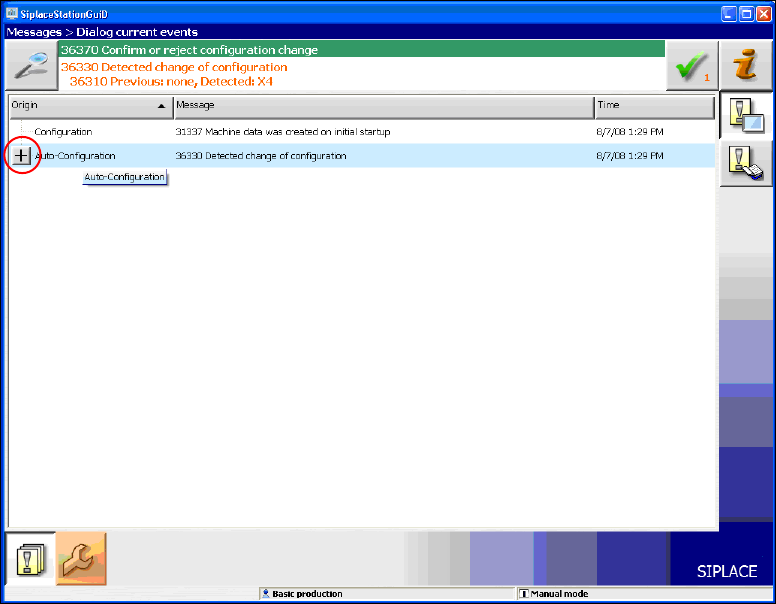
When a machine is booted for the first time after installation, the station software detects which
hardware components are used via the Auto-configuration feature and configures itself accordingly.
The operator is prompted to confirm or reject the Auto-configuration on the GUI.
Figure 7-1: Auto-configuration
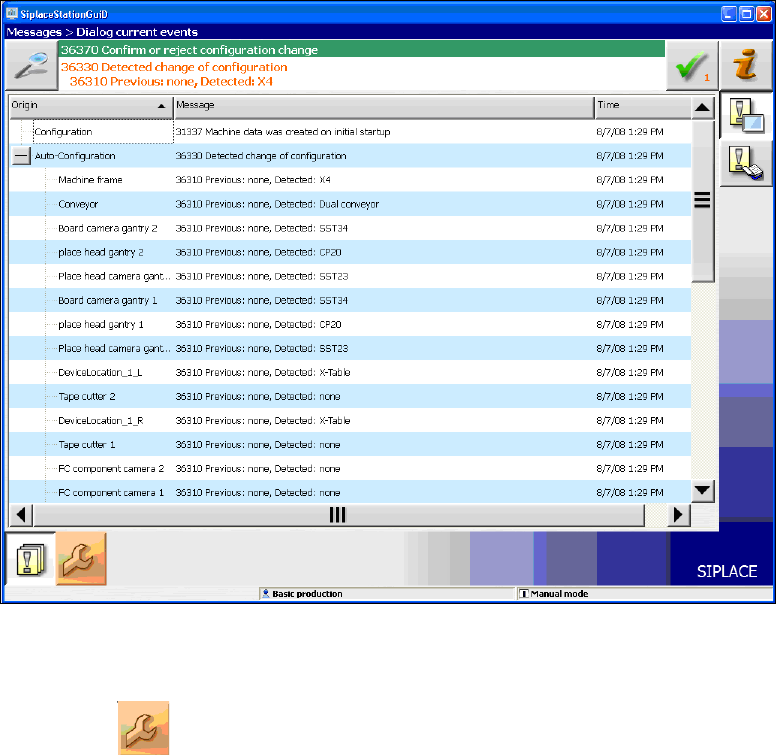
► Click the + sign in front of Auto-configuration to open the configuration list.
The used hardware components are displayed.
Station Software 706.1 / Installation Manual Ausgabe 11/2012 Edition
42
Figure 7-2: Used hardware components
The Machine service activity level is required to execute the Auto-configuration.
► Click the
icon to call the user settings.