00197044-02_IM_706_1_DE_EN.pdf - 第47页
Station S oftware 706. 1 / Install ation Man ual Ausgabe 11/2012 E dit ion 47 ► Click the Accept bu tton. ► Repeat th e steps f or Location 1 . Settings for manual tray Carrier SX If the m anual tra y Carrier SX is used,…
Station Software 706.1 / Installation Manual Ausgabe 11/2012 Edition
46
7.3 SX1/SX2 (V2) Placement Machine
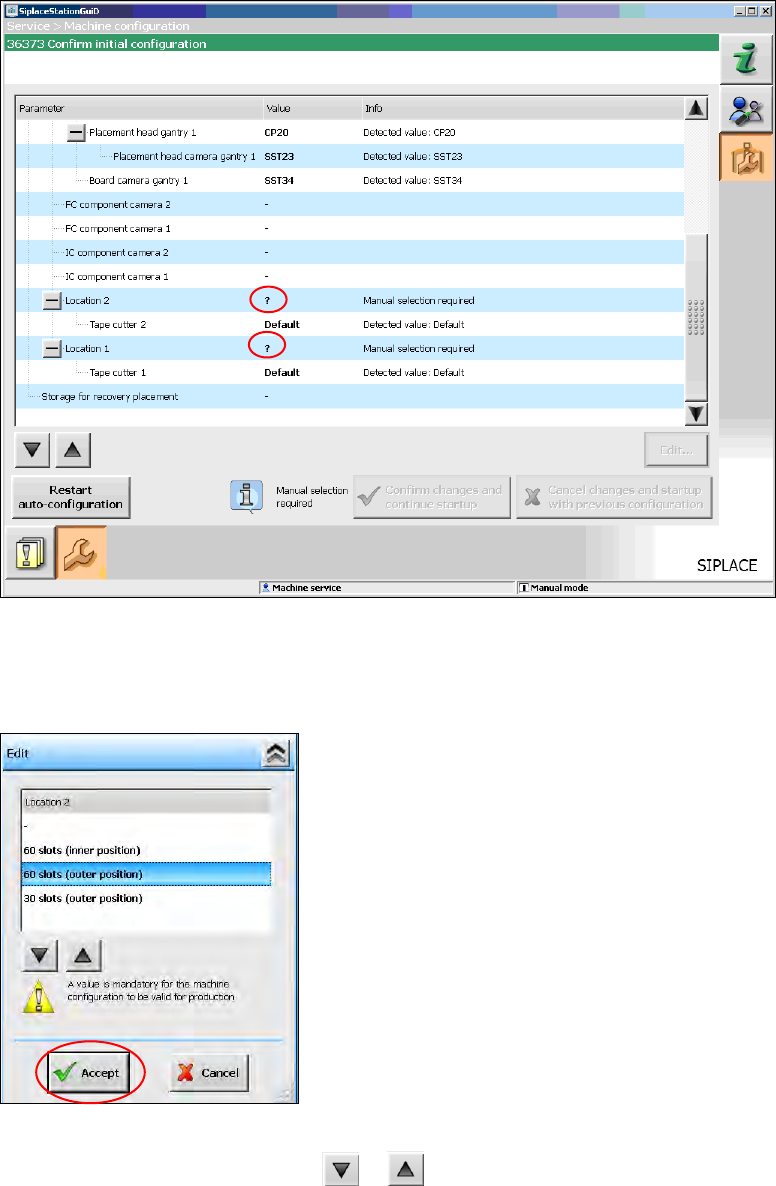
For the SX1/SX2 (V2) placement machine the following window is displayed, in which the Manual
selection required note informs, that the table configuration has to be selected manually, as this is
not detected automatically.
Figure 7-6: Selecting table configuration
► Click the ? question mark next to Location 2.
The selectable table configurations are displayed.
Figure 7-7: Possible table configurations
► Select a table configuration with or .
Station Software 706.1 / Installation Manual Ausgabe 11/2012 Edition
47
► Click the Accept button.
► Repeat the steps for Location 1.
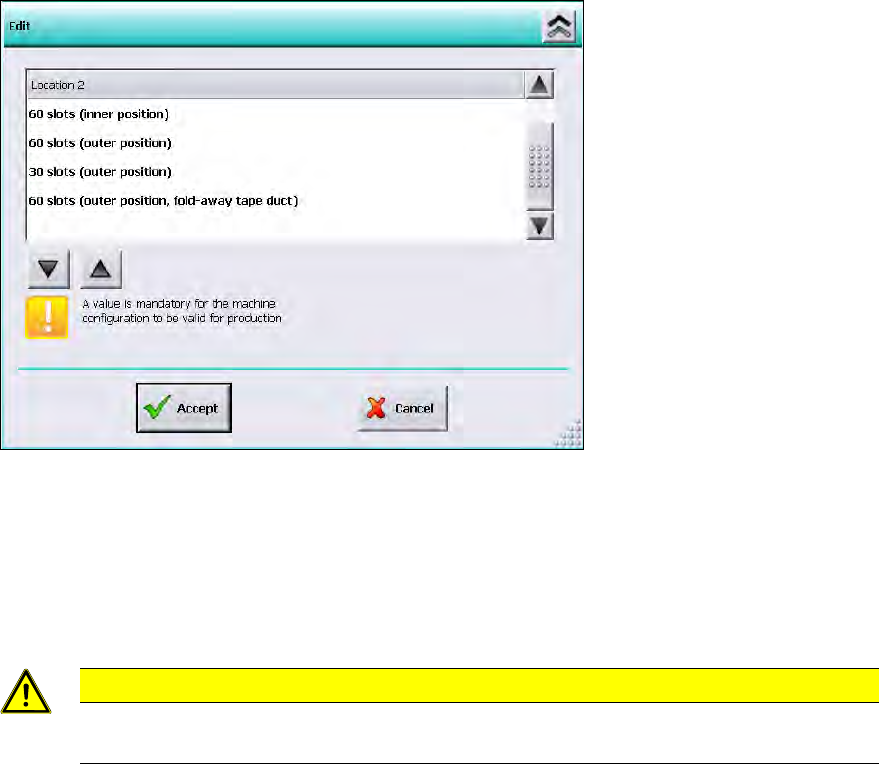
Settings for manual tray Carrier SX
If the manual tray Carrier SX is used, the insert frame with the fold-away tape guide channel is
required. This has to be set manually. In this case, the following selectable table configurations are
displayed:
Figure 7-8: Settings for manual tray Carrier SX
► Select the 60 slots (outer position, fold-away tape duct) table configuration.
► Click the Accept button.
Thus, the 27x27 reject bin and the left reject channel on the location are excluded from the
configuration.
CAUTION
If this setting is not made, the component may be rejected over the tray and the Z axis
may dash hard against the tray.
► Repeat the steps for Location 1.
Station Software 706.1 / Installation Manual Ausgabe 11/2012 Edition
48
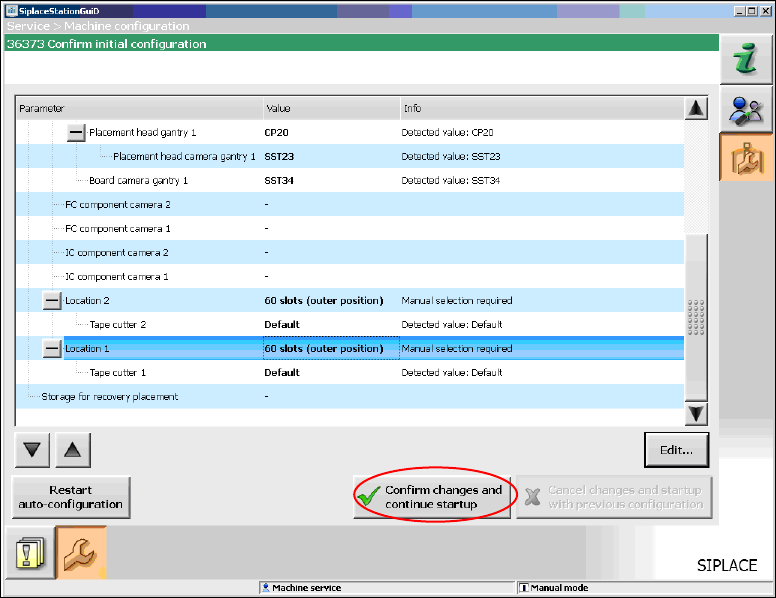
When you have selected all table configurations the following window is displayed, in which you
confirm the Auto-configuration.
Figure 7-9: Confirming Auto-configuration for SX1/SX2
► Click the Confirm changes and continue startup button to confirm the Auto-configuration.
► If the Coplan computer has been installed, you will additionally have to confirm or reject the 3-D
Coplan sensor.
7.4 SX+ Placement Machine
If the SX+ placement machine is to be used without gantries, this has to be configured in the Auto-
configuration after the machine has been booted.
► For this, select Ignore gantries at the processing area in the machine configuration dialog.