Maintenance Schedule保养计划.pdf - 第18页
Vision XP+ V AC / XP+ / XP / XS Page 27 2 Mainte nance 2.5 Co oling T ract Service Instructions V ersion 1.3 2.5.6 Replacing the Fan Im peller Fig. 2-26 Replacing Fan Impeller (step 1 ) Fig. 2-27 Replacing Fan Impeller (…
Page 26 Vision XP+ VAC / XP+ / XP / XS
2 Maintenance
2.5 Cooling Tract
Service Instructions
Version 1.3
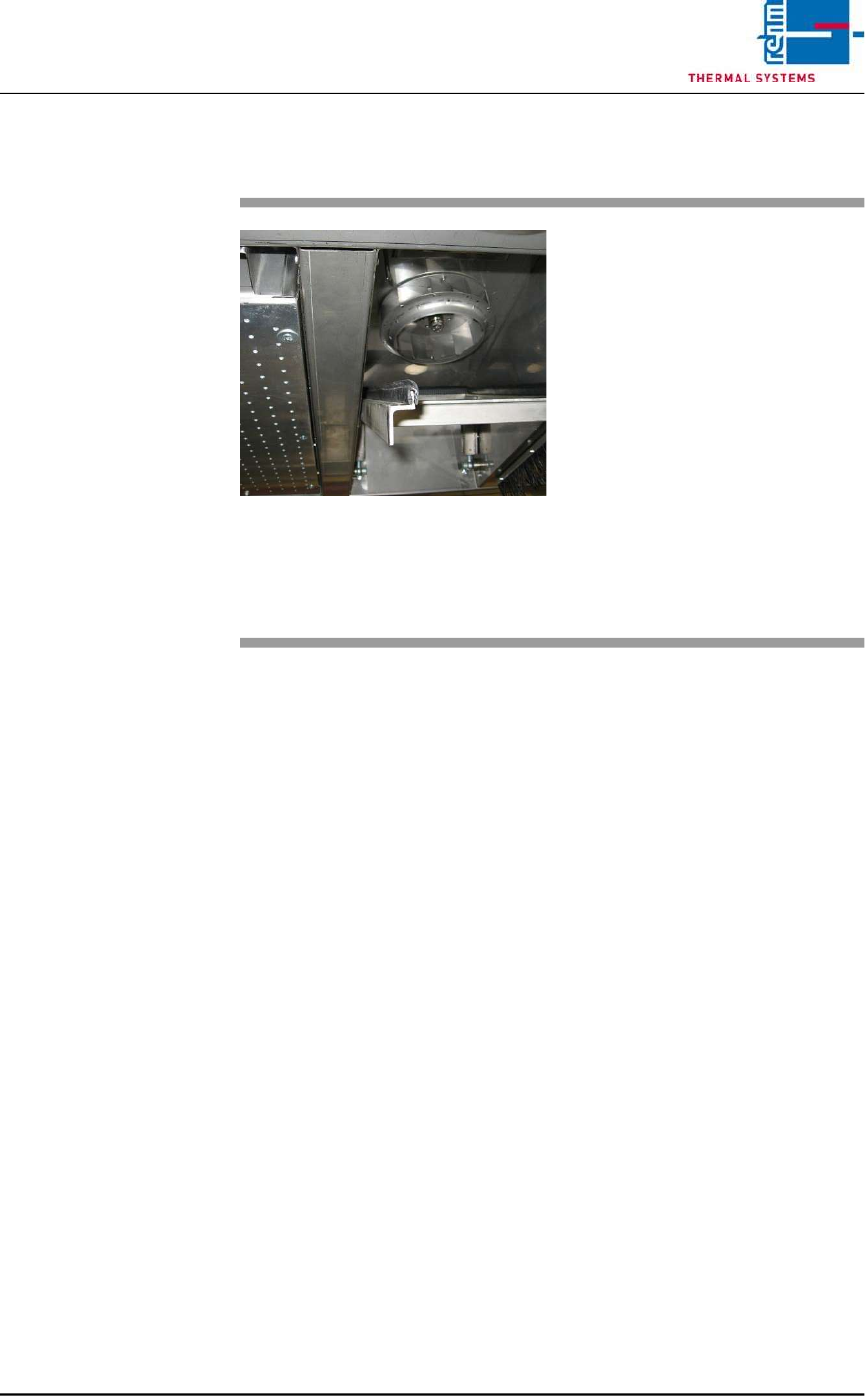
2.5.5 Inspecting and Cleaning the Fan Impeller
Fig. 2-25 Cleaning the Fan Impeller
The fan impellers are located in the
process chamber behind the cooler
cartridges.
Consumable materials, tools:
• Oven cleaner
• Rags
Procedure:
1. Remove the cooler cartridge
(see instructions in chapter
2.5.2).
2. Inspect the fan impellers for
contamination, and clean with
oven cleaner and rags if
necessary.
Vision XP+ VAC / XP+ / XP / XS Page 27
2 Maintenance
2.5 Cooling Tract
Service Instructions
Version 1.3
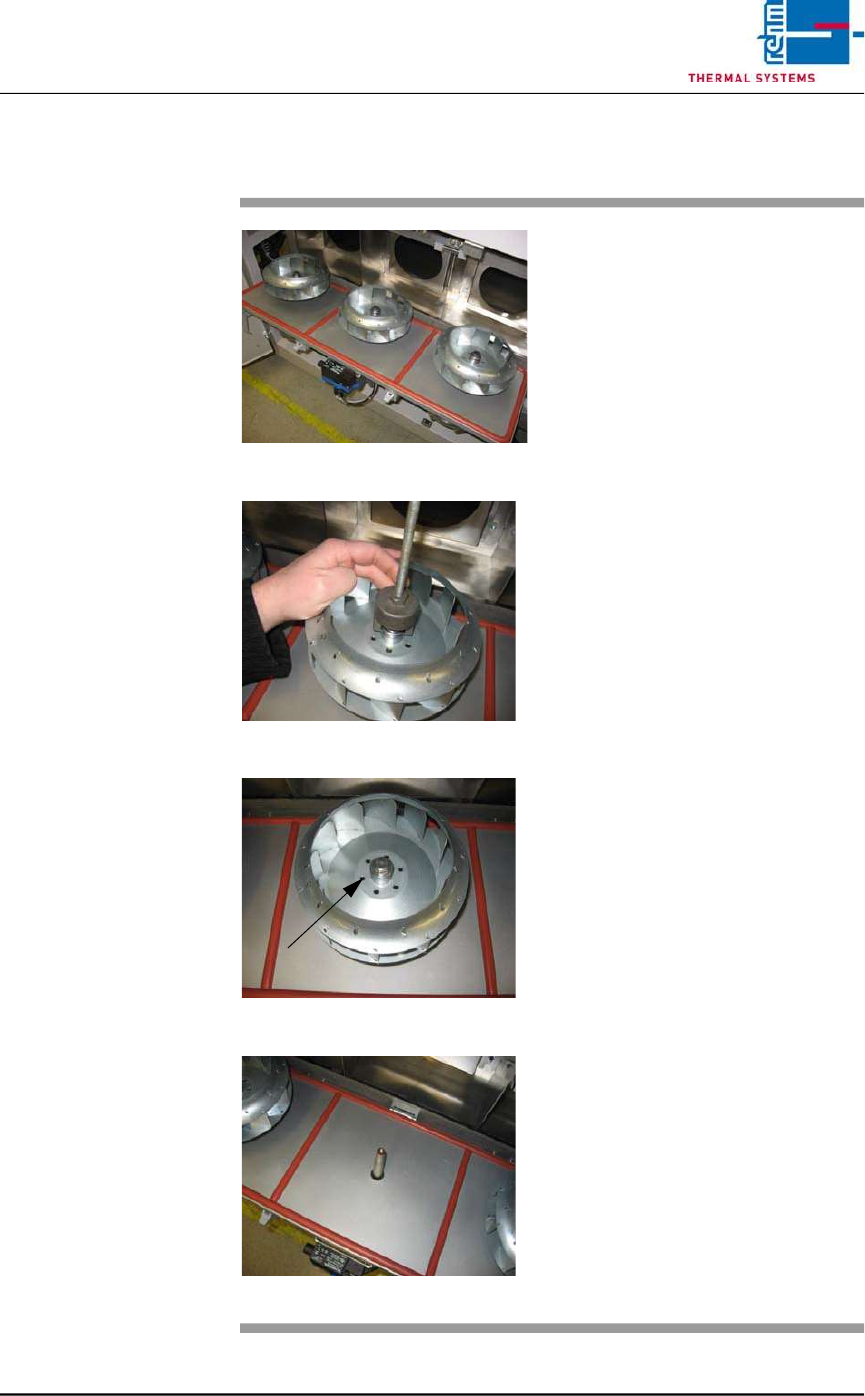
2.5.6 Replacing the Fan Impeller
Fig. 2-26 Replacing Fan Impeller (step 1)
Fig. 2-27 Replacing Fan Impeller (step 2)
Fig. 2-28 Replacing Fan Impeller (step 3
Fig. 2-29 Replacing Fan Impeller (step 4)
Consumable materials, tools:
• 17 mm box wrench or open-end
wrench
• Puller
Procedure:
1. Open the cooling zone.
2. Remove the self-locking bolt at
the fan impeller.
3. Attach the puller carefully. The
fan deducted evenly
4. Set the fan impeller into a
rinsing bath, or replace it with a
new one.
5. Put on the fan wheel properly.
Now, put on the locking screw
again.
6. Screw tightly the fan wheel with
locking screw. Close again the
cover with clamping levers.
Page 28 Vision XP+ VAC / XP+ / XP / XS
2 Maintenance
2.6 Vacuum Unit
Service Instructions
Version 1.3
2.6 Vacuum Unit
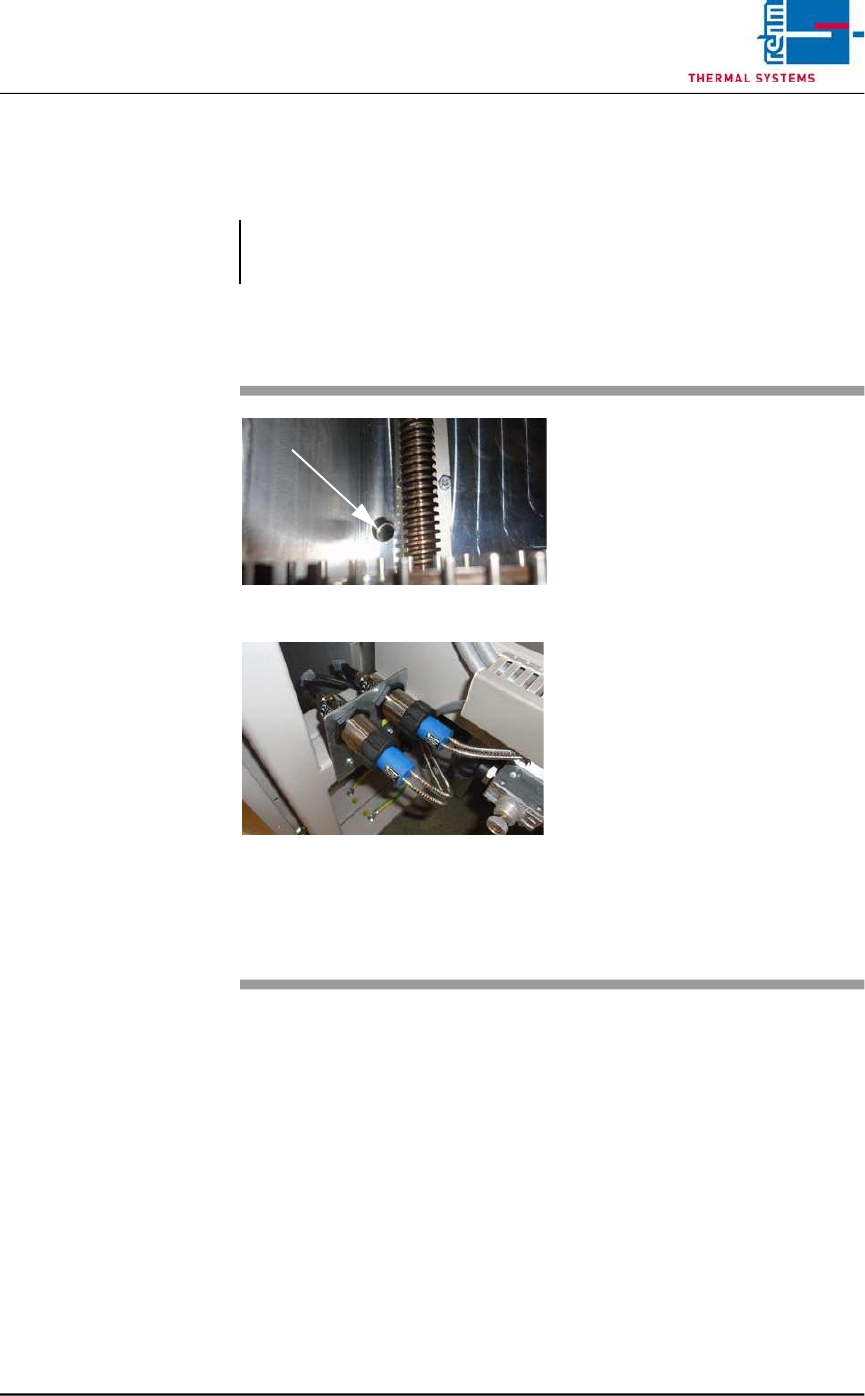
2.6.1 Sensors in the vacuum chamber
!
Note!
After the maintenance the chamber seal should be lubricated with
vacuum grease.
Fig. 2-30 Sensors in the vacuum chamber
Fig. 2-31 Sensors in the vacuum chamber
The sensors for the vacuum unit are
located at the back of the machine.
These sensors should be checked
from time to time to examine the
degree of dirt.
Consumables, tool:
• Oven cleaner CF 1
• Cleaning cloths
• Vacuum cleaner
Procedure:
1. The transport system in the
vacuum chamber must be
moved apart.
2. Clean the viewing area and the
vacuum chamber with a
suitable cleaning cloth.
3. Suck any dirt from the chamber
using a vacuum cleaner.