TS577R-UserGuide.pdf - 第23页
23 6.1 Setup Web- based Applic ation Sofware Locally A. Ins tall Web- based Applica tion software 1. Go to Techcon Website : http://www.techconsystems.com/en/resources/softwa re - download/smart-valve-controller-iot-soft…
22
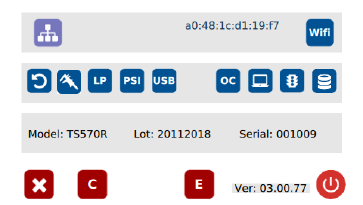
Note: Once the unit is turned off, the Wi-Fi connection is lost. To re-connect
the unit back to the same network after the unit is turned on, repeat steps 1-4
and touch the “Default” tab.
6. INTERNET of Thing (IoT)
The IoT enabled function to allow users to:
• Monitor controller/valve performance remotely
• Make parameters adjustment remotely
• Collect data
• Receive notification when errors occur from controller
This function can be accessed through wired or wireless network
connection
To utilize all supported functions, the controller must be log into Techcon
web-base application software.
• The web-base application can be used locally or on the cloud.
• The web-base application has security features to prevent unauthorized
access.
23
6.1 Setup Web-based Application Sofware Locally
A. Install Web-based Application software
1. Go to Techcon Website:
http://www.techconsystems.com/en/resources/software-
download/smart-valve-controller-iot-software
and download the “OKI_IoTLAN” to your computer
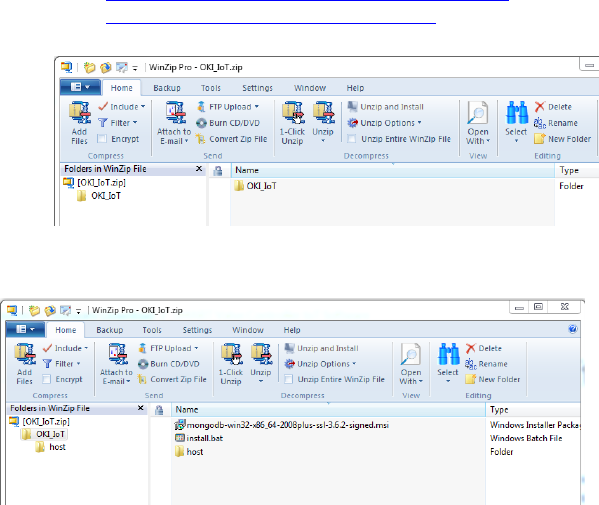
2. Open OKI_IoT folder
3. Double click on “install.bat” to install MongoDB
4. Make sure to select complete and uncheck Compass during the
installation.
Note: If you miss this step, you just install stuff on the machine that you
don’t need and of course it will take a few minutes longer to complete the
installation.
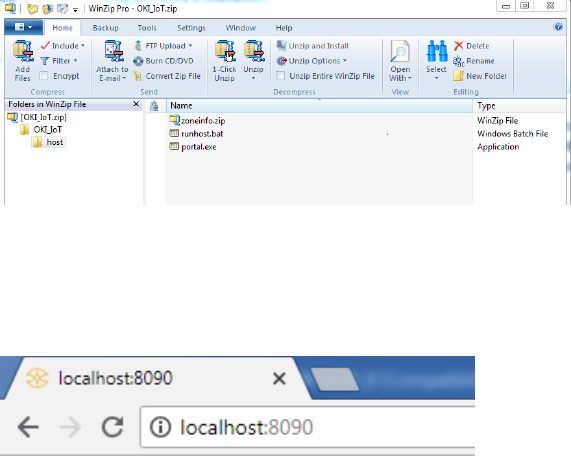
5. Open “host” folder
24
6. Double click on runhost.bat
7. Open internet browser (Internet explorer, Chrome, etc…), type in
localhost:8090 then press enter