M4serviceManual_e.pdf - 第31页
3 Mechanical Section 3-1 3 Mechanical Section
2 Periodical Checks
2-6
Fixed Camera
Clean half mirror and lens (lens filter).
)
”Camera” in 3 Mechanical Section.
Teach Camera
Clean lens.
)
”Camera” in 3 Mechanical Section.
Scan Camera
Clean lens.
Clean mirror in front of camera.
)
”Camera” in 3 Mechanical Section.
Camera Illumination
Check movement and brightness.
Operation Switches
Check if all actuators work properly in the Signal I/O screen.
Check emergency stop switch.
Alarm Beacon
Check if all lamps light.
Make sure it is fixed securely.
Hazard Alarm
Check if alarm sounds.
Warning Alarm
Check if alarm sounds.
Cameras
Execute “VISION TEST” and check result.
Pickup Coordinates
Check feeder banks.
Electrodes on Feeder Bank
Check the condition.
Placement
Make sure components are placed on specified places.

3 Mechanical Section
3-1
3
Mechanical Section
3 Mechanical Section
3-2
Head Cover Part
■ Removing/Installing the Head Cover
To carry out maintenance of the head unit, the Head Cover must be removed. The removal/installation
procedure for the upper/lower head covers is given below.
The pictures shown below are that of M4a, but M4e/M4s also can be followed the same procedure.
NOTE: Before removing the head cover , the main power to the machine must be turned OFF and protective gloves
must be worn for safety reasons.
ACTION: Removal of the upper head cover
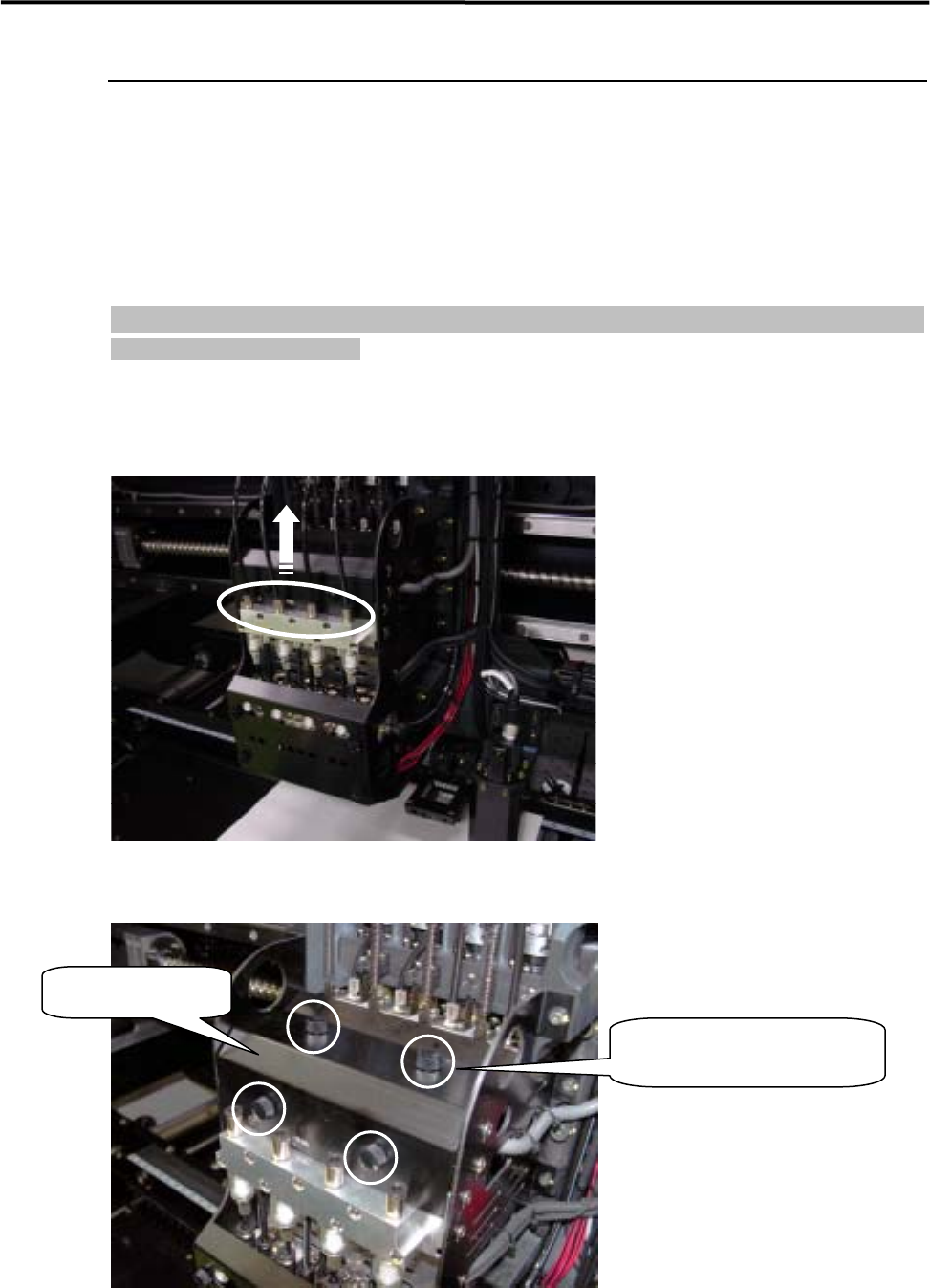
① Pull out the air tubes from each joint on upper manifold part.
② Raise the removed air tubes up, and remove the four plastic screws fixing on the upper cover.
Upper head cover
Remove the four plastic
screws, and take out the cover.