M4serviceManual_e.pdf - 第32页
3 Mechanical Section 3-2 Head Cover Part ■ Removing/Inst alling the Head Cover To carry out maintenance of the head u nit, the Head Cover must be removed. The removal/installation procedure for the upper/lower head cover…

3 Mechanical Section
3-1
3
Mechanical Section
3 Mechanical Section
3-2
Head Cover Part
■ Removing/Installing the Head Cover
To carry out maintenance of the head unit, the Head Cover must be removed. The removal/installation
procedure for the upper/lower head covers is given below.
The pictures shown below are that of M4a, but M4e/M4s also can be followed the same procedure.
NOTE: Before removing the head cover , the main power to the machine must be turned OFF and protective gloves
must be worn for safety reasons.
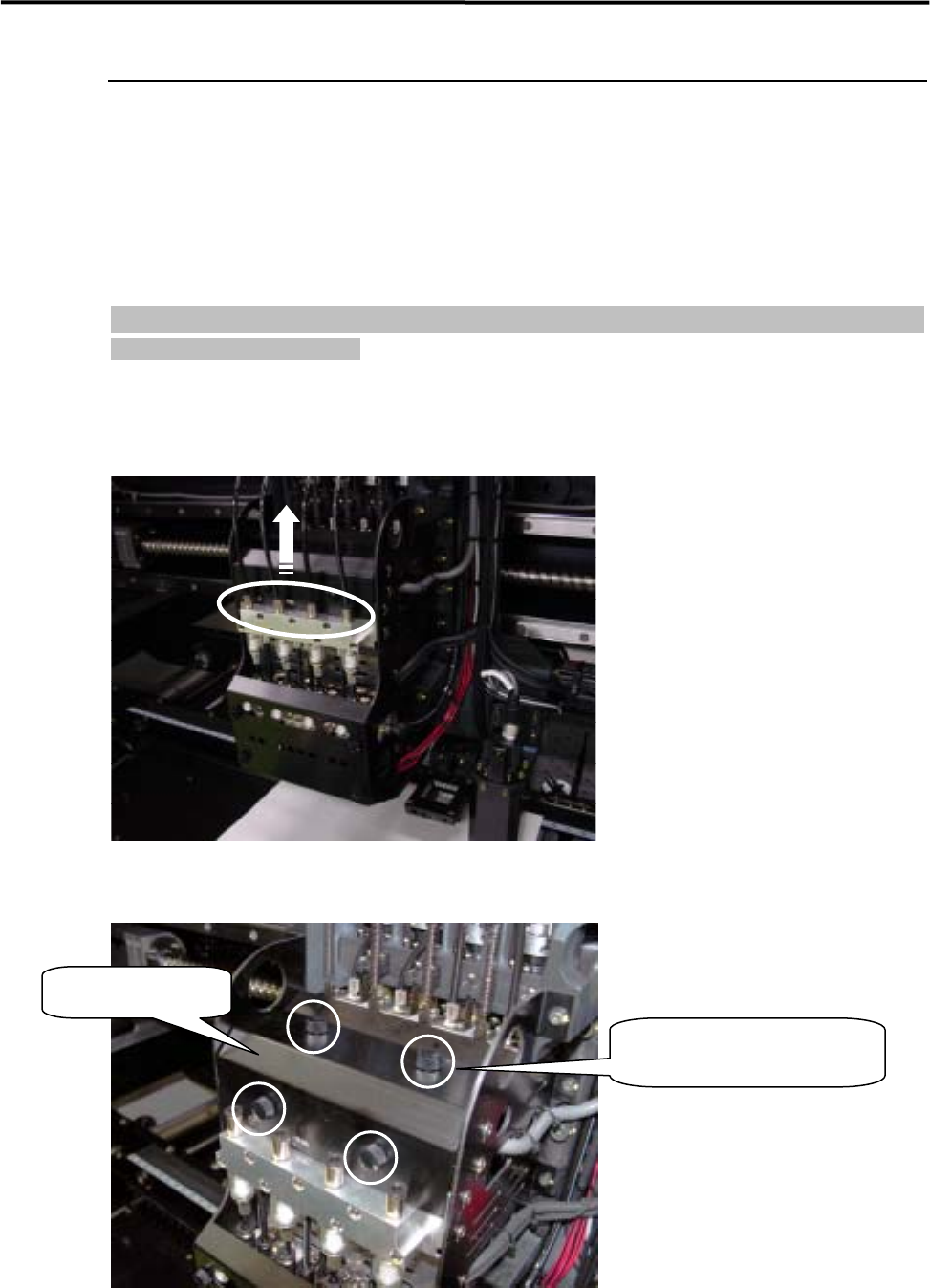
ACTION: Removal of the upper head cover
① Pull out the air tubes from each joint on upper manifold part.
② Raise the removed air tubes up, and remove the four plastic screws fixing on the upper cover.
Upper head cover
Remove the four plastic
screws, and take out the cover.
3 Mechanical Section
3-3
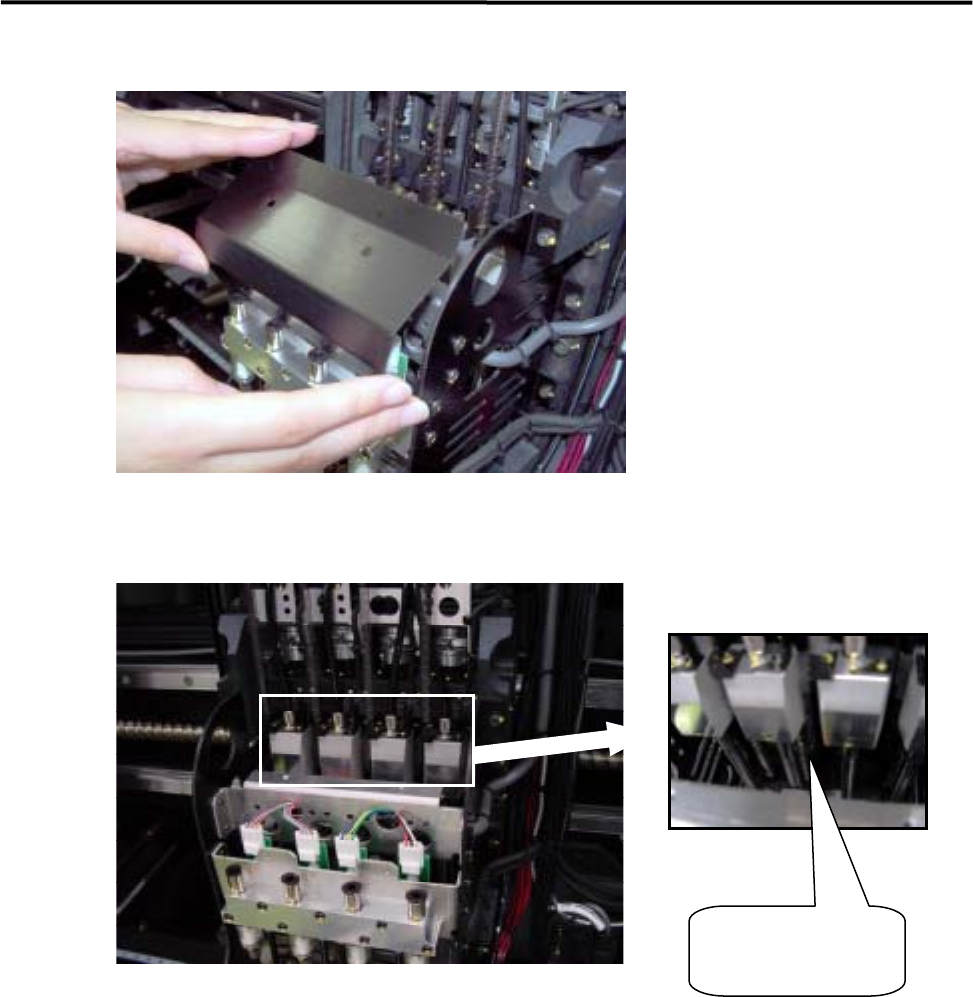
③Remove the upper head cover.
④When the upper head cover is removed, Z axis ball screw/ linear guide will be appeared.
Z-axis ball screw/
linear guide