M4serviceManual_e.pdf - 第61页
3 Mechanical Section 3-31 ■ Application of grease on a Nozzle Holder 【 Steps 】 ① Rub the inside of the No zzle Holder with materials like a dry cotton swab to cl ean out the grime, such as old grease. ② Use the head vacu…
3 Mechanical Section
3-30
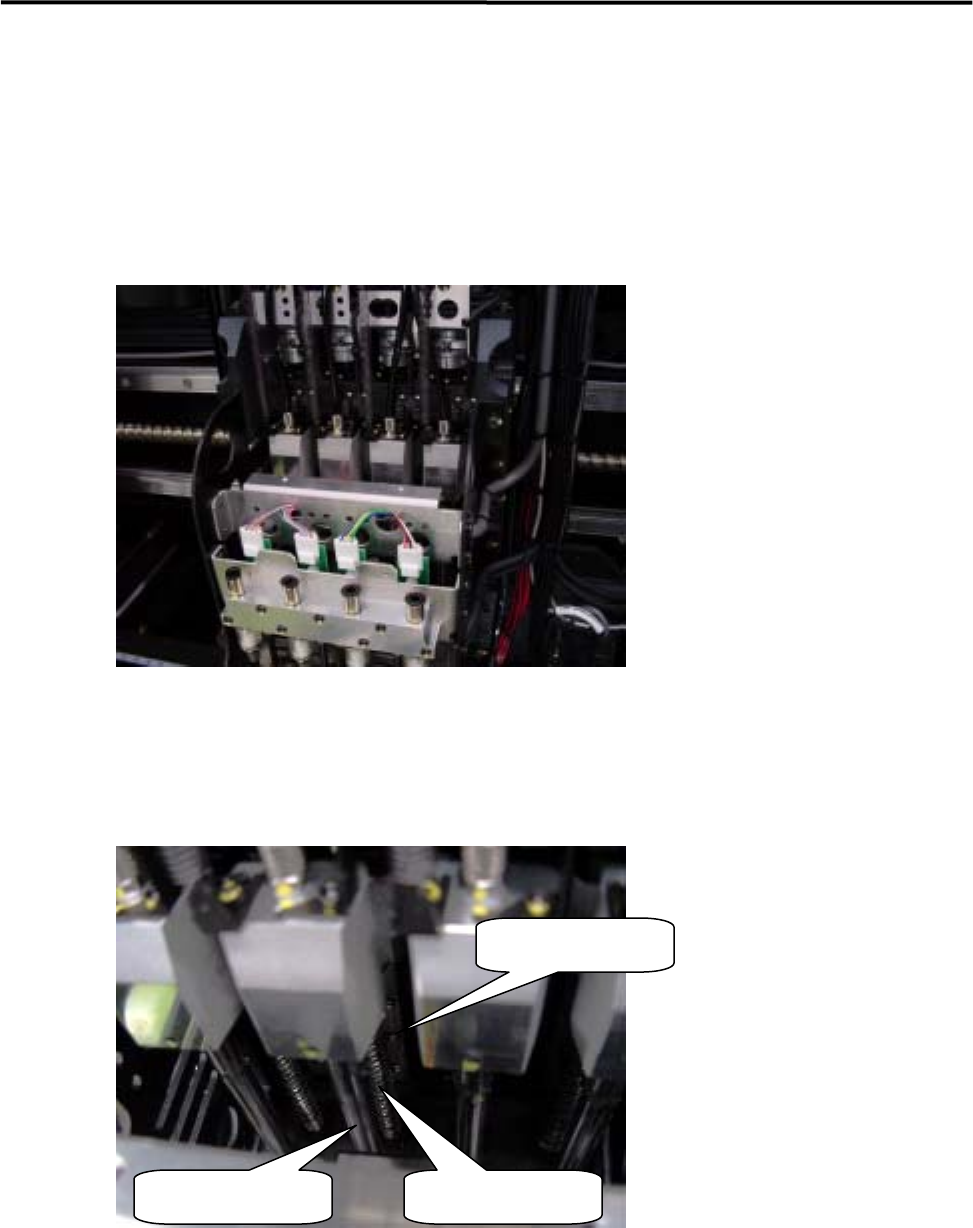
■ Applying Grease to Z-axis Ball Screw/ Z-axis linear guide
ACTION:
① Select [Manual] to display [Nozzle Info] window. From this window, return all the nozzles to ANC,
and move the head to the center (X-axis) approximately and to the nearest front side (Y-axis) in JOG
mode.
② Remove the upper head cover . (For the method, refer to “Head Cover Part”.)
③ Turn OFF the main power of the machine.
④ Apply grease to the upper section of Z-axis ball screw of each head. Do not apply an excessive amount
of grease as doing so may cause grease splash. (An appropriate amount that forms a film of oil on the
surface is sufficient.)
Z-axis linear guide
Spline shaft Z-axis ball screw
⑤ To spread the grease over the entire moving area, move the Z-axis by hand. For the Z-axis, each head
must be moved up and down a few times.
⑥ Raise all the heads approximately to the height of the machine origin by hand.
⑦ Attach the upper head cover .
3 Mechanical Section
3-31
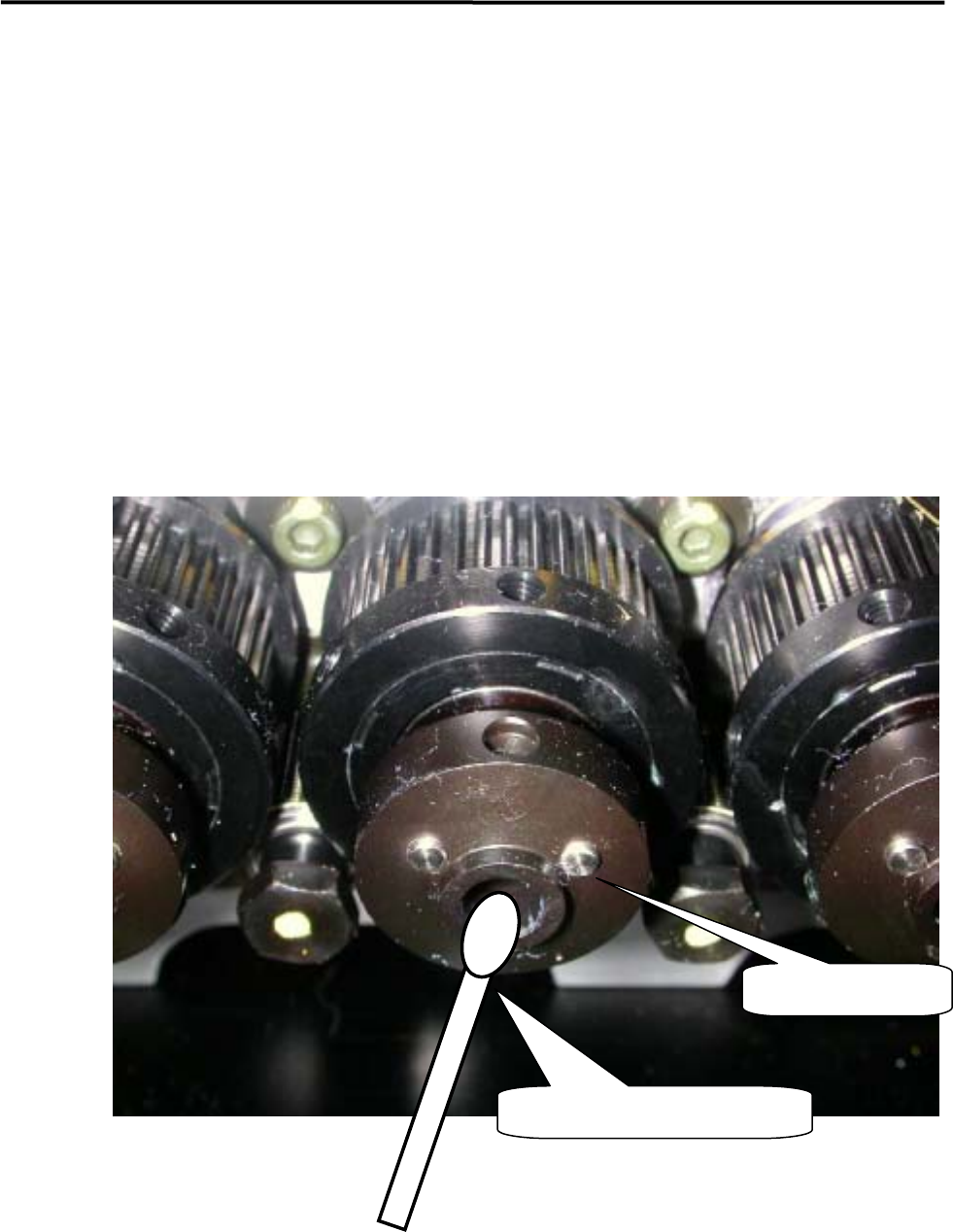
■ Application of grease on a Nozzle Holder
【Steps】
① Rub the inside of the Nozzle Holder with materials like a dry cotton swab to clean out the grime, such
as old grease.
② Use the head vacuum breaker to blow out the dust, such as fibers from a cotton swab.
NOTE: The head vacuum breaker can be executed by clicking the button at required head on the window of Main
Menu > Manual Menu > Actuator > On/Off > Head Vacuum.
③ Apply silicon grease evenly on the new cotton swab and rub the inside of the Nozzle Holder softly and
evenly with it.
④ After grease is applied, insert a nozzle and confirm that the nozzle escaping works smoothly.
Nozzle Holder
Such as a cotton swab
3 Mechanical Section
3-32
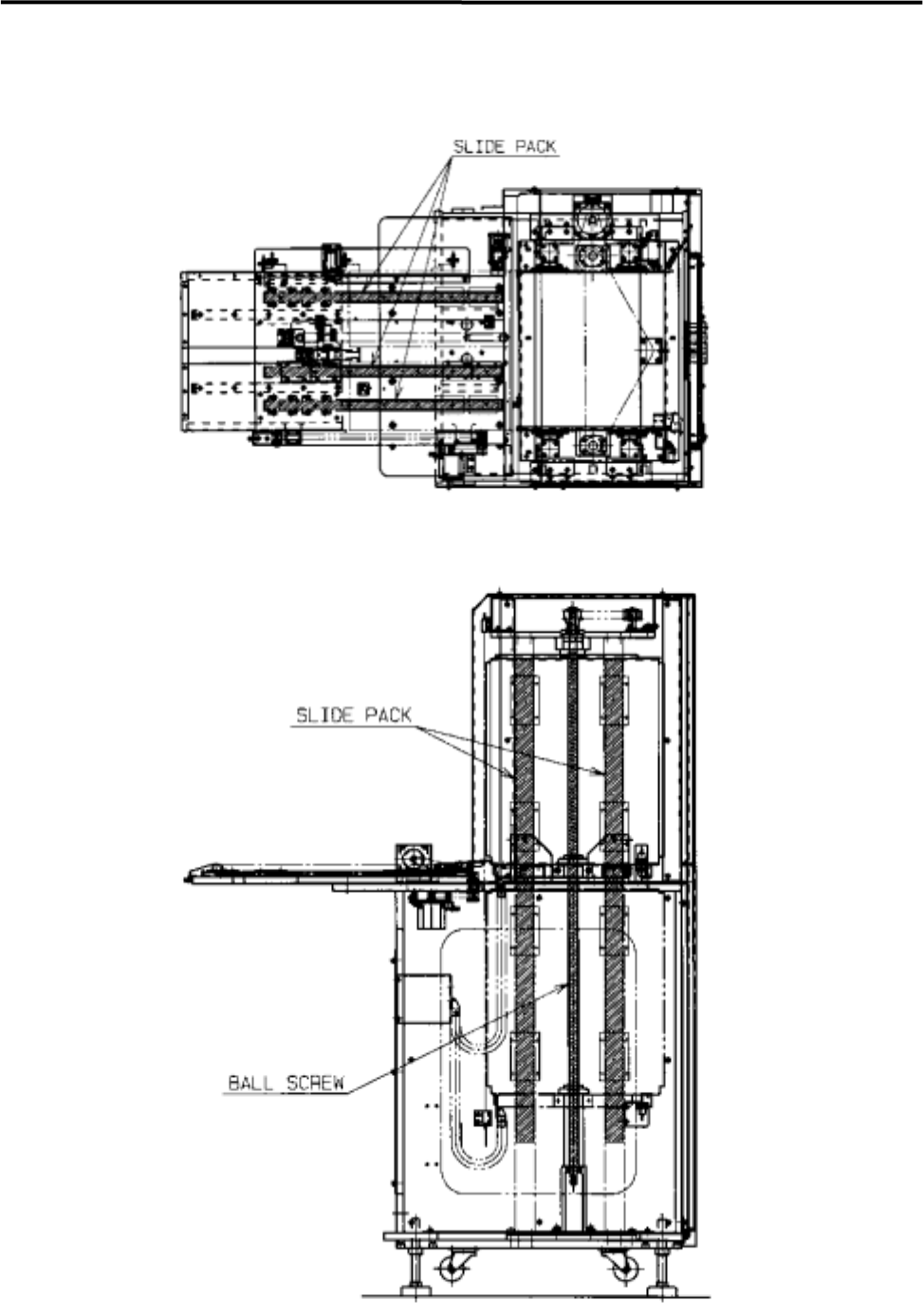
■ Lubrication Points for MX-20 (M4e/M4s Option)