00196624-04_Service Manual WPC5_6_EN_01-2019.pdf - 第104页
Service Manua l WPC5 / WPC6 Page 3-104 ➢ Fit the cover back on th e loading unit and sc rew tight. See a l so... @ 3.5 .2 Rep lace t he L oad Ax is Driv e Mot or [ ➙ 3- 34 ] ➢ Unscrew the sensor ( 1) from its mou nt. ➢…
Service Manual WPC5 / WPC6
Page 3-103
3.7.14 Sensor 15 NSM-Modul (WPC6) – Safety flap open
Spare Part
• Sensor safety flap open [03056958-xx]
Removal / Installation
➢ Remove the cover on the load unit (see "3.5.1.1 Remove the Cover on the Load Unit" [➙
3-
32]).
➢
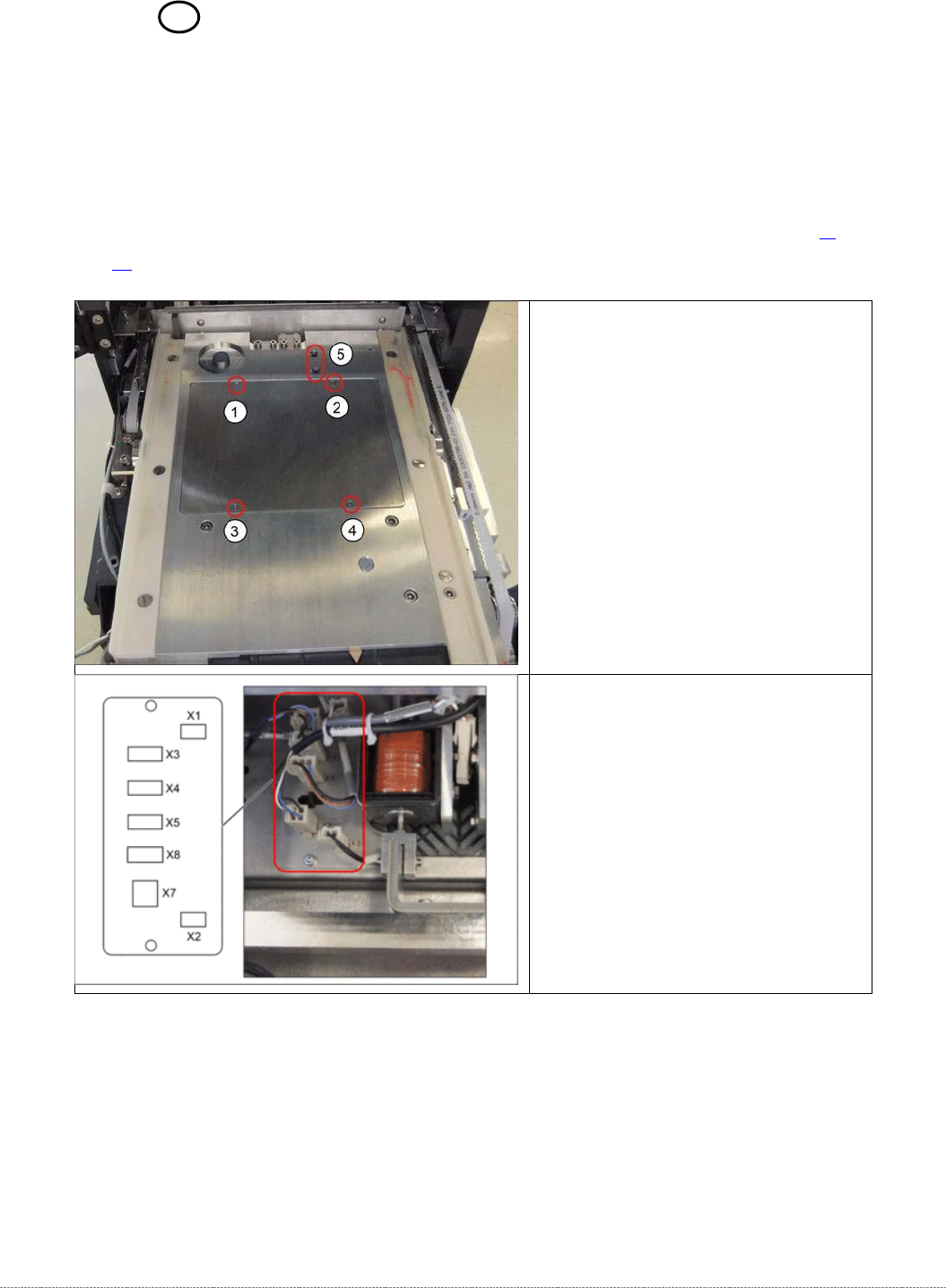
Loosen the screws marked at 1 to 4
and lift off the cover.
➢ Disconnect connector X3 for the
safety flap when open from the
circuit board.
Service Manual WPC5 / WPC6
Page 3-104
➢ Fit the cover back on the loading unit and screw tight.
See also...
@
3.5.2
Replace the Load Axis Drive Motor [➙ 3-34]
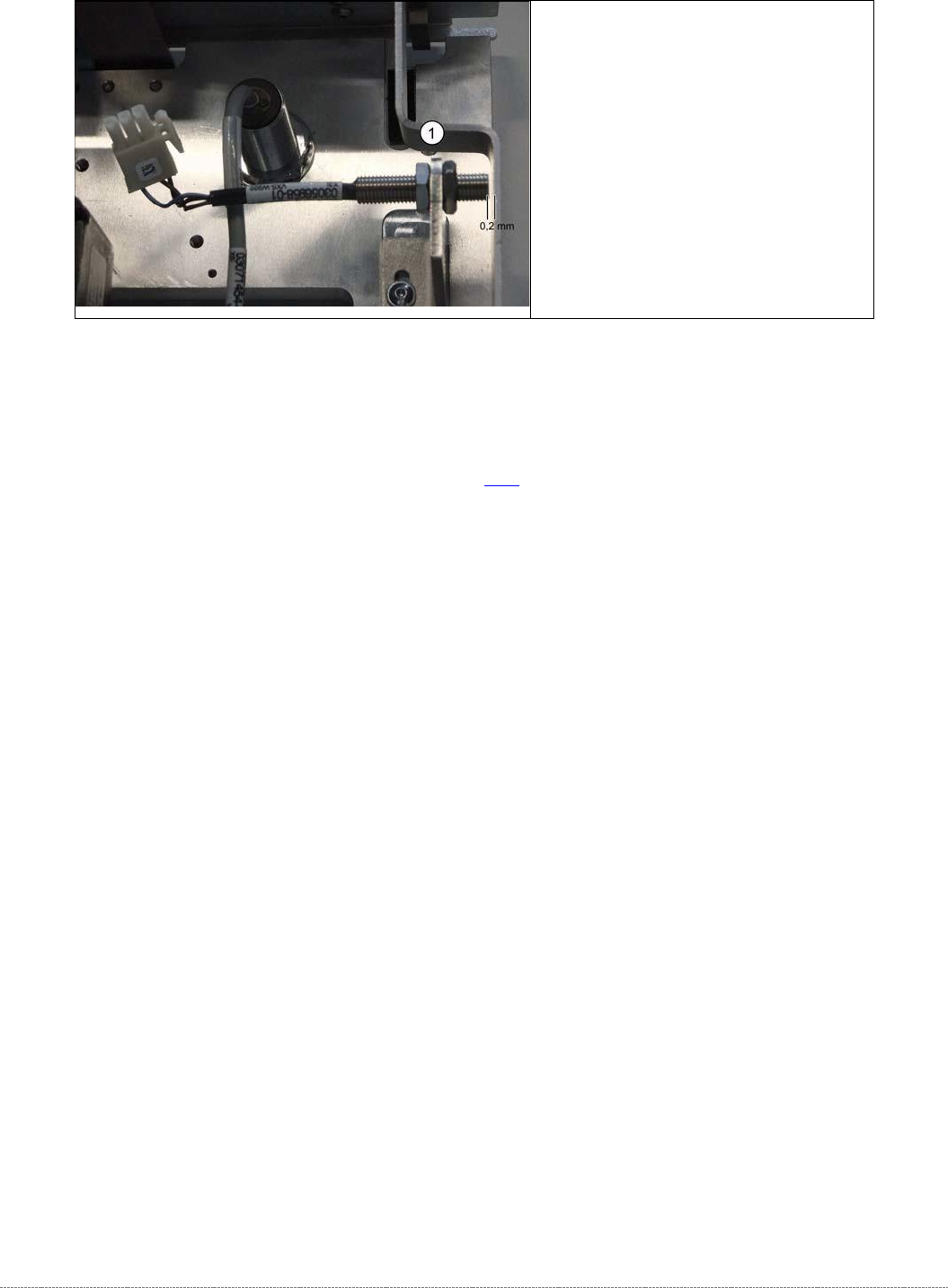
➢ Unscrew the sensor (1) from its
mount.
➢ Screw the sensor into its mount.
➢ Use a feeler gauge to set the
distance between the safety flap
and the sensor to 0.2 mm.
➢ Reconnect connector X3 to the
circuit board.
Service Manual WPC5 / WPC6
Page 3-105
3.7.15 Sensor 17 NSM (WPC6) – Safety Sensor loading flap
Spare Part
• Safety sensor loading flap [03056989-xx]
Removal / Installation
➢ Remove the cover on the load unit (see "3.5.1.1 Remove the Cover on the Load Unit" [➙ 3-
32]).
➢ Open the loading flap.
➢ Disconnect the cable x2j from the sensor and unthread it.
➢ Remove the two fastening screws and then take off the sensor.
➢ Insert the new sensor and fix into place with the two screws.
➢ Thread the sensor cable into place again and reconnect it.
➢
Fit the cover back on the loading unit.
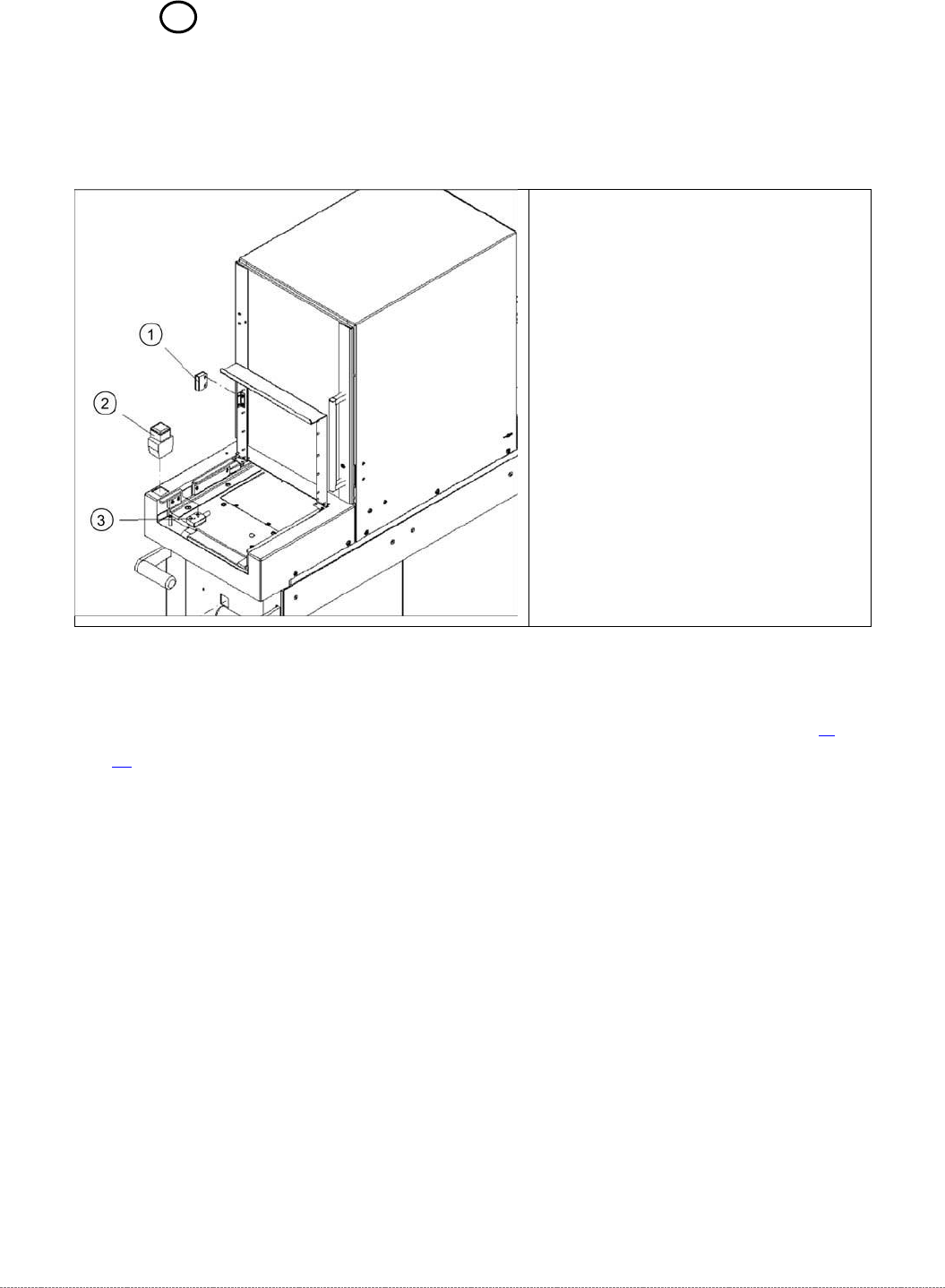
Legend
1. Actuator BPS 260-2
2. Button with signal light
3. Safety sensor loading flap