00196624-04_Service Manual WPC5_6_EN_01-2019.pdf - 第117页
Service Manua l WPC5 / WPC6 Page 4-117 ➢ Use the arrow keys ( 2) to select the required p itch (1) (0.1 m m in this exa mple). ➢ Use the arrow keys to move the tower s o that the tray can be correctly move d from the f…
Service Manual WPC5 / WPC6
Page 4-116
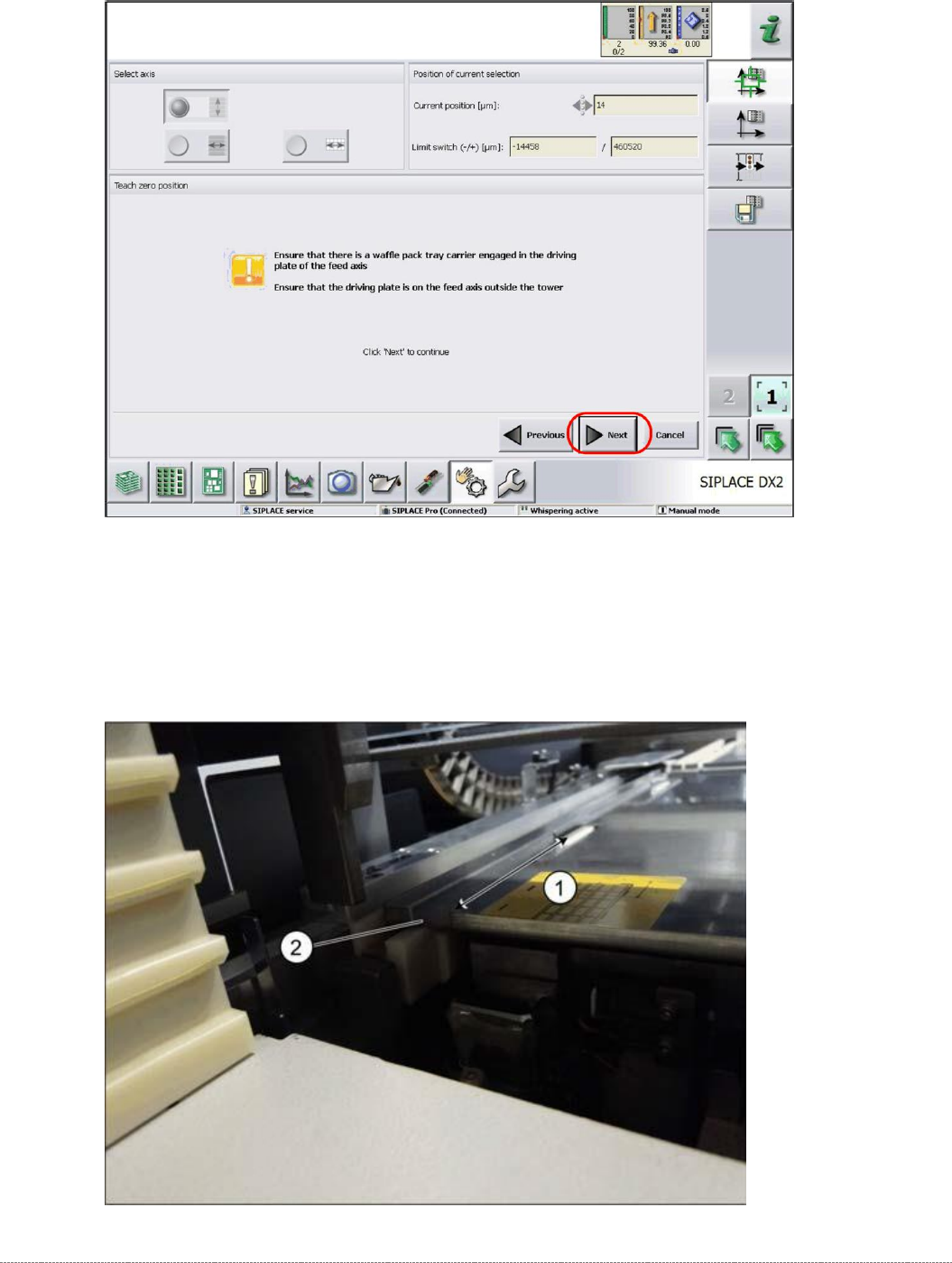
➢ Place the „Jig for WPC4-6 base plate“ [03073064-01] (or a WPTC) in the feed area
(machine).
➢ Make sure that the driver has engaged with the gauge properly and that the gauge is
correctly fitted onto the guide rail.
Service Manual WPC5 / WPC6
Page 4-117
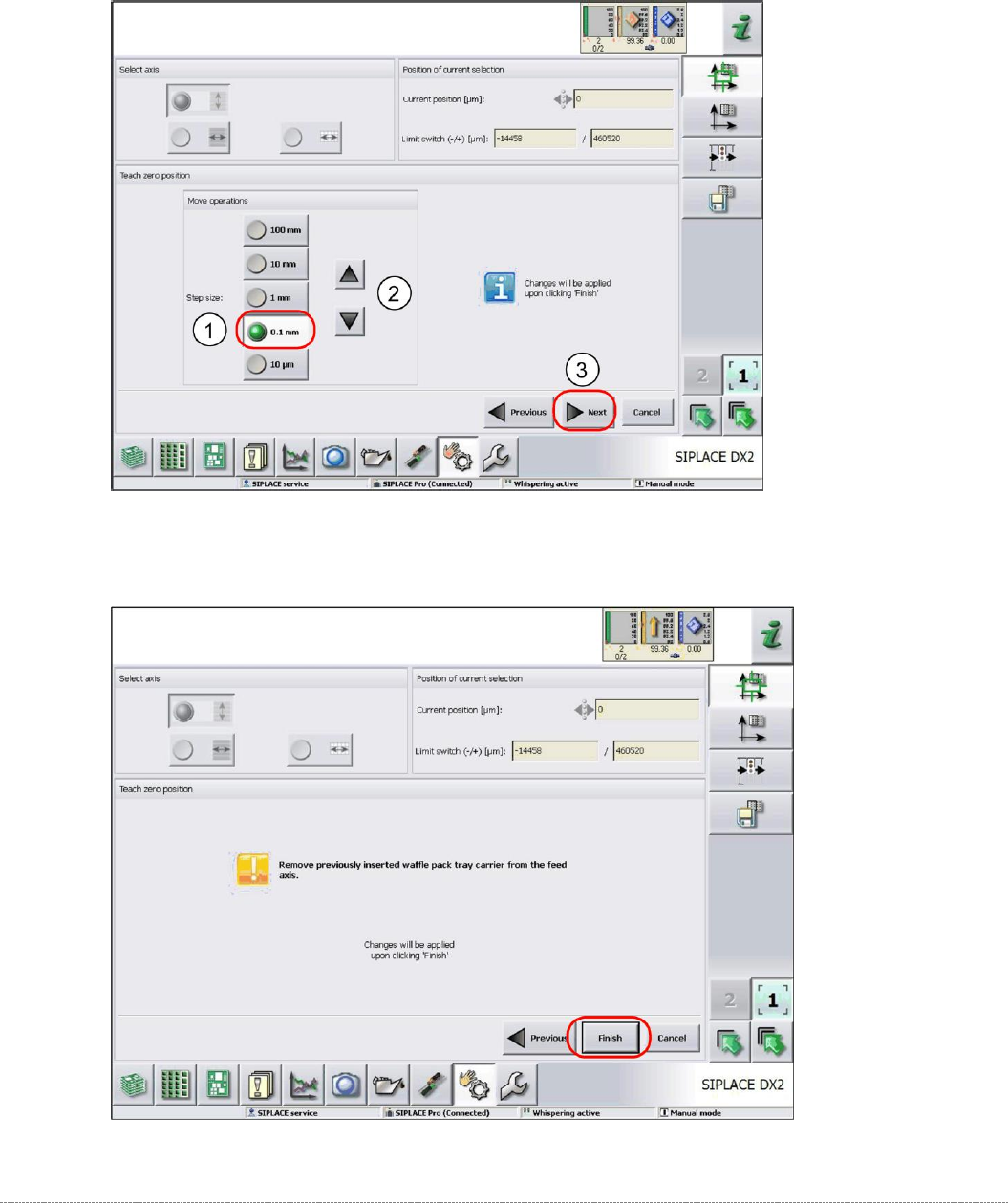
➢ Use the arrow keys (2) to select the required pitch (1) (0.1 mm in this example).
➢ Use the arrow keys to move the tower so that the tray can be correctly moved from the feed
axis into the tower.
➢ Continue with
Next
(3).
➢ Follow the instruction shown and confirm the changes made with
Finish
.
Service Manual WPC5 / WPC6
Page 4-118
4.1.3 Reference Proximity Switch (Bero)
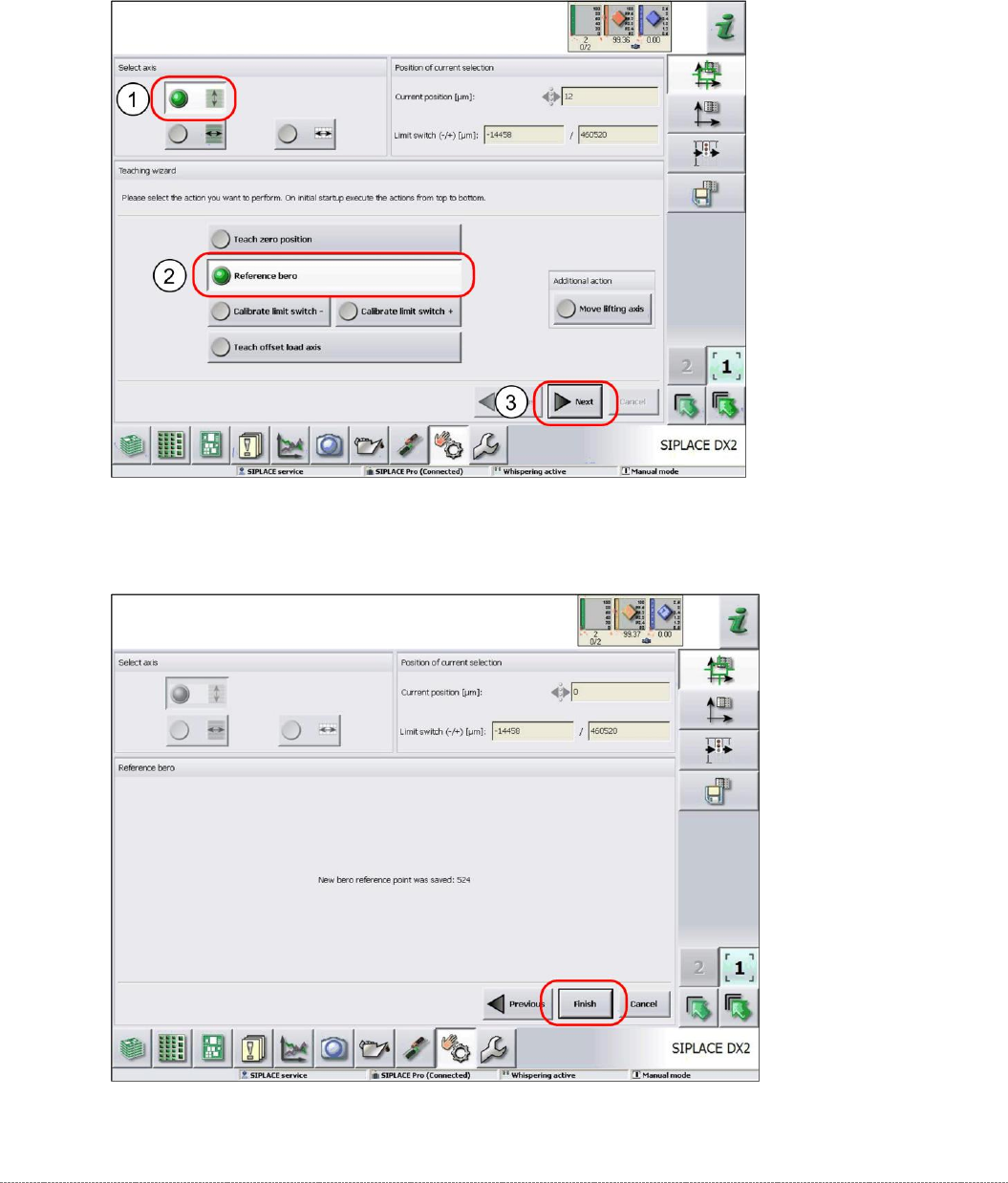
➢ Remove all waffle-pack tray carriers (WPTC) from the WPC.
➢ Select the lifting axis (1).
➢ Select the function
Reference bero
(2).
➢ Select
Next
(3).
➢ Confirm the new reference point proximity switch with
Finish
.