00196785-02_IM_Taceability_3.3_EN.pdf - 第16页
Installation Traceability Uninstalling Traceability from the Station Computer 16 Installation Manual SIPLACE Traceability 3.3 4.3 Uninstalling Traceability from the Station Computer If the setup of the activation o p tio…
Installation Traceability
Installing Traceability on the Station Computer
Installation Manual SIPLACE Traceability 3.3 15
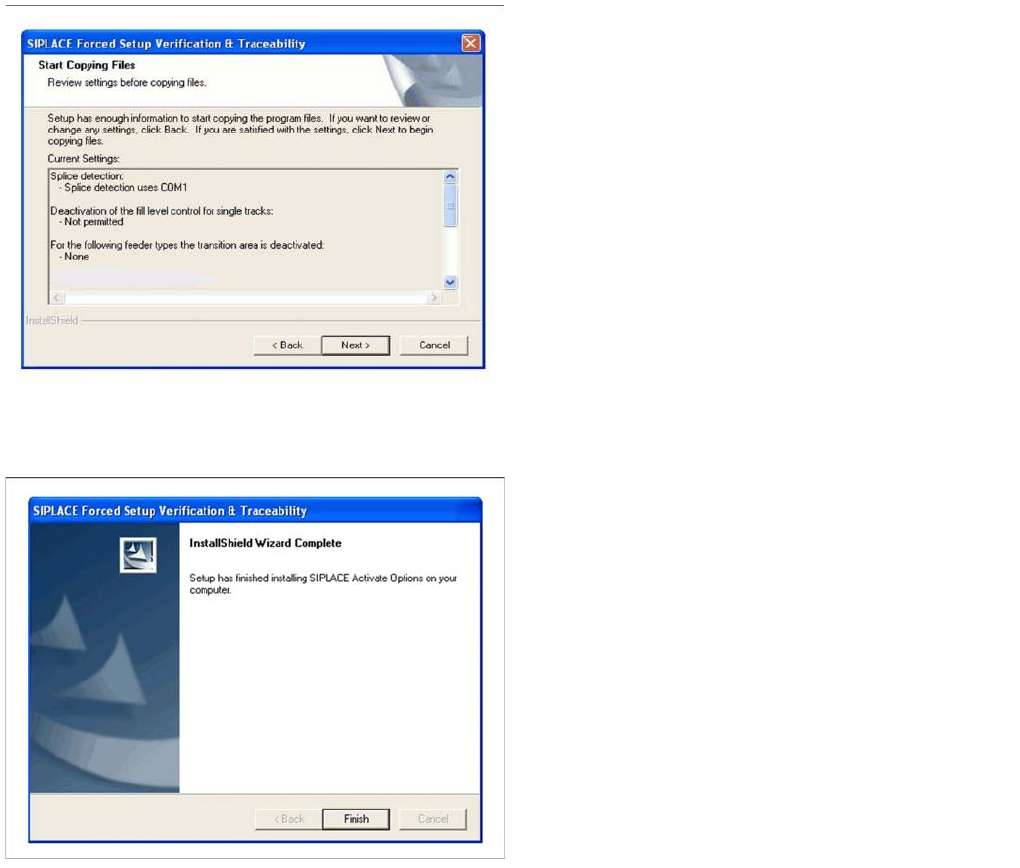
Overview of the settings
Finishing the installation
►Here you can see the overview of the settings.
►Click Back to review or change the settings.
►Click Next to continue the installation.
►Click Finish to finish the installation
Installation Traceability
Uninstalling Traceability from the Station Computer
16 Installation Manual SIPLACE Traceability 3.3
4.3 Uninstalling Traceability from the Station Computer
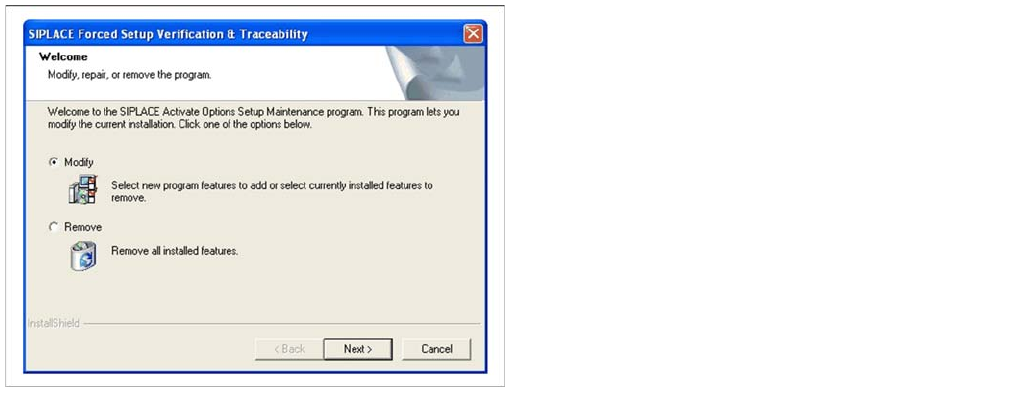
If the setup of the activation options at the Installation CD is called up again, the following dialog will ap-
pear. You can change the current settings by selecting the checkbox Modify. The following masks ap-
pear:
▪ Splice detection configuration for S-Feeders
▪ "Running tracks" empty is allowed
▪ Version of traceability data (XML-Files)
▪ Overview of the settings
▪ Finishing the installation
►If Remove is selected, the option Forced Setup Verifi-
cation and Traceability will be deactivated.

Installation of Trace Service and Trace Monitor
System Requirements for Trace Service System Requirements and Software Components for Traceability Modules
Installation Manual SIPLACE Traceability 3.3 17
5 Installation of Trace Service and Trace Monitor
5.1 System Requirements and Software Components for
Traceability Modules
5.1.1 System Requirements for Trace Service
Recommended hardware
▪ Processor with min. 3.3 GHz (e.g. Econel 100)
▪ 2.5 GB RAM (e.g. Econel 100)
▪ 100 GB available hard disk space (requirement for SQL Server host if database export option is
used)
Recommended software
▪ Server environment - one of the following versions:
– Preferred: Windows Server 2008 R2 (64 Bit)
– Compatible: Windows Server 2003 SP2, Windows Server 2003 R2, Windows Server 2008 SP 2
(32 Bit), Windows Server 2008 SP 2 (64 Bit)
▪ Supported database (for connection to Setup Center and Traceability Database export):
– Preferred: MS SQL Server 2008 R2 (32 Bit)
– Compatible: MS SQL Server 2005 SP3 (32, 64 Bit), MS SQL Server 2008 SP1 (32 Bit, 64 Bit)
– Only for testing/training purposes: MS SQL Server 2005 SP3 Express (32, 64 Bit), MS SQL Serv-
er, 2008 SP1 Express (32, 64 Bit), MS SQL Server 2008 R2 Express (32, 64 Bit)
▪ The software required for running Trace Service can be found on the Support Media DVD. This in-
cludes:
– SQL Server 2008 Express (for testing purposes only)
– Microsoft.NET 3.5 SP1 Framework
– License Manager 2.2 SP1
▪ SIPLACE Pro Interface version 9.3 (preferred) 9.2, 8.0 (compatible)
▪ SIPLACE Setup Center 4.2 (preferred), 4.0 (compatible)
▪ SIS 9.3 (preferred), 9.1, 8.0 (compatible, for line based Traceability)
▪ OIB 2.4
Supported Traceability Data Sources
▪ Traceability data in the form of XML files V1.0, V2.0, V1.1, V2.1 produced by 40x, 50x and 60x sta-
tions and Traceability data (internal format) produced by 70x stations.
5.1.2 System Requirements for Trace Monitor
The following hardware and software requirements must be fulfilled, before Trace Monitor can be in-
stalled.
NOTICE
Support Media DVD
Perform the Prerequisite Installation for the product SIPLACE Traceability 3.3 from the Support
Media DVD. See the "Prerequisite Analyzer" chapter in the Support Media Getting Started
[00195490-xx].