00196785-02_IM_Taceability_3.3_EN.pdf - 第35页
Uninstalling Trace Service and Trace Monitor Installation Manual SIPLACE Traceability 3.3 35 6 Uninstalling Trace Service and Trace Monitor NOTICE Requirement You need administr ator privilege for y our operation system …
Installation of Trace Service and Trace Monitor
Trace Monitor Troubleshooting
34 Installation Manual SIPLACE Traceability 3.3
Uninstalling Trace Service and Trace Monitor
Installation Manual SIPLACE Traceability 3.3 35
6 Uninstalling Trace Service and Trace Monitor
NOTICE
Requirement
You need administrator privilege for your operation system in order to perform this installation.
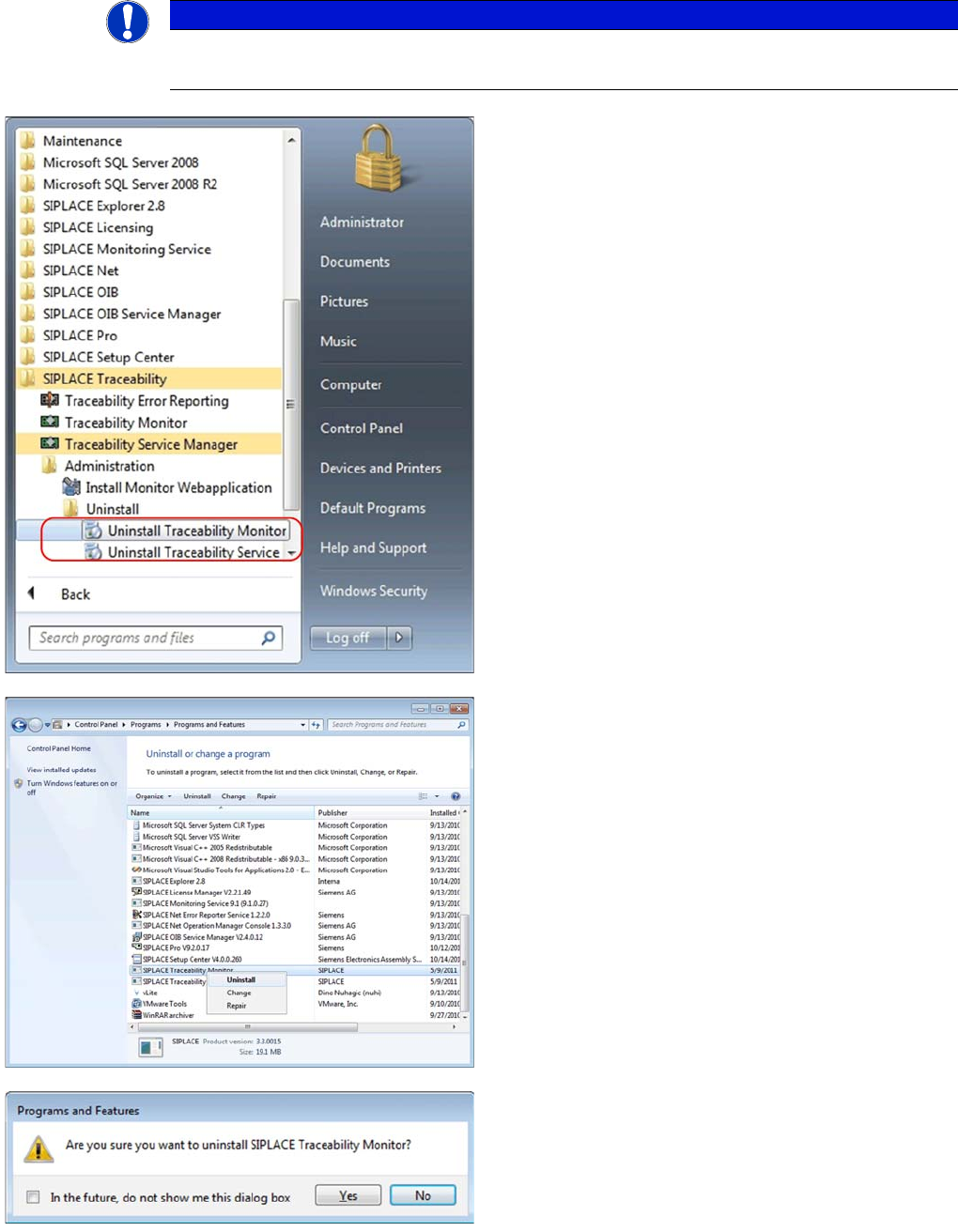
►In the Start Menu select the SIPLACE Traceability
program group -> Uninstall Traceability Service or
Uninstall Traceability Monitor.
⇨The Application Setup is started where you can choose
to repair or remove the installation.
►In the Control Panel -> Programs -> Programs and
Features dialog select the application to be unin-
stalled, e.g. SIPLACE Traceability Monitor, right-click
and select Uninstall in the context menu.
You are prompted to confirm uninstalling Trace Monitor.
►Confirm with Yes.
Uninstalling Trace Service and Trace Monitor
36 Installation Manual SIPLACE Traceability 3.3
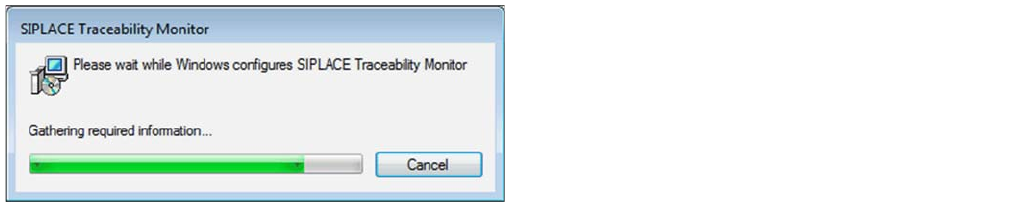
►The Install Shield Wizard will start and uninstalling
Trace Monitor will be prepared. Trace Monitor will be
uninstalled.
►Trace Monitor is no longer available.