00196785-02_IM_Taceability_3.3_EN.pdf - 第28页
Installation of Trace Service and Trace Monitor Trace Monitor Inst allation 28 Installation Manual SIPLACE Traceability 3.3 ► Enter the Apache Tomcat Web-URL (with out suffix "/ monitor"). The w eb application …
Installation of Trace Service and Trace Monitor
Installation Trace Monitor
Installation Manual SIPLACE Traceability 3.3 27
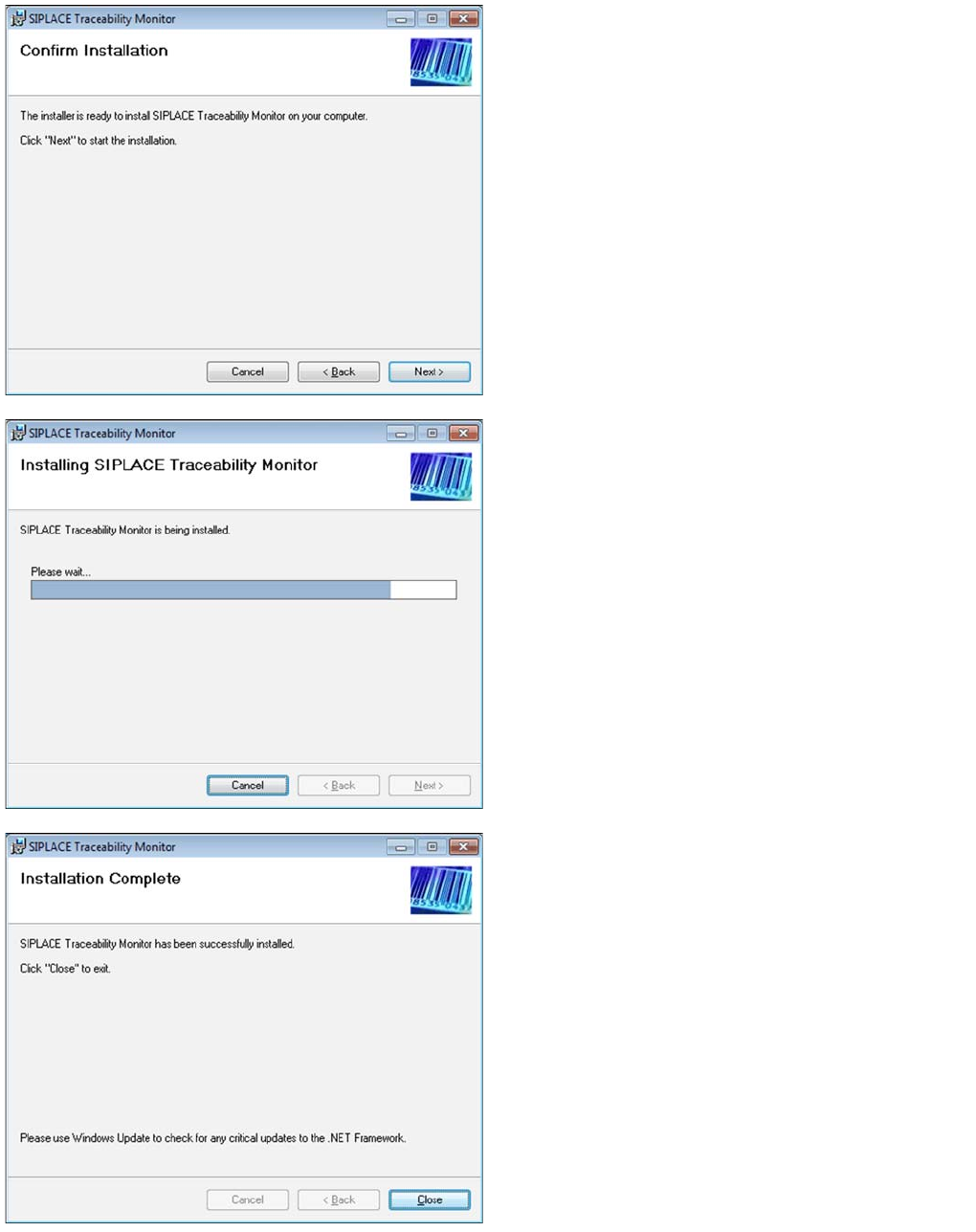
►Confirm the installation by clicking on Next.
►The installation of Trace Monitor will begin.
►The installation is successfully finished. Click Close to
exit.
⇨The Install Traceability Monitor Application on Apache
Tomcat dialog opens.
Installation of Trace Service and Trace Monitor
Trace Monitor Installation
28 Installation Manual SIPLACE Traceability 3.3
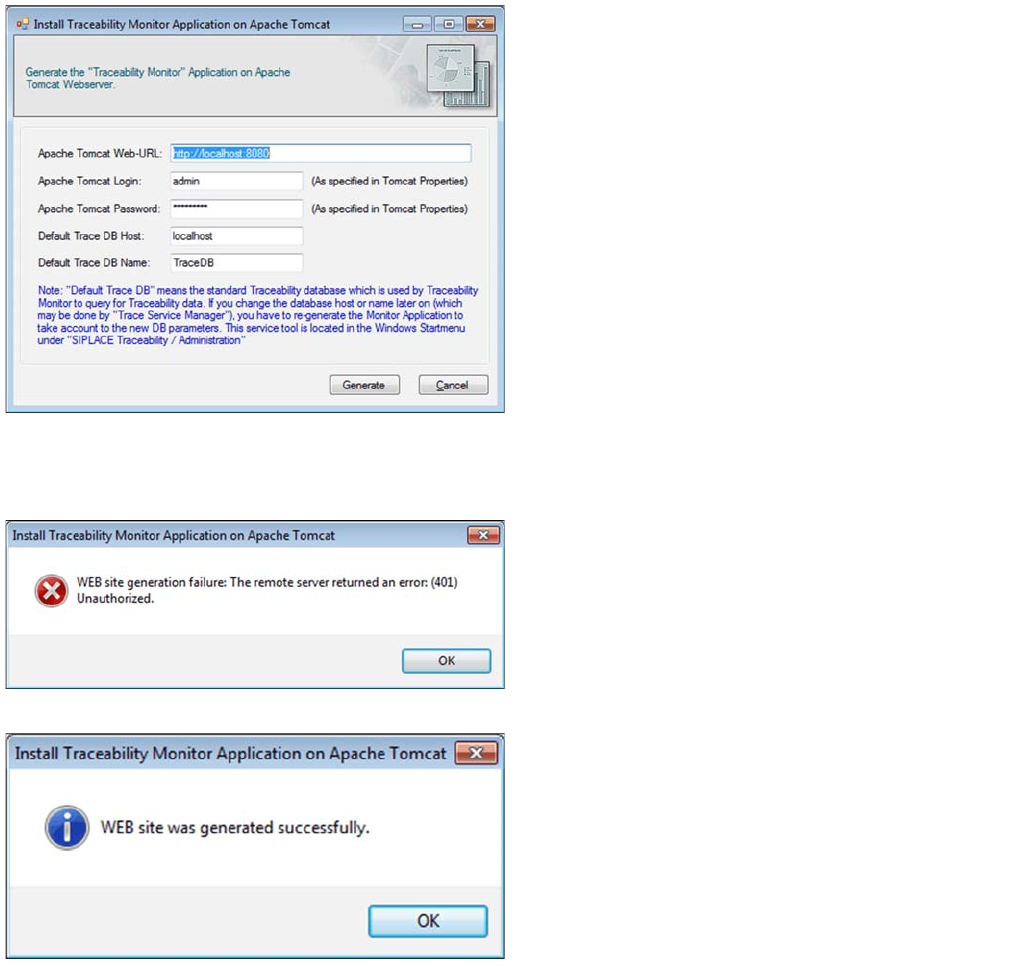
►Enter the Apache Tomcat Web-URL (without suffix "/
monitor"). The web application will be available at
URL "<Apache URL>/monitor", e.g. http://local-
host:8080/monitor.
►Enter admin as Apache Tomcat Login.
►Enter the Apache Tomcat Password. If the Tomcat
was installed using the Support Media DVD, the de-
fault password is Siplace.1.
►Enter the Default Trace DB Host.
►In Default Trace DB Name specify database that is to
be opened initially in Trace Monitor.
Refer to the Configure Traceability Database section
in the Traceability User Guide for a description of how
to create a database
►Click Generate.
⇨ The generation process for the Monitor web application
starts.
If the generation fails, a corresponding error message is
displayed.
After confirming the OK button the configuration dialog
appears again.
►Please correct the configuration parameters accord-
ing to the message shown in previous error dialog
and try again.
A success message is displayed after the Monitor appli-
cation has been generated without errors.
►Click OK.
Installation of Trace Service and Trace Monitor
Installation Trace Monitor
Installation Manual SIPLACE Traceability 3.3 29
5.3.1.2 Traceability Option - Installation Procedure
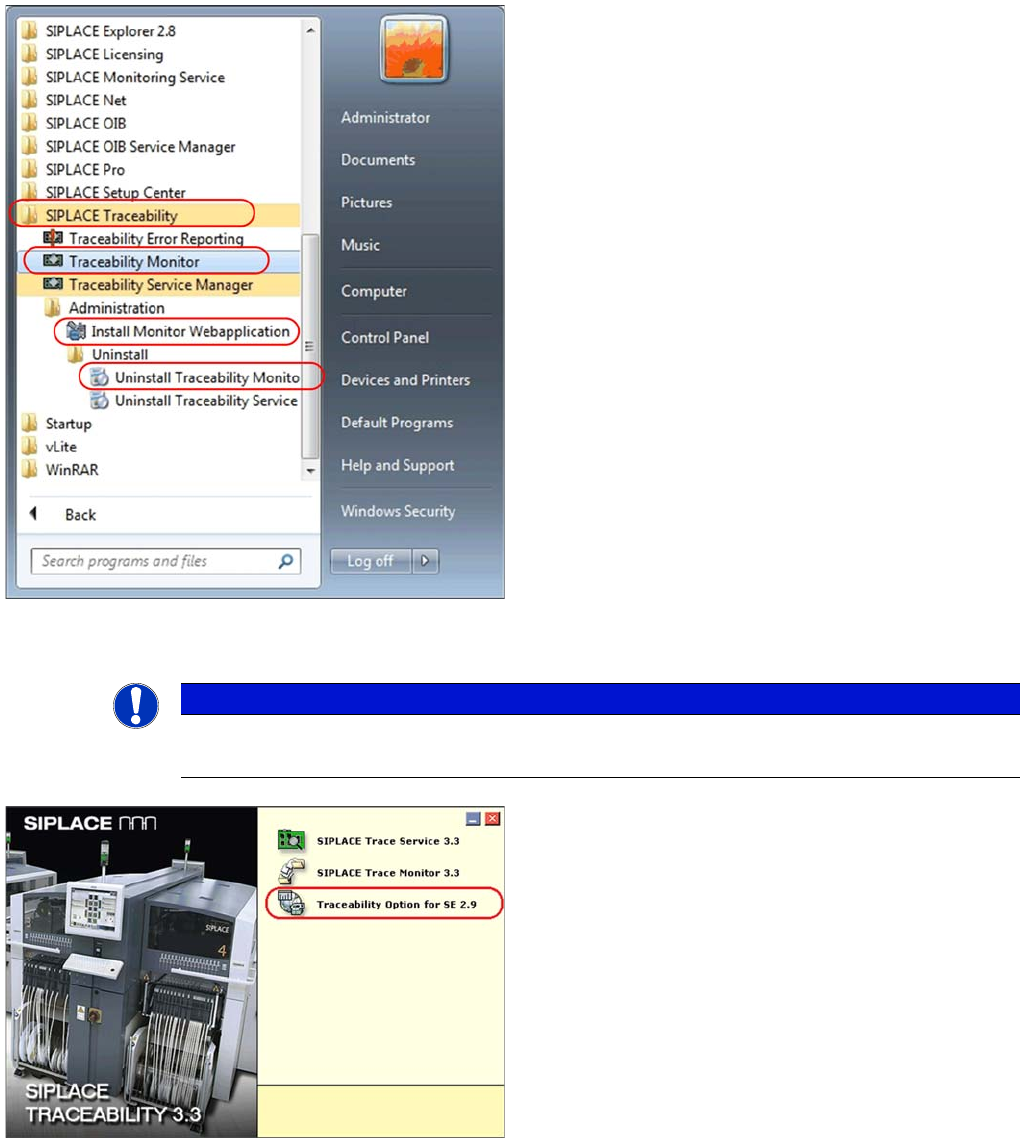
The Trace Monitor components can be started by select-
ing the SIPLACE Traceability program group -> Tracea-
bility Monitor from the Windows Start menu. The
following options are available in the SIPLACE Traceabil-
ity program group:
▪ Traceability Monitor
▪ Install Monitor Webapplication
▪ Uninstall Traceability Monitor
NOTICE
Requirement
You need administrator privilege for your operation system in order to perform this installation.
►Insert the SIPLACE Traceability CD into your CD-
ROM drive. You will see the Start screen:
►Select Traceability Option 3.3 for SE 2.9.
►You will now be guided through the installation proce-
dure for the SIPLACE Explorer Traceability option.