CP7 training(6.0) (1).pdf - 第120页
FK-9F98-27 CP-7 Series Traini ng Text for Service Engineers Edition 6.0 Chapter 7. Camera Adjustment [14 / 16] 5. Loosen the two height positionin g bolts and adjust the focus by raising or lowering the height of the cam…
FK-9F98-27 CP-7 Series Training Text for Service Engineers
Edition 6.0 Chapter 7. Camera Adjustment [13/16]
Mark Camera Adjustments
7.10 Focus Adjustment
Note that before adjusting the mark camera the X0/Y0 and the Z0 adjustments must already be
completed, and the Calibration data input into the machine.
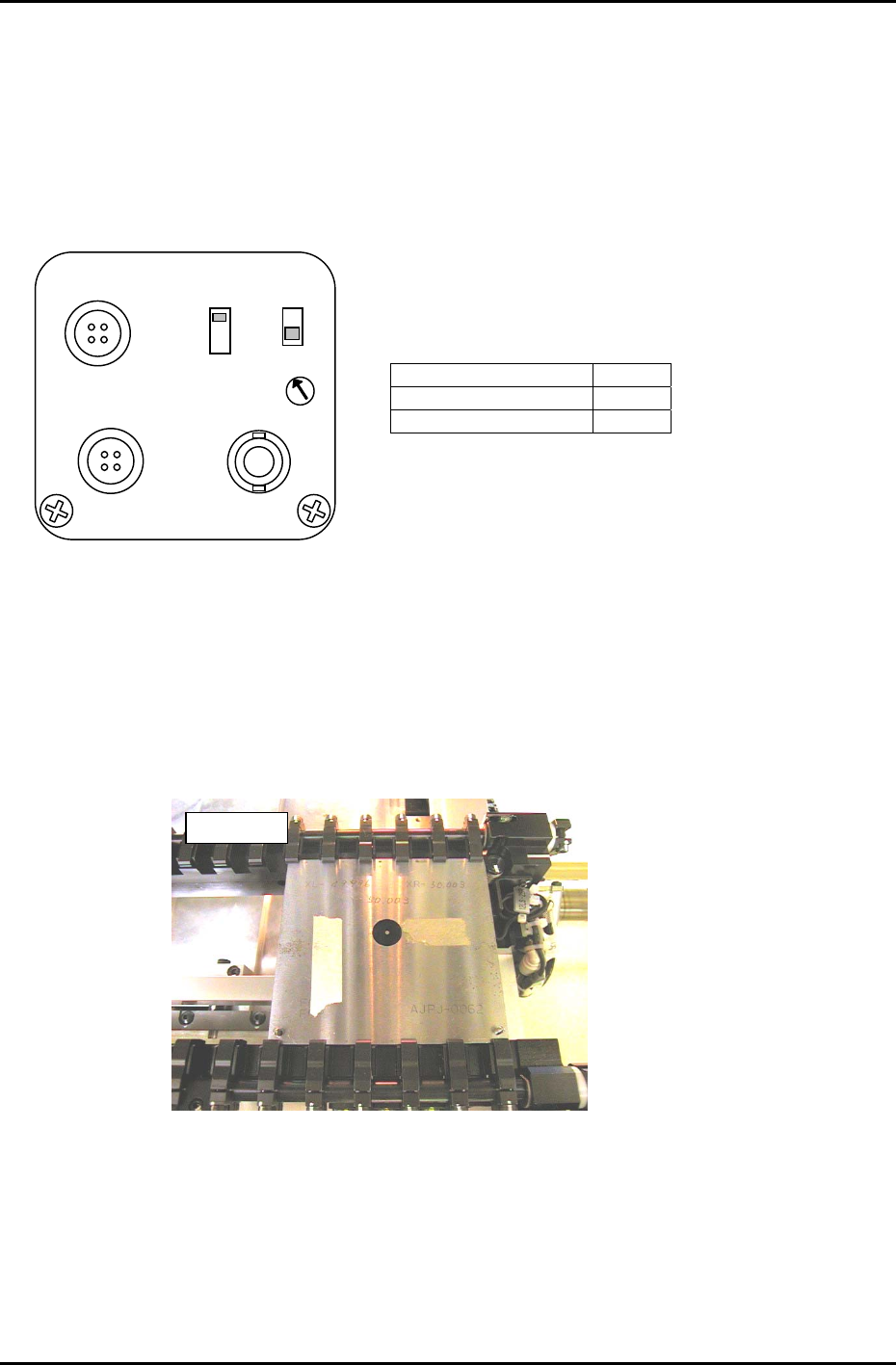
1. Set the switches at the rear of the amplifier as shown in figure 19:
SELECT SWITCH 1/30N
GAIN SWITCH OFF
SHUTTER SWITCH F
2. In the case of the CP732/733E attach the tooling pin jig ( ADCPJ8090) to the reference side of the
main conveyor.
SHUTTER
GAIN
SELECT
ON
OFF
1/30N
1/60N
1/30 I
F
DC IN/SYNC
VIDEO
DC IN12V
Figure 19
3. Clamp the fiducial jig plate in the main conveyor clamper. Make sure that the two tooling pins fit
smoothly into the two holes on the fiducial jig plate. See figure 20:
Note: For CP-732/733, use the tooling pin jig described in Sec. 3.7.2.
4. Move the fiducial jig plate to the mark read position using the following commands:
[MAINTENANCE] → [CALIBRATION] → [MARK CAMERA RESOLUTION] → [MOVE] → START
A message will display asking if X0/Y0 and Z0 has been completed. Press: [Yes]
The X, Y, and Z- axes will now move to their respective read positions.
A
JPJ0062
Figure 20
Fuji Machine Mfg. Co., Ltd. (Okazaki)
SMT Equipment Quality Assurance Dept.
CS Section
7-13
FK-9F98-27 CP-7 Series Training Text for Service Engineers
Edition 6.0 Chapter 7. Camera Adjustment [14/16]
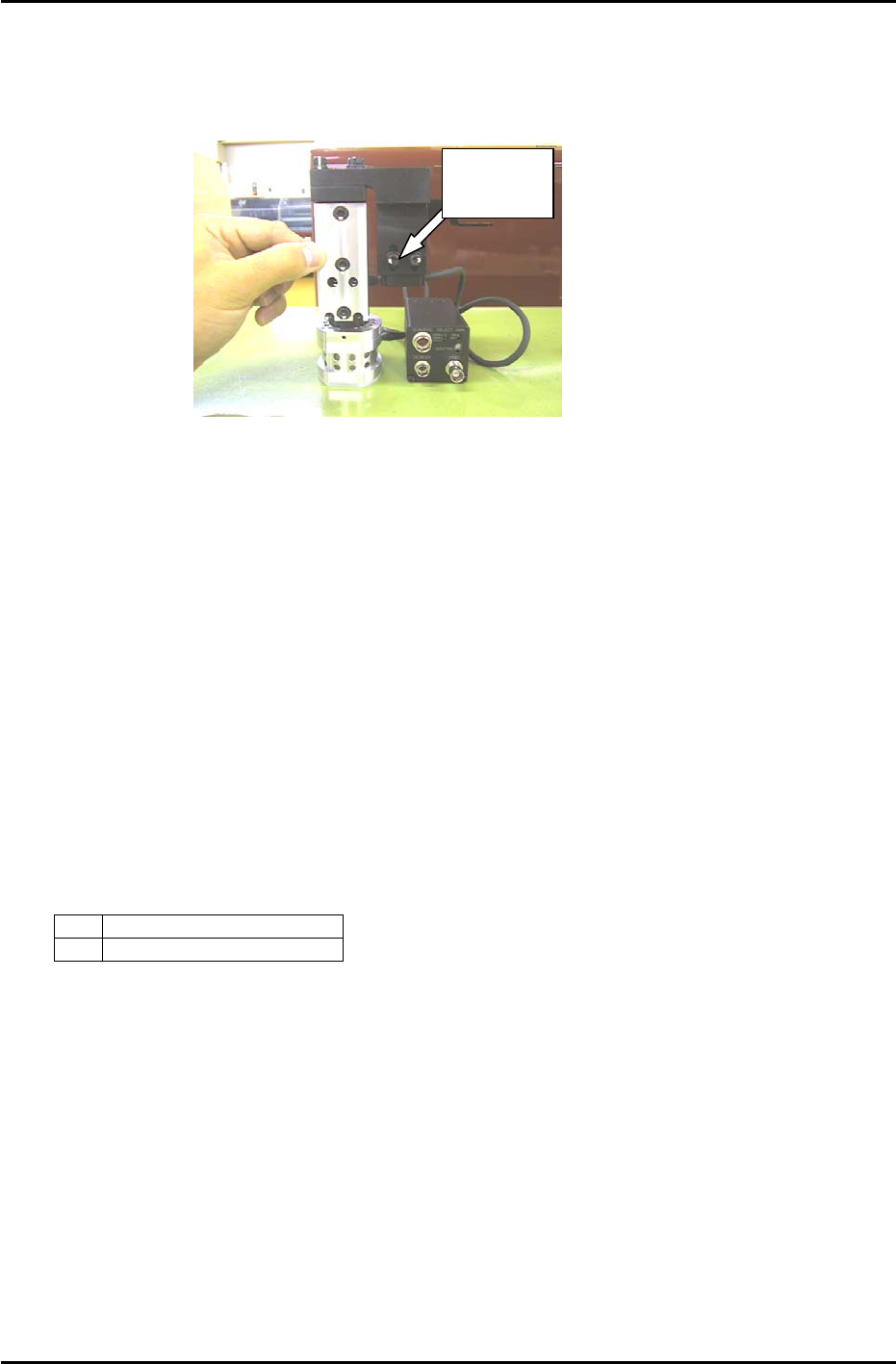
5. Loosen the two height positioning bolts and adjust the focus by raising or lowering the height of
the camera. (see figure 21)
6. The focus is set when the black circle and silver dot in the center of the mark camera jig are in
clear, sharp focus.
Height
Positioning
Figure 21
7.11 Mark Camera Resolution, Skew, and XC/ YC Calibration
1. Move each axis to its respective read position using the following commands:
[MAINTENANCE] → [CALIBRATION] → [MARK CAMERA RESOLUTION] → [MOVE] → START
2. Inch the XY-table and center the cross hairs on the jig plate center circle.
3. Execute the following commands to simultaneously measure camera resolution, mark read position
(XC/YC), and camera skew:
[CALIBRATION] → START.
4. Ensure that the values for camera resolution are within the following range:
X 17.92 to 19.81 um/pixel
Y 18.02 to 19.91 um/pixel
If outside the prescribed range, loosen the focus adjustment bolts and adjust the height of the
camera. Re-measure the resolution and repeat until the values fall within range.
Fuji Machine Mfg. Co., Ltd. (Okazaki)
SMT Equipment Quality Assurance Dept.
CS Section
7-14
FK-9F98-27 CP-7 Series Training Text for Service Engineers
Edition 6.0 Chapter 7. Camera Adjustment [15/16]
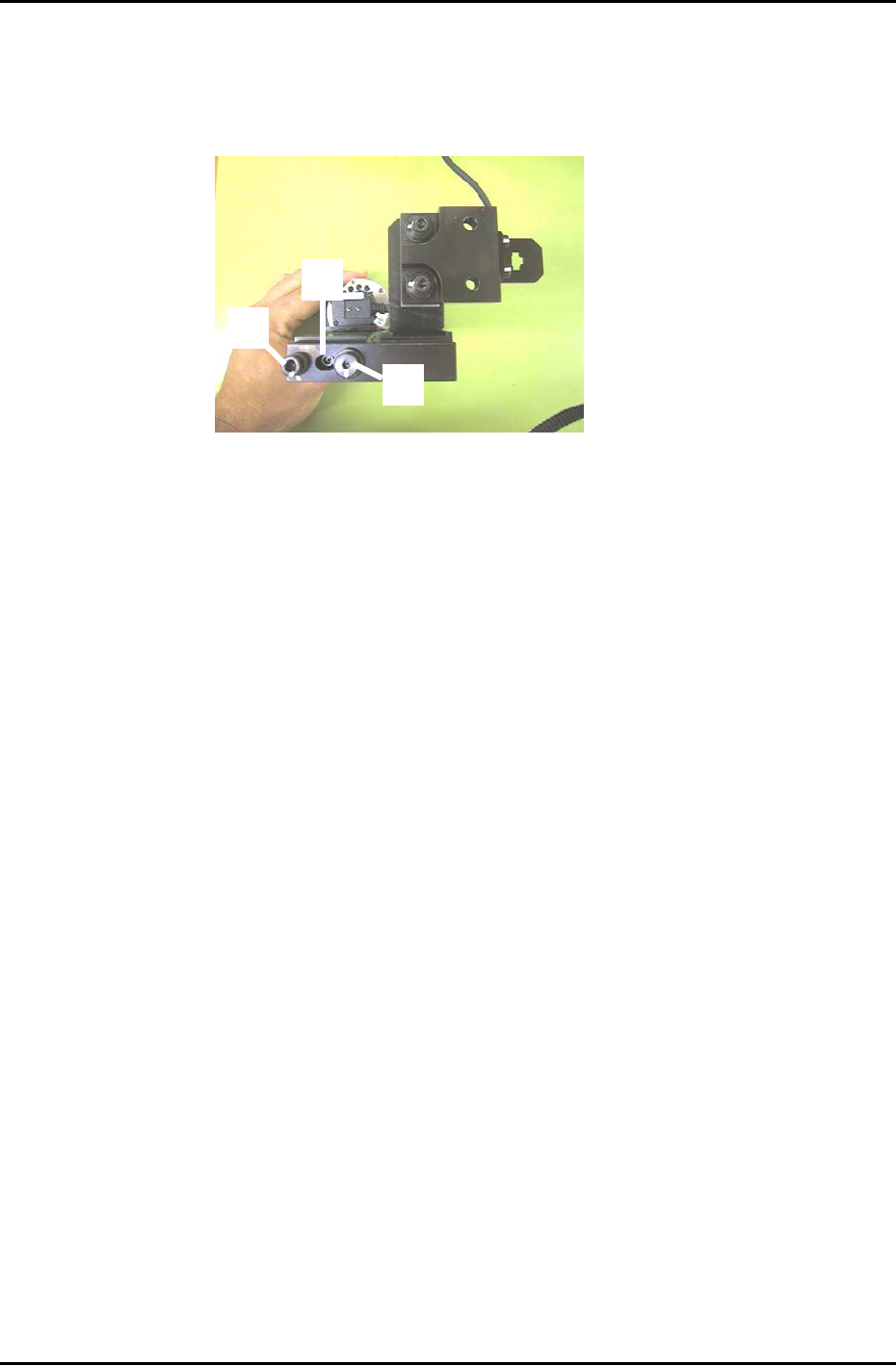
5. To adjust the camera angle, loosen the fixing bolt (item 1 in figure 22) holding the camera in
position. Rotate the 3mm eccentric bolt (item 2 in figure 22) while re-measuring until the value for
Delta Q comes to zero. Tolerance: 0 +/- 50 (1/1000 deg.). There is no need to touch the pivot (Item
3 in figure 22).
6. Once the value for delta Q is within tolerance, tighten the fixing bolt and then confirm that it is still
within tolerance.
7. Receive the new Calibration Data to the host PC.
1
3
2
Figure 22
Fuji Machine Mfg. Co., Ltd. (Okazaki)
SMT Equipment Quality Assurance Dept.
CS Section
7-15