CP7 training(6.0) (1).pdf - 第121页
FK-9F98-27 CP-7 Series Traini ng Text for Service Engineers Edition 6.0 Chapter 7. Camera Adjustment [15 / 16] 5. T o adjust the camera angle, loosen the fixing bolt (item 1 in figure 22) holdin g the camera in position.…
FK-9F98-27 CP-7 Series Training Text for Service Engineers
Edition 6.0 Chapter 7. Camera Adjustment [14/16]
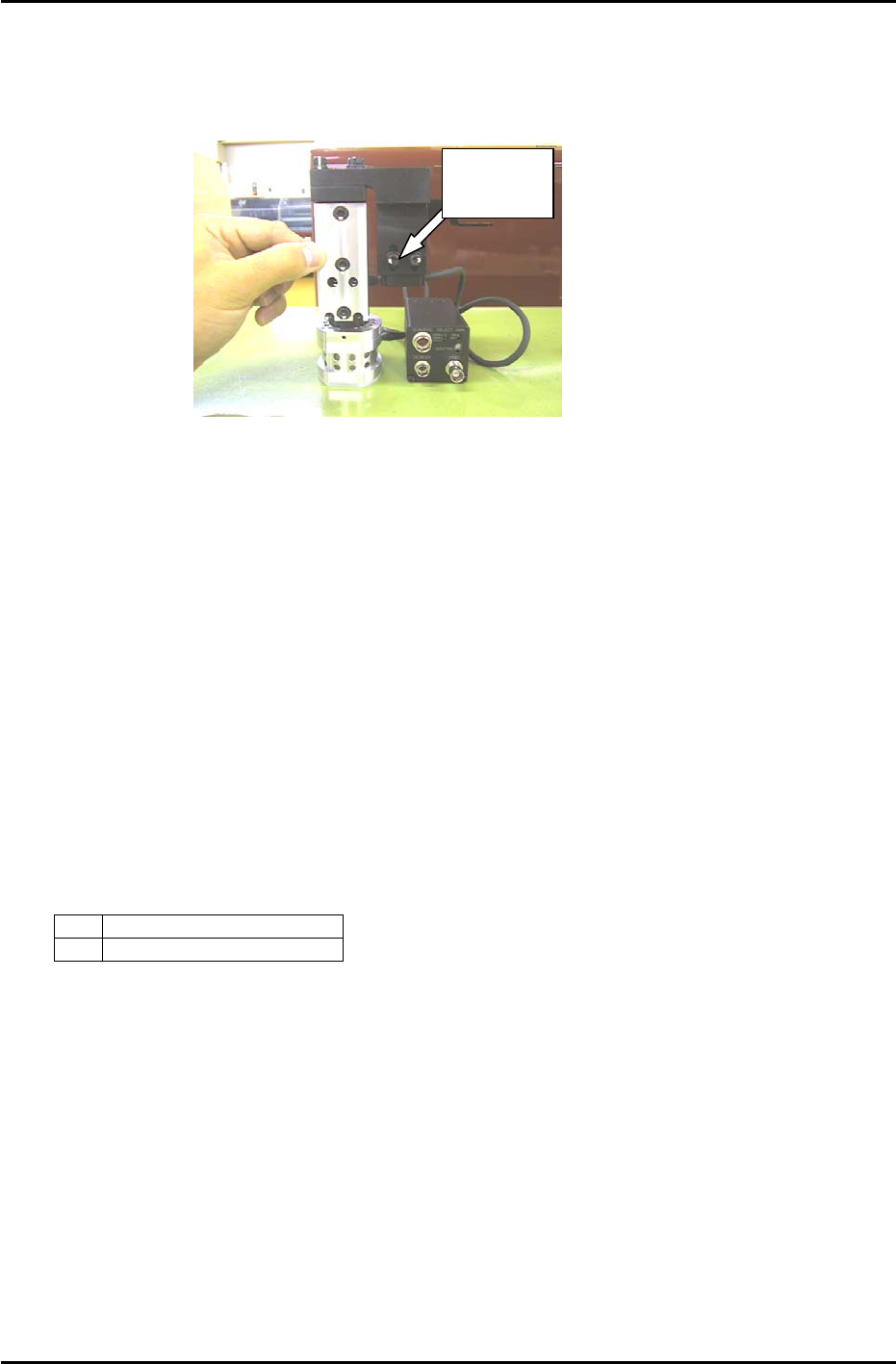
5. Loosen the two height positioning bolts and adjust the focus by raising or lowering the height of
the camera. (see figure 21)
6. The focus is set when the black circle and silver dot in the center of the mark camera jig are in
clear, sharp focus.
Height
Positioning
Figure 21
7.11 Mark Camera Resolution, Skew, and XC/ YC Calibration
1. Move each axis to its respective read position using the following commands:
[MAINTENANCE] → [CALIBRATION] → [MARK CAMERA RESOLUTION] → [MOVE] → START
2. Inch the XY-table and center the cross hairs on the jig plate center circle.
3. Execute the following commands to simultaneously measure camera resolution, mark read position
(XC/YC), and camera skew:
[CALIBRATION] → START.
4. Ensure that the values for camera resolution are within the following range:
X 17.92 to 19.81 um/pixel
Y 18.02 to 19.91 um/pixel
If outside the prescribed range, loosen the focus adjustment bolts and adjust the height of the
camera. Re-measure the resolution and repeat until the values fall within range.
Fuji Machine Mfg. Co., Ltd. (Okazaki)
SMT Equipment Quality Assurance Dept.
CS Section
7-14
FK-9F98-27 CP-7 Series Training Text for Service Engineers
Edition 6.0 Chapter 7. Camera Adjustment [15/16]
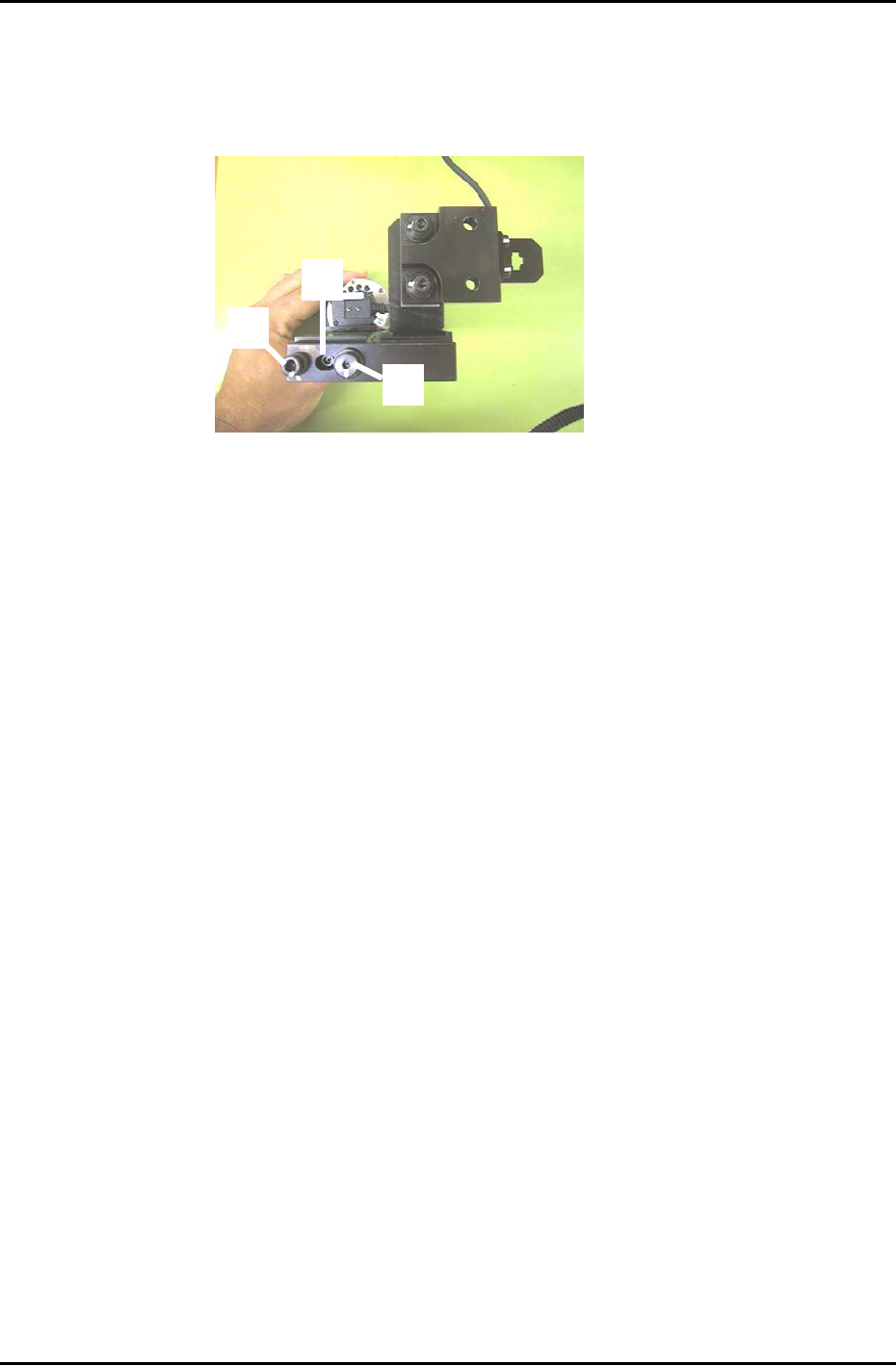
5. To adjust the camera angle, loosen the fixing bolt (item 1 in figure 22) holding the camera in
position. Rotate the 3mm eccentric bolt (item 2 in figure 22) while re-measuring until the value for
Delta Q comes to zero. Tolerance: 0 +/- 50 (1/1000 deg.). There is no need to touch the pivot (Item
3 in figure 22).
6. Once the value for delta Q is within tolerance, tighten the fixing bolt and then confirm that it is still
within tolerance.
7. Receive the new Calibration Data to the host PC.
1
3
2
Figure 22
Fuji Machine Mfg. Co., Ltd. (Okazaki)
SMT Equipment Quality Assurance Dept.
CS Section
7-15

FK-9F98-27 CP-7 Series Training Text for Service Engineers
Edition 6.0 Chapter 8. Placement [2/2]
11. If the data from PAM is within tolerance, use the [Wide] camera and check the placements to
ensure they are within tolerance.
12. Finally, copy the X/Y Placing offset Calibration Data from nozzle No.1 and paste at nozzle positions:
2,3,4,5,6.
PAM Tolerance Values
∆ X ∆Y
≤+/– 15 (1/1000mm)
∆ Q
≤+/– 200 (1/1000Deg.)
3 sig. X/Y
≤ 49 (1/1000mm)
3 sig. Q
≤ 990 (1/1000Deg.)
6 sig. X/Y
≤ 98 (1/1000mm)
6 sig. Q
≤ 1980 (1/1000Deg.)
X/Y Max
≤ +/– 60 (1/1000mm)
X/Y Min
≤ +/– 60 (1/1000mm)
(Minimum allowable CPK value = 1.333)
Note 1: The above figures represent tolerances for new machines. Due to many factors, it
may be difficult to achieve the same results with older equipment.
Note2: When running machine PAM, refer to the PAM Operation Manual in the
“Supplemental Information” at the back of this manual.
Fuji Machine Mfg. Co., Ltd. (Okazaki)
SMT Equipment Quality Assurance Dept.
CS Section
8-2