JANETS_SPE_EN.pdf - 第19页
JaNets Prod uct Specific ations 1. JaNets Overview 1- 16 1.6.3 Data Manager option When a Data Manager option is added to Basic Editor The operation f low up to PWB producti on to be applied when a Dat a Manager opt ion …
JaNets Product Specifications
1.
JaNets Overview
1-15
When a Line Manager option and an Equipment Manager option are added to Basic
Editor
The operation flow up to PWB production to be applied when a Line Manager option and an
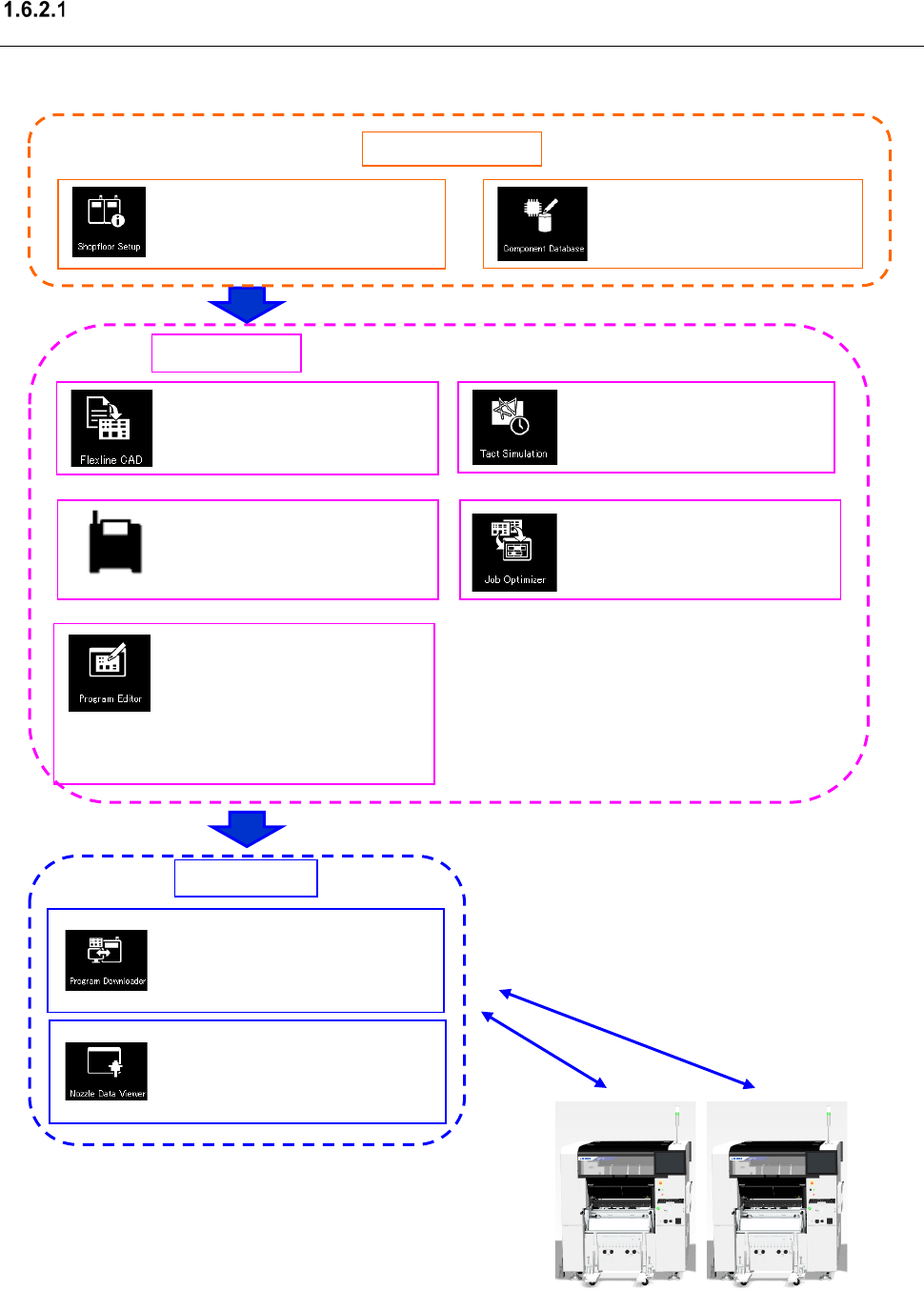
Equipment Manager option are added to Basic Editor is shown below.
Although data can be transferred to/from a mounter
with a USB flash memory stick, data transfer to/from
a printer/an inspection machine can be enabled only
during online PWB production.
: Viewing usage status of
ID-equipped nozzles
Create Data
: Conversion of external data
into JUKI data (optional)
: Creation of a production
program for a mounter
Association of a printer
program and an inspection
machine program
(Execution of optimization)
: Creation of a production
program with a printer/an
inspection machine
: Optimization of feeder
setting change
Production
:
Downloads of a production
program, and uploading of them
after PWB production
Shared function
: Configuration of a floor, line
and machine
: Registration of component
information
:
Time measurement by
optimized production program
RV
JaNets Product Specifications
1.
JaNets Overview
1-16
1.6.3 Data Manager option
When a Data Manager option is added to Basic Editor
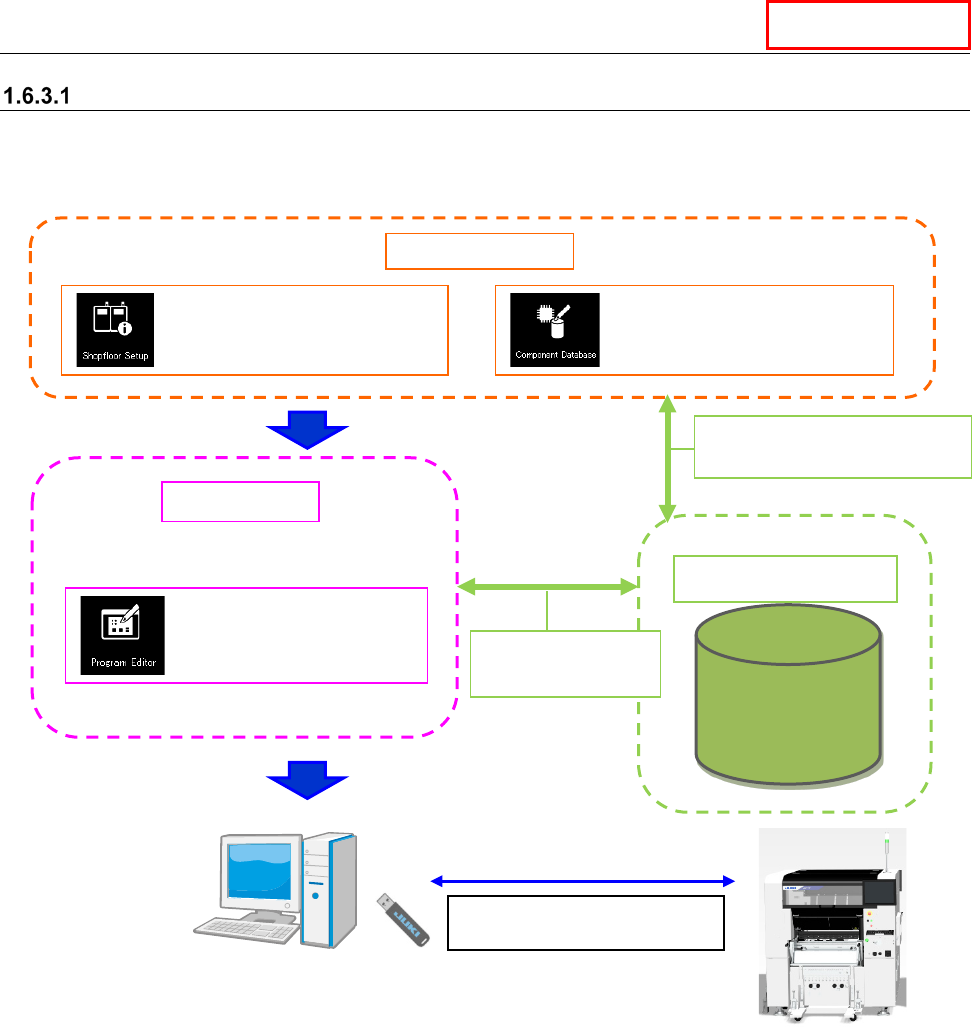
The operation flow up to PWB production to be applied when a Data Manager option is added to
Basic Editor is shown below.
Data Manager
Data Manager
Data Base
Data Manager
Sharing of
Component data
Create Data
Shared function
: Configuration of a machine
: Registration of
component information
: Creation of a production
program (execution of
optimization)
Use a USB flash memory stick
to copy a production program.
Sharing of machine information
Sharing of Component data
JaNets Product Specifications
1.
JaNets Overview
1-17
When a Line Manager option and a Data Manager option are added to Basic Editor
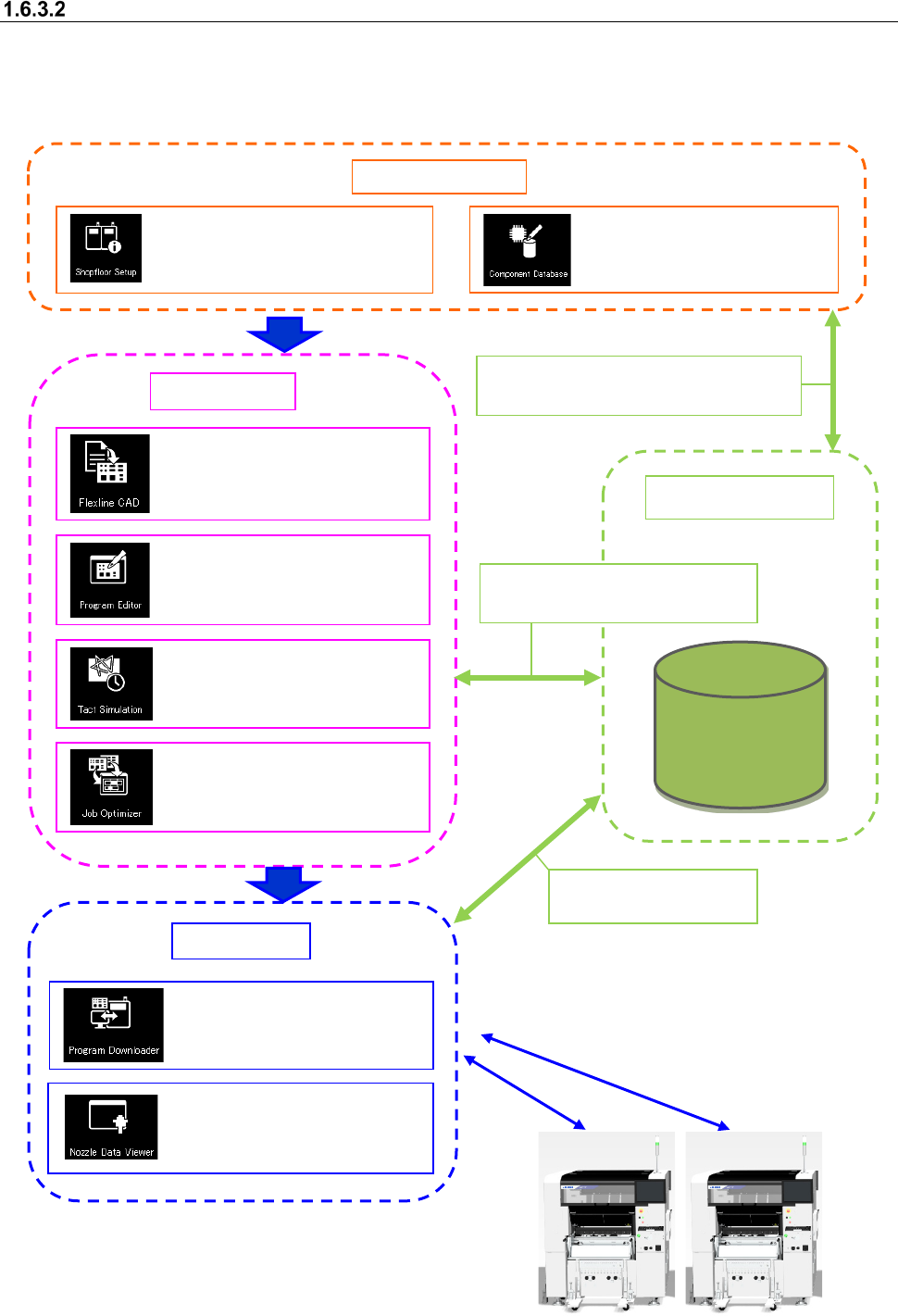
The operation flow up to PWB production to be applied when a Line Manager option and a Data
Manager option are added to Basic Editor is shown below.
A data shift using the USB flash memory can be
performed in the same way as Basic Editor.
Data Manager
Data Base
Data Manager
Sharing of the floor/line/machine information
Sharing of Component data
Sharing of a production program
Sharing of Component data
Sharing of a production
program
Create Data
Shared function
: Configuration of a floor, line
and machine
: Registration of component
information
Production
: Conversion of external data
into JUKI data (optional)
: Creation of a production
program (execution of
optimization)
:
Time measurement by
optimized production program
: Optimization of feeder setting
change
: Downloads of a production
program, and uploading of
them after PWB production
: Viewing usage status of
ID-equipped nozzles