JANETS_SPE_EN.pdf - 第4页
JaNets Prod uct Specific ations 1. JaNets Overview 1-1 1. JaNets Overview Product Confi guration JaNets is confi gured with option func tions such as Basic Editor , Line Manager and ext ernal output function as shown bel…

Table of Contents
1. JaNets Overview .................................................................................................................... 1-1
Product Configuration .................................................................................................... 1-1
1.1.1 Configuration including a Data Manager option ................................................... 1-2
1.1.2 Configuration including an Equipment Manager option ........................................ 1-3
1.1.3 Configuration to be applied when a TraceMonitor option is added to the
system .................................................................................................................. 1-4
Overview of the Functions ............................................................................................. 1-5
1.2.1 Basic Editor .......................................................................................................... 1-5
1.2.2 Line Manager........................................................................................................ 1-5
1.2.3 External output function ........................................................................................ 1-6
1.2.4 Data Manager ....................................................................................................... 1-6
1.2.5 Equipment Manager ............................................................................................. 1-7
1.2.6 TraceMonitor ........................................................................................................ 1-7
1.2.7 OtherMachine ....................................................................................................... 1-7
System Configuration .................................................................................................... 1-8
1.3.1 Supported machine models .................................................................................. 1-8
Specifications of a used PC ........................................................................................... 1-8
1.4.1 JaNets PC ............................................................................................................ 1-8
1.4.2 Data Manager PC ............................................................................................... 1-10
Simultaneous Start-up of Application Programs .......................................................... 1-12
Flow of PWB Production with JaNets .......................................................................... 1-13
1.6.1 Basic Editor ........................................................................................................ 1-13
1.6.2 Line Manager option ........................................................................................... 1-14
1.6.3 Data Manager option .......................................................................................... 1-16
2. JaNets External Output Function Overview ........................................................................ 2-1
Product Configuration .................................................................................................... 2-1
Overview of the Functions ............................................................................................. 2-2
Devices and options required for each function ............................................................. 2-3
Installing the JaNets External Output Function on a Mounter. ............................. 2-4
System Configuration .................................................................................................... 2-4
Supported machine models .................................................................................. 2-4
Functions supported with each machine model ................................................... 2-5
Output information based on a function to be used .............................................. 2-5
Information to be input with each function .......................................................... 2-11
Specifications of a used PC ................................................................................ 2-12
Flow of Data When It Is Output Externally ................................................................... 2-13
JaNets Product Specifications
1.
JaNets Overview
1-1
1. JaNets Overview
Product Configuration
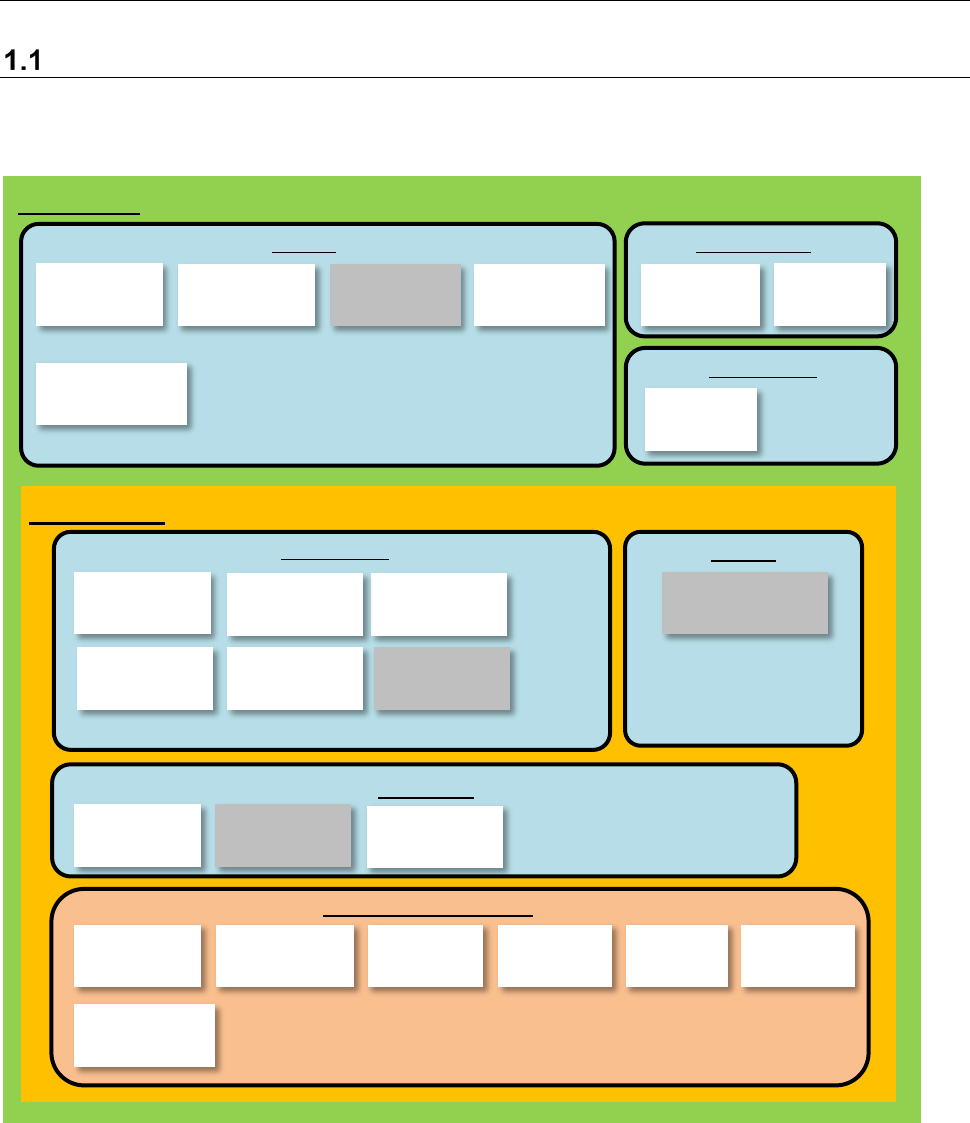
JaNets is configured with option functions such as Basic Editor, Line Manager and external output
function as shown below.
*1: The Component Database is a function that cooperates with the main unit. When you “create
data,” you can create a production program by referring to the common database. Refer to the
“Component Database Instruction Manual” supplied with the main unit for details.
*2: FlexlineCAD is a linking function.
*3: Line Manager is an option of Basic Editor.
*4: The external output function is an option of Line Manager.
*5: Output in the JSON format, Off-line Setup, CFX output function and JaNets Mobile Linkage
function are options of the External Output Function.
User
Management
Shopfloor
Setup
Component
Database
Language
Changer
Program
Editor
Create Data
Shared
Basic Editor
Program
Downloader
External output
monitor
External output
function
Environment setting
Parts stock
management
tool
External output function
Production
Line Manager
Snapshot
Tool
Maintenance
Log Control
Tool
Create Data
Job
Optimizer
Mark
Database
Feeder Set
Database
Machine
Program Relater
Tact
Simulation
Flexline CAD
Output in the
JSON format
Device linkage
function
Nozzle data
viewer
Off-line
Setup
Shared
CFX output
function
JaNets Mobile
Linkage function
TraceMonitor
(
Data display
)
TraceMonitor
(Data collection)
JaNets Product Specifications
1.
JaNets Overview
1-2
*6: Device linkage function is an option of Line Manager.
*7: TraceMonitor (for data collection) is an option of Line Manager.
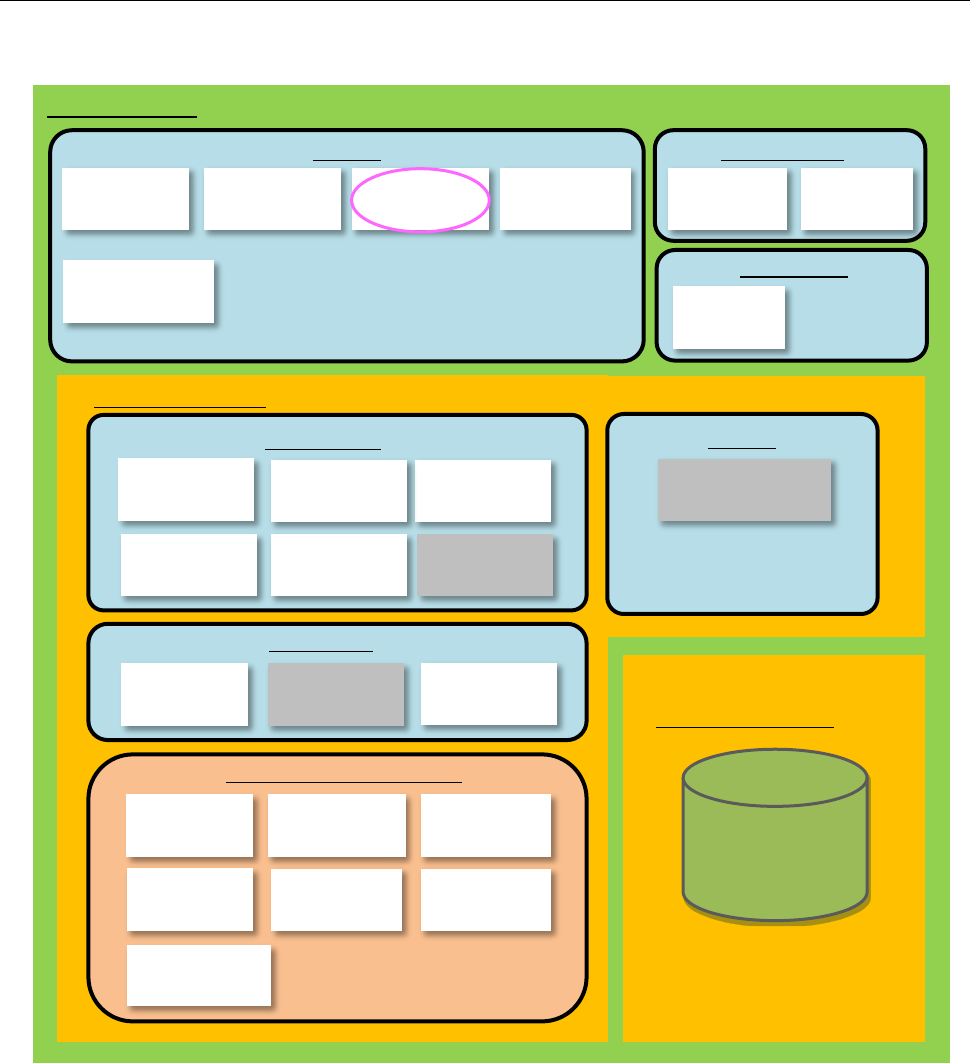
1.1.1 Configuration including a Data Manager option
When you add a Data Manager option to the system, the Component Database can be used as the
“shared” function.
*1: FlexlineCAD is a linking function.
*2: Line Manager is an option of Basic Editor.
*3: The external output function is an option of Line Manager.
*4: Data Manager is an option of Basic Editor.
*5: Output in the JSON format, Off-line Setup, CFX output function and JaNets Mobile Linkage
function are options of the External Output Function.
*6: Device linkage function is an option of Line Manager.
*7: TraceMonitor (for data collection) is an option of Line Manager.
Shared
Basic Editor
External output function
Production
Line Manager
Maintenance
Create Data
Data Manager
Data Manager
Data Base
User
Management
Shopfloor
Setup
Language
Changer
Component
Database
Snapshot
Tool
Log Control
Tool
Job
Optimizer
Mark
Database
Feeder Set
Database
Machine
Program Relater
Tact
Simulation
Flexline CAD
Program
Downloader
External output
monitor
External output
function
Environment setting
Parts stock
management tool
Output in the
JSON format
Device linkage
function
Nozzle data
viewer
Off-line Setup
CFX output
function
JaNets Mobile
Linkage function
Program
Editor
Create Data
Shared
TraceMonitor
(Data collection)
TraceMonitor
(Data display)