JANETS_SPE_EN.pdf - 第20页
JaNets Prod uct Specific ations 1. JaNets Overview 1- 17 When a Line Manager option and a Data Manager option are added to Basic Editor The operation f low up to PWB producti on to be applied when a Li ne Manager opt ion…
JaNets Product Specifications
1.
JaNets Overview
1-16
1.6.3 Data Manager option
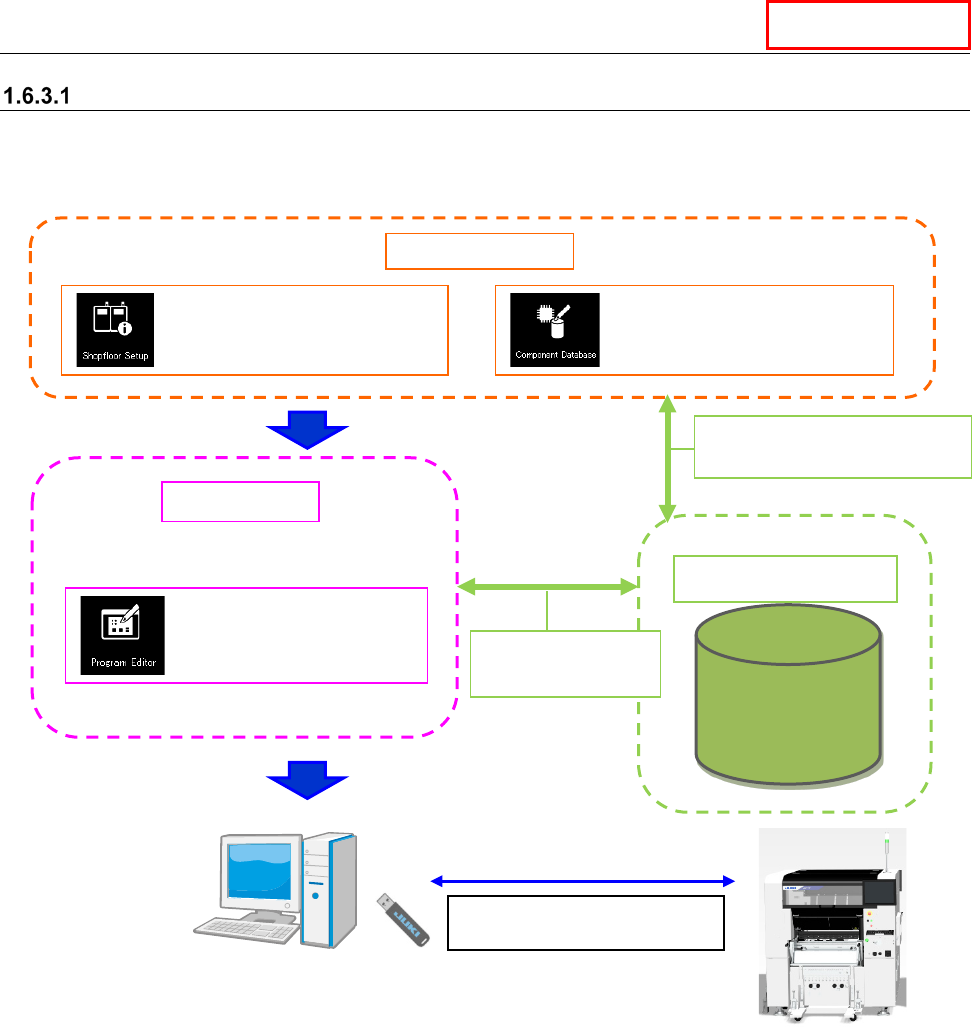
When a Data Manager option is added to Basic Editor
The operation flow up to PWB production to be applied when a Data Manager option is added to
Basic Editor is shown below.
Data Manager
Data Manager
Data Base
Data Manager
Sharing of
Component data
Create Data
Shared function
: Configuration of a machine
: Registration of
component information
: Creation of a production
program (execution of
optimization)
Use a USB flash memory stick
to copy a production program.
Sharing of machine information
Sharing of Component data
JaNets Product Specifications
1.
JaNets Overview
1-17
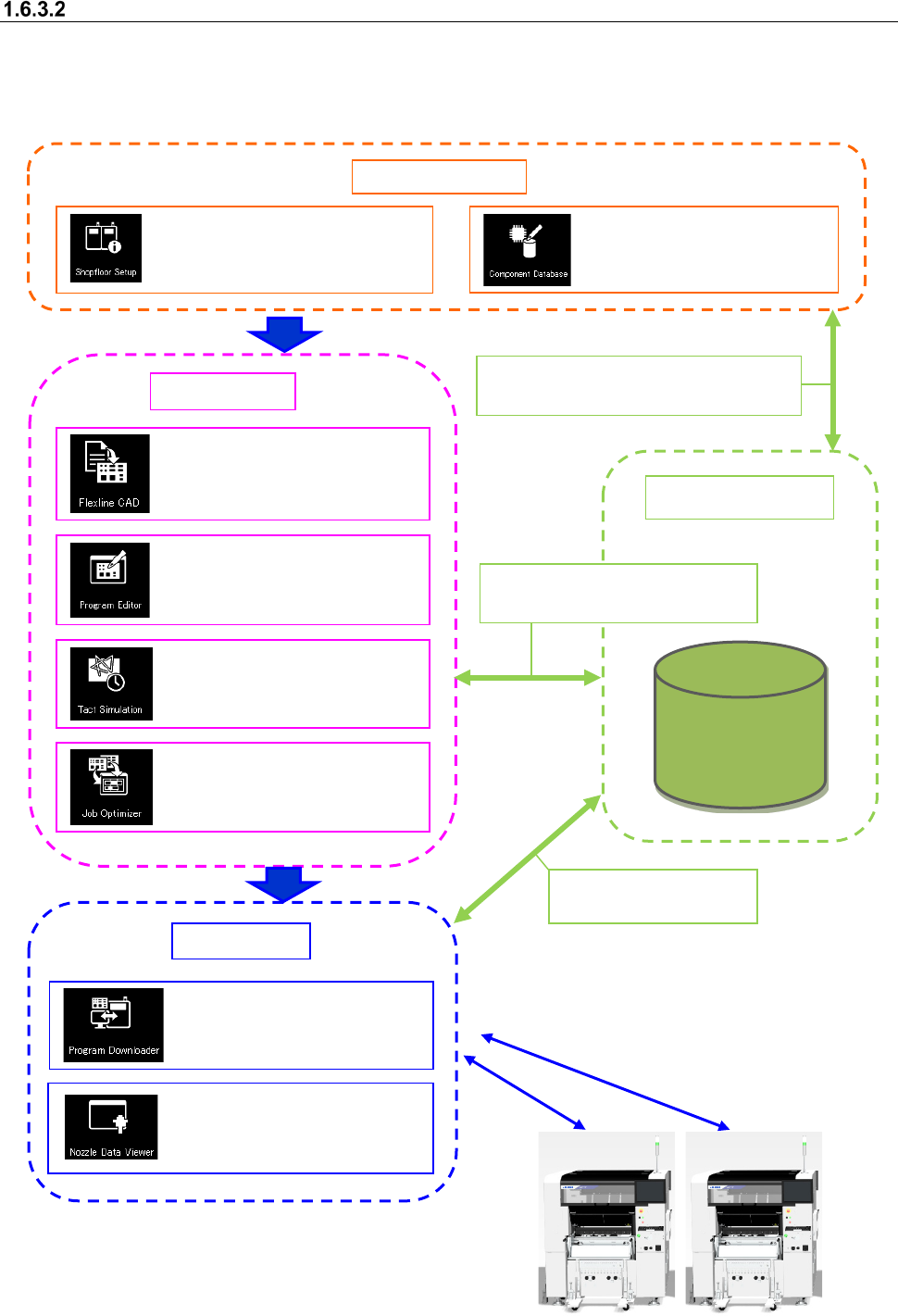
When a Line Manager option and a Data Manager option are added to Basic Editor
The operation flow up to PWB production to be applied when a Line Manager option and a Data
Manager option are added to Basic Editor is shown below.
A data shift using the USB flash memory can be
performed in the same way as Basic Editor.
Data Manager
Data Base
Data Manager
Sharing of the floor/line/machine information
Sharing of Component data
Sharing of a production program
Sharing of Component data
Sharing of a production
program
Create Data
Shared function
: Configuration of a floor, line
and machine
: Registration of component
information
Production
: Conversion of external data
into JUKI data (optional)
: Creation of a production
program (execution of
optimization)
:
Time measurement by
optimized production program
: Optimization of feeder setting
change
: Downloads of a production
program, and uploading of
them after PWB production
: Viewing usage status of
ID-equipped nozzles
JaNets Product Specifications
2. JaNets External Output Function Overview
2-1
2. JaNets External Output Function Overview
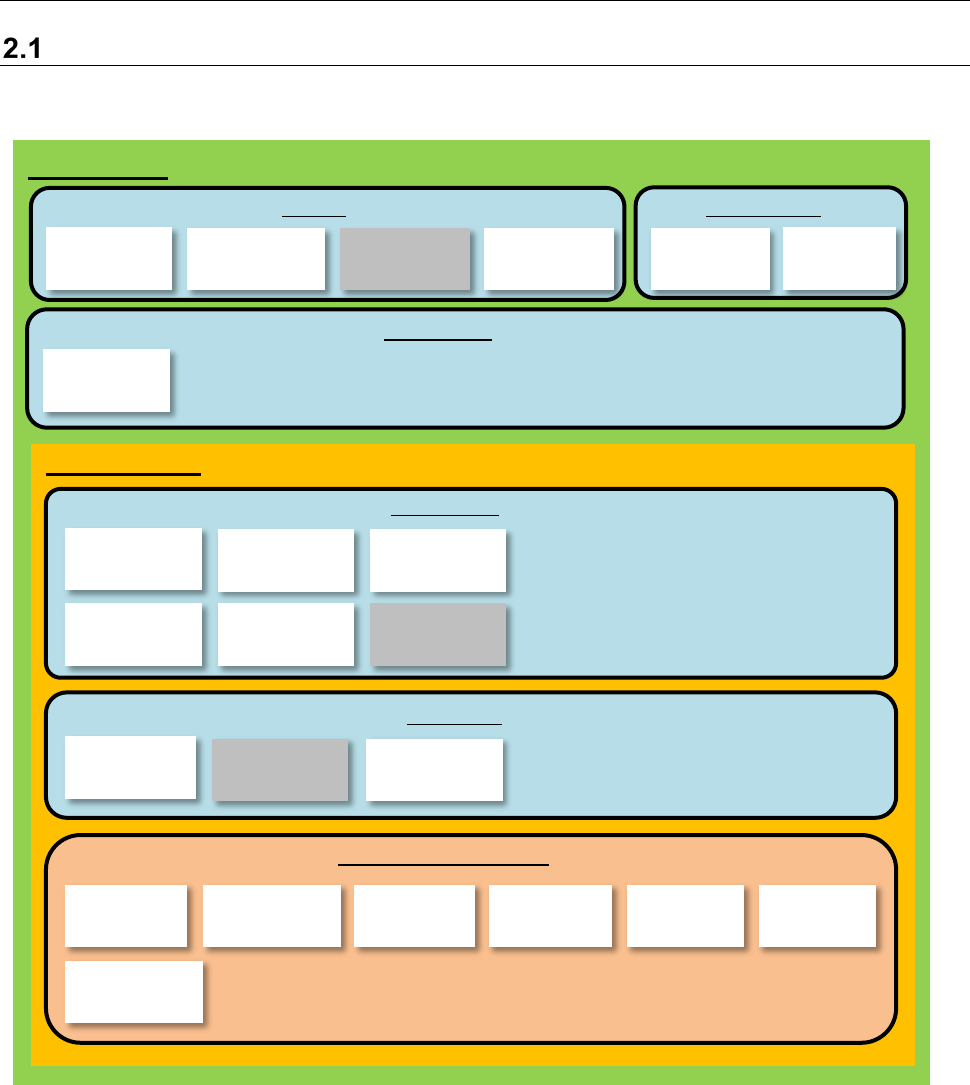
Product Configuration
The External Output Function is an optional function of the JaNets.
This function is to be incorporated into the JaNets configuration as shown below.
Figure 1.1.1 Product Configuration
*1 Line Manager is an option of Basic Editor.
*2 The external output function is an option of Line Manager.
*3 Output in the JSON format is an option of the External Output Function.
*4 Device linkage function is an option of Line Manager.
*5 The Off-line Setup function is an option of the External Output Function, and can be used with three
terminals per JaNets system.
*6 The CFX output function is an option of the External Output Function. See Section 8.6 “CFX Output
Function” for details.
*7 The JaNets Mobile linkage function is an option of the External Output Function. See Section 8.7
“JaNets Mobile” for details.
User Man-
agement
Shopfloor
Setup
Component
Database
Language
Changer
Program
Editor
Create Data
Shared
Basic Editor
Program
Downloader
External
output monitor
External output
function Envi-
ronment setting
Parts stock
management
tool
External output function *2
Production
Line Manager *1
Snapshot
Tool
Maintenance
Log Control
Tool
Job
Optimizer
Mark
Database
Feeder Set
Database
Machine
Program Relater
Tact
Simulation
Create Data
Flexline CAD
Output in the
JSON format
Off-line Setup
function
CFX output
function
JaNets Mobile
linkage function
Device linkage
function
Nozzle data
viewer