PC150-Manual-REV-A-2.pdf - 第13页
PC150 Valve Manual Revision A / Jan uary 202 2 Page 13 of 26 Figure 10 : Remove th e Fluid Section Sc rews 10. Pu ll the w etted section from the uppe r a ir cylinder. Figure 11 : Remo ve the Wett ed Section 11. Separate…
PC150 Valve Manual
Revision A / January 2022
Page 12 of 26
5. Remove the static mixer (refer to Figure 5).
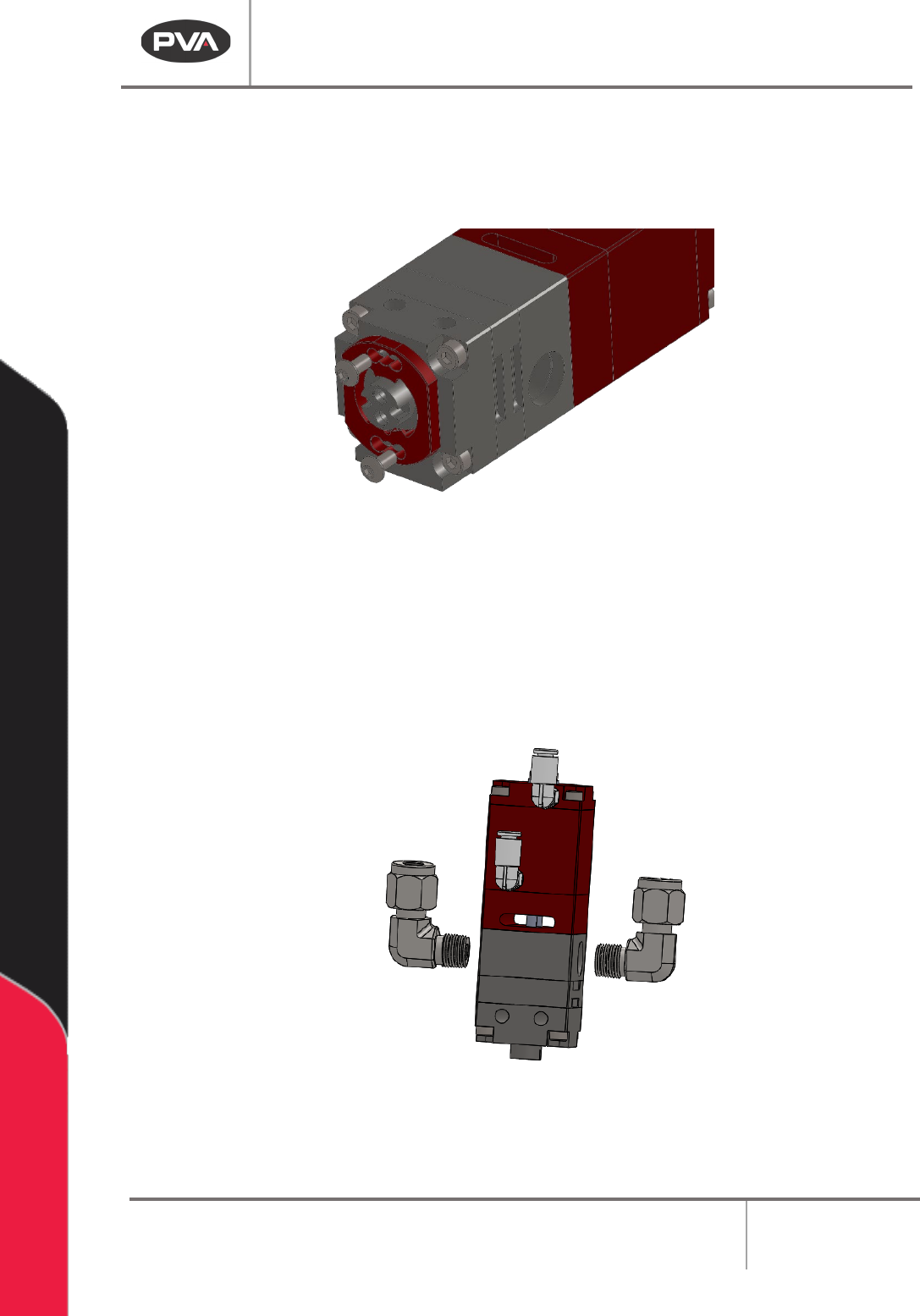
Figure 8: Remove the Mixer Retainer Screws
7. Remove the mixer retainer.
8. Use a crescent wrench to turn the two (2) material fittings counterclockwise to
remove them.
Figure 9: Remove the Material Fittings
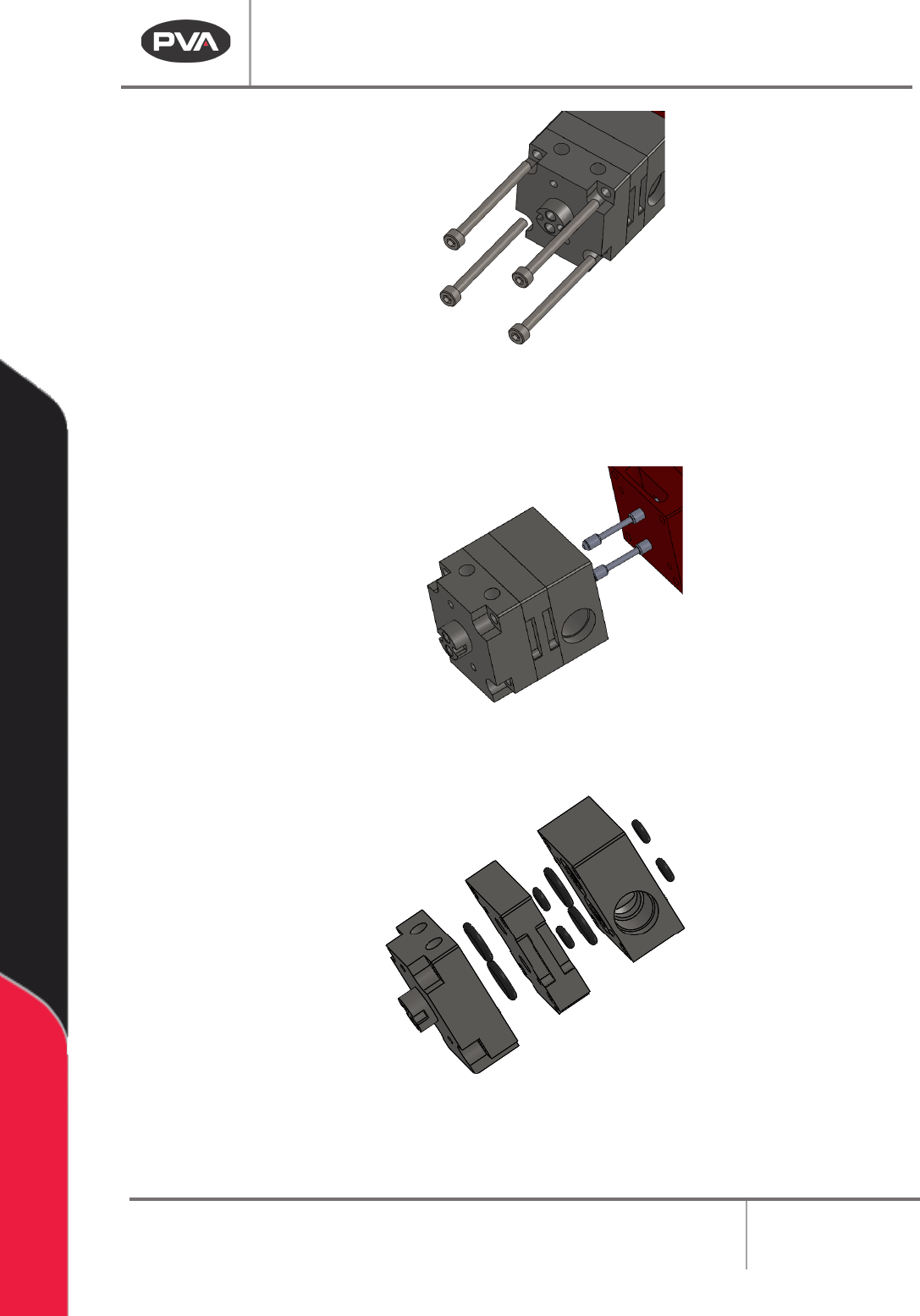
9. Use a hex wrench to remove the four (4) socket head cap screws from the fluid
section.
PC150 Valve Manual
Revision A / January 2022
Page 13 of 26
Figure 10: Remove the Fluid Section Screws
10. Pull the wetted section from the upper air cylinder.
Figure 11: Remove the Wetted Section
11. Separate the lower fluid blocks.
Figure 12: Separate the Lower Fluid Blocks
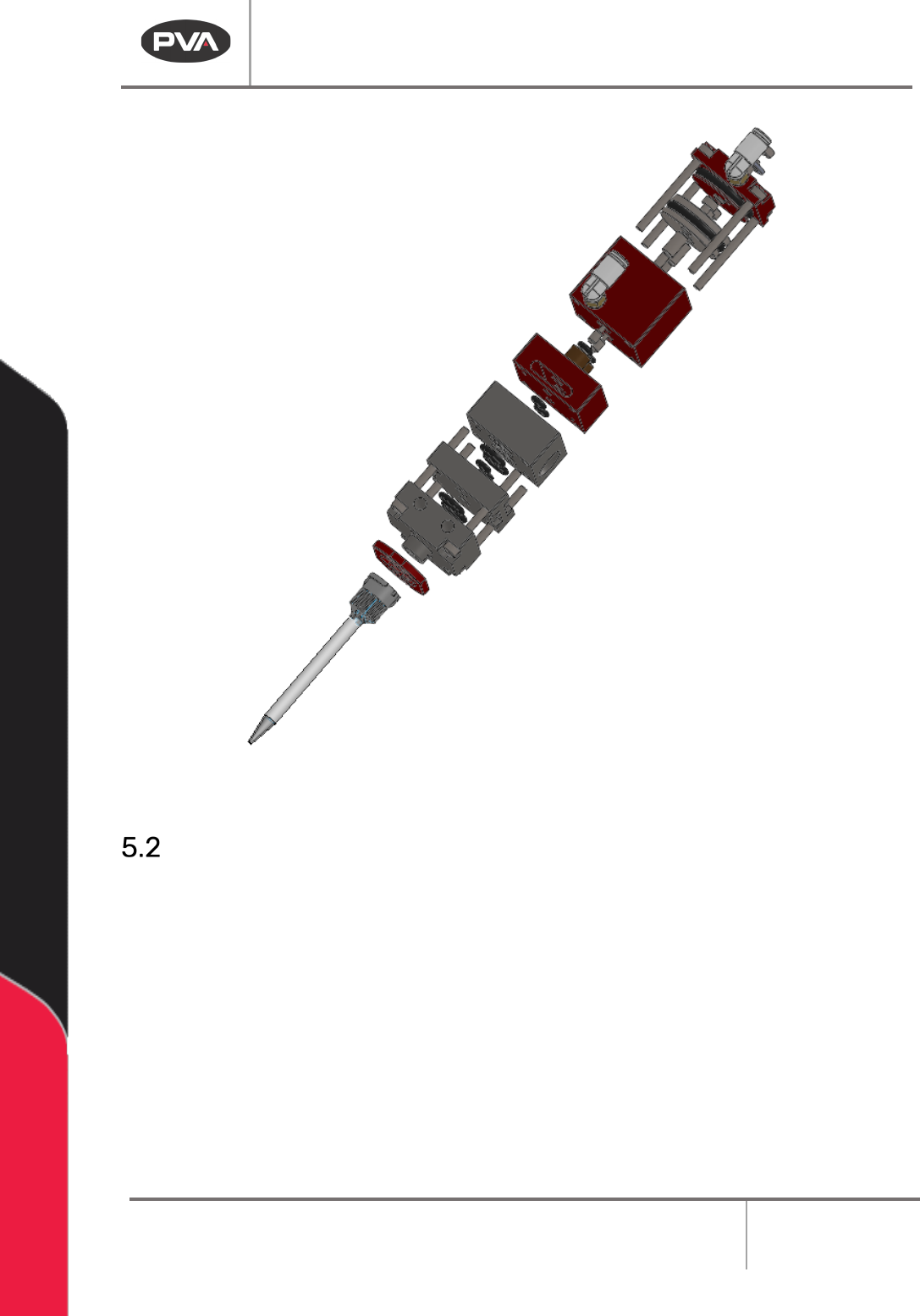
12. Make sure the fluid section is fully dissembled.
PC150 Valve Manual
Revision A / January 2022
Page 14 of 26
Figure 13: Fully Disassembled Fluid Section
Clean the Disassembled Valve
Clean every wetted part completely with a compatible solvent, lint-free towels, and cotton
tipped applicators to clean the valve wetted section. This includes the ends of the rods. Do
not mix material A and B or the material may cure. Wear protective gloves. Do not get
material or solvent on your skin.
Make sure all grease and material are removed from the valve components before the valve
is assembled again. All O-rings, seals, and screws should be cleaned and replaced if
damaged.