00198612-01_VD_SIPLACE_Pro_16.0_R18-2_DE_EN.pdf - 第24页
SIPLACE Pro 16.0 (R 18 - 2) / Version Desc ription 11/2018 Edition 24 4.19 Line Control GUI – Improved Co nveyor Lane Set tings To avoid that not intended or wrong program s are do wnloaded when the sam e recipe is used …
SIPLACE Pro 16.0 (R18-2) / Version Description 11/2018 Edition
23
4.17 Stand-alone Data Model Import Tool
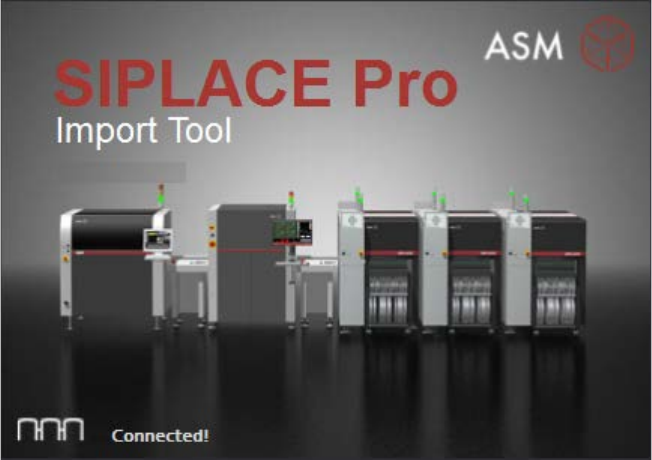
The Data Model Import Tool has been established as a stand-alone executable program and
renamed to SIPLACE Pro Import Tool.
Figure 4-5: Start screen of SIPLACE Pro Import Tool
SIPLACE Pro Import Tool will be installed with the SIPLACE Pro Desk applications during standard
installation of SIPLACE Pro and can be used within or independent of SIPLACE Pro Desk.
The program can either be started under Start Menu – SIPLACE Pro Import Tool or from the
SIPLACE Pro Desk main menu under Tools – Import – SIPLACE Pro Import Tool.
4.18 Grid Board Editor – Enhancements
The following enhancements have been introduced in the Grid Board Editor:
– The package types can now contain fiducials and inkspots.
Each package type contains an own fiducial list.
An inkspot can be added to the package type list by selecting a fiducial type under Fiducials.
The package type list contains four columns to specify an inkspot: Inkspot, Offset X, Offset Y
and Disable.
– Grid Board and Grid Panel Type can contain a board barcode fiducial.
A Barcode Fiducial can be selected in the Height Measurement field in the Board Fiducials
and Panel Type Fiducials tabs respectively.
SIPLACE Pro 16.0 (R18-2) / Version Description 11/2018 Edition
24
4.19 Line Control GUI – Improved Conveyor Lane Settings
To avoid that not intended or wrong programs are downloaded when the same recipe is used on
two asynchronous lanes, the conveyor lane settings have been improved in the Line Control GUI.
The synchronous use of one recipe on both conveyors of a dual asynchronous conveyor line can
be enforced and the program start and stop ensured for both lanes together by enabling the new
Force same Recipe on both conveyor lanes. Both conveyor lanes are to be started and
stopped at the same time setting.
This setting is available under Configuration – Line Control Server – Restrictions – Dual
Asynchronous Conveyor / I-Placement and disabled by default.
4.20 ASCII Centroid Import Wizard – Enhancements
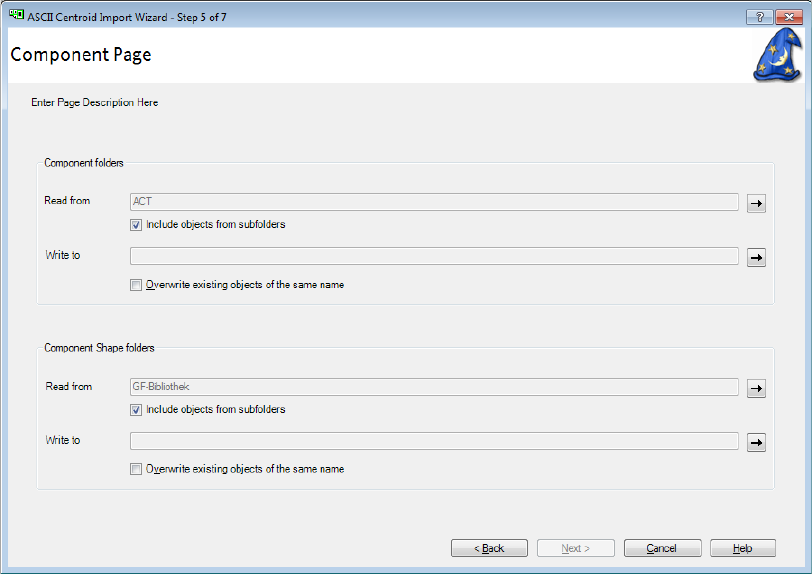
With the ASCII Centroid Import Wizard of SIPLACE Pro Desk, the user can select which folders
should be used to look for already existing components and component shapes with names that
match the data of the import. The import has been enhanced to be able to search in subfolders to
find matches.
The correspondent settings can be made by using the Include objects from subfolders option for
Component folders and Component Shape folders on the Component Page.
Figure 4-6: ASCII Centroid Import Wizard – Component Page
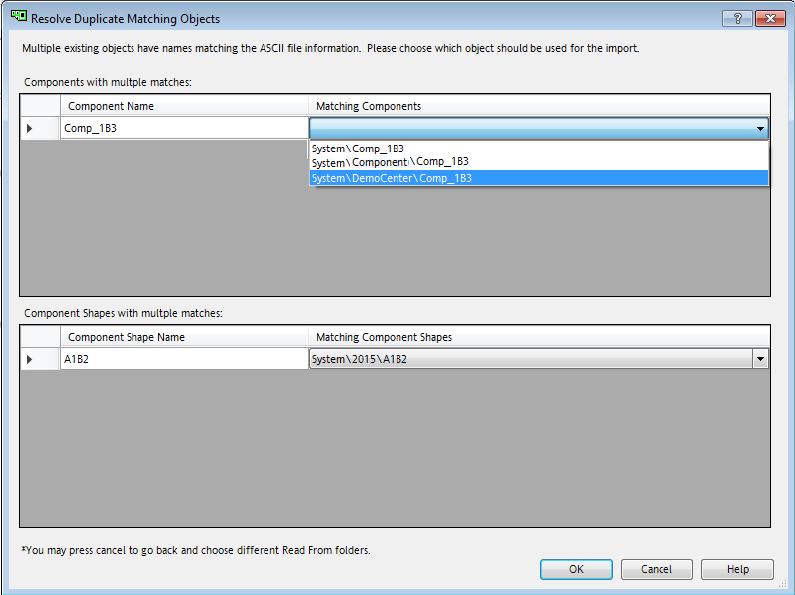
Multiple matches are displayed in the new Resolve Duplicate Matching Objects dialog.
SIPLACE Pro 16.0 (R18-2) / Version Description 11/2018 Edition
25
Figure 4-7: Resolve Duplicate Matching Objects dialog
4.21 Logging of Changes To User Data
To enable our customers to fulfill legal responsibilities stemming from the GDPR of the European
Union which became effective 25-May-2018 – the SIPLACE Pro User Manager must be able to log
any changes to User data that a User Manager Administrator is performing. The following data
must be logged:
– Create / delete / update user(s)
– Create / delete / update user group(s), modify user <-> group assignments
– Modify privileges and permissions of the user groups
– Create / delete / update folder permissions
– User name and real names of the user making the change
– User name and real names of the affected user(s)
The SIPLACE Pro applications will log all relevant actions into the ASM_AS_Security event log on
the local computer on which a SIPLACE Pro administrator with Execute permission for Security
functionality makes changes to a user, user group, or the associated privileges and permissions.
For all such actions, an entry will be made into the ASM_AS_Security event log. These entries will
consist of text which clearly describes what data is changed (including 'original' and 'new' values)
and indicates the user who made the changes as well as the affected user or user groups.
SIPLACE Pro Desk offers support to import and export all Security Settings data, including
individually identifiable information, into a human readable XML file format. Any import and export
actions will be logged.