192866 Issue 4 - Reel to Reel Manual LoRes.pdf - 第13页
TECHNICAL REFERENCE OVERVIEW Chapter Issue 1, Apr 15 Reel to Reel Manual 1.3 The solenoids are mounted inside the machin e frame, behind the front p anel. Sequence This section describes the sequence of the Reel to Reel …
TECHNICAL REFERENCE
OVERVIEW
1.2 Reel to Reel Manual Chapter Issue 1, Apr 15
The inner transport vacuum plate is connected to a ballscrew which is driven by
a single motor. The transport carriage belts support the product reel between
the vacuum top plate and the inner transport vacuum plate and between the
inner and outer transport vacuum plates.
When the product reel is clamped by the board clamps, the inner transport
clamp, clamps the product reel and the inner transport vacuum plate moves the
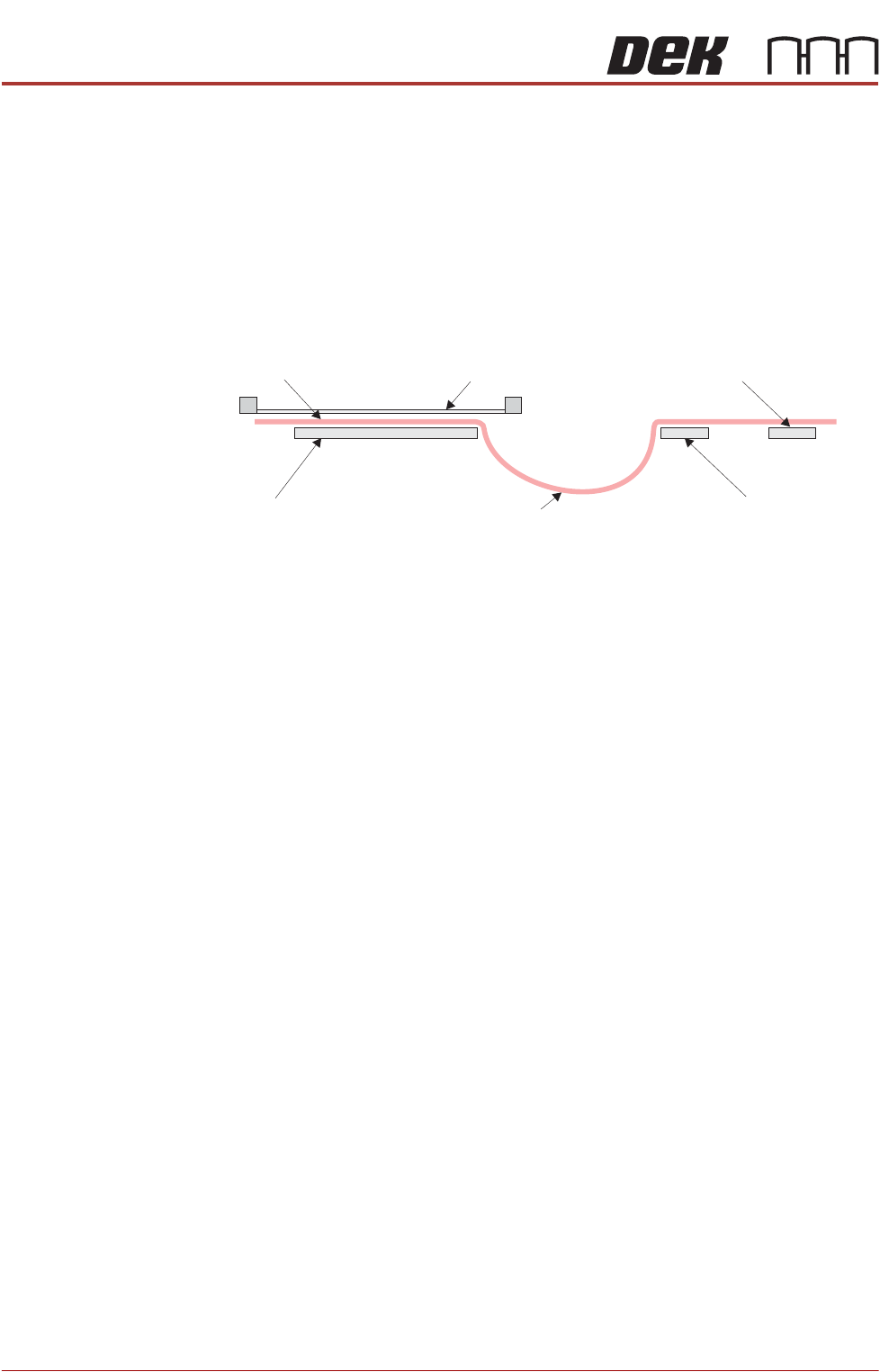
product reel back towards the print station creating a loop. This is called
‘backoff length’ and prevents the previous print coming into contact with the
screen at print height.
Figure 1-2 Backoff Length
The Reel to Reel safety cover incorporates a lid bolt which prevents the cover
from opening while the machine is printing and a safety interlock switch to
prevent the machine running with the cover open.
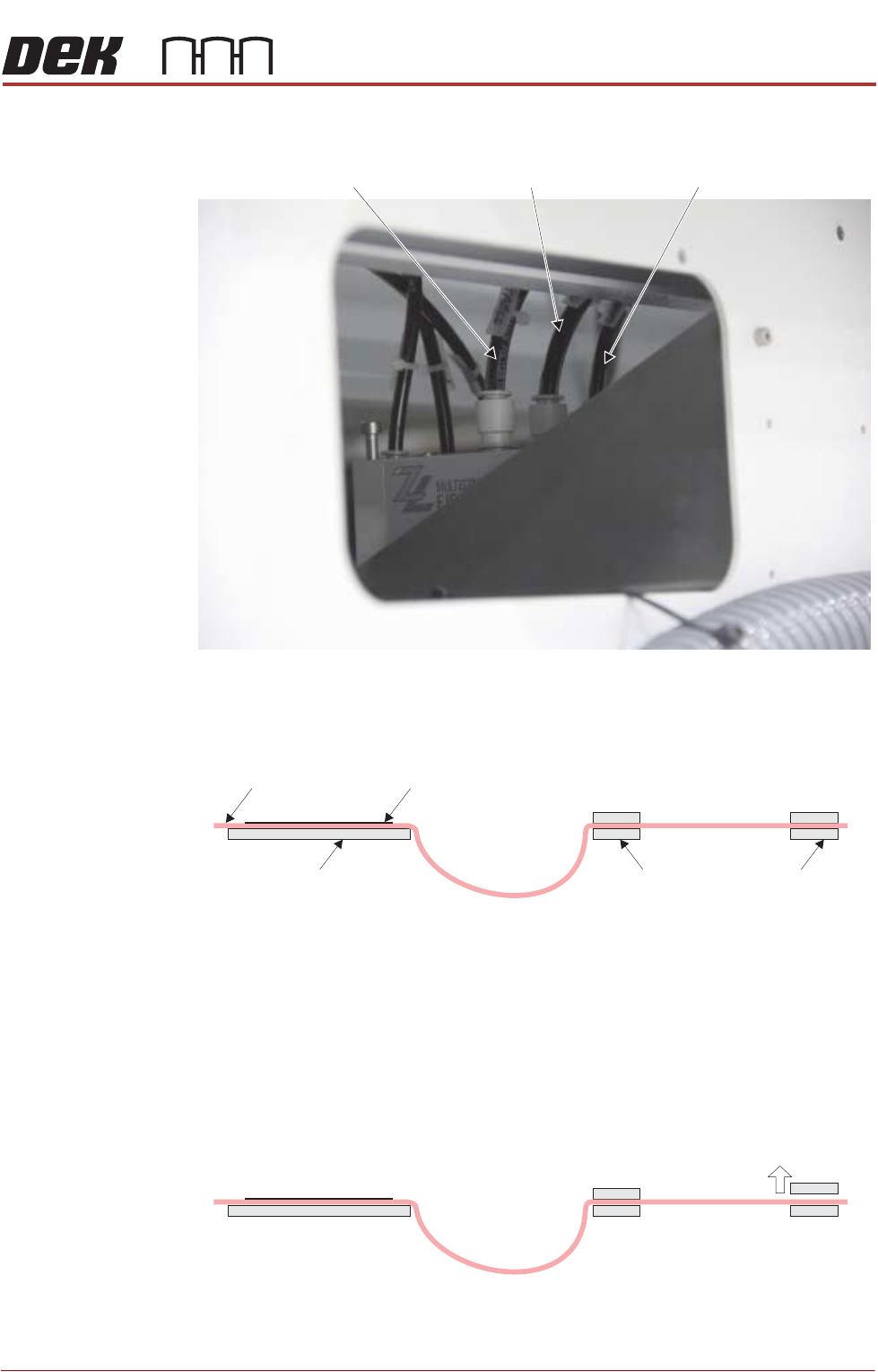
Pneumatics There are 3 extra pneumatic solenoids on the Reel to Reel machine:
• Table Vacuum
• Inner Transport Vacuum Plate
• Outer Transport Vacuum Plate
Tooling
Product Reel
Backoff Length
Screen
Inner Transport Clamp
Outer Transport Clamp
TECHNICAL REFERENCE
OVERVIEW
Chapter Issue 1, Apr 15 Reel to Reel Manual 1.3
The solenoids are mounted inside the machine frame, behind the front panel.
Sequence This section describes the sequence of the Reel to Reel handling mechanism,
assuming that the product is set up and ready to print as detailed in the User
chapter of this manual:
NOTE
1. Vacuum is applied to the tooling when the board clamps are active.
2. Vacuum is applied to the transport vacuum plates when the appropriate
transport clamps are active.
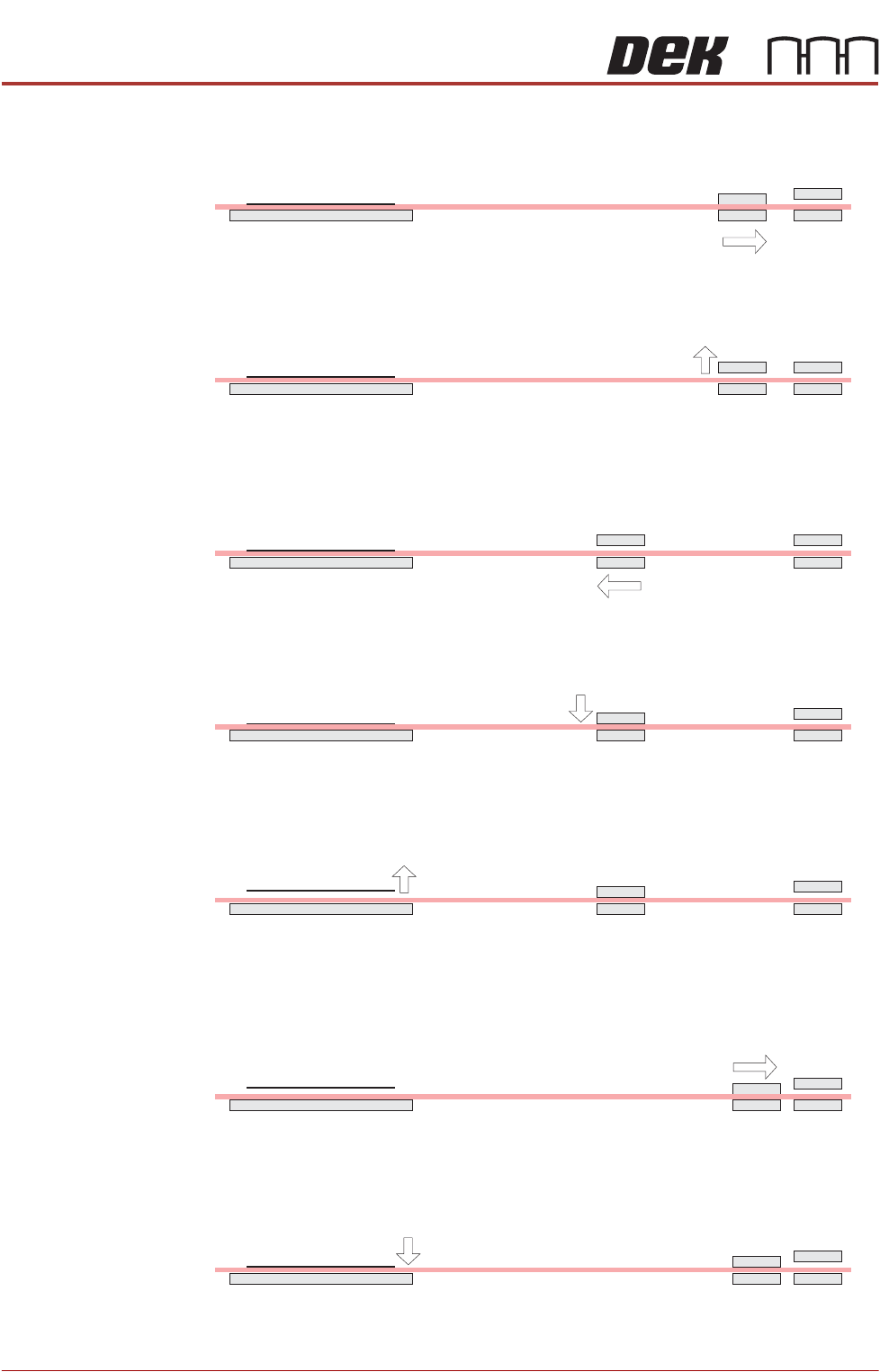
1. The product reel is printed.
2. The rising table moves to transport height.
3. The outer transport clamps release the product reel.
View inside the front of the machine frame
Outer Transport
Vacuum Plate
Inner Transport
Vacuum Plate
Table Vacuum
Tooling
Inner Transport
Clamps
Outer Transport
Clamps
Product Reel Board Clamps
TECHNICAL REFERENCE
OVERVIEW
1.4 Reel to Reel Manual Chapter Issue 1, Apr 15
4. The inner transport vacuum plate moves the product reel away from the print
station, taking up the slack in the product reel (the backoff length).
5. The inner transport clamps release the product reel.
6. The inner transport vacuum plate moves towards the print station.
7. The inner transport clamps, clamp the product reel.
8. The board clamps release the product reel.
9. The inner transport vacuum plate pulls the product reel through the machine
a specified distance to the next product.
10. The board clamps, clamp the product reel.