TM6148.Force control options manual in YC8.pdf - 第12页
SMT Softw are Engineering Group IM Operations Y AMAHA MOTOR CO., L T D. Short Insertion Judgment In mounting action with Force C on trol o n YC8, it judges as short insertion when the height o f inserted p arts is over […
SMT Software Engineering Group
IM Operations YAMAHA MOTOR CO., LTD.
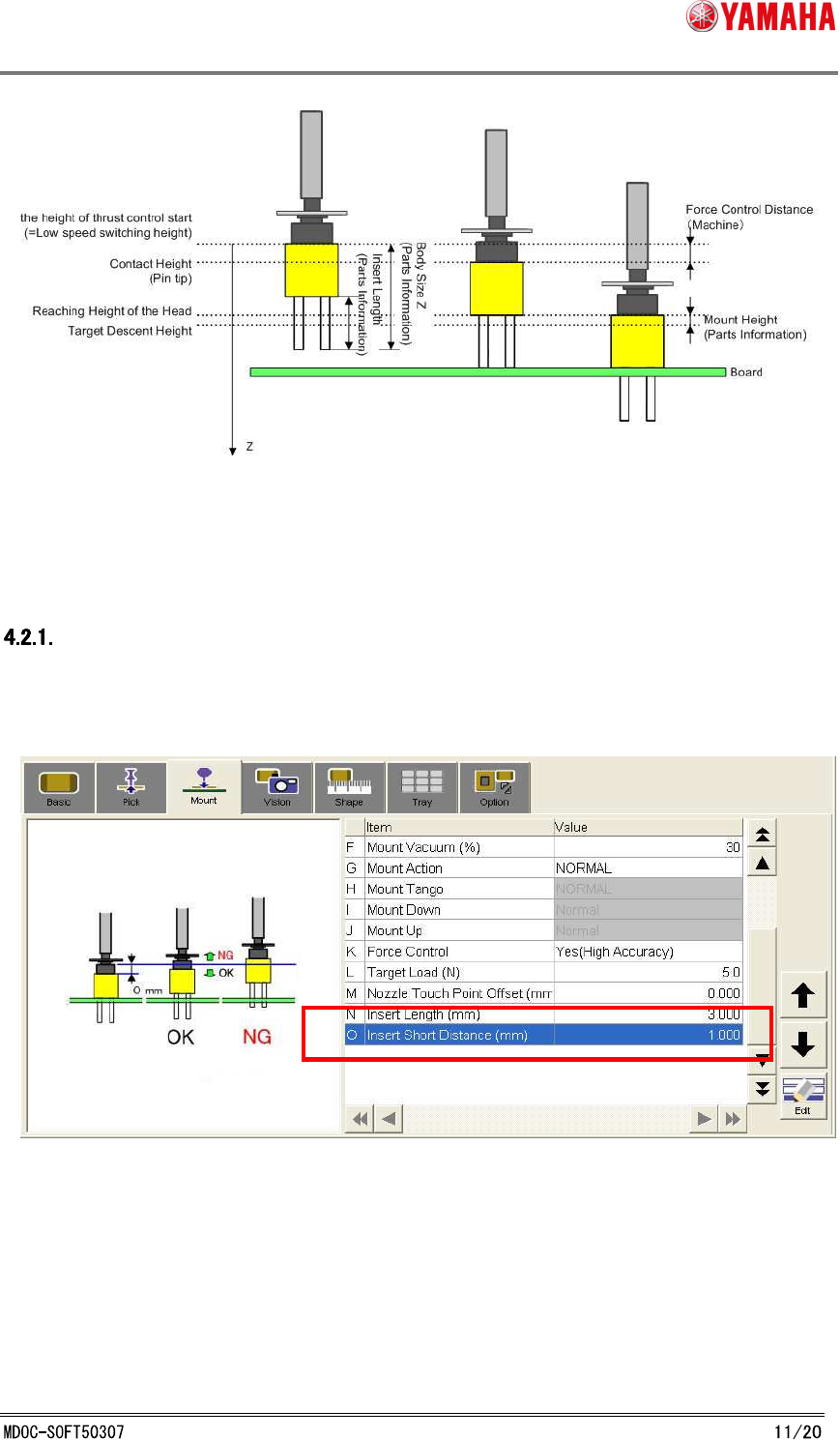
Fig. 4.1.1 Force Control Section
4.2 Insertion shortage judgment error
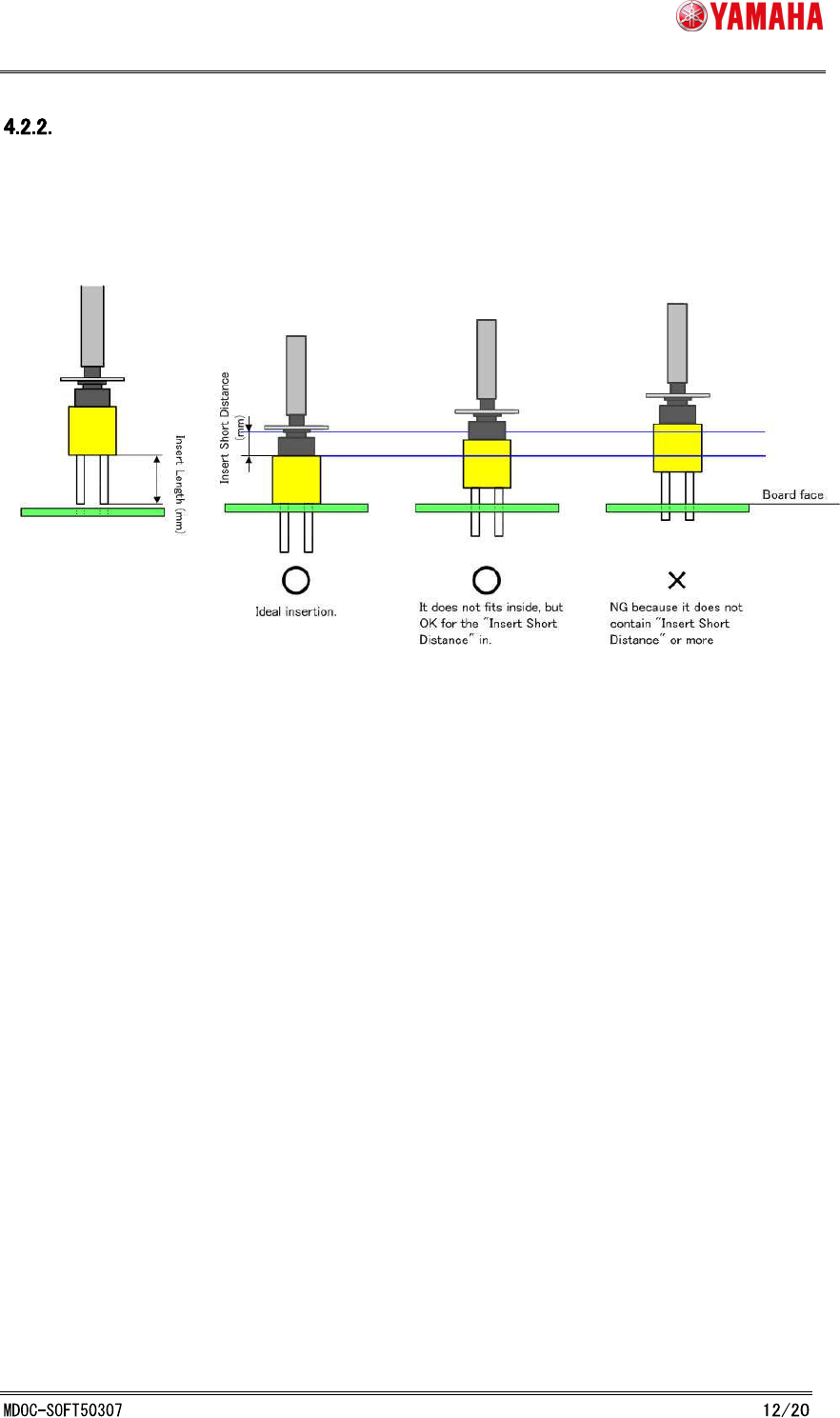
Insert Short Distance Setting
By setting [O:Insert short distance (mm)] for each parts, it is possible to check if insertion is
succeeded or not.
(See Fig. 4.2.1.1)
Fig. 4.2.1.1 Insert Short Distance Setting
*For not insertion parts (N: Insert Length is "0"), it only judges whether or not the parts have
reached the board surface (Judgment based on [Mount] - [Error Judgment Distance(mm)] of
[Machine] - [Specification Information] - [Force Control Specification] - [Sequence]).
SMT Software Engineering Group
IM Operations YAMAHA MOTOR CO., LTD.
Short Insertion Judgment
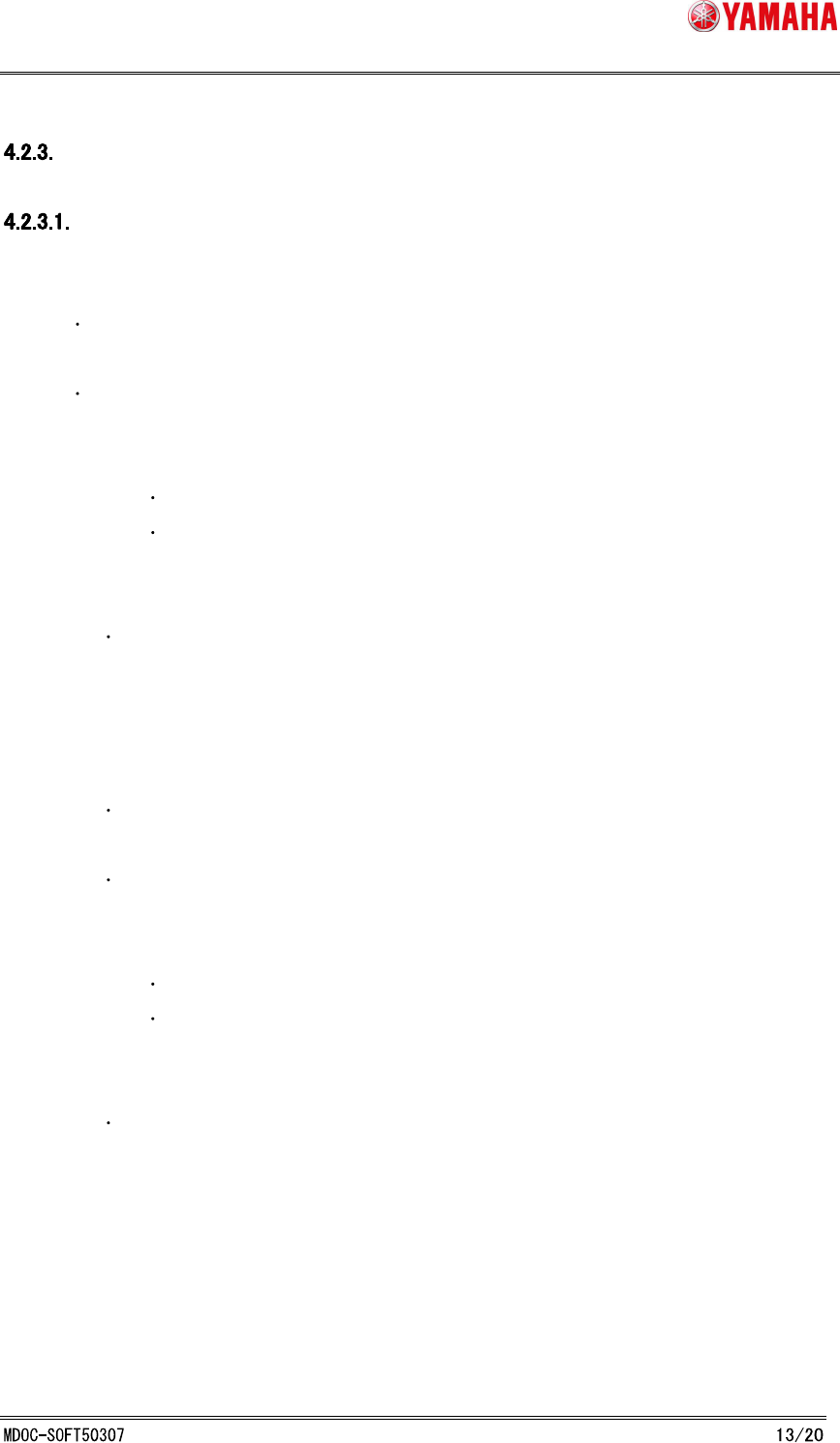
In mounting action with Force Control on YC8, it judges as short insertion when the height of
inserted parts is over [O:Insert short distance (mm)].
(See Fig. 4.2.2.1)
Fig. 4.2.2.1 Insert Short Judgment
It judges as short insertion in these conditions.
1. Parts itself has not reached the board face, or only 1/5 of [N:Insert Length (mm)] is
inserted. (in this case, “Ea2969: Parts insertion Errors” appears.)
2. More than 1/5 of [N:Insert Length (mm)] is inserted, but the inserted height is over
[O:Insert short distance (mm)]. (in this case, “Ea2974: Parts insertion Errors”
appears.)
SMT Software Engineering Group
IM Operations YAMAHA MOTOR CO., LTD.
Operation at insertion error
Operation when insertion error occurs
1. Parts itself has not reached the board face, or only 1/5 of [N:Insert Length (mm)] is
inserted. (in this case, “Ea2969: Parts insertion Errors” appears.)
Press the [ERROR CLEAR] button, and XY-axis of FID camera moves. At this time,
vacuum of the error head is still ON.
Check the pick up conditions of all heads, make sure that picked parts and FID camera
are not interefere with each other, then change the height of FID camera.
- Case : Parts and Multi-MACS are not interfering with FID camera.
When the parts are picked, FID camera moves down to surface of the board.
When the parts are not picked, FID camera moves down above the parts.
- Case : Multi-MACS and parts are interfering with FID camera.
FID camera doesn’ move down.
Retry method selection screen appears.
2. More than 1/5 of [N:Insert Length (mm)] is inserted, but the inserted height is
over [O:Insert short distance (mm)]. (in this case, “Ea2974: Parts insertion
Errors” appers.)
Press the [ERROR CLEAR] button, XY-axis of FID camera moves. At this time,
vacuum of the error head is turned OFF.
Check the pick up conditions of all heads, make sure that picked parts and FID
camera are not interefering with each other, then change the height of FID camera.
- Case : Parts and Multi-MACS are not interfering with FID camera.
When the parts are picked, FID camera moves down to surface of the board.
When the parts are not picked, FID camera moves down above the parts.
- Case : Multi-MACS and parts are interfering with FID camera.
FID camera doesn’ move down.
Retry method selection screen appears.