TM6148.Force control options manual in YC8.pdf - 第7页
SMT Softw are Engineering Group IM Operations Y AMAHA MOTOR CO., L T D. * Measurement position is originally set on the dumping position. If you wa nt to change the position, click the [Cancel] button , and c hange t he …
SMT Software Engineering Group
IM Operations YAMAHA MOTOR CO., LTD.
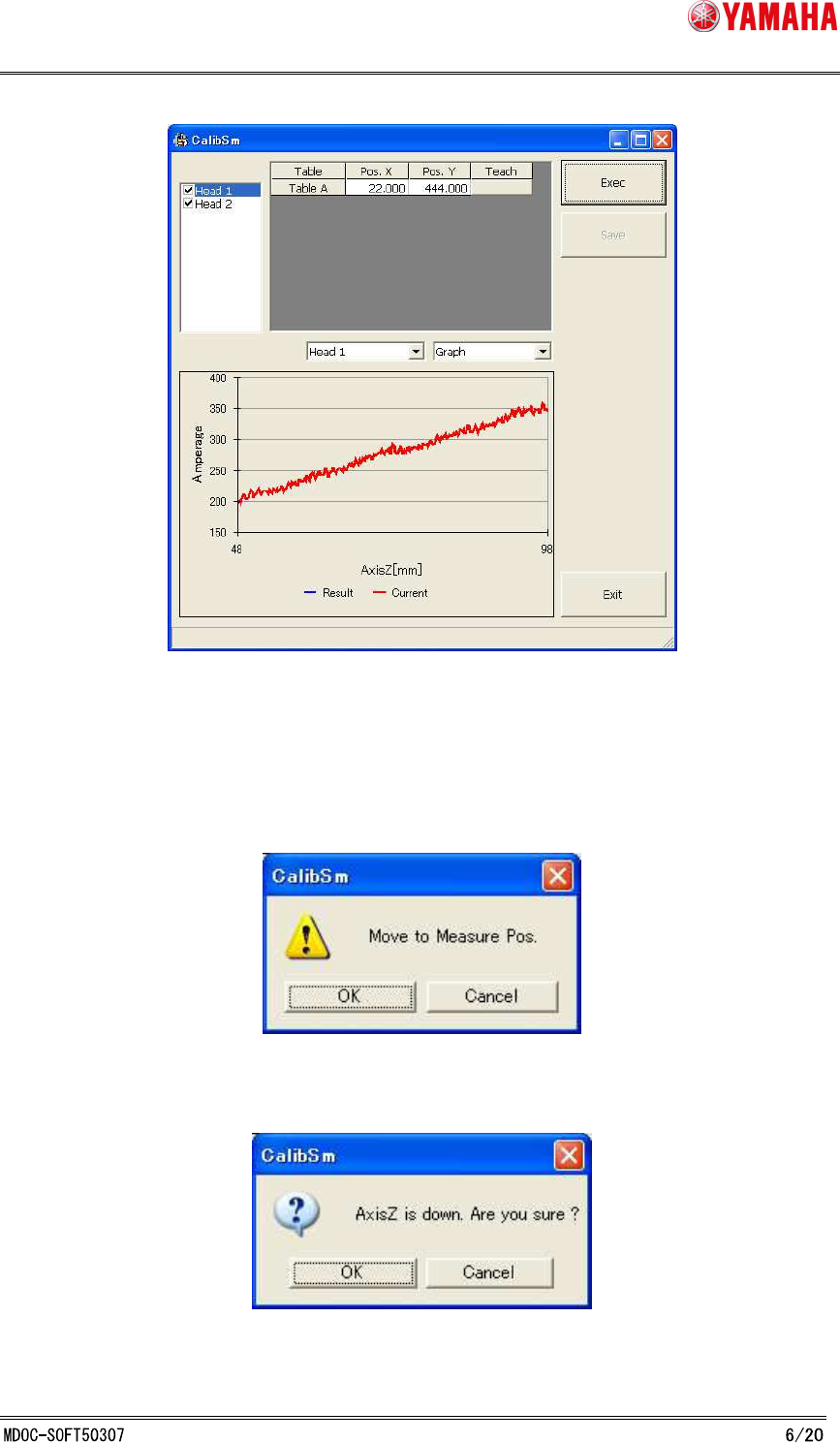
Fig. 3.3.3.1 Height Offset Force Correction Adjustment
Procedure:
1. Select a head from the list on the upper left of the screen.
2. Click the [Exec] button, then following message is displayed.
Select [OK], and XY-axis moves to the measurement position.
Then the following message is displayed.
Select [OK], and measurement starts.
SMT Software Engineering Group
IM Operations YAMAHA MOTOR CO., LTD.
* Measurement position is originally set on the dumping position. If you want to
change the position, click the [Cancel] button, and change the value of [Pos.X] and
[Pos.Y], or move the axis by hand, then click the [Teach] button.
3. When measurement is completed, adjustment value is displayed.
The [Graph] tab indicates adjusted value in blue, and current value is in red.
The [Number] tab indicates each value of the selected head.
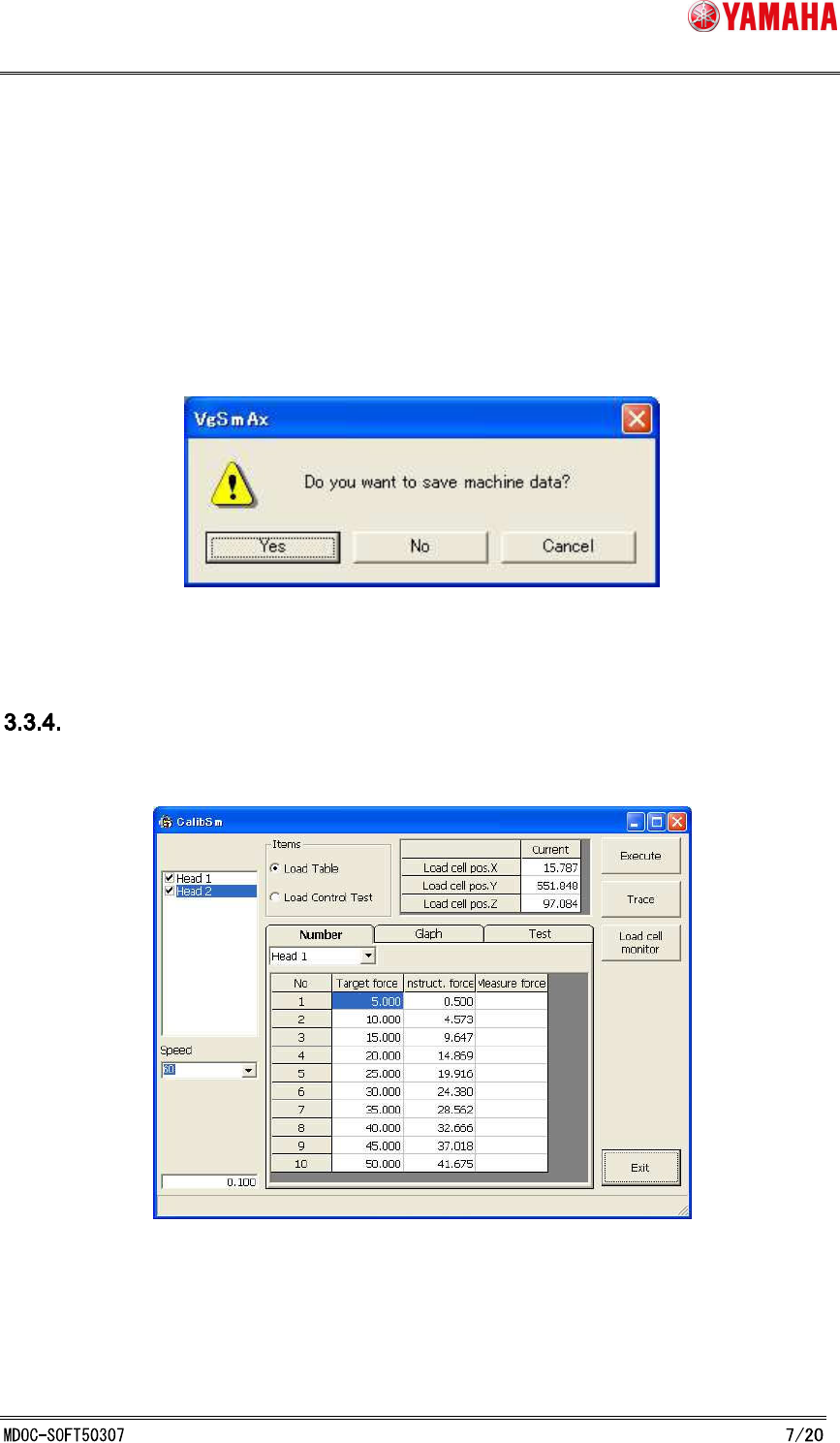
4. Click the [Save] button, and the following message is displayed.
To implement this adjustment value, select "Yes".
Force Control Correction Table Adjustment
On the [Utilities] - [084 LoadControl] dialog (Fig. 3.3.4.1), create a correction table of the target
force and the measuring force at the time of the output force of each head.
Fig. 3.3.4.1 Force Control Correction Table Adjustment
Procedure:
1. Select a head from the list on the upper left of the screen, then click the [Exec]
SMT Software Engineering Group
IM Operations YAMAHA MOTOR CO., LTD.
button. XY-axis automatically moves to the load cell, and measurement starts.
2. When measurement is completed, adjustment value is displayed in the [Measure
force] column and the saving confirmation dialog appears.
If you want to save this value, select [OK].
To view the values, select the [Number] tab, and to view the graph, select the
[Glaph] tab.
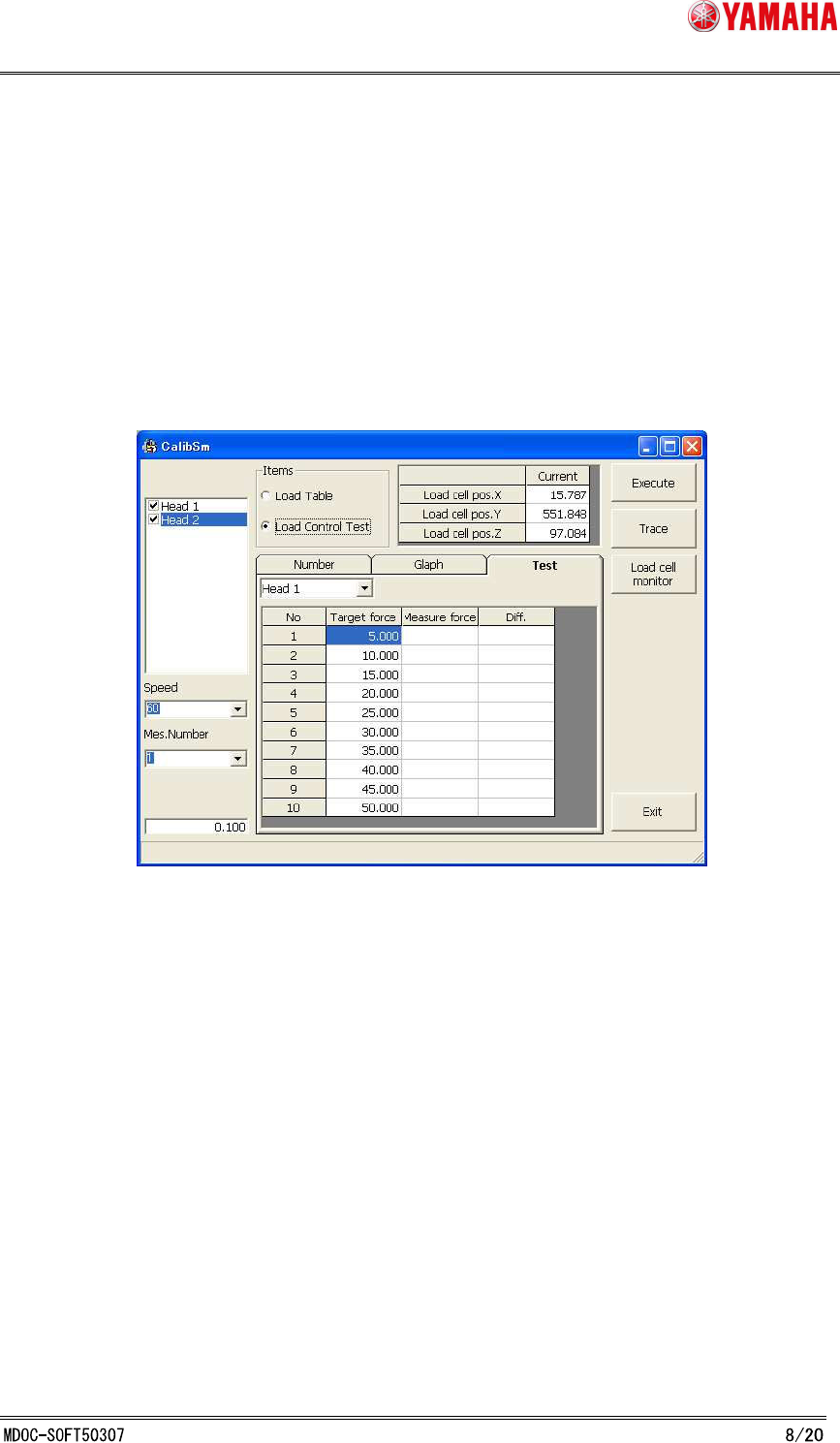
3. Select [Test]. (See Fig. 3.3.4.1)
Select a head from the list on upper left of the screen.
Fig. 3.3.4.1 Force Control Test
4. Click the [Exec] button.
XY- axis automatically moves to the load cell, and Load Control Test starts based
on the adjustment rault.
5. When Load Control Test is completed, test results are displayed in the [Measur
force] and [Diff.] column.
If the value of "Diff." is within the following control accuracy, adjustment is
succeeded.
If test results are out of the range, execute Force Control Correction Table
Adjustment again.
Control accuracy : 5N-20N±2N, 20N-50N±10%