00195348-0402 - MM WPC4-5-6_en.pdf - 第20页
Maintenance Manual WPC4, WPC5 and WPC6 Annual Maintenance Cleaning, Greas ing and Checking the Lifting A xis T oothed Belt 20 Maintenance Manual SIPLACE WPC4, WPC5 and WPC6 Cleaning, Greasing and Checki ng the Li fting A…
Maintenance Manual WPC4, WPC5 and WPC6
Cleaning, Greasing and Checking the Feeder Axis Toothed Belt Annual Maintenance
Maintenance Manual SIPLACE WPC4, WPC5 and WPC6 19
► Wipe the two toothed belts dry with a lint-free cloth. Move the feeder axis by hand so that you can
reach all parts of the toothed belt.
► Check the toothed belt for damage (cracks, worn teeth, protruding steel wires). If necessary, replace
the damaged toothed belt or contact SIPLACE Service.
► With a short-bristled brush, apply a small amount of grease (ISOFLEX TOPAS NCA 52) to the inside
of the toothed belt (as far as accessible).
► Move the feeder axis back and forth several times by hand. Wipe any residual grease away with a
dry cloth. Grease is usually pressed out at the deflection pulleys and toothed wheels. Remove this.
► Fit the cover plate and bridge cover for the feeder axis again.
Follow the removal instructions in reverse order.
►
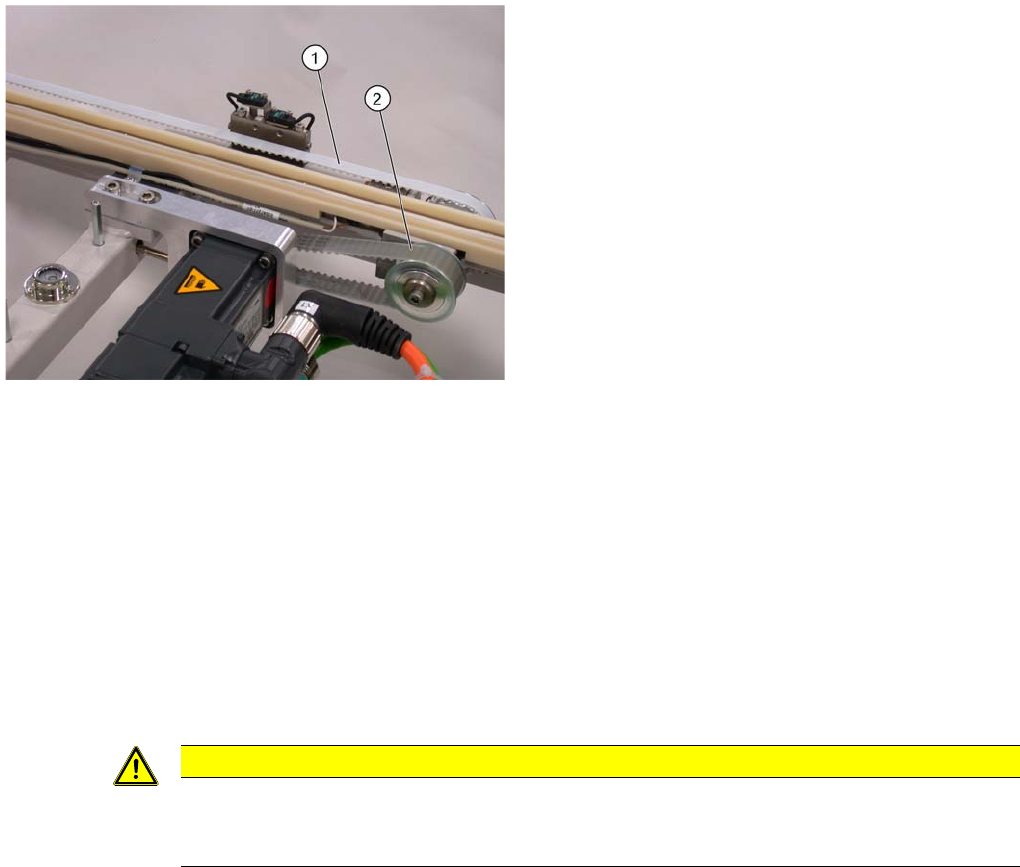
1. Toothed belt
2. Drive belt
CAUTION
The feeder axis linear guidances do not need maintenance work.
Do not clean the linear guidances with the SIPLACE cloth or with ethanol. This would remove
the permanent lubrication grease present.
Maintenance Manual WPC4, WPC5 and WPC6
Annual Maintenance Cleaning, Greasing and Checking the Lifting Axis Toothed Belt
20 Maintenance Manual SIPLACE WPC4, WPC5 and WPC6
Cleaning, Greasing and Checking the Lifting Axis Toothed Belt
2.4.4 Cleaning, Greasing and Checking the Lifting Axis Toothed Belt
Removing the covers and base plate
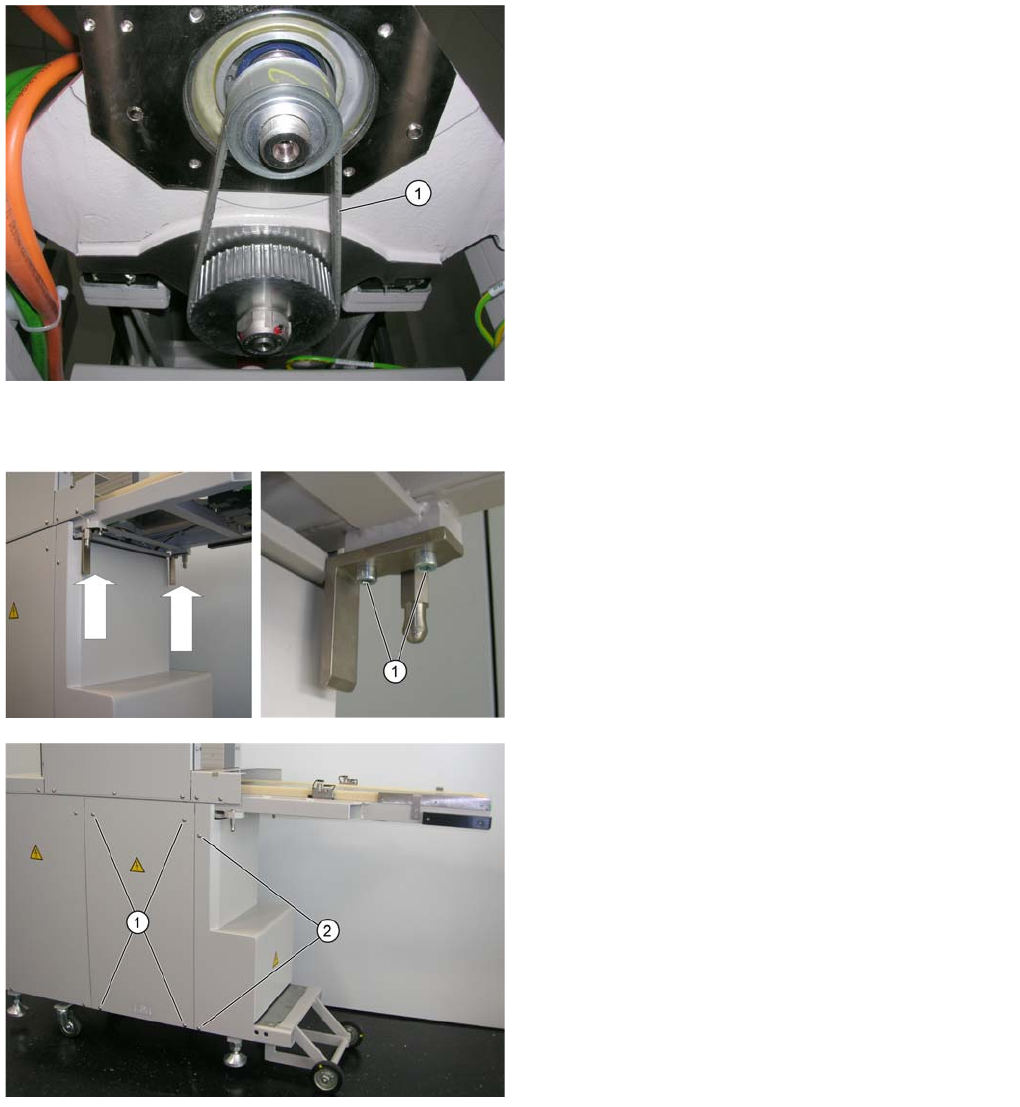
1. Lifting axis toothed belt
WPC4 only
Remove the two brackets on the left and right, under the
feeder axis.
► Loosen the 2 screws (1) for each bracket and remove
the brackets.
The diagram only shows one side of the machine. The
screws on the other side of the machine are in the same
position, side reversed.
► Loosen the 4 screws (1) on both the left and right of
the machine and remove the side covers.
► Loosen the 2 screws (2) on both the left and right of
the machine and lift off the cover on the lifting axis
(towards the front).
Maintenance Manual WPC4, WPC5 and WPC6
Cleaning, Greasing and Checking the Lifting Axis Toothed Belt Annual Maintenance
Maintenance Manual SIPLACE WPC4, WPC5 and WPC6 21
Cleaning, checking and greasing the lifting axis toothed belt.
► Wipe the toothed belt and toothed wheels (as far as accessible) dry with a lint-free cloth.
► Check the toothed belt for damage (cracks, worn teeth, protruding steel wires). If necessary, replace
the damaged toothed belt or contact SIPLACE Service.
► With a short-bristled brush, apply a small amount of grease (ISOFLEX TOPAS NCA 52) to the inside
of the toothed belt (as far as accessible).
► Fit the base plates, cover plates and brackets again.
Follow the removal instructions in reverse order.
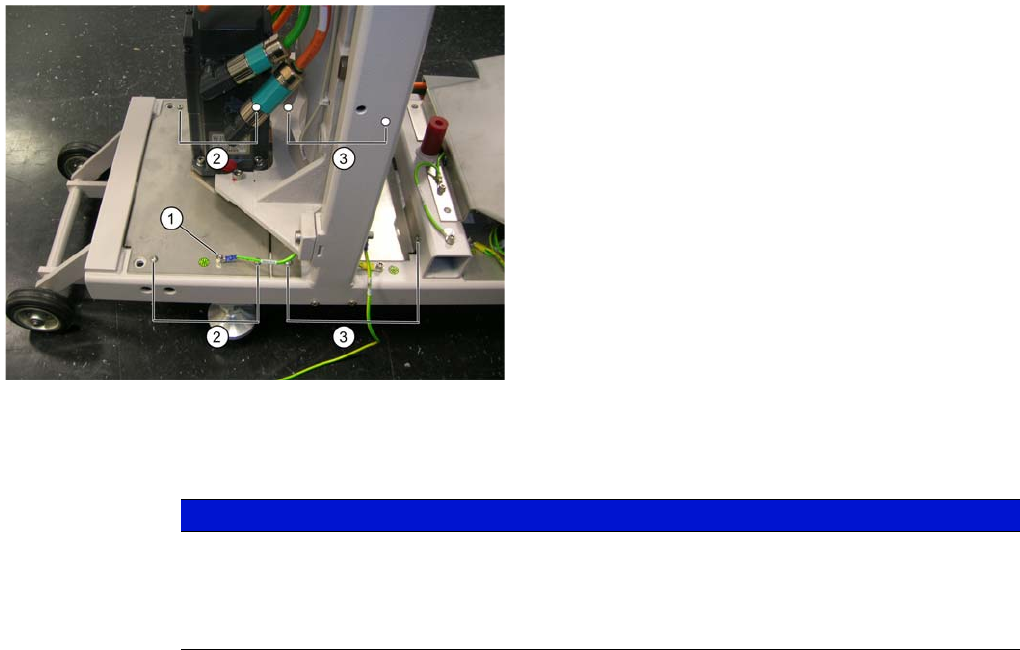
The screws fixing the base plate are partially covered in
the diagram. Their positions are marked white.
► Disconnect the ground cable (1) from the front base
plate.
► Loosen the 4 screws from the front base plate (2) and
lift this off towards the front.
► Loosen the 4 screws from the back base plate (3) and
pull this off towards the front.
► Disconnect the ground cable from the back base
plate.
NOTICE
The motor shaft is held by the brake. This prevents you from turning the toothed wheels by
hand.
► Clean and grease the parts you can reach. The grease applied will be distributed to the
other parts of the toothed belt during operation.