吸嘴自动检查NozzleHealthCheck_E.pdf - 第14页
Product Engineering Division SMT Section IM Operations Y AMAHA MOTOR CO., L TD MDOC-SOFT50394 14/2 1 In the sam ple, if error rate of vacuum check is over 30 %, it is jud ged as “NG” . If sm aller than that, it is judge …
Product Engineering Division
SMT Section
IM Operations
YAMAHA MOTOR CO., LTD
MDOC-SOFT50394
13/21
3. Enable [Auto Nozzle Change] function
Set [Vmspec]-[Machine Variation Setting]-[Nozzle Station] to “Use”.
Set [Vmspec]-[Nozzle Station]-[Use/Not Use] to “Use”.
4. Set [Vmspec]-[Nozzle Station]-[Nozzle Free Layout Setting] to “Use”.
4.1.2 Checking conditions
Nozzle Health Check is performed based on the machine setting.
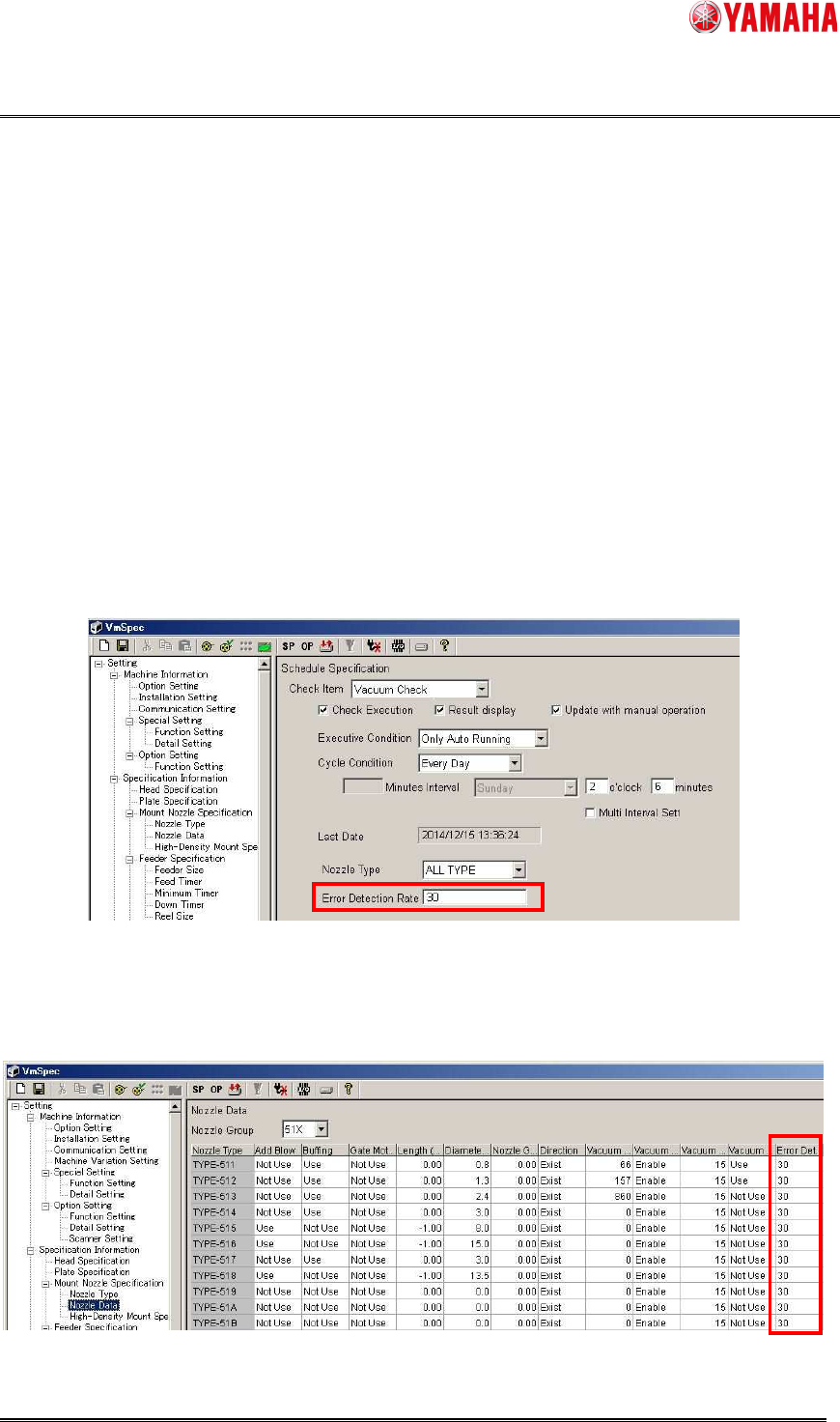
1) Vacuum Check
Error detection rate of each machine model is as the following setting values.
On YS88, YS100, YS12 Series YG12 Series, YS24(X) series
[Machine] - [Setting] - [Specification Information] - [Schedule Specification] - [Vacuum
Check] - [Error Detection Rate]
On YSM Series
▲2,3,4
[Machine] - [Setting] - [Specification Information] - [Mount Nozzle Specification] - [Nozzle
Data] - [Error Detection Rate(%)]
Product Engineering Division
SMT Section
IM Operations
YAMAHA MOTOR CO., LTD
MDOC-SOFT50394
14/21
In the sample, if error rate of vacuum check is over 30%, it is judged as “NG”. If smaller than
that, it is judged as “OK”.
Error Detection Rate (%) = (Meaured – Minimum) / (Maximum – Minimum) x 100
※ Minimum = Pick Level, Maximum = Mount Level
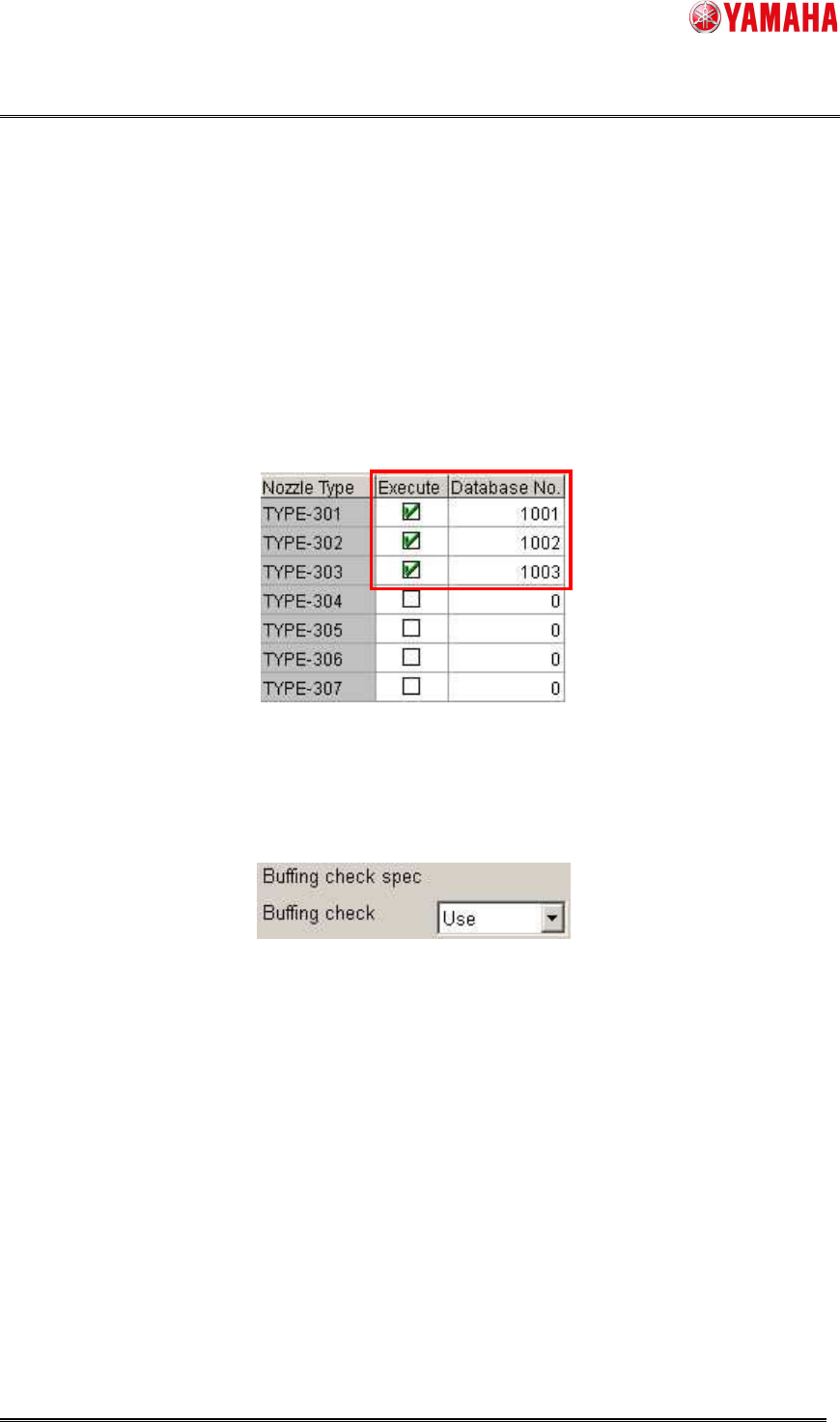
2) Nozzle Tip Dirt Check
Nozzle Tip Dirt Check is performed for a nozzle with [Setting] - [Specification Information] -
[Schedule Specification] - [Nozzle Tip Dirt Check] set to “Execute”.
3) Buffing Check
To execute Buffing Check, set [Setting] – [Specification Information] - [Buffing check spec] -
[Buffing check] to “Use”.
※ Nozzle Buffing Check works under the following conditions.
・On the following machines.
YS12、YG12、YS24、YS24X、YSM Series
・ [Setting] - [Machine Information] - [Installation] - [Cleaning Blow Unit] is set to “Exist”.
・ Head does not have shaft buffing equipment.
Product Engineering Division
SMT Section
IM Operations
YAMAHA MOTOR CO., LTD
MDOC-SOFT50394
15/21
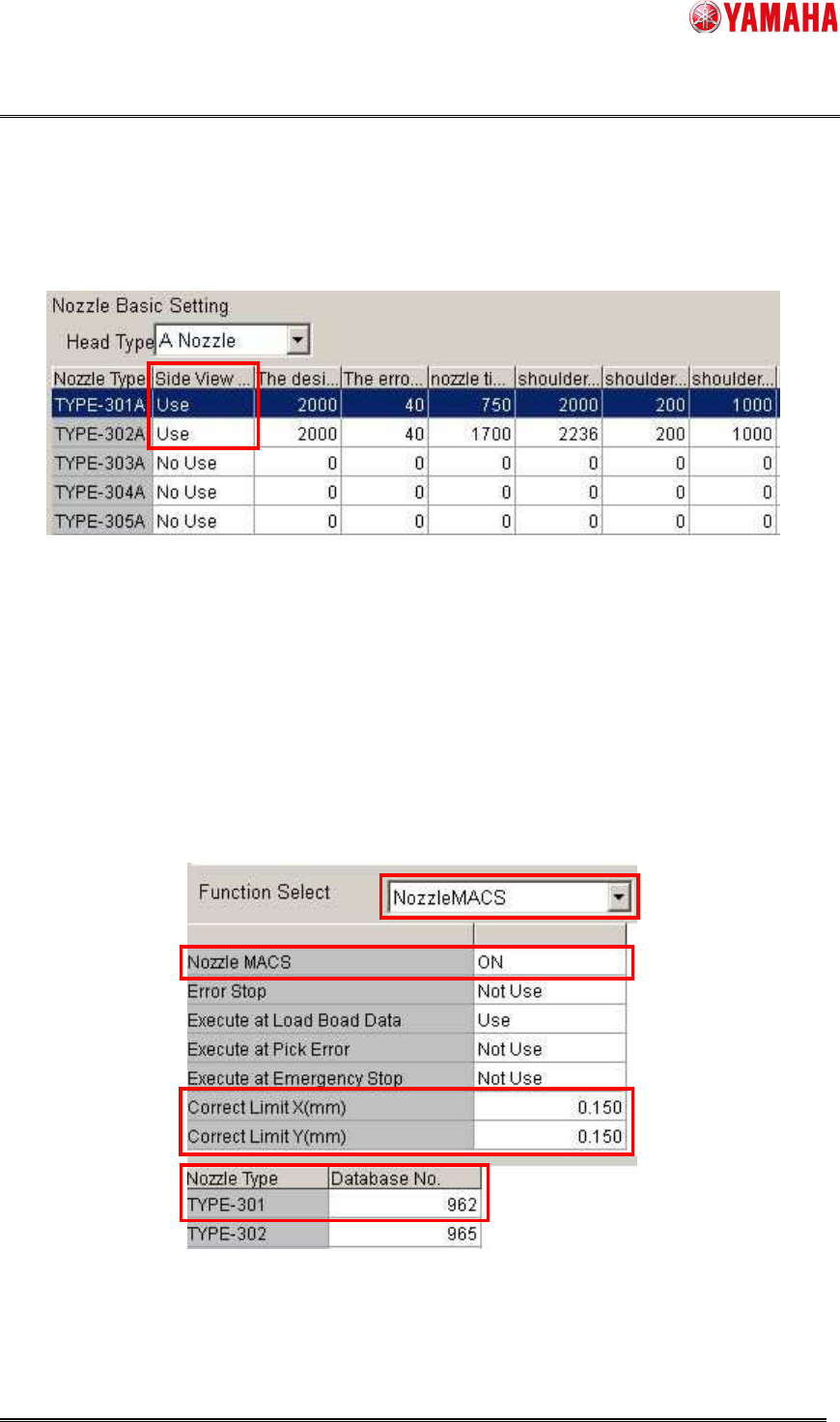
4) Nozzle Shape Check
Nozzle Shape Check is performed only for a nozzle with [Setting] - [Specification Information] -
[Side View Camera Spec] - [Nozzle Basic Setting] - [Side View Camera] is set to “Use”.
※ Nozzle Shape Check works under the following conditions.
・ On a machine equipped with a side view camera.
5) Nozzle Alignment Check
Nozzle Alignment Check is performed based on the setting of [Setting] - [Machine Data] -
[Precision] - [PickupMACS] - [NozzleMACS]. Set [Nozzle MACS] to “ON”.
The target nozzle type should be registered as database No.960/962/963. It is judged as “NG”
when misalignment from the rotation center of a nozzle is over [Correct Limit(mm)] of
NozzleMACS.