吸嘴自动检查NozzleHealthCheck_E.pdf - 第7页
Product Engineering Division SMT Section IM Operations Y AMAHA MOTOR CO., L TD MDOC-SOFT50394 7/21 3.3 Progress w indow This window indicates pro gress situatio n of Noz zle Health C heck . If you want to s top t his pro…
Product Engineering Division
SMT Section
IM Operations
YAMAHA MOTOR CO., LTD
MDOC-SOFT50394
6/21
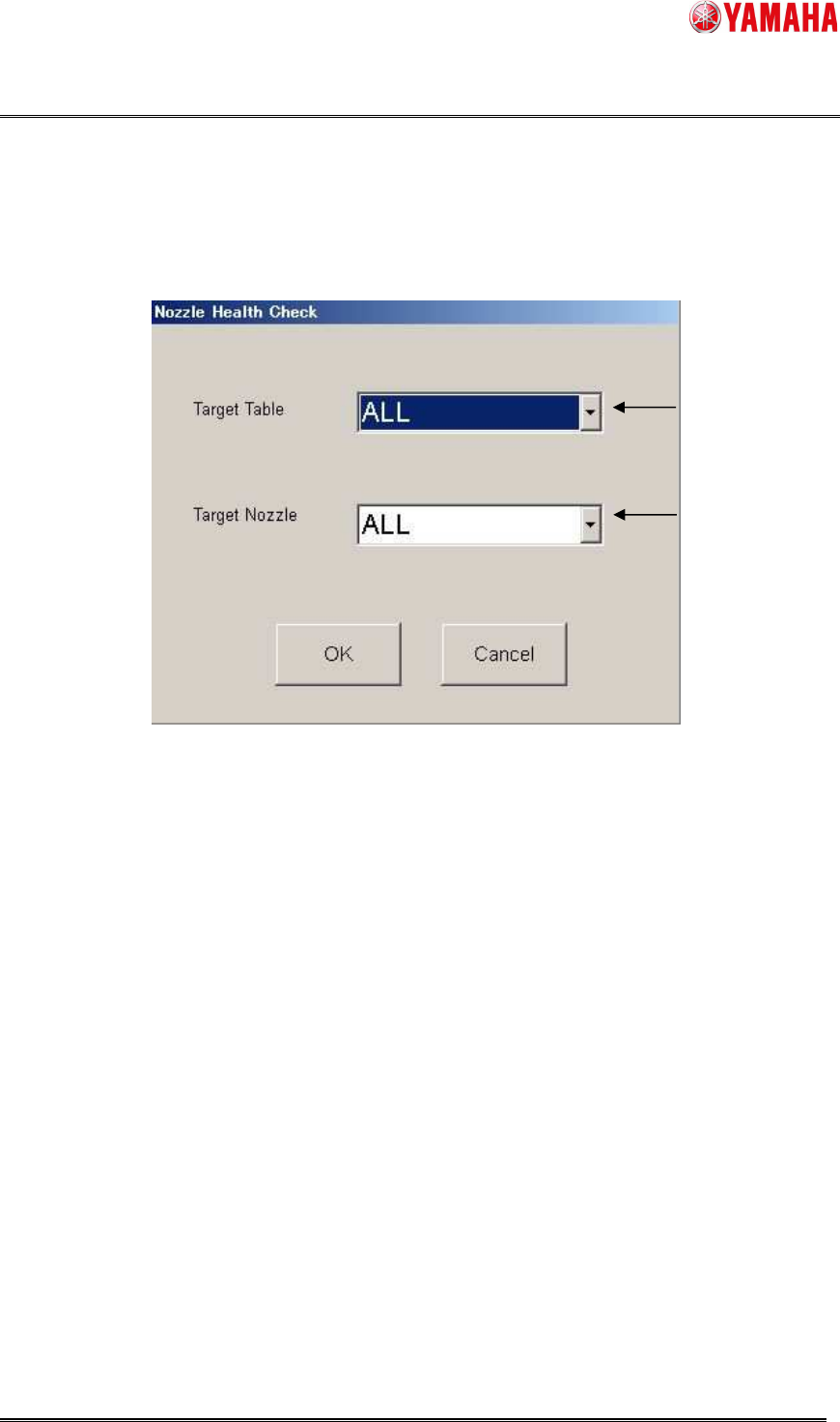
3.2 Selection dialog
Select a table and nozzle to perform Nozzle Health Check. By clicking the [OK] button, Nozzle
Health Check starts. To go back to the [Nxl Hlth Chk] screen, press the [Cancel] button.
1. Select a table to execute nozzle health check.
A to D ・・・Nozzles on a selected table are checked.
ALL ・・・ Nozzles on all tables are checked.
2. Select a nozzle to execute nozzle health check.
NG nozzle ・・・ Only NG nozzles are checked.
Board data nozzle ・・・ Only nozzles used for board data are checked.
ALL ・・・ All nozzles are checked.
※ When [Board data nozzle] is selected, nozzles with “OK” or “Unnecessary” are not checked. If
you want to check all nozzles again, or when you change the machine setting, please select
[ALL].
※ In the Nozzle Health Care function, spare nozzles are also targeted.
▲4
1
2
Product Engineering Division
SMT Section
IM Operations
YAMAHA MOTOR CO., LTD
MDOC-SOFT50394
7/21
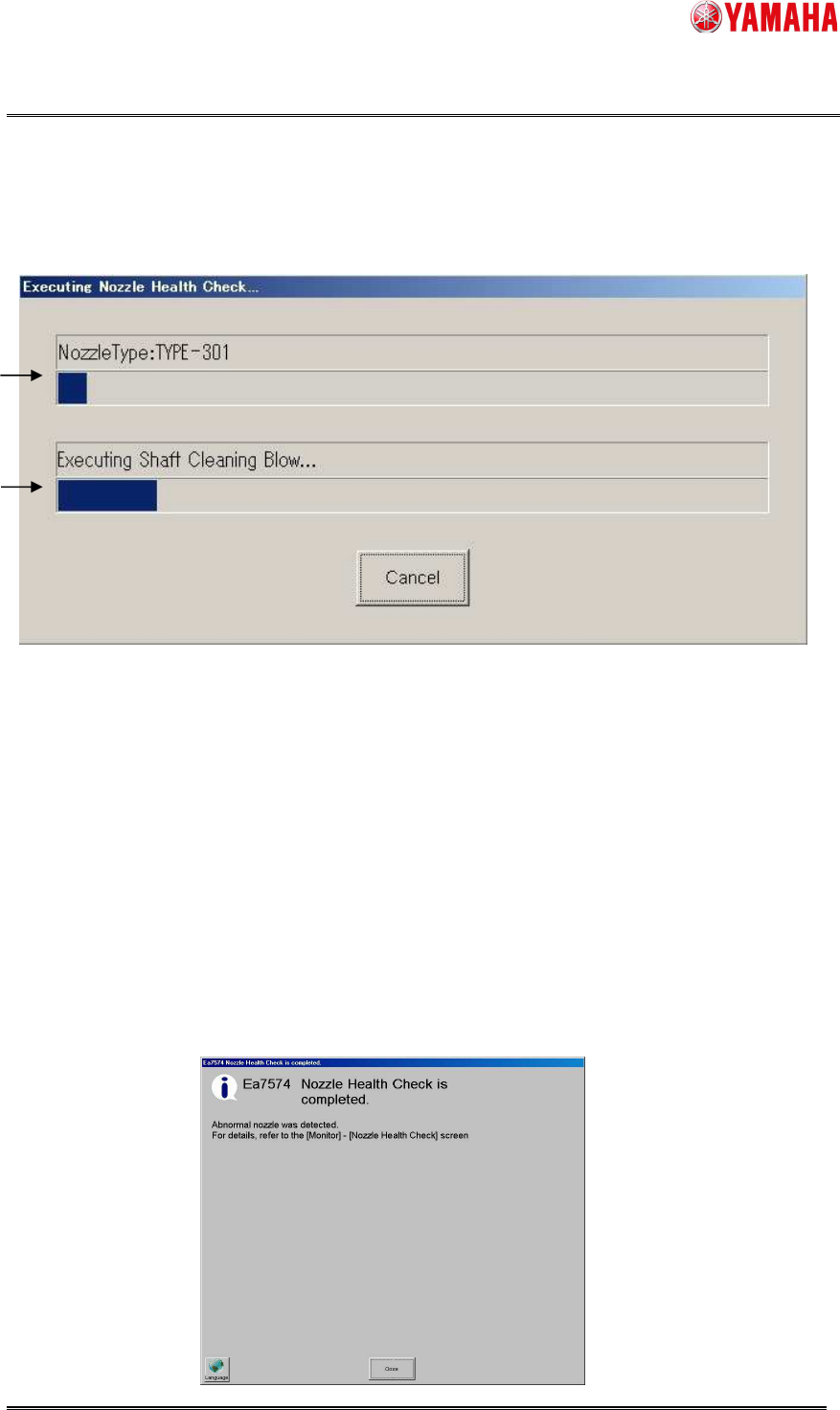
3.3 Progress window
This window indicates progress situation of Nozzle Health Check. If you want to stop this
process, press the [Cancel] button.
1. Displays a nozzle type that is currently checked (*)
2. Displays a checking content in the process.
※ When it is possible to set nozzle gourp for each table, several nozzle types are displayed.
(e.g. Nozzle Type:501 / 511 / 601 / 7201)
3.4 Nozzle Health Check completion screen
After Nozzle Health Check is completed, auto-changing nozzles are stored into the nozzle
station with or without any problem.
When a manual-changing nozzle has a problem, the head moves forward and blows. Close
the completion message and turn the blow off.
※ The below is the message displayed when an abnormal nozzle is detected.
1
2
Product Engineering Division
SMT Section
IM Operations
YAMAHA MOTOR CO., LTD
MDOC-SOFT50394
8/21
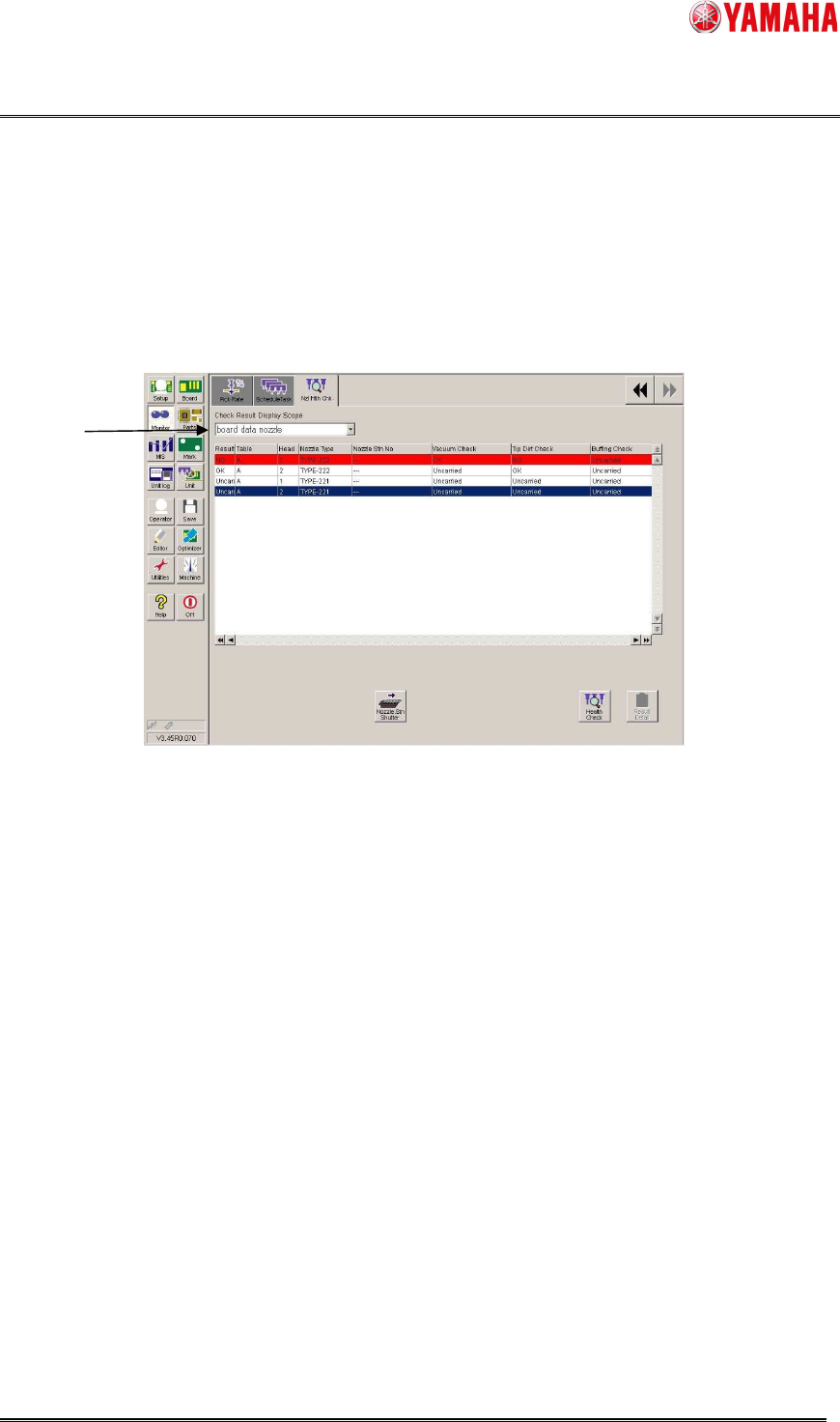
3.5 Nozzle Health Check result screen
After Nozzle Health Check is completed, the result is displayed on the [Monitor] - [Nzl Hlth Chk]
screen. If an abnormity is detected, the nozzle is indicated in red with “NG”. On the result
screen, checking results of Schedule Specification and Utility are also applied.
※ Once a nozzle is judged as NG, the subsequent checks of the Nozzle Health Check are no
longer performed for the nozzle.
1. Select items to show on the list. (NG nozzle, board data nozzle, ALL)
In the Nozzle Health Care function, spare nozzles are also shown.
▲4
1