吸嘴自动检查NozzleHealthCheck_E.pdf - 第5页
Product Engineering Division SMT Section IM Operations Y AMAHA MOTOR CO., L TD MDOC-SOFT50394 5/21 3. Function De t ails 3.1 Nozzle Health C heck screen Open the [Mon itor] - [N zl Hlth Chk] t ab. C heck ing results of e…
Product Engineering Division
SMT Section
IM Operations
YAMAHA MOTOR CO., LTD
MDOC-SOFT50394
4/21
2. Function Overview
This function performs nozzle condition check before starting production to avoid using a nozzle
in a bad condition. While this function is active, auto-running does not start if there is an
abnormal nozzle or if Nozzle Health Check is not performed.
Contetns of Nozzle Health Check are as follows. These contents are checked in order of the
table below.
In YSM40R/Super Hi-Speed Head, when same type nozzles more than the number of heads
exist, they are used as spares. If the nozzle used in the production is abnormal, the machine can
continue production by using spare nozzle instead. The spare nozzle exchange function using
[Nozzle Free Layout Function] for YSM40R/Super Hi-Speed Head is called [Nozzle Health Care]
function.
▲4
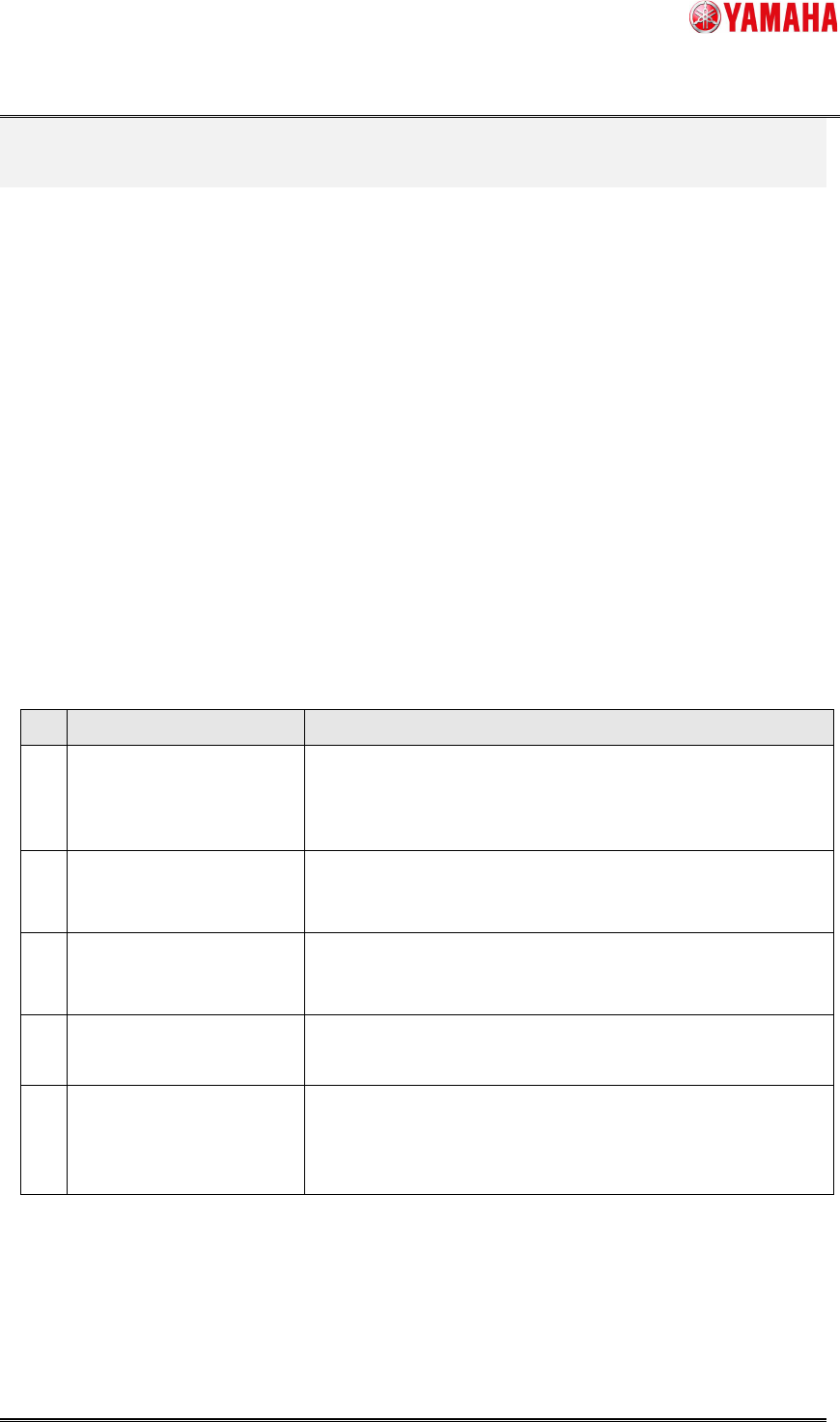
Table 2. Contents of Nozzle Health Check
No.
Item Description
1 Vacuum Check Vacuum level of head shaft is measured and compared to the
defined value.
This will prevent falling parts and pick/mount failure.
2 Nozzle Tip Dirt Check Performs recognition of nozzle tip to find any dirt on it.
This will prevent recognition failure and mount failure.
3 Nozzle Buffing Check Checks if nozzle buffing is performed correctly.
This will prevent falling parts and pick/mount failure.
4 Nozzle Shape Check Checks if there is any problem with nozzle shape and recognition
error rate.
5 Nozzle Alignment Check Checks if misalignment from the rotation center of a nozzle is
within [Correct Limit] of NozzleMACS.
This will keep pickup rate properly and prevent mount failure.
Product Engineering Division
SMT Section
IM Operations
YAMAHA MOTOR CO., LTD
MDOC-SOFT50394
5/21
3. Function Details
3.1 Nozzle Health Check screen
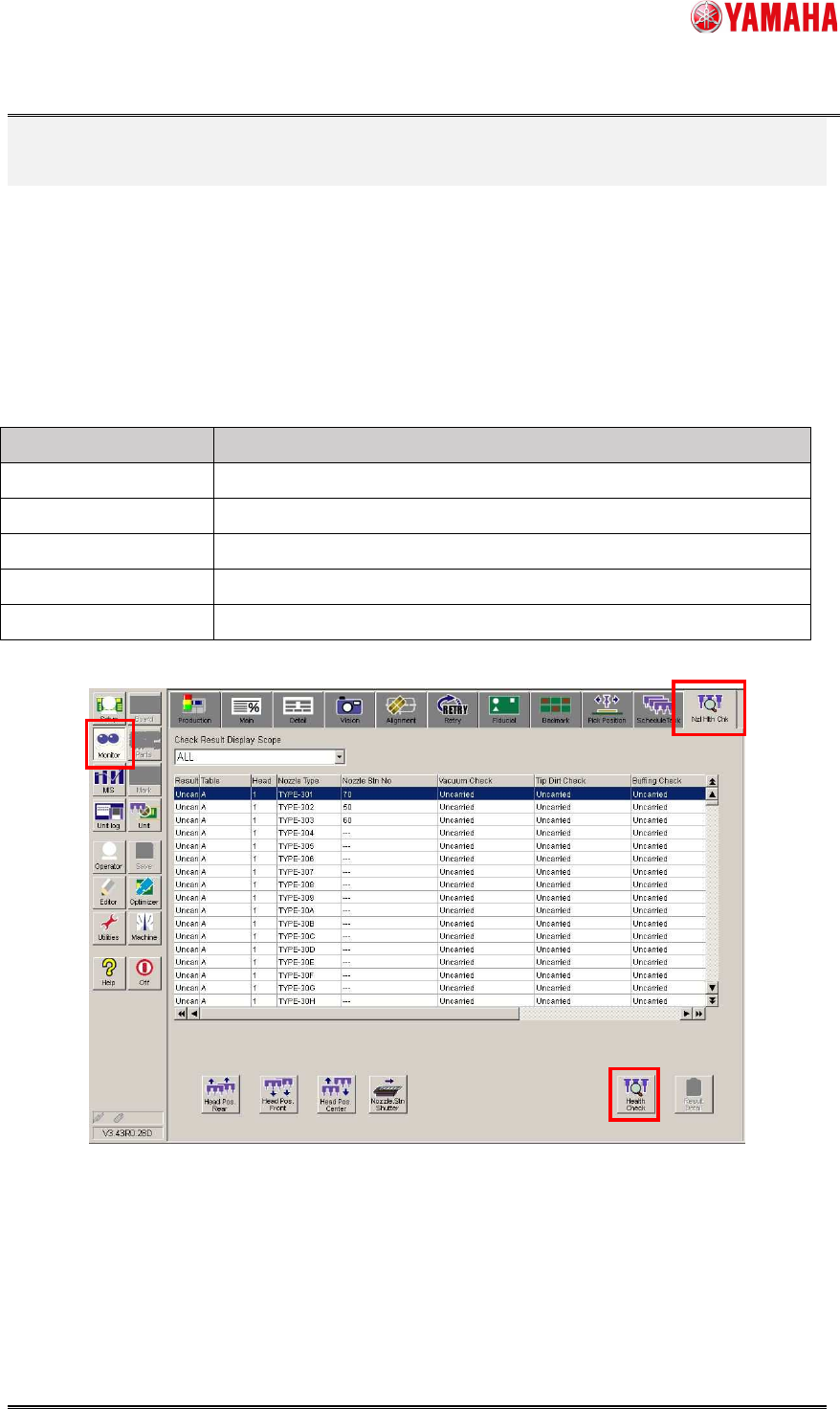
Open the [Monitor] - [Nzl Hlth Chk] tab. Checking results of each table, head, and nozzle type are
displayed. The table below is status of nozzles. Press the [Health Check] button to show the
nozzle selection dialog.
Table 1.1 Nozzle Status
Status Contents
Uncarried Nozzle health check is not performed.
Unnecessary
▲1
Check is unnecessary
OK Normal nozzle
NG Abnormal nozzle
Unusable
▲4
Unusable nozzle
Product Engineering Division
SMT Section
IM Operations
YAMAHA MOTOR CO., LTD
MDOC-SOFT50394
6/21
3.2 Selection dialog
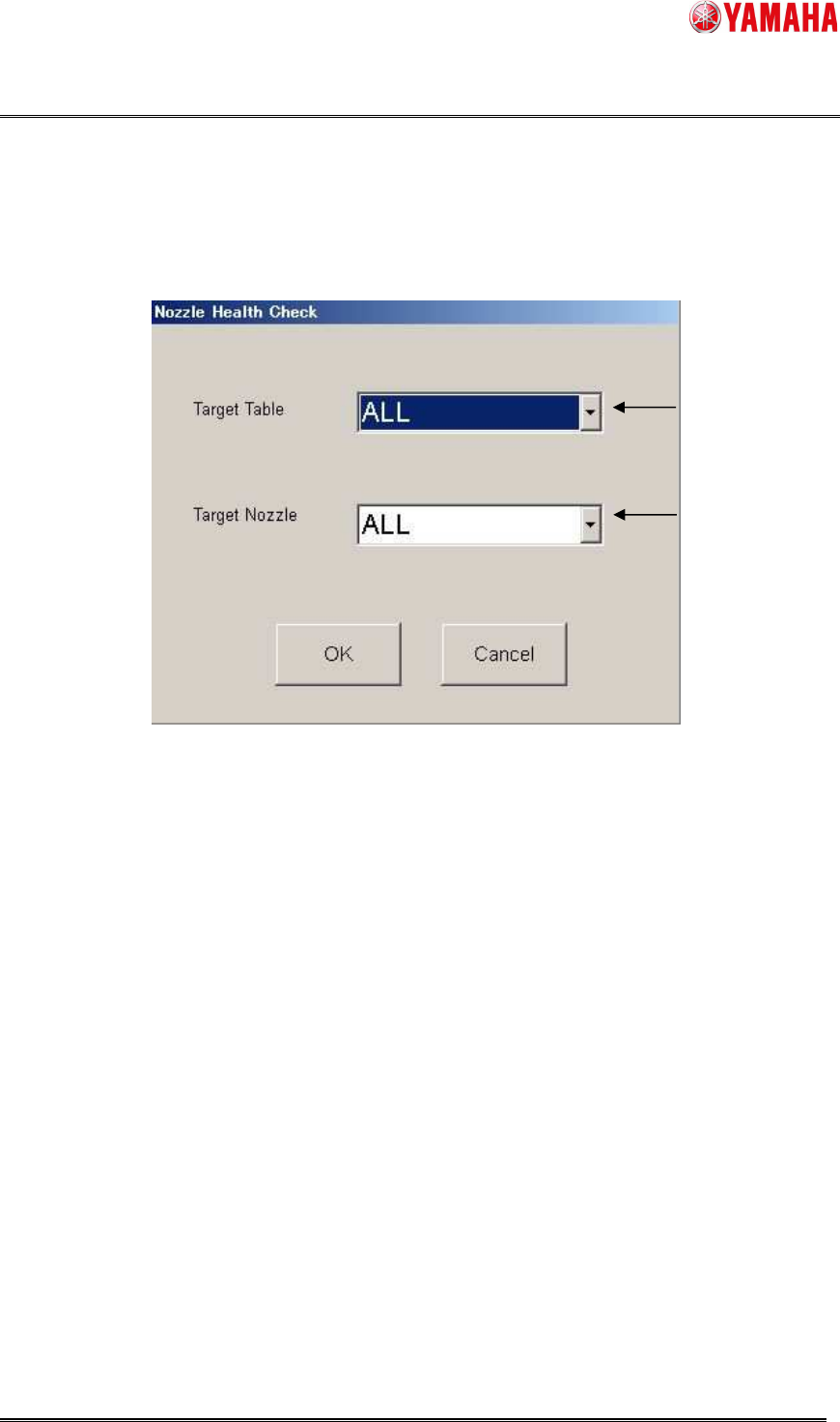
Select a table and nozzle to perform Nozzle Health Check. By clicking the [OK] button, Nozzle
Health Check starts. To go back to the [Nxl Hlth Chk] screen, press the [Cancel] button.
1. Select a table to execute nozzle health check.
A to D ・・・Nozzles on a selected table are checked.
ALL ・・・ Nozzles on all tables are checked.
2. Select a nozzle to execute nozzle health check.
NG nozzle ・・・ Only NG nozzles are checked.
Board data nozzle ・・・ Only nozzles used for board data are checked.
ALL ・・・ All nozzles are checked.
※ When [Board data nozzle] is selected, nozzles with “OK” or “Unnecessary” are not checked. If
you want to check all nozzles again, or when you change the machine setting, please select
[ALL].
※ In the Nozzle Health Care function, spare nozzles are also targeted.
▲4
1
2