吸嘴自动检查NozzleHealthCheck_E.pdf - 第9页
Product Engineering Division SMT Section IM Operations Y AMAHA MOTOR CO., L TD MDOC-SOFT50394 9/21 3.6 Det ails of result Select a nozzle indicated in red on the result screen, and press the [R esult Detail] button. T he…
Product Engineering Division
SMT Section
IM Operations
YAMAHA MOTOR CO., LTD
MDOC-SOFT50394
8/21
3.5 Nozzle Health Check result screen
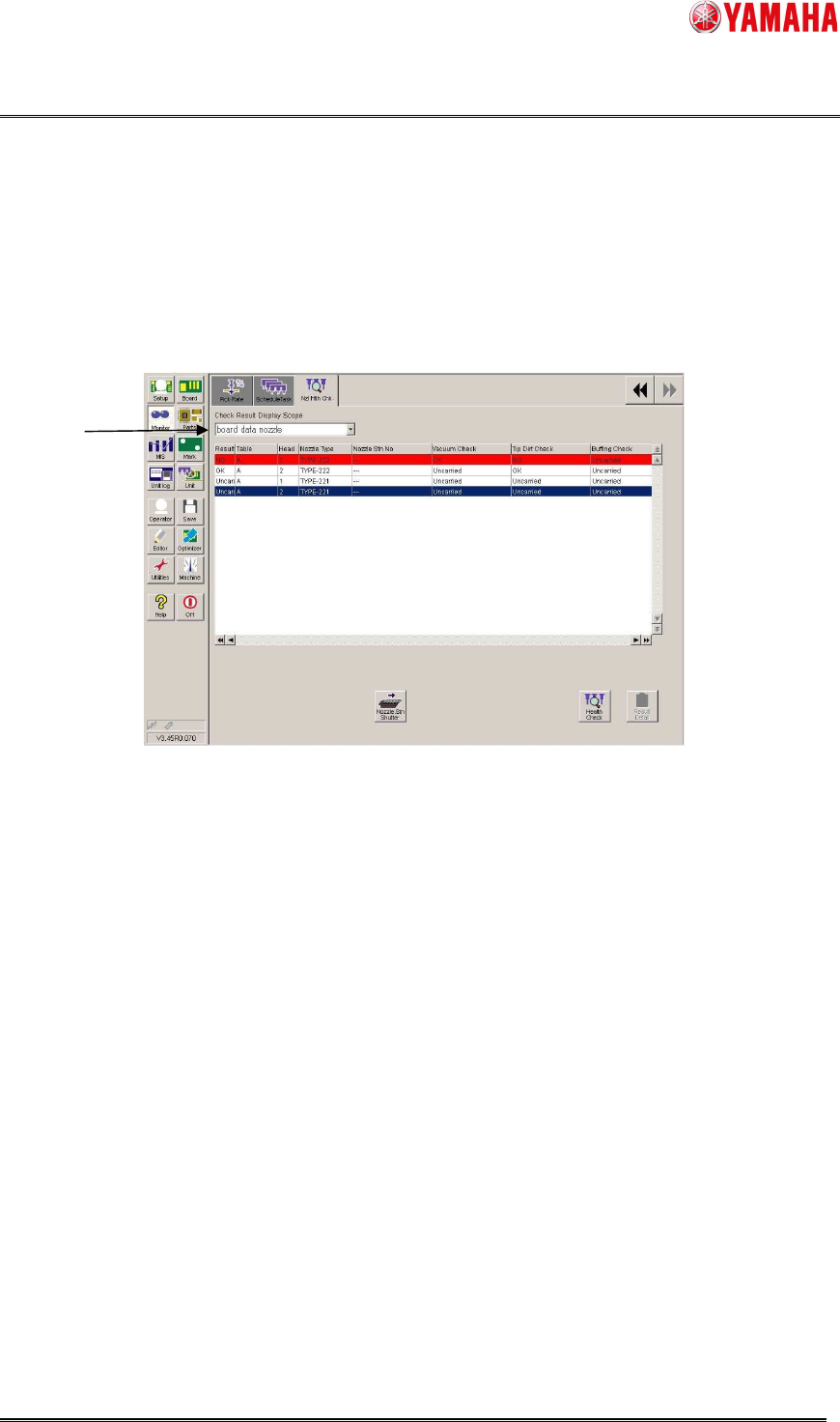
After Nozzle Health Check is completed, the result is displayed on the [Monitor] - [Nzl Hlth Chk]
screen. If an abnormity is detected, the nozzle is indicated in red with “NG”. On the result
screen, checking results of Schedule Specification and Utility are also applied.
※ Once a nozzle is judged as NG, the subsequent checks of the Nozzle Health Check are no
longer performed for the nozzle.
1. Select items to show on the list. (NG nozzle, board data nozzle, ALL)
In the Nozzle Health Care function, spare nozzles are also shown.
▲4
1
Product Engineering Division
SMT Section
IM Operations
YAMAHA MOTOR CO., LTD
MDOC-SOFT50394
9/21
3.6 Details of result
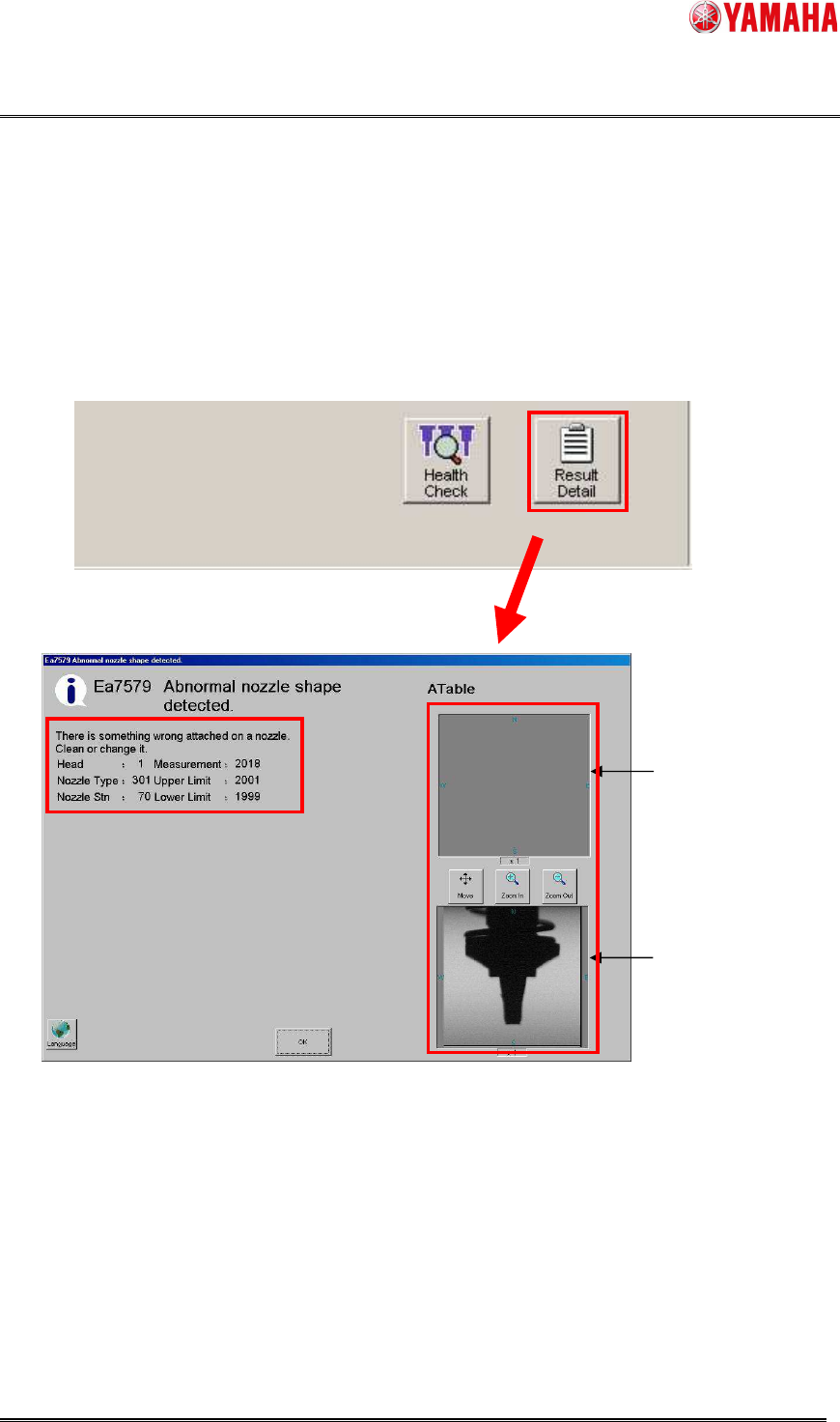
Select a nozzle indicated in red on the result screen, and press the [Result Detail] button. The
details of the NG contents are displayed. In the veiw on the right shows an image of the NG
nozzle.
※ Images are saved only when it is set to do so on [Software Setting] – [Health Check].
※ Images are taken only at Tip Dirt Check, Shape Check, or Alignment Check.
View from the bottom
View from the side
Product Engineering Division
SMT Section
IM Operations
YAMAHA MOTOR CO., LTD
MDOC-SOFT50394
10/21
3.7 Operation control
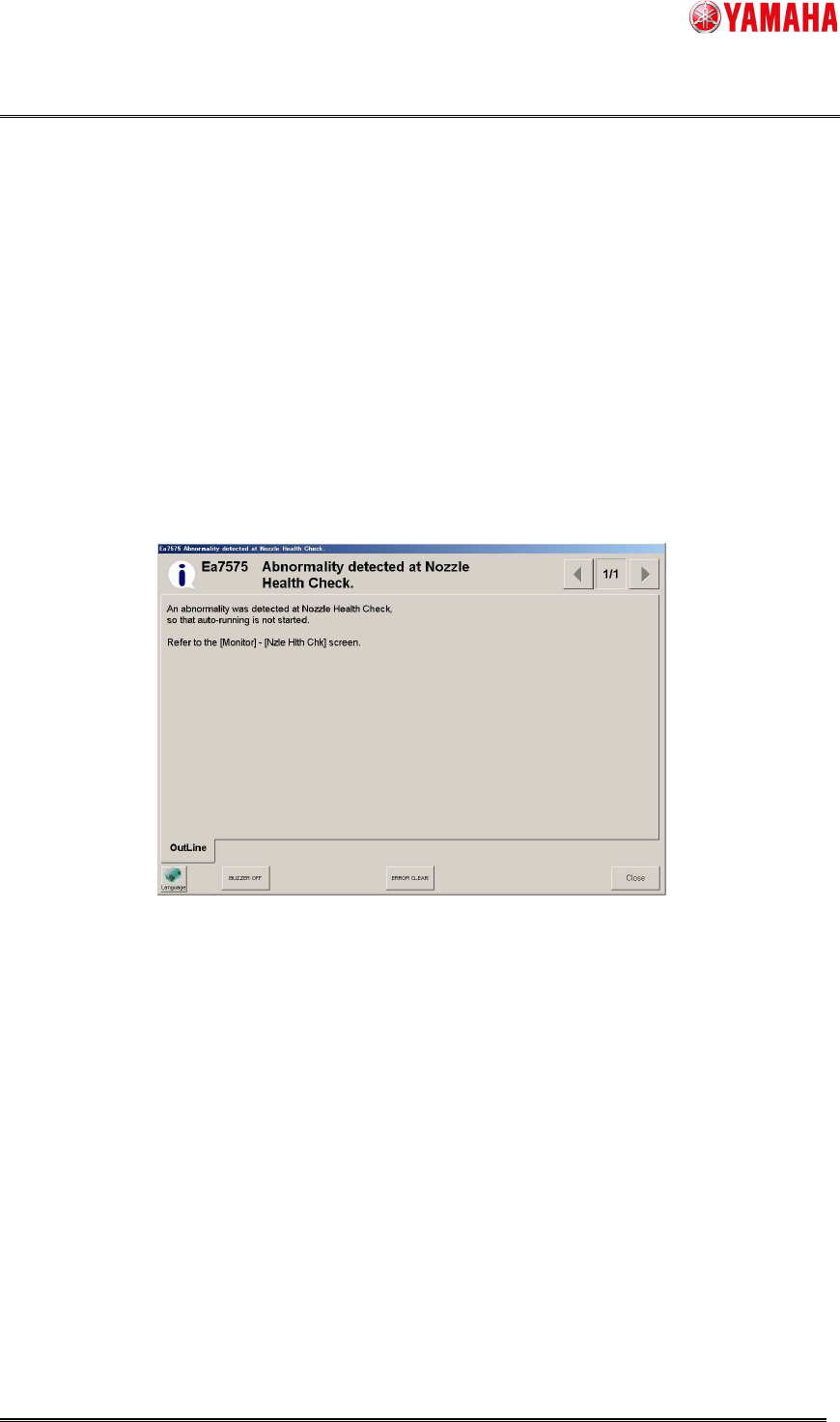
When the [Setup] - [Software Setting] - [Health Check] - [Don’t start running if Nozzle Health
Check NG is detected.] check box is checked, auto-running does not start as long as Nozzle
Health Check is not completed, or used nozzle is judged as “NG”.
When auto-running does not start, clean or exchange the NG nozzle, and perform Nozzle
Health Check again.
In the Nozzle Health Care function, when the [Don’t start running if Nozzle Health Check NG is
detected.] check box is checked, the abnormal nozzles are replaced with spare nozzles. If there
is no available spare nozzle, auto-running is suppressed.
When the [Don’t start running if Nozzle Health Check NG is detected.] check box is not checked,
the abnormal nozzles are not replaced with spare nozzles, auto-running is not suppressed.
▲4
3.8 Save log file
When [Setup] - [Software Setting] - [Health Check] - [Save log file] check box is checked, log file
is saved to [Output Path] folder.
Log file name is “NHCLog_(Machine serial number)_(Mount table Number)_YYYYMMDD.csv”.
(Example: NHCLog_Y20000_A_20150315.csv)
When either of following is performed, results of [Vacuum Check], [Nozzle Tip Dirt Check],
[Nozzle Buffing Check], [Nozzle Shape Check], [Nozzle Alignment Check] are output to log file.
Non-checked nozzle is not output to log file.
1. Tap [Health Check] button.
2. Tap either of [Vacuum check], [Nozzle Tip Dirt Check], [Nozzle Buffing Check], [Nozzle
Shape Check], [Nozzle Alignment Check] button.
3. Perform schedule spec.