吸嘴自动检查NozzleHealthCheck_E.pdf - 第17页
Product Engineering Division SMT Section IM Operations Y AMAHA MOTOR CO., L TD MDOC-SOFT50394 17/2 1 5. Error Messa ge The tab le below is t he error messages ad de d for thi s f unction. Error Message List No. Ti tle Ca…
Product Engineering Division
SMT Section
IM Operations
YAMAHA MOTOR CO., LTD
MDOC-SOFT50394
16/21
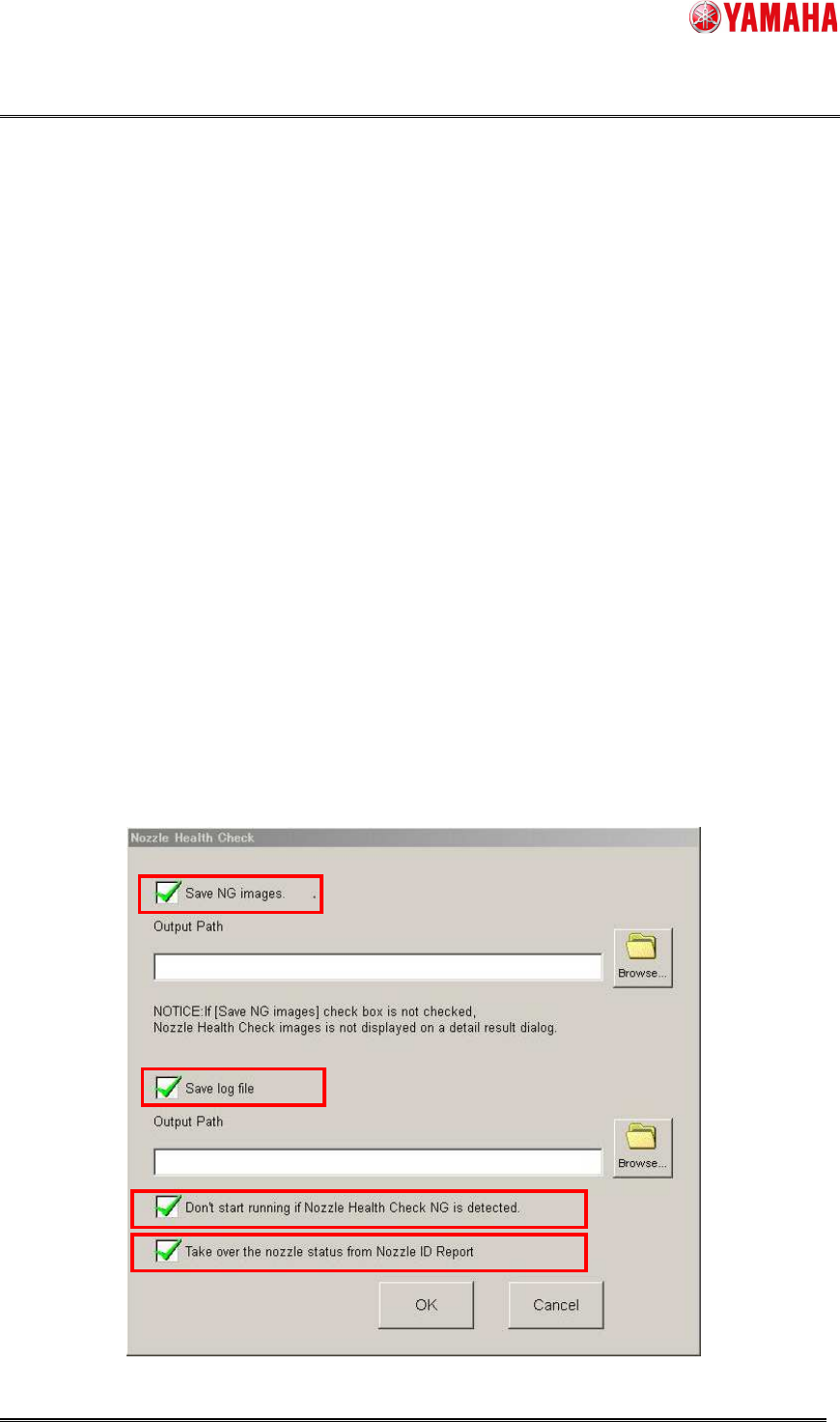
4.2 Software Setting
When the [Save NG images.] check box is checked, it saves an image of NG nozzle detected
by Tip Dirt Check, Shape Check, or Alignment Check.
When the [Save log file] check box is checked, it saves log file of check results. But when
[Output Path] is empty, it does not save log file.
When the [Don’t start running if Nozzle Health Check NG is detected.] check box is checked,
auto-running does not start as long as Nozzle Health Check is not completed or an abnormal
nozzle is detected in board data. In the Nozzle Health Care function, if there is usable spare
nozzle, auto-running start.
▲4
Only when the Nozzle Health Care function is valid, [Take over the nozzle status from Nozzle ID
Report] is displayed. When this check box is checked, it is possible to take over the nozzle status
from Nozzle ID Report. When this check box is not checked, the Nozzle Health Check status is
set to [Uncarried] in machine powered on.
※ It is possible to take over Only the nozzle status. The each result of the Nozzle Health Check
is not taken over.
▲4
You need to have administrator authority to make this setting.
The output path folder requires at least 100MB of free space.
These check boxes are unchecked by default.
Product Engineering Division
SMT Section
IM Operations
YAMAHA MOTOR CO., LTD
MDOC-SOFT50394
17/21
5. Error Message
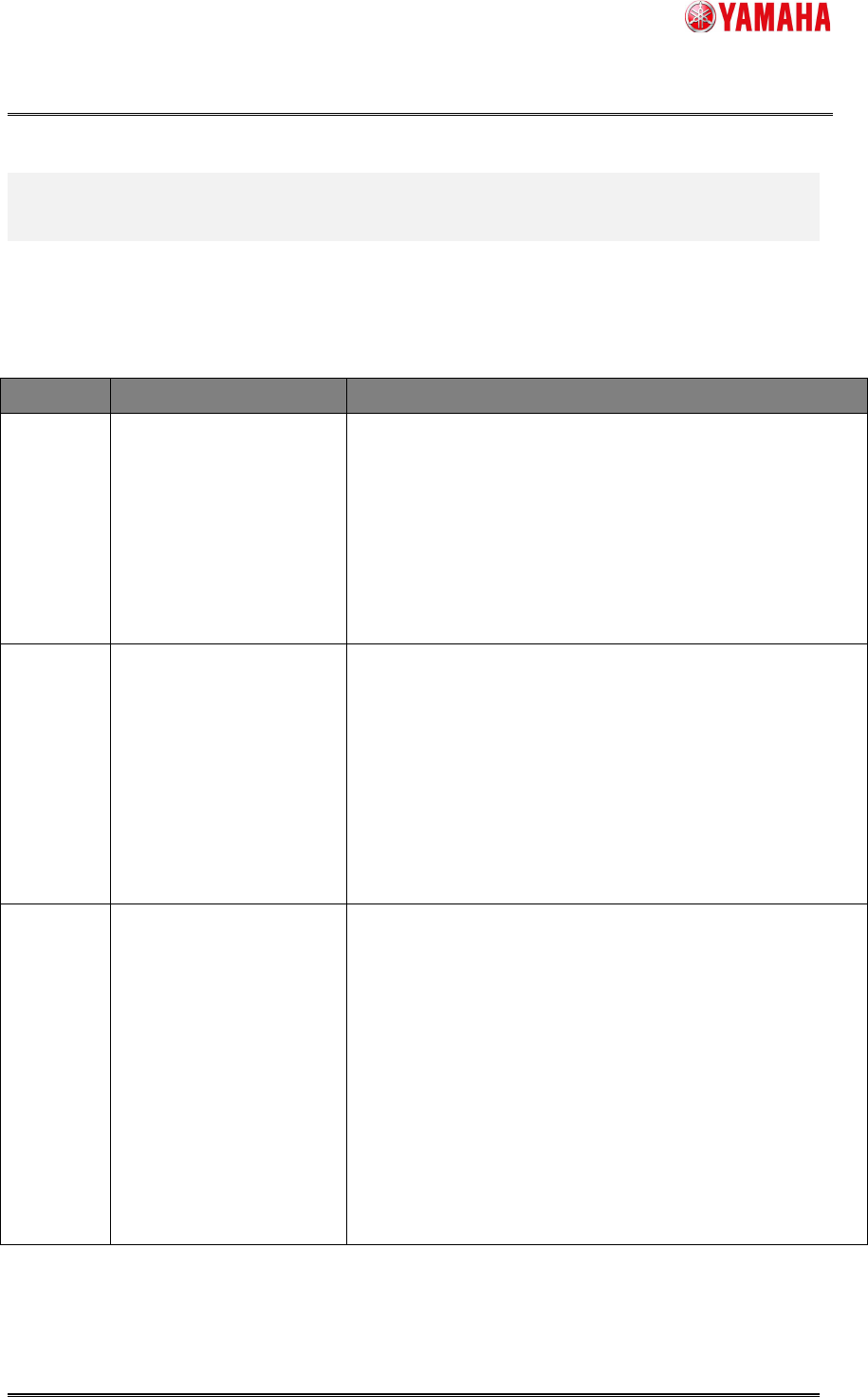
The table below is the error messages added for this function.
Error Message List
No. Title Cause and Solution
7573
Nozzle Health Check is
completed.
No abnormal nozzle was detected.
7574
Nozzle Health Check is
completed.
Abnormal nozzle was detected.
For details, refer to the [Monitor] - [Nzle Hlth Chk] screen.
7575
Abnormality detected at
Nozzle Health Check.
An abnormality was detected at Nozzle Health Check, so
that auto-running is not started.
Refer to the [Monitor] - [Nzle Hlth Chk] screen.
Product Engineering Division
SMT Section
IM Operations
YAMAHA MOTOR CO., LTD
MDOC-SOFT50394
18/21
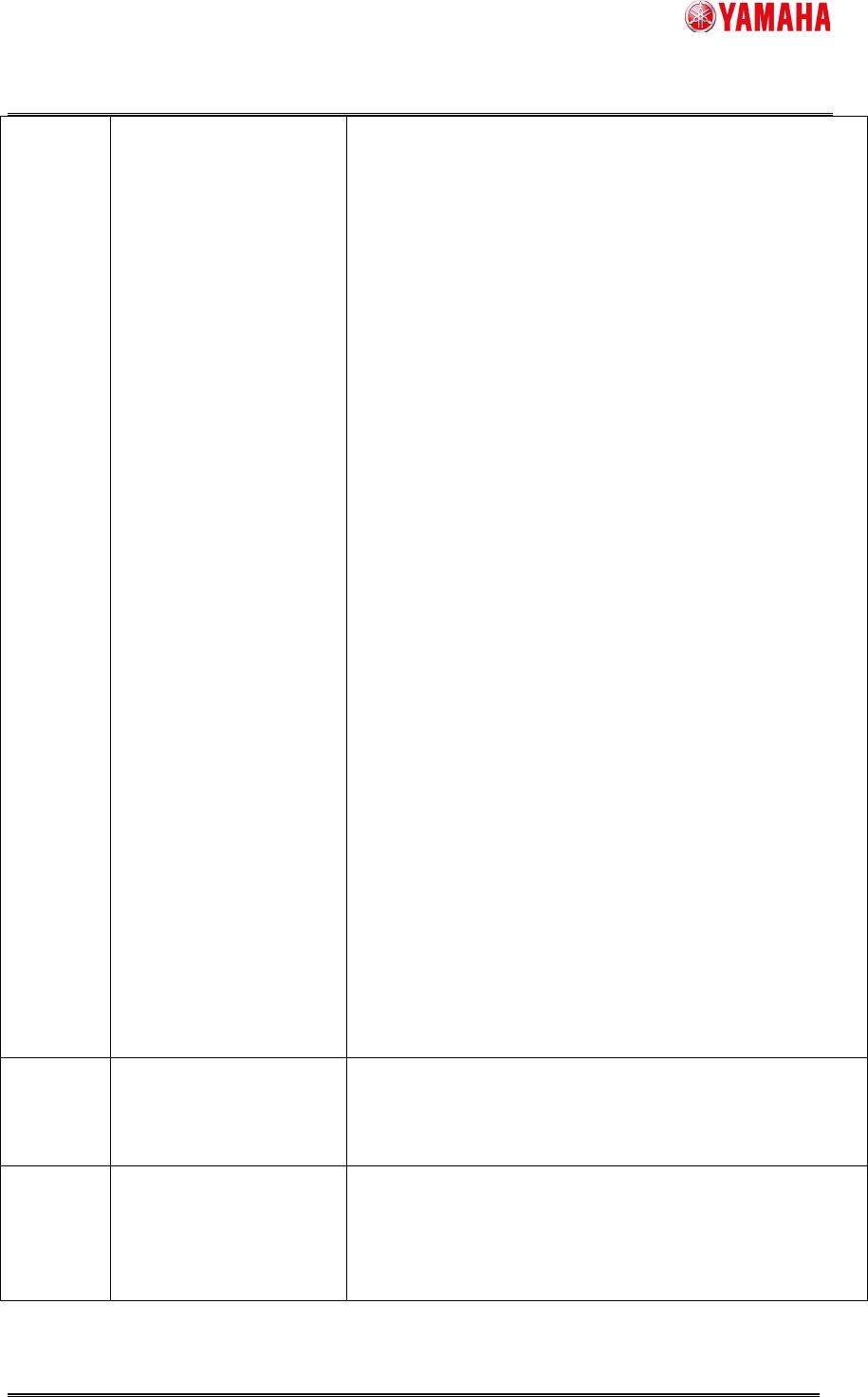
7576
Abnormal Vacuum
Detected.
Detection Rate (%) is larger than Error Detection Rate
(%).
A nozzle may be clogged.
・Clean or change the nozzle and shaft.
・Confirm the value of Error Detection Rate on [Setting] -
[Specification Information] - [Mount Nozzle Specification]
- [Nozzle Data].
・Confirm the Low level and High level of [Setting] -
[Machine Data] - [Head] - [Vacuum Level].
* For details of "Detection Rate" and "Error Detection
Rate", refer to the [Detail] tab.
------------------------------------------------
- "Detection Rate" means "clog level" of a nozzle,
compared to the difference between "Max Vacuum Level"
and "Min Vacuum Level" as 100.
Detection Rate(%) = ( Current Vacuum Level - Min
Vacuum Level ) / ( Max Vacuum Level - Min Vacuum
Level ) ×100
- "Min Vacuum Level" means Low Level, and "Max
Vacuum Level" means high level.
- The error occurs when "Detection Rate" is over "Error
Detection Rate".
7577
Nozzle tip dirt detected. Abnormality detected on the tip of a nozzle.
It may be unclean or damaged.
7578
Abnormal nozzle buffing
detected.
There is something wrong with the nozzle buffing.
The buffing may be unclean, sticky, or jammed.