Specification SIPLACE CA-Series2014版.pdf - 第41页
41 SIPLACE Software Suite SIPLACE Station Software Software Version 708.0 with SMART GUI The interface between the operator and the place ment machine has be en enhance d with a range of advanced functions. Ho wever, the…
40
SIPLACE Software Suite
SIPLACE Station Software
General
Individual measurement
data
The individual measurement
data determined by the
SIPLACE station software
(measurement contexts) can
be saved at the station. This
can be linked to the following
conditions (Vision measure-
ment options):
1. Unable to measure com-
ponent and measurement
data (measurement con-
texts) should be saved.
These measurement data
can then be used for opti-
mization purposes in a
subsequent analysis. As
with other optical inspec-
tion systems, pseudo
errors can be differentiat-
ed from other errors and
the affected component
shape can then be opti-
mized.
2. Vision measurement
logs should always be
written for this compo-
nent.
Whenever there is general
uncertainty about the
quality of a component,
the Vision logs can be writ-
ten for all components.
3. As soon as Vision errors
occur for the component,
the placement machine
will stop.
If you want to avoid com-
ponent rejection, particu-
larly for very expensive
components, this option
can be used to correct all
measurement errors
occurring, without the
need for any rejections.
The machine waits with
the component, in front of
the camera, so that the
component can be
checked.
In addition, pickup and place
positions can be checked
with the PCB camera. This
makes 100% placement con-
trol possible in the machine.
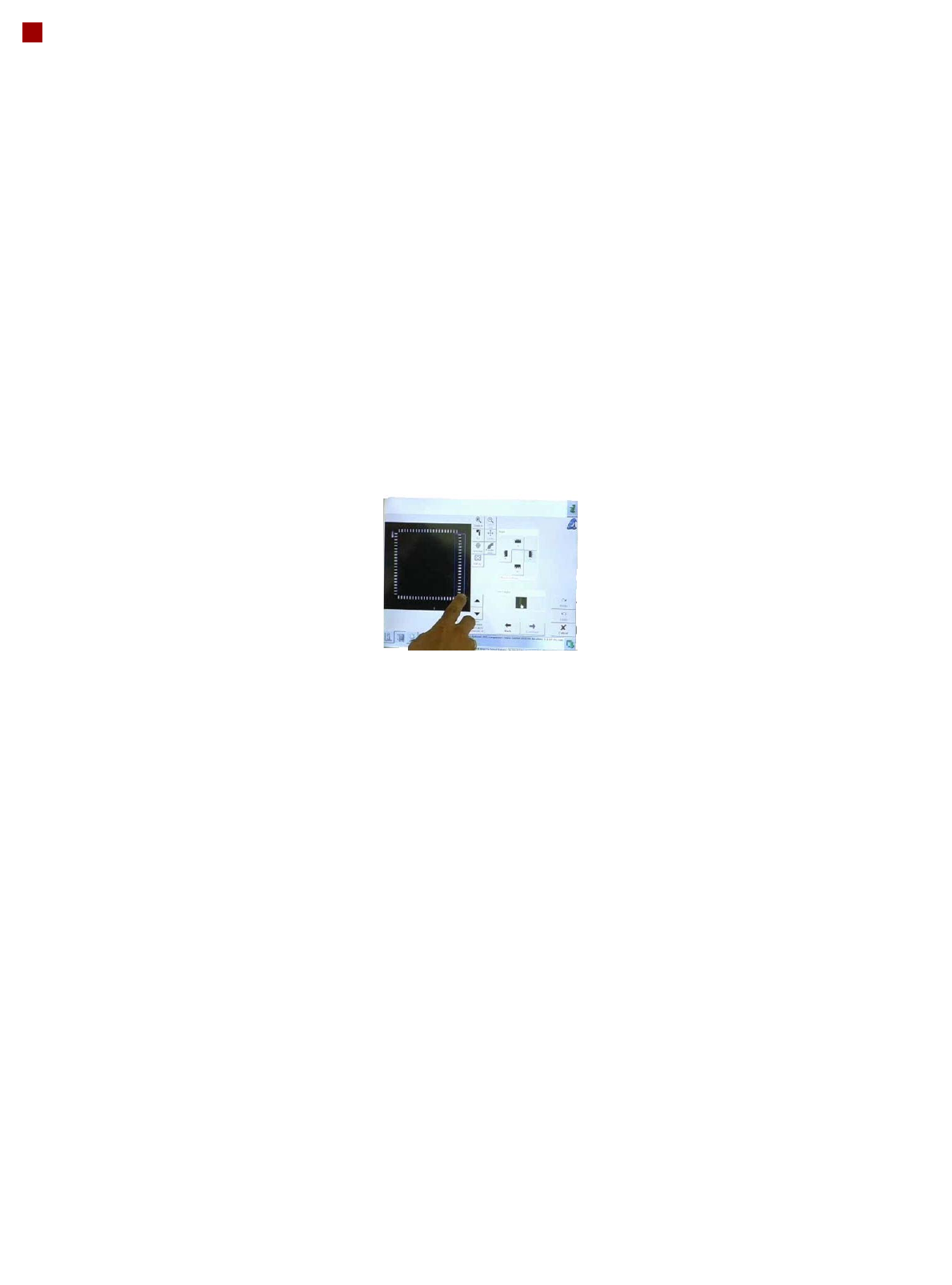
Teaching components
Component shapes which
are not part of the standard
component shape library can
be generated using the
offline programming system
SIPLACE Pro, with the help
of data sheets, or with the
offline Vision teach station
and a sample component.
Alternatively, a component
shape can be marked as
incomplete and transferred
to the station with this status.
The description can be com-
pleted after the first pickup
run on the line.
After completion of the
description, a robustness
analysis can be performed at
the station, to ensure that
this component is always
recognized reliably, even
under different conditions.
You can also program the
placement positions on the
board in the station software.
This software provides
advanced support functions
which allow you, for exam-
ple, to combine images from
the PCB camera with data
from the placement program.
This boosts the productivity
significantly for production
environments with frequent
new production introductions
or product changeovers.
The SIPLACE station soft-
ware makes daily work
easier for users
Many other features in the
station software make day-
to-day work easier for the
users and optimize the SMT
production processes.
• Calibration process con-
trol is fully integrated into
the SW
• Self-repair routines for
nozzles and feeder mod-
ules
• Self-determination of
feeder module cycle
• "Alarms" - at a glance
• "FaceDown" recognition
• Direct access to board
conveyor functions, such
as "nonstop board trans-
port".
41
SIPLACE Software Suite
SIPLACE Station Software
Software Version 708.0 with SMART GUI
The interface between the
operator and the placement
machine has been enhanced
with a range of advanced
functions. However, the
existing navigation system
with "graphical soft buttons"
on the touchscreen and the
arrangement of these but-
tons has been kept, so that
users accustomed to older
versions will find their way
around the new version with
no trouble.
The changes are in the
details:
• Addition of "Smart GUI" for
inexperienced users
• Second icon-based navi-
gation bar on the right side
of the screen for fast,
direct access to other
menu levels
• To prevent confusion
during frequent changes
between different main
menus, the machine
always returns to the last
view visited
• Comprehensive and pow-
erful assistants for user-
guided programming of
pickup positions, compo-
nents shapes and place-
ment positions.
• Operator Guidance": In
the event of an errors, the
user is guided to the
required menu item.
• Quick, direct access to
Vision data
SIPLACE Smart GUI
One of the most important
new features is the SIPLACE
Smart GUI. This is designed
to help inexperienced users
familiarize themselves with
the software quickly and eas-
ily. In normal mode, the
machine will only show the
basic information needed:
• Product/recipe name
• Setup code
• Number of boards already
produced
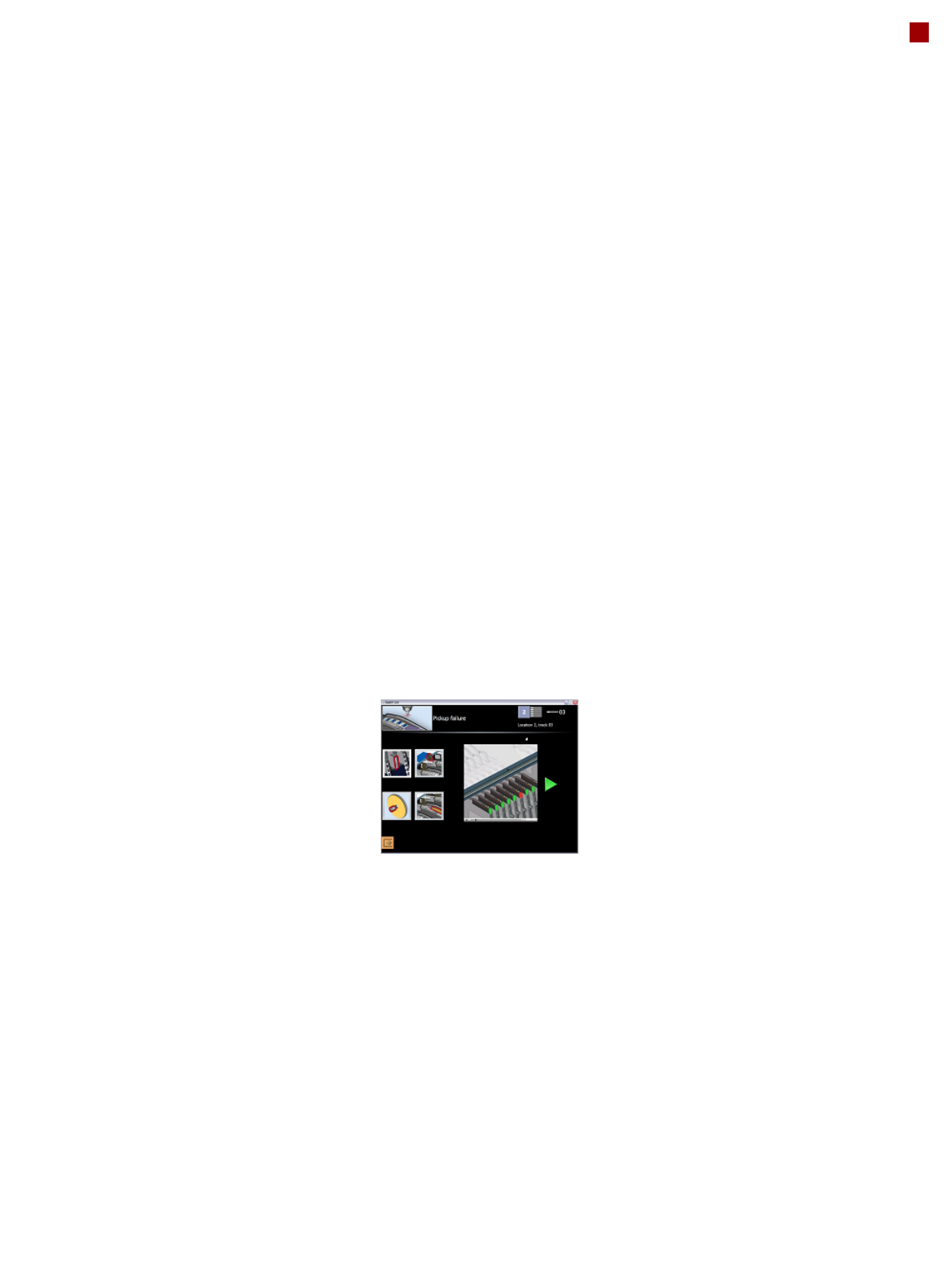
Animation videos as
advanced assistants
In the event of a fault, the
machine shows the user
illustrations of the possible
cause of the problem, provid-
ing a selection of one to four
animated videos, depending
on the problem. These guide
the user step-by-step
through the troubleshooting
process. The animation can
be stopped whenever
needed and repeated either
in part or as a whole.
These "video assistants"
have been designed so that
the Smart GUI usually covers
over 95% of all malfunctions
which could occur during
normal operation.
Simple user guidance and
fast direct access
The SIPLACE station soft-
ware GUI therefore provides
"the best of both worlds":
simple user guidance, ideal
for new users, and direct
access to all the "bits and
bytes" for experts.
Users can switch over
between the Smart GUI and
the existing "Expert GUI"
whenever needed and with
no delay, using a soft button
always shown in the station
software main menu. If need
be, access to key parame-
ters can be managed via
passwords.
The new SIPLACE station
software not only actively
manages quick and reliable
troubleshooting but also
offers a great way to intro-
duce new users more quickly
to advanced tasks without
overchallenging them in the
beginning.

42
Maximum Production Quality
Maximum Production
Quality
The SIPLACE CA-Series not
only provides leading
machine quality but also
guarantees maximum prod-
uct quality, through a combi-
nation of the following
features:
100% placement process
control
In its standard form, the
SIPLACE CA-Series fea-
tures various control mecha-
nisms which ensure
maximum placement reliabil-
ity. Sensors checks whether
the component was correctly
picked up or placed. The set-
down force of components is
checked and height differ-
ences during pickup and
PCB unevenness during
placement are compensated.
Digital vision inspection
The digital Vision system
ensures fast and reliable
component recognition, cou-
pled with user-friendly han-
dling. The system identifies
each individual component
by its geometry and color.
With the help of different illu-
mination levels and bright-
ness stages, almost every
component shape can be
easily recognized. The sys-
tem also saves images of the
components, so-called
"vision dumps", showing
which components have
been rejected.
This supports the early rec-
ognition of faults in new prod-
ucts and increases process
reliability. These Vision
dumps also serve as evi-
dence in the event of defec-
tive component supplies.
Intelligent software for
setup verification
The SIPLACE CA-Series
setups are verified with bar-
codes on the component reel
and by intelligent SIPLACE X
feeder modules. This helps
to avoid setup errors. This
network of checks consider-
ably lowers dpm rates and
increases the first pass yield.