MPM_UP2000_HIE印刷机_.pdf - 第11页
5-HR90-7000-011 Page 11 of 51 10 . 開電源 • 開 MPM UP2000 HI E 電源時 : • 确保所有緊急開關复位 , 順時針方向旋轉即可 . • 找到主開關和斷路器的位置 . • 确保主開關順時針轉至 ON ON ON ON 位置 ( 如圖 ). • 确保斷路器向上打到 ON ON ON ON 位置 ( 如圖 ). • 按 ON 按鈕 , 按鈕內指示燈會亮而印刷机執行啟動 . • 這時如果印刷机…
5-HR90-7000-011 Page
10
of 51
9. 机器部 件
•
•
•
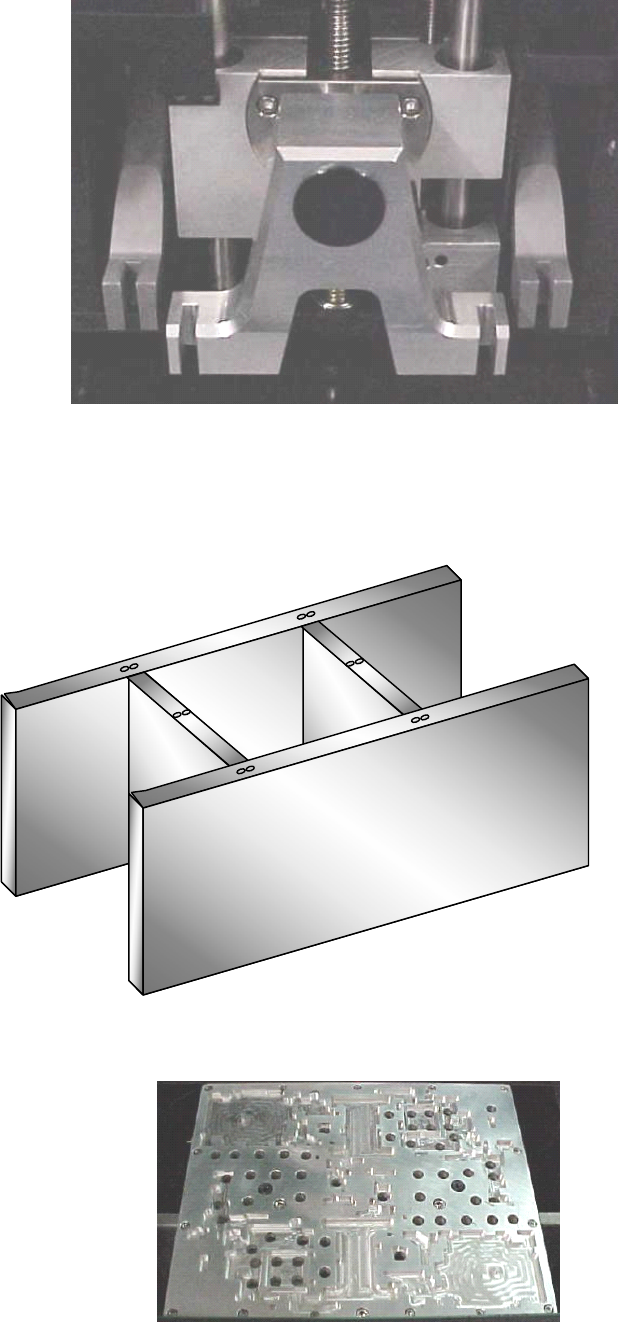
• 印刷頭
•
•
•
• 標准印刷頭有兩套刮刀 .
•
•
•
• 印刷頭 ( 背面 ) 也裝有一套触覺感應器 , 用來測定印网与刮刀的高度關系 .
•
•
•
• H-
H-
H-
H- 形架
•
•
•
• 用專用的模具時 , H 形架固定在 Z 形架上面 , 真空滑輪依次鎖緊 H 形架 .
5-HR90-7000-011 Page
11
of 51
10 . 開電源
• 開 MPM UP2000 HI
E
電源時 :
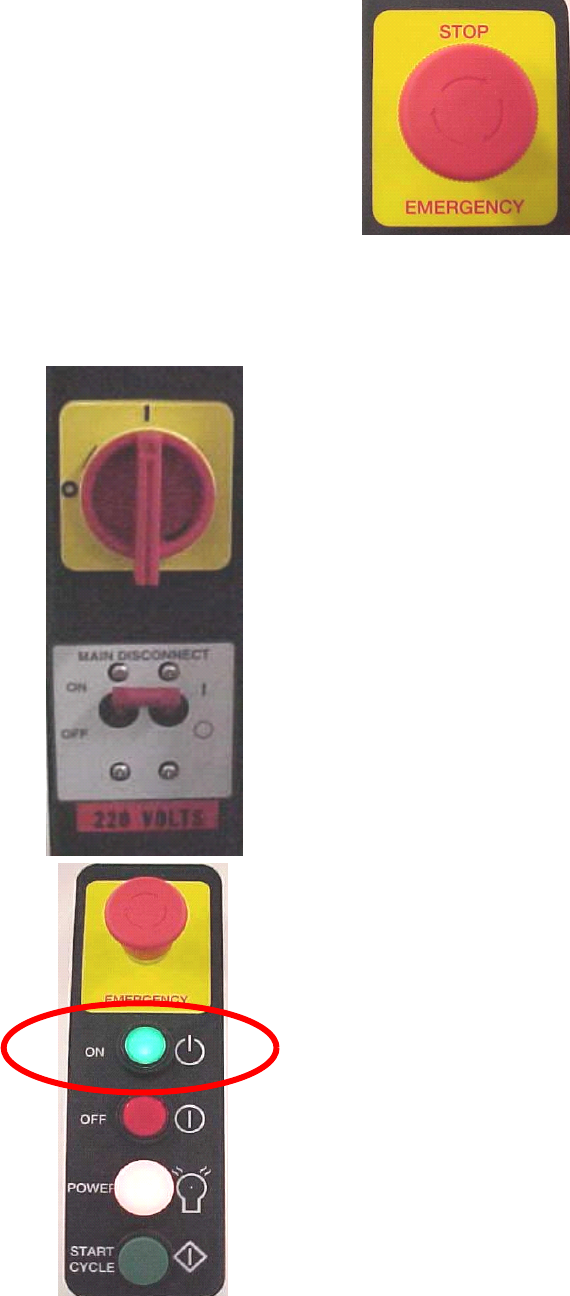
• 确保所有緊急開關复位 , 順時針方向旋轉即可 .
• 找到主開關和斷路器的位置 .
• 确保主開關順時針轉至 ON
ON
ON
ON 位置 ( 如圖 ).
• 确保斷路器向上打到 ON
ON
ON
ON 位置 ( 如圖 ).
• 按 ON 按鈕 , 按鈕內指示燈會亮而印刷机執行啟動 .
• 這時如果印刷机不能啟動通知技術人員 .
5-HR90-7000-011 Page
12
of 51
10 . 開電 源
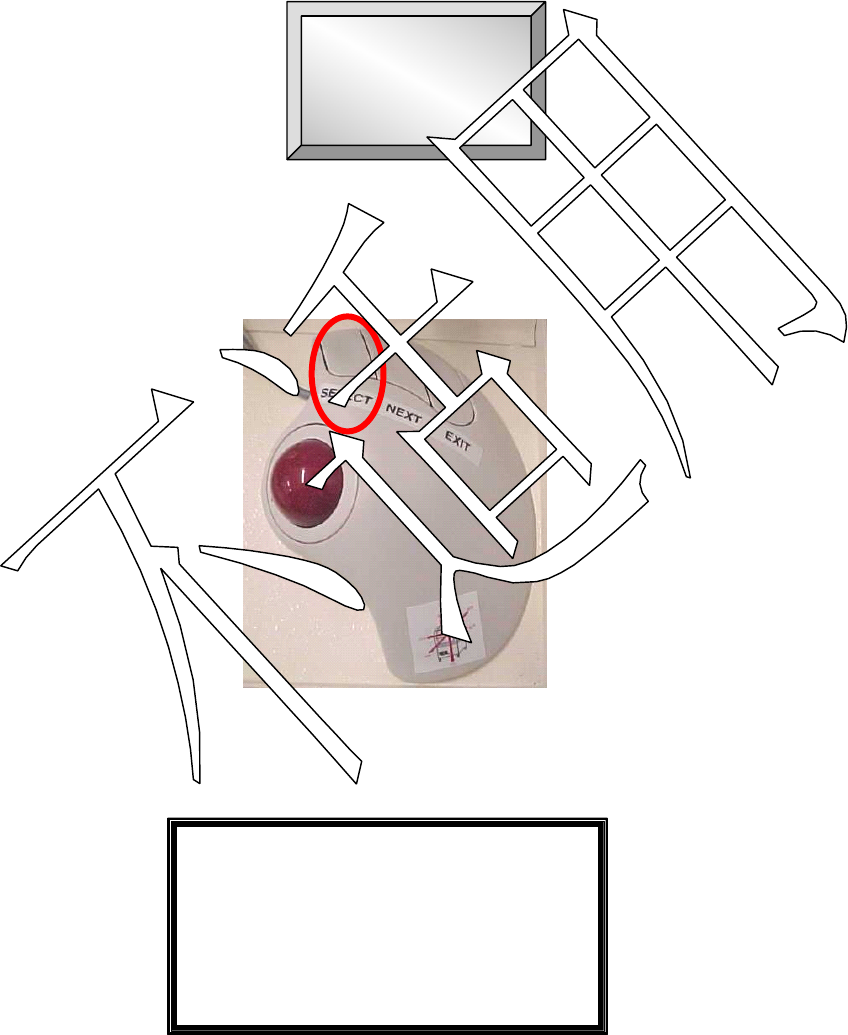
• The printer initialisation screen will appear :
• Notice the START
START
START
START icon in the centre of the screen.
• Move the cursor over the START
START
START
START button and press the SELECT
SELECT
SELECT
SELECT button on
the trackball.
• The following message will now appear on screen:
---Warning Message---
Reset is about to start.
Press NEXT to continue.
Press EXIT to quit.
• At this point press the NEXT
NEXT
NEXT
NEXT button on the trackball. The printer will now home
each axis.
• Ensure there are no obstructions on/near the printer axes.
START
START
START
START