MPM_UP2000_HIE印刷机_.pdf - 第34页
5-HR90-7000-011 Page 34 of 51 12 . 印刷机設置 • • • • 手動裝入錫漿 • 裝入錫漿到印网時确保印刷頭移到机器的后面 . • 如果印刷頭不在后面 , 移動光標至 Squeegee Squeegee Squeegee Squeegee Stroke Stroke Stroke Stroke 按鈕并按住跟蹤球上 的 Select Select Select Select . • 此按鈕將亮綠色 , 現…
5-HR90-7000-011 Page
33
of 51
12 . 印刷机設置
•
•
•
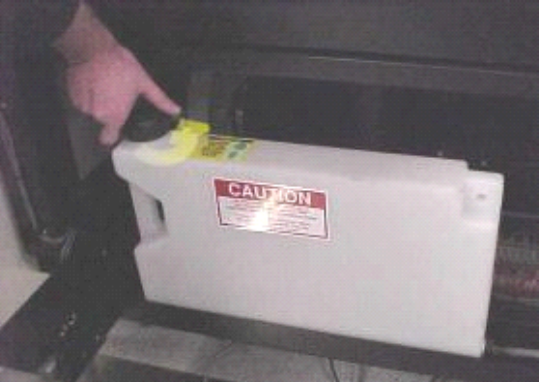
• 溶劑桶
• 如果印刷机正在生產一個需要干 / 濕擦試周期的產品時 , 溶劑桶必須裝滿 .
• 溶劑桶安裝在机器的前面 , 就在前門后面 .
• 如上圖擰松加液口的蓋子 .
• 裝入參數頁指明的溶劑類型 .
• 确保在操作期間至少有一半溶劑 .
5-HR90-7000-011 Page
34
of 51
12 . 印刷机設置
•
•
•
• 手動裝入錫漿
• 裝入錫漿到印网時确保印刷頭移到机器的后面 .
• 如果印刷頭不在后面 , 移動光標至 Squeegee
Squeegee
Squeegee
Squeegee Stroke
Stroke
Stroke
Stroke 按鈕并按住跟蹤球上 的
Select
Select
Select
Select .
• 此按鈕將亮綠色 , 現在可以進行慢移動作 .
• 向机器后面滾動跟蹤球 , 印刷頭將移動 . 當到達期望位置 ( 也就是不遮蓋印网
孔 ) 時放開 Select
Select
Select
Select 按鈕并按 Exit
Exit
Exit
Exit .
.
.
.
• 打開前頂蓋 .
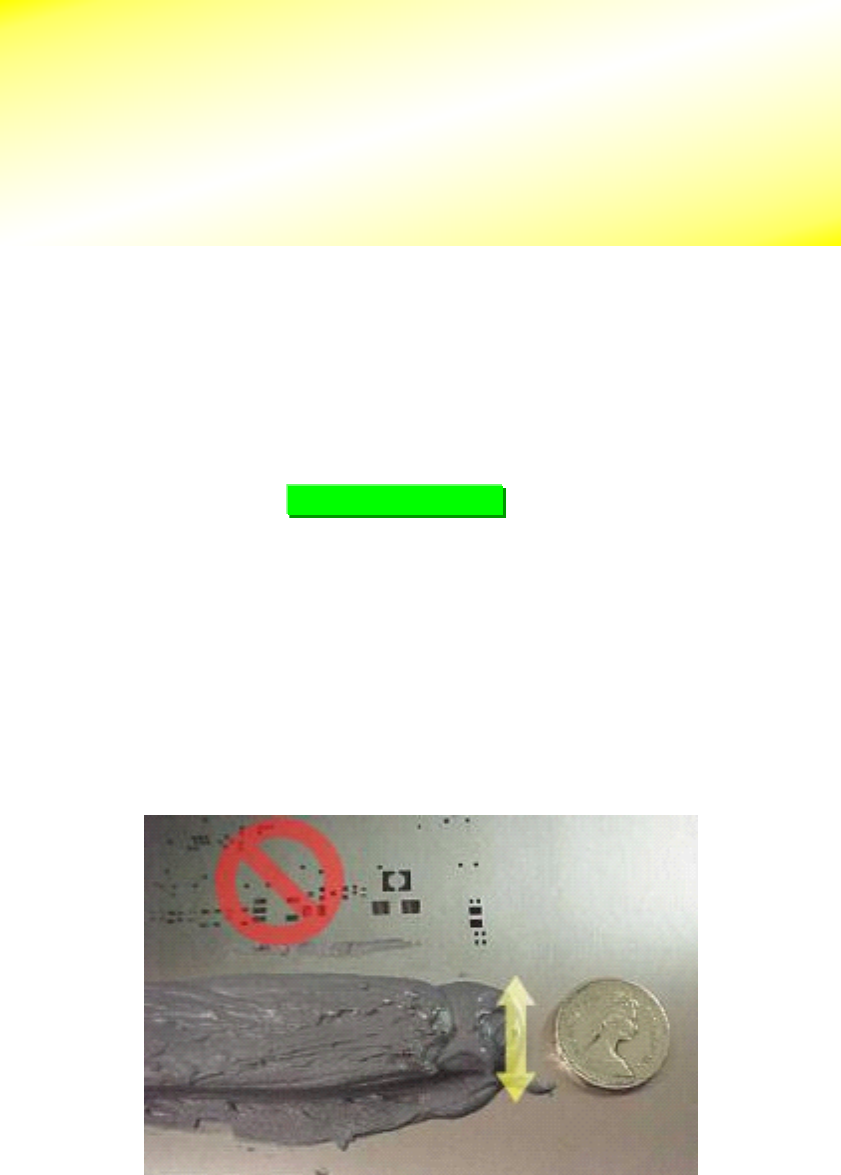
• 沿著印网孔的前面放入錫漿 .
• 放入錫漿條的直徑大約 20 mm. 可以 1 元的硬幣作比較 .
• 輕輕地攪拌錫漿并沿著印网的前面平滑地放入以保証在印刷時能填充所有的
网孔 .
SQUEEGEE
SQUEEGEE
SQUEEGEE
SQUEEGEE STROKE
STROKE
STROKE
STROKE
16.000
重要 !
!
!
!
參考參數頁選擇正确的錫漿類型 .
.
.
.
處理錫漿或溶劑時一直戴著柔軟的手套
.
.
.
.
5-HR90-7000-011 Page
35
of 51
• 格外地小心以避免錫漿跌入网孔 , 否則因為錫漿弄髒了印网的底面而需要清
洗印网 .
12 . 印刷机設置
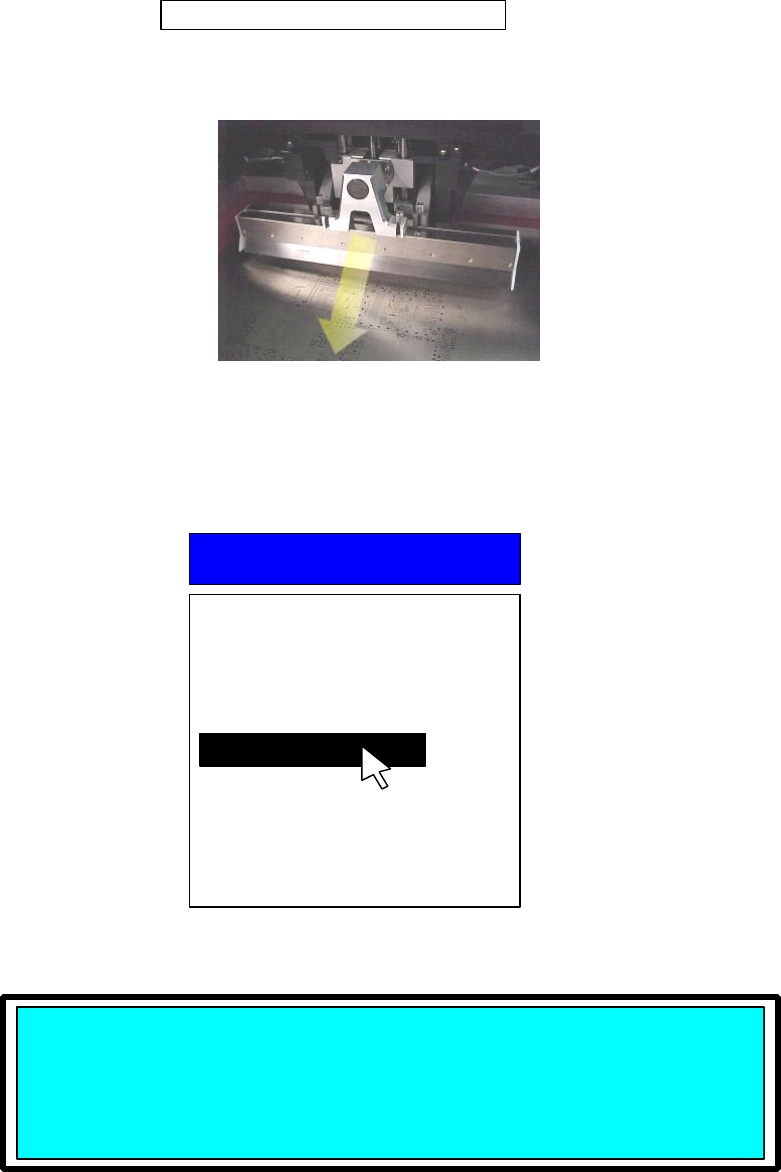
• 明白刮刀從哪里開始印刷是重要的 .
• 為此請看屏幕的右上角 .
• 以上顯示表示刮刀將從机器的后面印向前面 . 這叫 后到前 印刷 .
• 如果錫漿已被放在印网的前面 , 則需要改變印刷頭的印刷方向從 后到前 變為
前到后 印刷 .
• 打開 Utilities
Utilities
Utilities
Utilities 菜單 .
• 在 Cycle
Cycle
Cycle
Cycle Squeegee
Squeegee
Squeegee
Squeegee 選項上按 Select
Select
Select
Select .
• 按 Select
Select
Select
Select .
Squeegee
Squeegee
Squeegee
Squeegee starting
starting
starting
starting in
in
in
in back.
back.
back.
back.
后到前印刷
Utilities
Utilities
Utilities
Utilities
Load Board
Stencil Height
Set Stroke
Squeegee Height
Knead Paste
Cycle Squeegee
Cycle Wiper
Cycle Dispenser
Verify Stencil
Cal Prestop Position
Cycle
Cycle
Cycle
Cycle Squeegee
Squeegee
Squeegee
Squeegee
About
About
About
About to
to
to
to cycle
cycle
cycle
cycle squeegee
squeegee
squeegee
squeegee stroke.
stroke.
stroke.
stroke.
Press
Press
Press
Press SELECT
SELECT
SELECT
SELECT to
to
to
to Continue
Continue
Continue
Continue or
or
or
or EXIT
EXIT
EXIT
EXIT to
to
to
to quit.
quit.
quit.
quit.