GL541保养手册.pdf - 第19页
6. The EMERGENCY STOP Button In the event of an emergency, press the EMERGENCY STOP button located on the machine at the position indicated in the figure below. EMERGENCY STOP button on the front of the machine 7. Before…
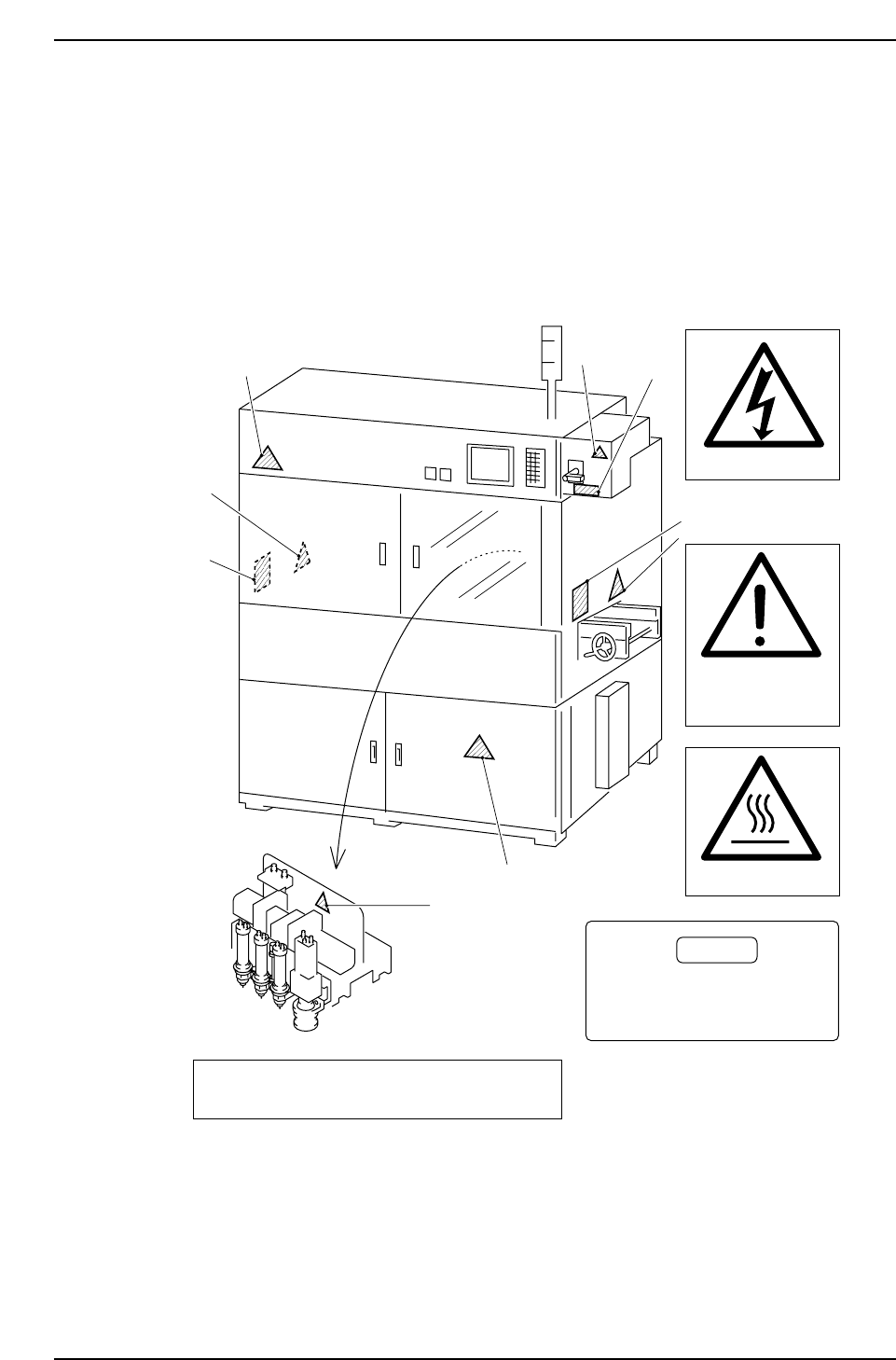
5. Safety Labels
To warn the operator of hazards, safety labels are attached to the machine at the
positions indicated in the figure below.
Familiarize yourself with each label and its message before operating the machine.
GL541-m62E
Never insert your hand
inside an operating machine.
Moving parts may cause injury.
DANGER
1
2
2
1
1
2
A
B
B
1
<WARNING>
DISCONNECT POWER PRIOR TO SERVICING
3
3
A
B
High Voltage
Keep hands and
clothing well clear
of the moving conveyor
High temperatures
Safety Guidelines
Version 3.6 10 GL-541E Maintenance
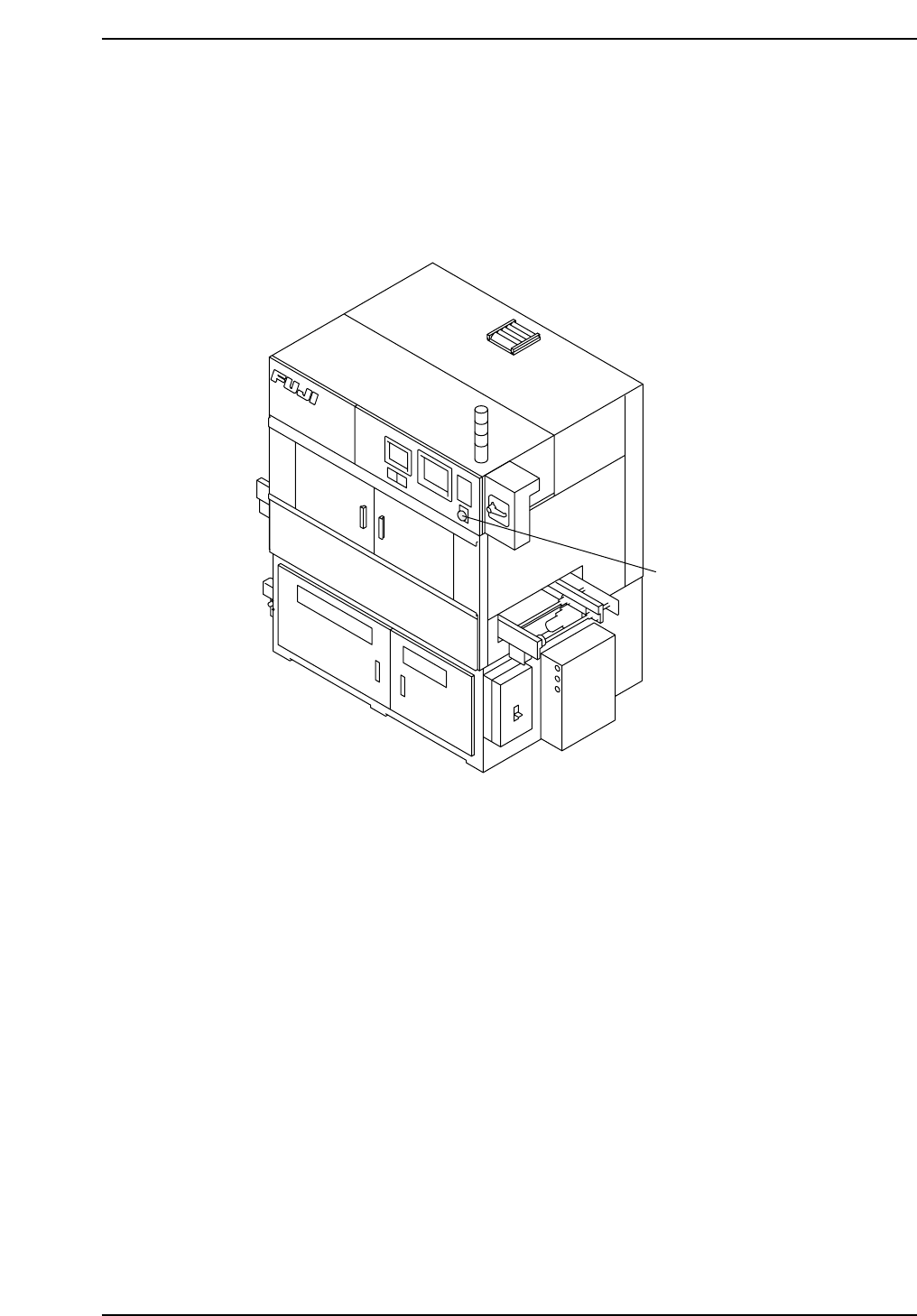
6. The EMERGENCY STOP Button
In the event of an emergency, press the EMERGENCY STOP button located on the
machine at the position indicated in the figure below.
EMERGENCY STOP button on the front of the machine
7. Before Operation
Prior to operating the machine, make sure that no one is near the machine, or that
anyone other than yourself is touching the machine.
8. Do not Leave Tools in or on the Machine
Following maintenance on a machine, make sure that no tools have been left in or on the
machine. Tools that get caught in the machine's moving parts may cause severe damage
to the machine.
EMERGENCY STOP button
GL5MF002
Safety Guidelines
Version 3.6 11 GL-541E Maintenance

Note:
Safety Guidelines
Version 3.6 12 GL-541E Maintenance