00196624-04_Service Manual WPC5_6_EN_01-2019.pdf - 第141页
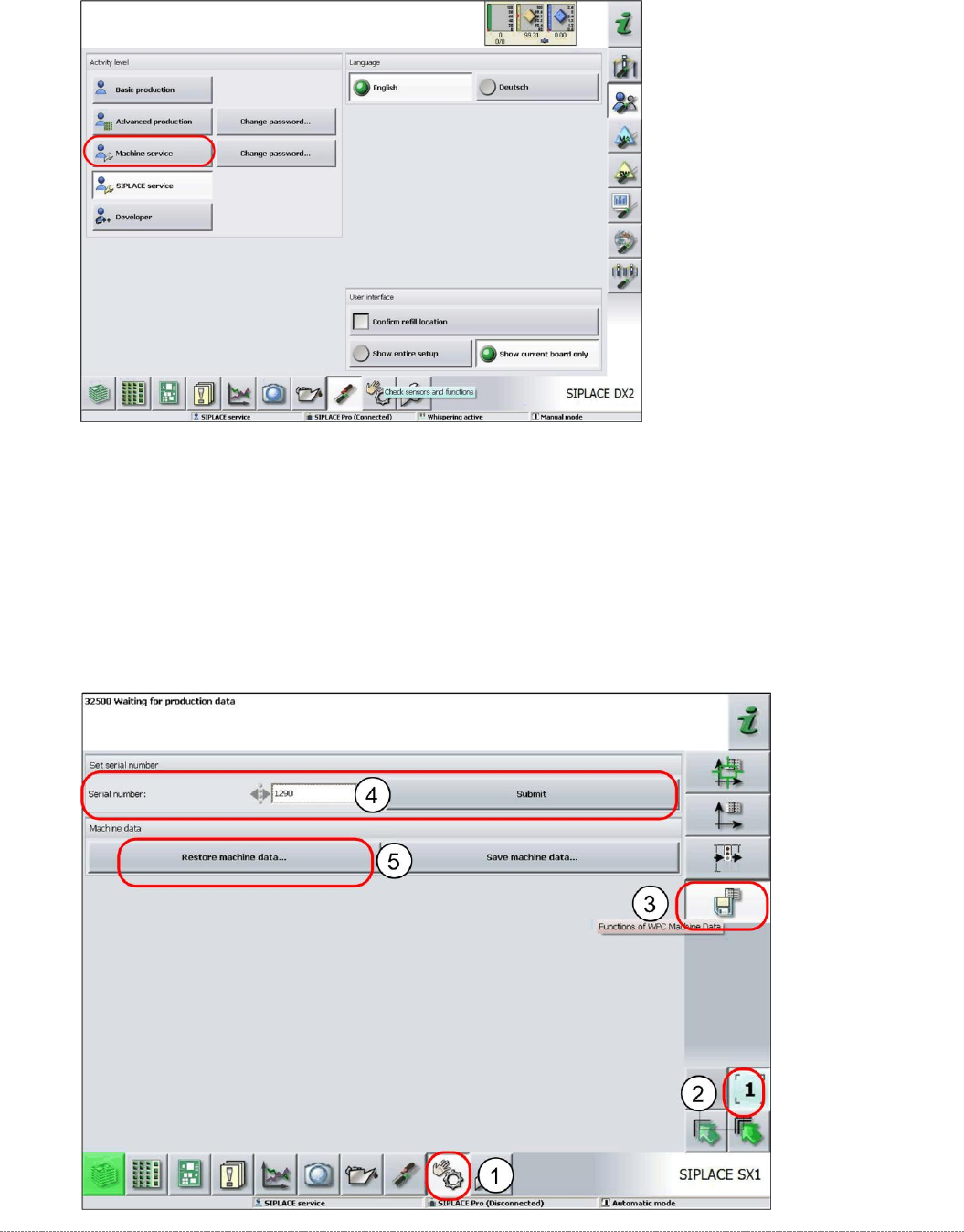
Service Manua l WPC5 / WPC6 Page 4-141 Restoring the machi ne data ➢ Log in as Machine service . ➢ Select Sensors and Functions (1) => Location . ➢ Select the relevant locat ion (2). ➢ Select the option WPC Machine …
Service Manual WPC5 / WPC6
Page 4-140
4.5 Storing and Restoring Machine Data
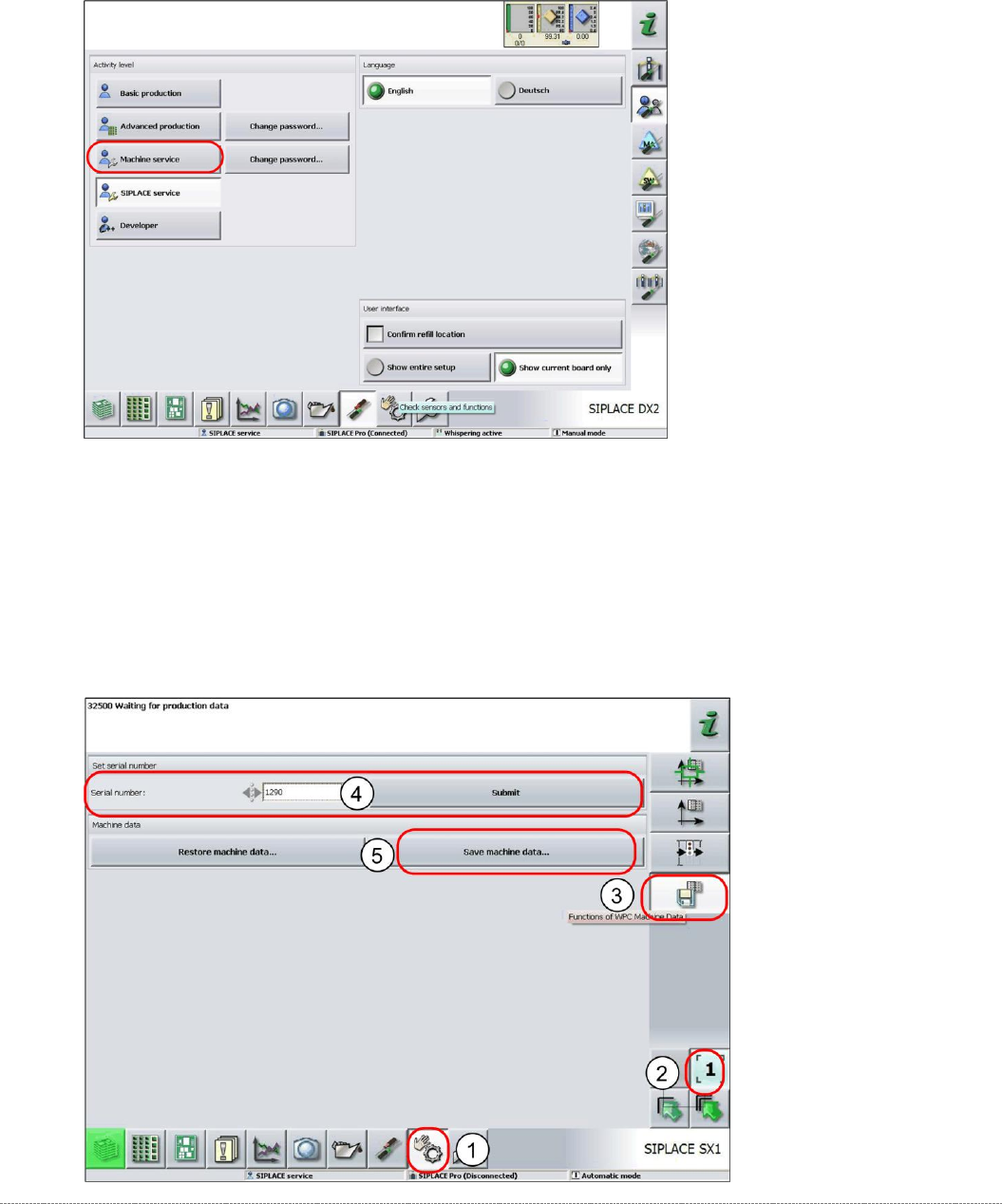
Storing machine data
➢
Log in as
Machine Service
.
➢ Select
Sensors and Functions
(1) =>
Location
.
➢ Select the relevant location (2).
➢ Select the option
WPC Machine Data
(3).
➢ Enter the WPC serial number (4) and select
Accept
.
➢ Select
Save machine data
(5).
⇨ A dialog box for the machine data storage location will open.
➢ Enter the required storage location and then save the machine data..
Service Manual WPC5 / WPC6
Page 4-141
Restoring the machine data
➢ Log in as
Machine service
.
➢ Select
Sensors and Functions
(1) =>
Location
.
➢ Select the relevant location (2).
➢ Select the option
WPC Machine Data
(3).
➢ Enter the WPC serial number (4) and select
Accept
.
➢ Select
Restore machine data
(5).
⇨ A dialog box for the machine data storage location will open.
➢ Navigate to the required storage location and then restore the machine data.

Service Manual WPC5 / WPC6
Page 4-142