Apollo1_Operators_Manuel.pdf - 第117页
B-117 cab - Produkttechnik GmbH / Tharo Systems, Inc.

B-116 cab - Produkttechnik GmbH / Tharo Systems, Inc.
Centronics Interface Cable
The cables used for Centronics interface connectors are standard cables, so
that normally there are no problems with the external control of the Apollo.
In the event of any difficulties, consult the manufacturer of your computer on the
pin assignment of the computer's interface. Use the pin assignment of the printer
as shown in Table B-1 to obtain a suitable cable.

B-117cab - Produkttechnik GmbH / Tharo Systems, Inc.
C-118 cab - Produkttechnik GmbH / Tharo Systems, Inc.
Appendix C - Error Messages/ Problem Solution
The following section describes possible errors and their suggested solutions.
The Apollo is equipped with a comprehensive self diagnostic system which will
indicate errors in the display of the printer. Also, the operator will be informed by
the LEDs whether the fault is correctable and will, therefore, allow to continue the
current print job after corrections (e.g. "Out of paper"), or the fault may require you
to cancel the current print job.
Correctable Errors
While processing a print job, an error has occured which may be corrected by
the operator, and also allows you to continue the print job after fault correction.
Display
The top line of the display shows alternately the type of fault and the total of the
remaining labels of the current print job.
LED Display
LED CAN on, LED PSE is flashing.
If an applicator is connected : LED FF is flashing.
Function Keys
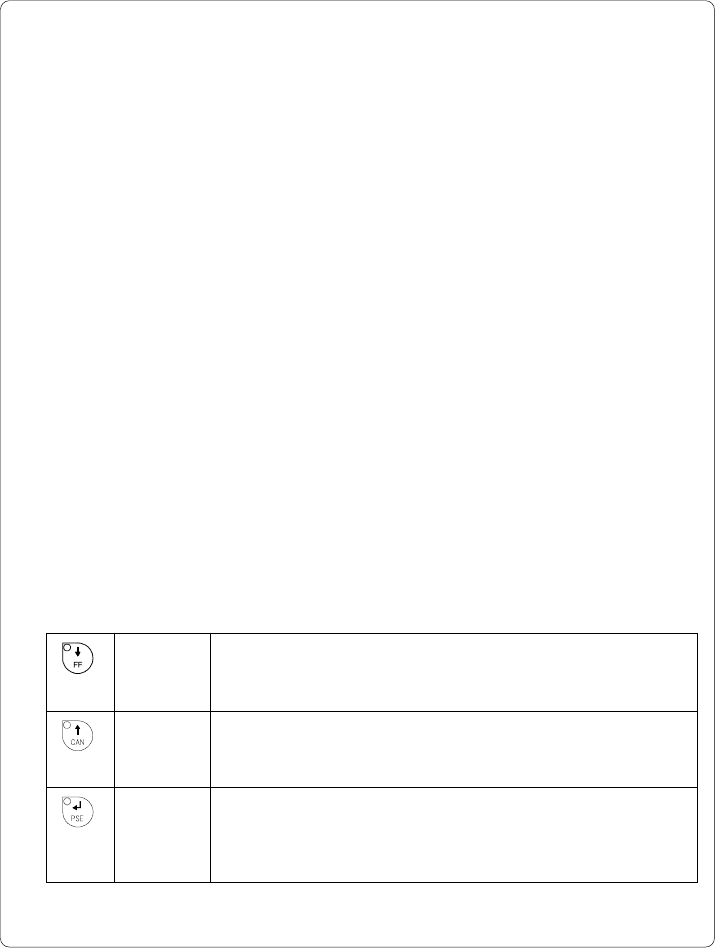
Table C-1 Function keys in mode FAULT-CORRECTABLE
FF key Only if an applicator is installed :
Provides a label feed in order to synchronize the paper feed for
the next print run.
CAN key Cancels the current print job.
Switch into ONLINE mode.
(LED ONL on, LED CAN off, LED PSE off)
PSE key Continues current print job after error correction.
Switch into PRINT mode.
(LED ONL on, LED CAN off, LED PSE off)