Apollo1_Operators_Manuel.pdf - 第58页
58 cab - Produkttechnik GmbH / Tharo Systems, Inc. Printhead Position The "Printhead position" parameter defines the location of the print image on the label. The parameter should especially be altered if you a…
57cab - Produkttechnik GmbH / Tharo Systems, Inc.
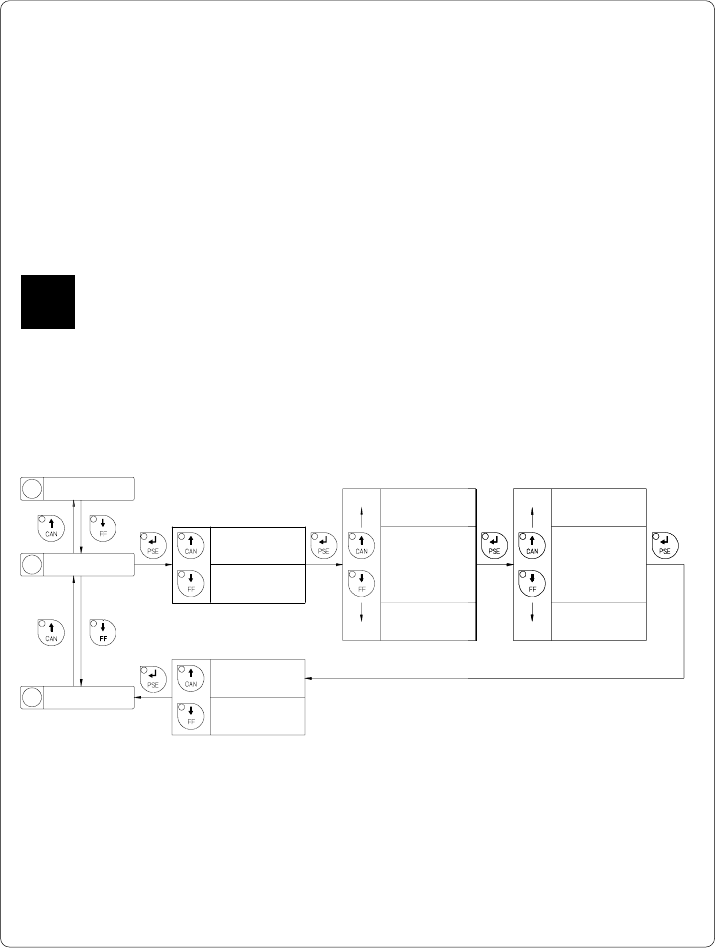
Peel Position
Using the optional present sensor, the "Peel position" parameter allows you to alter
the position of the dispensed label relative to the dispense edge.
Normally, with the initial offset value of "0" the label is removed from the carrier
ribbon until only a .08 in or 2 mm wide part of the label still sticks on the ribbon.
Adjustments have to be carried out only once when a present sensor is being
installed. (range from -.33 to +.33 in or -8.4 mm to +8.4 mm)
If the peel position value is positive, the label will be removed further leaving a
smaller strip sticking on the carrier ribbon.
It is recommended that you alter the parameter for single print jobs via software
(e.g. if an applicator is used and, therefore, the labels have to be removed
completely). The software provides a second value for individual adjustments.
You may also change this value using the software commands. Any front panel
value and software command value are totaled together for printing.
The current field to be changed is flashing in the display.
5 Cut Position
7 Printhead pos.
6 Peel Position
Peel Position
+ x.x mm
Peel Position
- x.x mm
Peel Position
± 9.x mm
Peel Position
± 0.x mm
Peel Position
± x.9 mm
Peel Position
± x.0 mm
*
*
*
*
*
*
Peel Position
± x.x mm Yes
Peel Position
± x.x mm No
Confirmation
Sign (+ or -)
1/10 mm
mm
Fig. 9 g Set "Peel Position" parameter
F
58 cab - Produkttechnik GmbH / Tharo Systems, Inc.
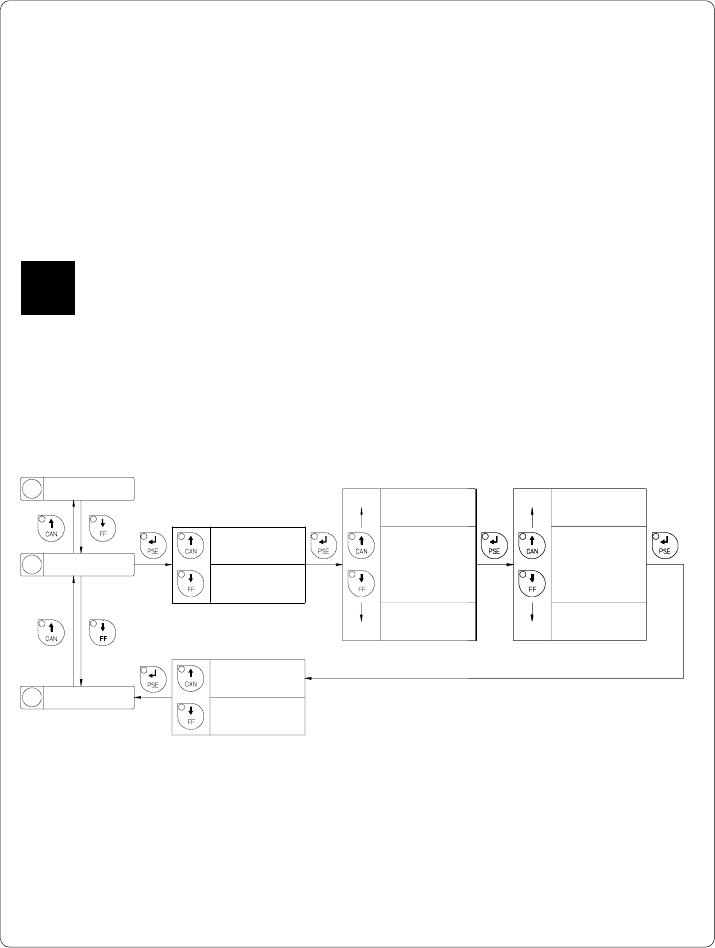
Printhead Position
The "Printhead position" parameter defines the location of the print image on
the label.
The parameter should especially be altered if you are using the same label
formats on several printers, and you find the print image located differently on
the labels when they were printed on another printer. (range from -.33 to +.33
in or -8.4 mm to +8.4 mm)
If the printhead position value is positive, the print image is shifted further to
the rear edge of the label.
Adjustments for various print jobs may also be carried out via software which
provides an additional offset value.
You may also change this value using the software commands. Any front panel
value and software command value are totaled together for printing.
The current field to be changed is flashing.
6 Peel position
8 Heat level
7 Printhead pos.
Printhead pos.
+ x.x mm
Printhead pos.
- x.x mm
Printhead pos.
± 9.x mm
Printhead pos.
± 0.x mm
Printhead pos.
± x.9 mm
Printhead pos.
± x.0 mm
*
*
*
*
*
*
Printhead pos.
± x.x mm Yes
Printhead pos.
± x.x mm No
Confirmation
Sign (+ or -)
1/10 mm
mm
Fig. 9 h Set "Printhead position" parameter
F
59cab - Produkttechnik GmbH / Tharo Systems, Inc.
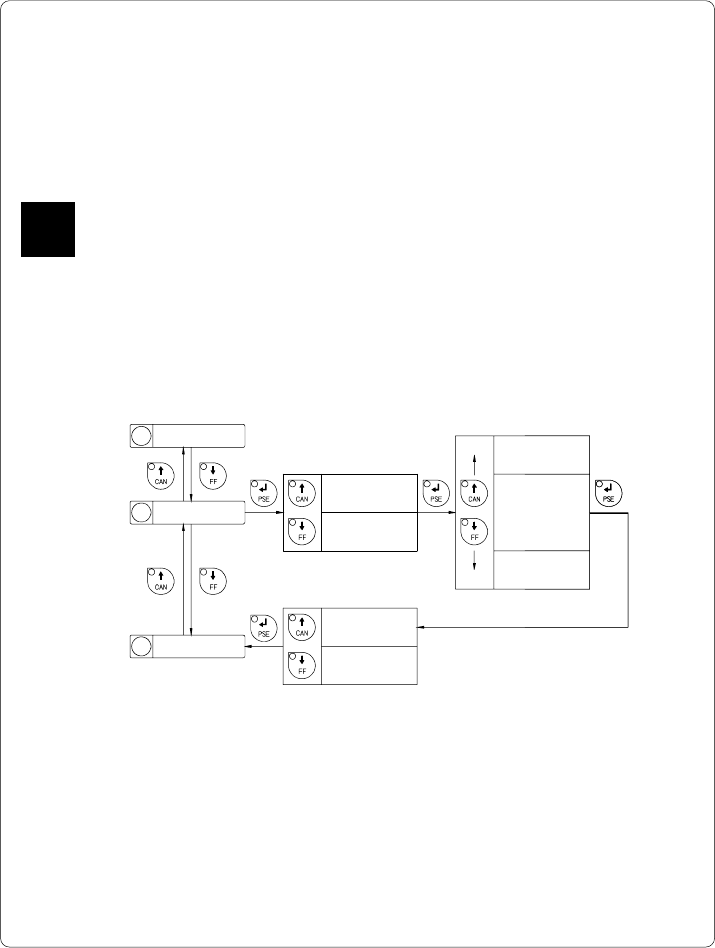
Heat Level
The parameter "Heat level" enables the printer to adapt to possible differences
in the thermal properties of different printheads.
The parameter scale is from -9 to +9.
A previous adjustment has already been carried out in the factory.
In the event of replacing the printhead, the setting possibly has to be adjusted.
To adjust the printer to current print jobs, it is recommended that you alter the heat
level parameter via software. (e.g. for different material and speed)
You may also change this value using the software commands. Any front panel
value and software command value are totaled together for printing.
The current field to be changed is flashing in the display.
Fig. 9 i Set "Heat level" parameter
Heat level
+ x
Heat level
- x
Heat level
± 9
Heat level
± 0
*
*
*
Heat level
± x Yes
Heat level
± x No
Confirmation
Sign (+ or -)
8 Heat level
9 Printer info
Heat level
7 Printhead pos.
F