Apollo1_Operators_Manuel.pdf - 第50页
50 cab - Produkttechnik GmbH / Tharo Systems, Inc. 1 Country (#) 2 Transfer print # 3 Label sensor # 4 Interface 5 Cut position # 6 Peel position # 7 Printhead position # 8 Heat level # 9 Printer info 10 Set date # 1 1 S…
49cab - Produkttechnik GmbH / Tharo Systems, Inc.
9 Setup
Using the setup mode, the configuration of the Apollo may be customized to
suit specific requirements. Initial setup should be performed when operating
the printer for the first time. Changes which become necessary to process
different print jobs, e.g. when different materials are used, can mostly be
accomplished by changing the software settings.
Start of Setup Mode
This mode is initiated by either simultaneously pressing the key and the
key when switching on the printer and keep them pressed down until the
system test is completed, or in ONLINE mode, press the same two keys down
for at least 5 seconds.
Starting the setup mode, the display shows "SETUP" for about one second ,
followed by "Land" or "Country" which represents the first of the parameters to
select from. Depending on the selection, the setup parameters and their
settings will be shown. The list of parameters is brought up in a row and may
be run through repeatedly.
Each time a parameter setting has been changed, there will be a request for
confirmation. There will not be a general request before leaving the setup
mode.
The setup mode can be left at any point by pressing the key.
The confirmed parameters will be saved.
If an already confirmed setting is not desired any more, switch off the printer
during the setup mode to cancel changes.
To return to the original factory default settings, press all three keys, the
key, the key, and the key simultaneously and keep them pressed
down until the display shows "--- RESTORE ---".
Note, that in some cases the printer may initially be set to certain parameters
which may differ from the default settings. (e.g. "Country")
On the following pages, you will find details to change the setting of the
parameters.
F
50 cab - Produkttechnik GmbH / Tharo Systems, Inc.
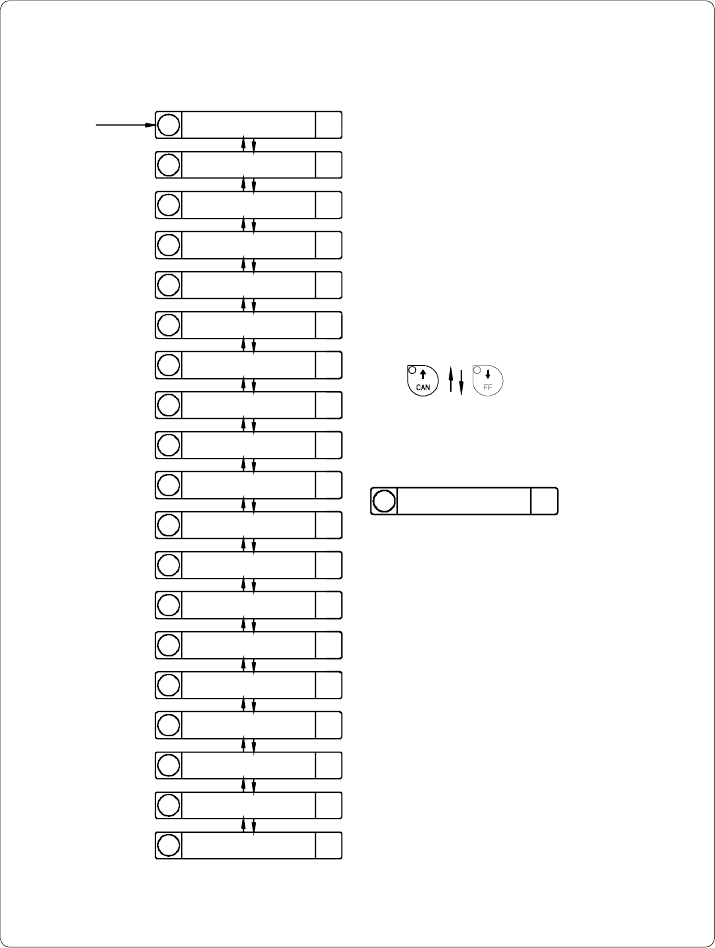
1 Country (#)
2 Transfer print #
3 Label sensor #
4 Interface
5 Cut position #
6 Peel position #
7 Printhead position #
8 Heat level #
9 Printer info
10 Set date #
11 Set time #
12 Character set
13 Format card
14 Copy card
15 Backfeed (#)
16 Debug mode
17 Tear-off position #
18 Pause reprint
1 Country (#)
Starting Setup
Overview of the Setup Parameters
Fig. 9 a Setup parameters
Scrolling up/down the parameters :
Definition of the list items :
No
Para #
No ......... Item number
Para ...... Name of the parameter
# ............ Parameter may be altered via
software
(#) .......... Parameter is limited
changeable via software
51cab - Produkttechnik GmbH / Tharo Systems, Inc.
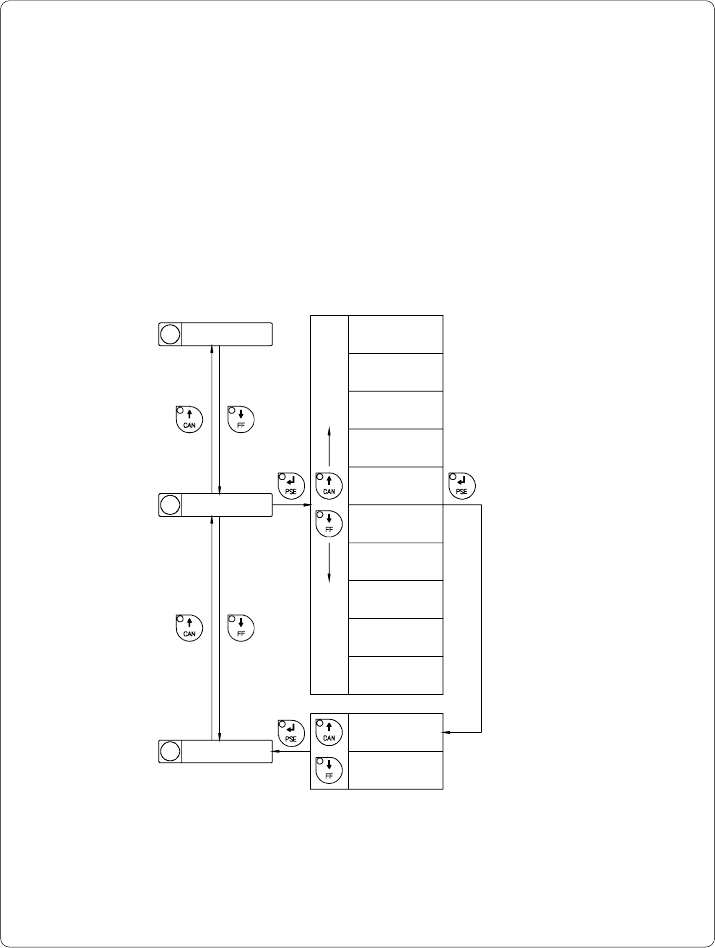
Country/Land
The Parameter "Country" (or "Land") allows the LCD display language to be
set, which also dictates the format of date and time used for the printer display
as well as for printing.
The formats of date and time used for the printout can be altered via software.
The language that the prompts on the LCD are displayed in cannot be altered
through software, only with the front panel.
Default Setting : USA
2 Transfer print
Fig. 9 b Set "Country" parameter
18
Pause reprint
1 Country
Selection
xxxx
xxxxxxxxx Yes
xxxx
xxxxxxxxx No
Confirmation
Land
Deutschland
Pays
France
Country
United Kingdom
Country
USA
Pays
Suisse
Pays
Belgie
Maa
Suomi
Nazione
Italia
Pais
España
Land
Schweiz