00194705-0102_AI_1WireBus_DE+EN.pdf - 第53页
Retrofit instructions: New 1-wire wiring for the SIPLACE X-series 11/2005 Edition 53 2 The converter is subsequently integ rated into the RS 232 bridge (variant 2). 2 2 2 : Plug in the CA T5 cable from the converter . 2 …
Retrofit instructions: New 1-wire wiring for the SIPLACE X-series
11/2005 Edition
52
2.8 Variant 1
2
: Download the E0110350.bhx application to the I/O modules.
2
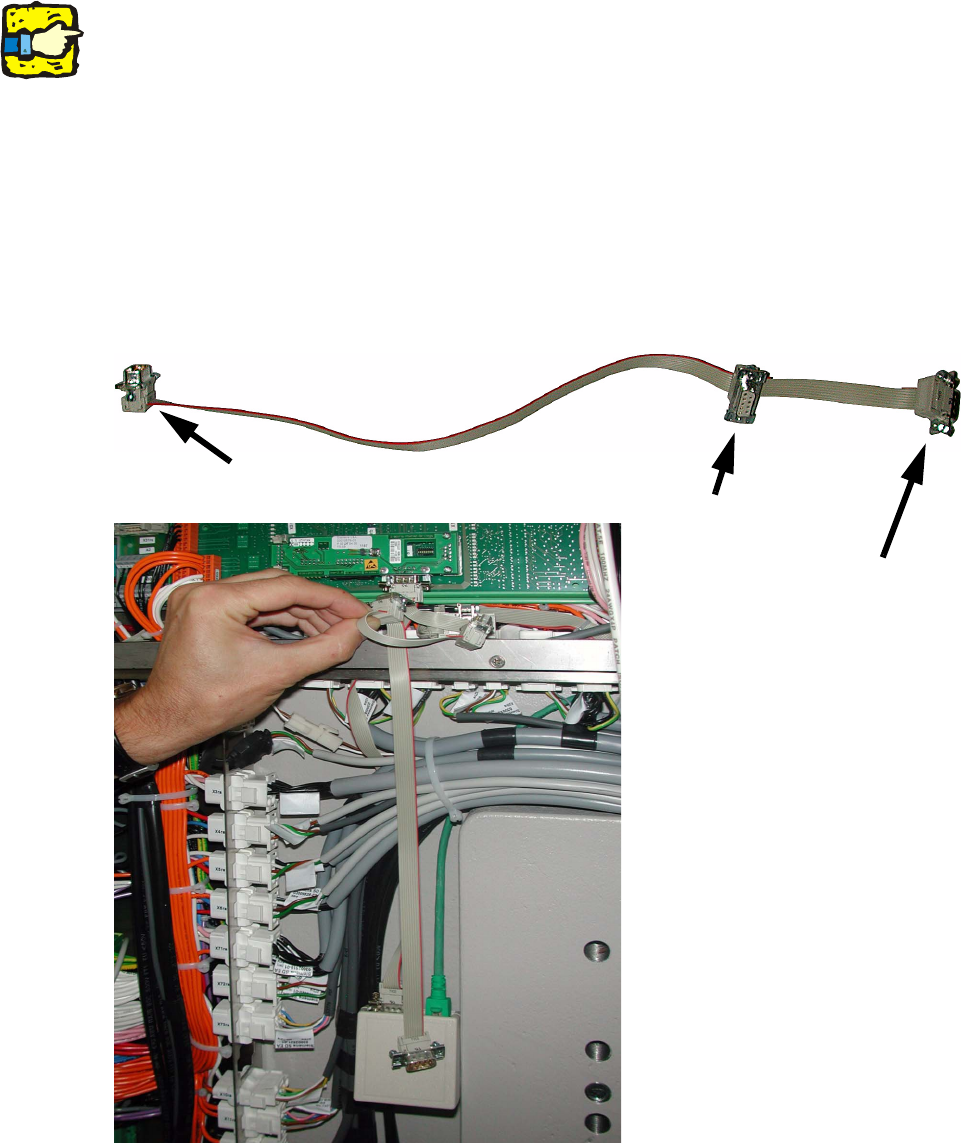
2.8.1 CAN bus cable at RS232 bridge
: Remove the CAN bus cable from the RS232 bridge.
: Connect the additional CAN bus cable between the RS 232 bridge and interface for the 1-wire
CAT5.
: Connect the green CAT5 cable to the converter and pull it into the middle of the machine frame.
2
Connections for the CAT5 converter
MA CAN bus
RS 232 interface
Retrofit instructions: New 1-wire wiring for the SIPLACE X-series
11/2005 Edition
53
2
The converter is subsequently integrated into the RS 232 bridge (variant 2). 2
2
2
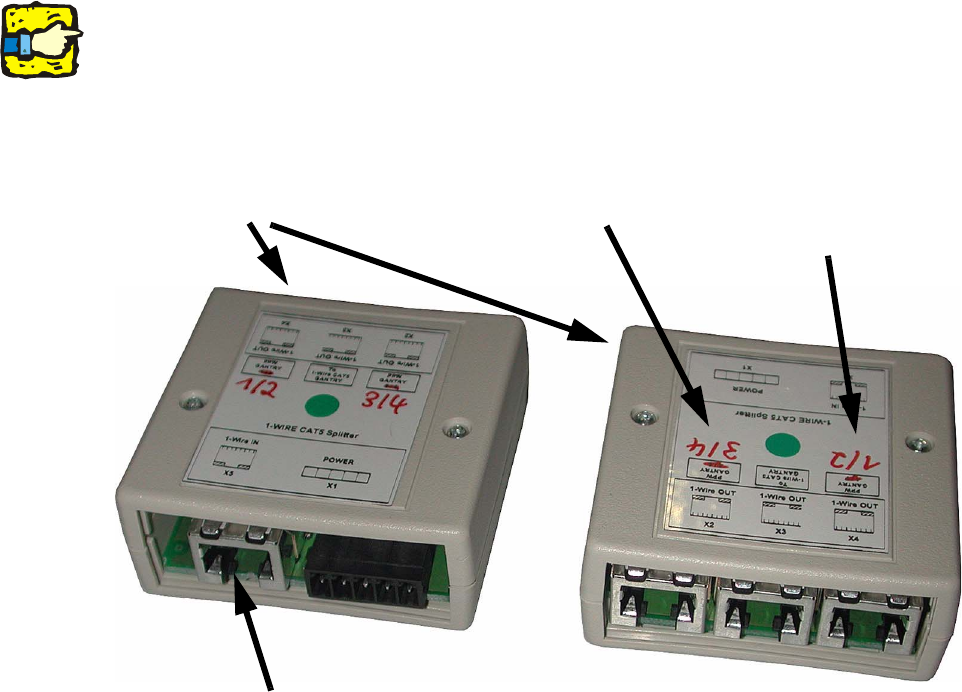
: Plug in the CAT5 cable from the converter.
2
2
: Remove the old 1-wire hub from the nozzle changer.
NC connection for location 1/2
NC connection for location 3/4
1-wire CAT5 splitter
Plug in cable from converter here
Retrofit instructions: New 1-wire wiring for the SIPLACE X-series
11/2005 Edition
54
2.8.2 Fitting the 1-wire-hub
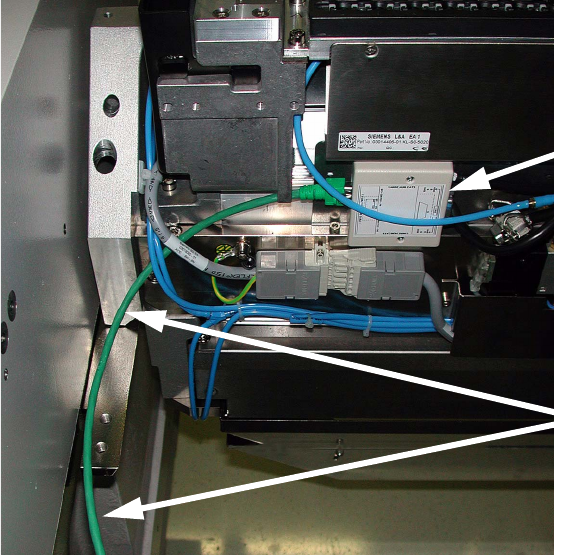
: Fit the new 1-wire hub on the nozzle changer.
Run the connecting cable to the 1-wire CAT5 splitter.
2
2
: Connect the cable to the 1-wire CAT5 splitter according to the location.
2
2
2
2
2
2
2
2
2
2
2
New nozzle changer hub
Connecting cable for hub