00194705-0102_AI_1WireBus_DE+EN.pdf - 第70页
Retrofit instructions: New 1-wire wiring for the SIPLACE X-series 11/2005 Edition 70 Fig. 2.9 - 7 NC control board, on the 20 C&P head only Fig. 2.9 - 8 Position of the temperature sensors o n the head assembly board…
Retrofit instructions: New 1-wire wiring for the SIPLACE X-series
11/2005 Edition
69
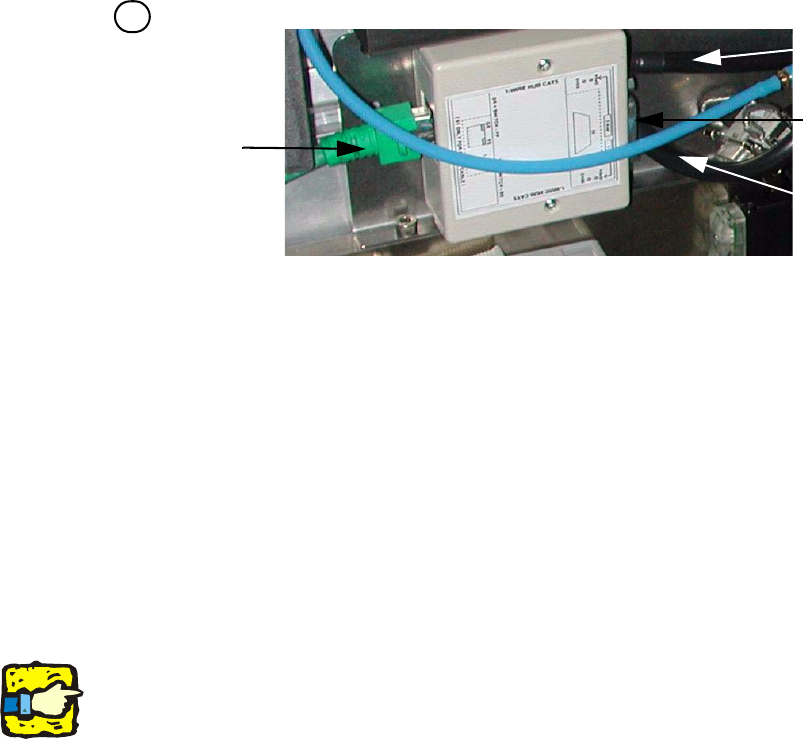
Fig. 2.9 - 6 1-wire hub, NC (03041473-02)
2
2
2
The switch for the location coding (HF only) will be omitted in the future.The coding to indicate the
location at which the nozzle changer is installed is hardware-coded in the connector for the loca-
tion concerned (X112 / X122 / X132 / X142) on the HF and SIPLACE X. 2
2
(1) CAT 5 cable input from the CAT 5 distributor (2) SUB-D connector option (reject bin)
(3) NC 1 connection (4) NC 2 connection
Right-hand side: Display (2 LEDs) for NC C&P6/12
NC light barrier open/closed and NC valve open/closed for each row Left-hand side: Display (2
LEDs) for the reject bin option
Yellow LED: reject bin for components connected
Green LED: reject bin for nozzles connected
4
1
2
3
4
Retrofit instructions: New 1-wire wiring for the SIPLACE X-series
11/2005 Edition
70
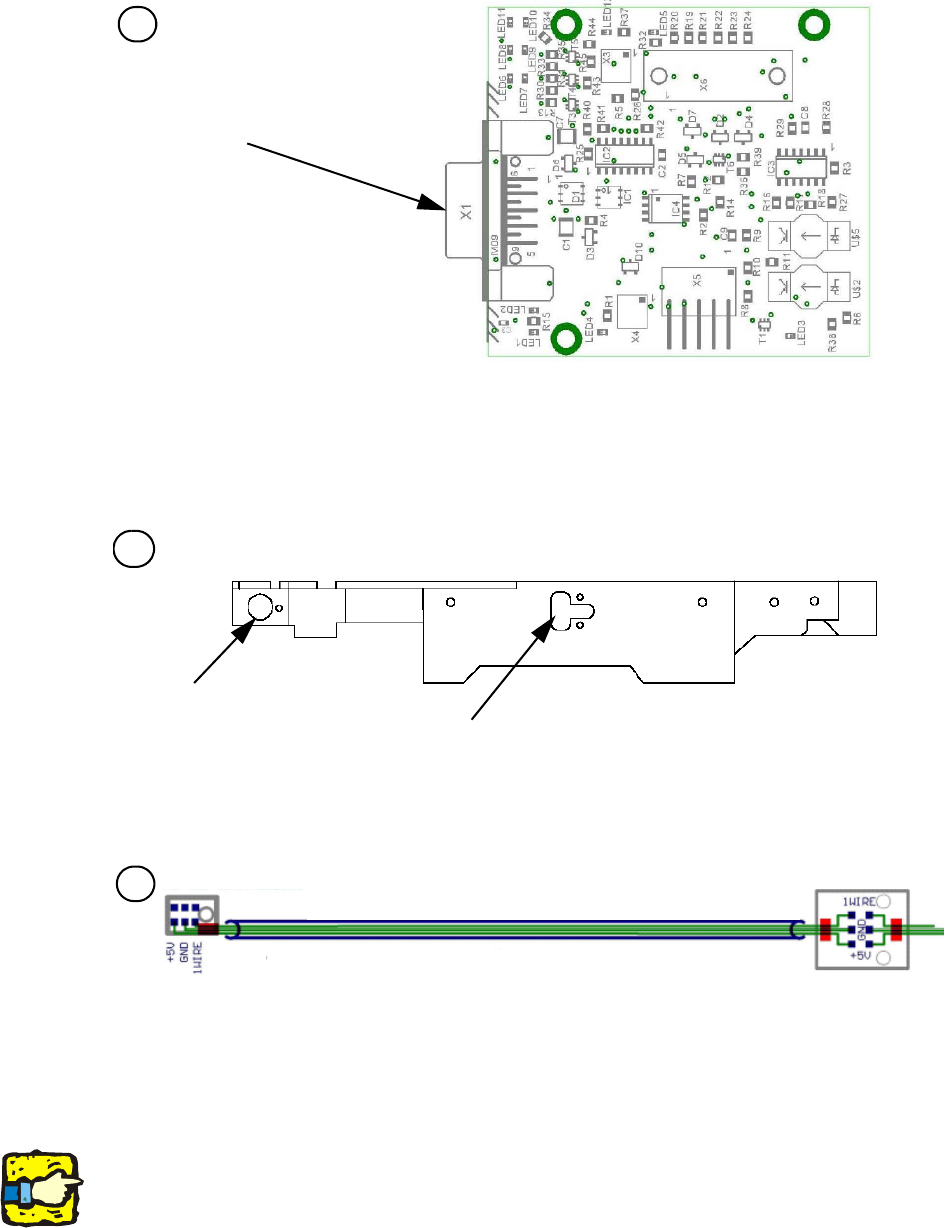
Fig. 2.9 - 7 NC control board, on the 20 C&P head only
Fig. 2.9 - 8 Position of the temperature sensors on the head assembly board
Fig. 2.9 - 9 Temperature sensors / Gantry identification
2
2
The temperature sensors are connected directly to the head board X20 or X21 (head interface
C500). It does not matter which connectors are used to connect the individual temperature sen-
sors. 2
Display (2 LEDs) for NC - C&P20 (cannot be seen through the cover beneath the NC)
Light barrier for NC open/closed and NC valve open/closed
(1) Temperature sensor on the PCB camera (2) Temperature sensor / Gantry identification
(1) Temperature sensor on the PCB camera (2) Temperature sensor / Gantry identification
5
Connection to the
1-wire hub, NC
1
2
6
Assembly side of placement head
6
2
1
Retrofit instructions: New 1-wire wiring for the SIPLACE X-series
11/2005 Edition
71
2.9.2 Fitting the new variant
2
: Download the E0110350.bhx application to the I/O modules.
2
2.9.2.1 1-wire bridge
2
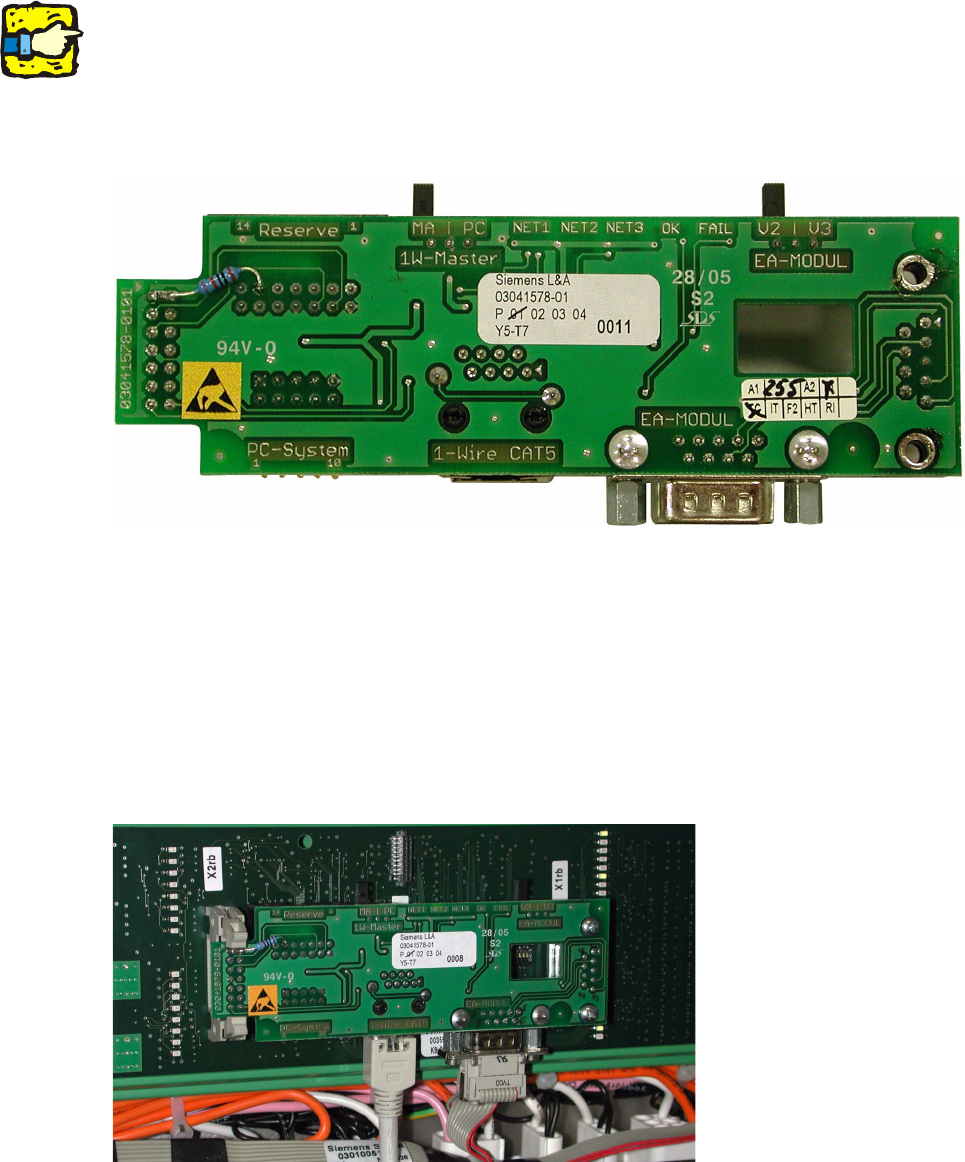
Fig. 2.9 - 10 1-wire bridge
: Replace the 1-wire bridge, material number 03010576-03, in the sub and main distributor with
the 1-wire bridge, material number 03041578-01.
: Connect the CAT5 cable to the 1-wire CAT5 socket and the CAN sub-D cable
(see Fig. 2.9 - 11).
: Set the MA/PC switch to MA for machine mode.
The V2/V3 switch must always be set to V2 (see picture above).
2
Fig. 2.9 - 11 1-wire bridge plugged into the I/O module