00197455-01_IM_TX150SS8_en.pdf - 第5页
Installing Prim ergy TX 150 S8 with W indows S erver 20 12 07/2012 E dit ion 5 1 Purpos e This doc ument des cribes th e instal lation of the Prim ergy TX 150 S8 with W indows Server 20 12 using the install ation media d…
Installing Primergy TX150 S8 with Windows Server 2012 07/2012 Edition
5
1 Purpose
This document describes the installation of the Primergy TX150S8 with Windows Server 2012
using the installation media delivered from Fujitsu.
Installing Primergy TX150 S8 with Windows Server 2012 07/2012 Edition
6
2 Preparation
Before installing the server, some preparation tasks have to be performed.
2.1 Interfaces Overview
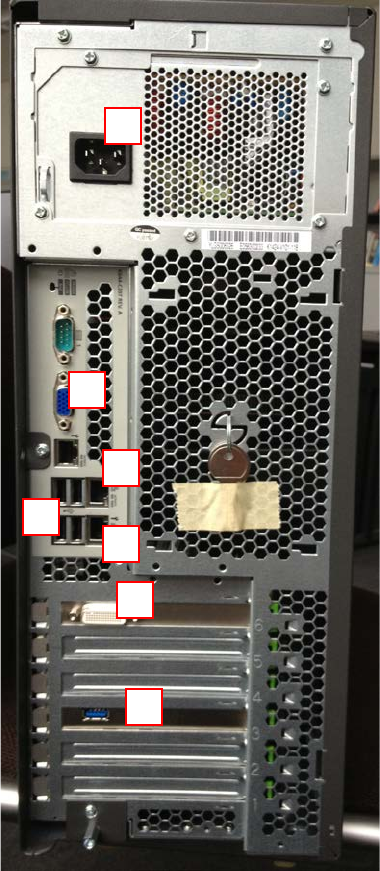
The following picture shows an overview of the interfaces of your computer hardware (backside).
Figure 2-1: Back of TX150 S8 computer
Legend:
1) Connector to graphics card (use the delivered 2* DVI splitter cable)
2) Onboard VGA connector
3) SIPLACE LAN Network connection
1
2
3
4
5
6
7