OperatorManual.pdf - 第21页
Oven alarm Levels ALARM LEVELS There are five (5) alarm leve ls. Starting with the lowest alarm level, they are: Notify - During this condition: • No change occurs in the Oven Operation • The Oven Status Bar will display…

Quick cool down
QUICK COOL DOWN
Selecting the
QUICK
COOL
DOWN
symbol will start the cell fans while the HOOD is open without heat
applied to the cells.
(Select this symbol again to stop the fans)
QUICK
COOL
DOWN
aids the cooling of the process tunnel, and is possible only in the
SHUTDOWN
state.
BE CAREFUL OPENING THE HOOD, THE AIR AND THE OVEN SURFACES ARE HOT !!
Operator manual 20 August 2003

Oven alarm Levels
ALARM LEVELS
There are five (5) alarm levels. Starting with the lowest alarm level, they are:
Notify
- During this condition:
•
No change occurs in the Oven Operation
•
The Oven Status Bar will display the
current machine status
.
2) Warning
- During this condition:
•
The Yellow light on the light tower will be on
•
The audible alarm will be off.
•
The conveyor will remain at setpoint
•
The heaters will remain at setpoint
•
Nitrogen or Air will remain at setpoint
•
Cell Fans will continue to run
•
The Oven Status Bar will display
WARNING
in Blue Letters.
3) Critical Warning
- During this condition:
•
The Red light on the light tower will be on
•
The audible alarm will be on
•
The conveyor will continue to run at setpoint
•
The heaters will continue temperature at setpoint
•
Nitrogen or Air will remain at setpoint
•
Cell Fans will continue to run at setpoint
•
The Oven Status Bar will display
CRITICAL WARNING
in Blue Letters.
4) Alarm
- During this condition:
•
The Red light on the light tower will be on
•
The audible alarm will be on
•
The conveyor will run if oven temp above 100 deg
•
The heaters will turn off
•
Nitrogen or Air will be turned off
•
Cell Fans will continue to run (Full speed with Nitrogen Option)
•
The Oven Status Bar will display
ALARM
in Blue letters.
5) Critical Alarm
- During this condition:
•
The Red light on the light tower will be on
•
The audible alarm will be on
•
The conveyor will run
•
The heaters will turn off
•
Nitrogen or Air will be turned off
•
Cell Fans will stop
•
The Oven Status Bar will display
CRITICAL ALARM
in
Red
Letters.
The Levels of
some
alarms which monitor and warn of operating conditions in the oven can be selected, or be
disabled.
No user input is required to clear this alarm state. The oven will go to the process ready state
when the alarm condition no longer exists.
SELECT SETUP, and DISPLAY LAYOUT TO SET THE SCREEN BACKGROUND TO RED WHEN
ALARMS OCCUR
Operator manual 21 August 2003
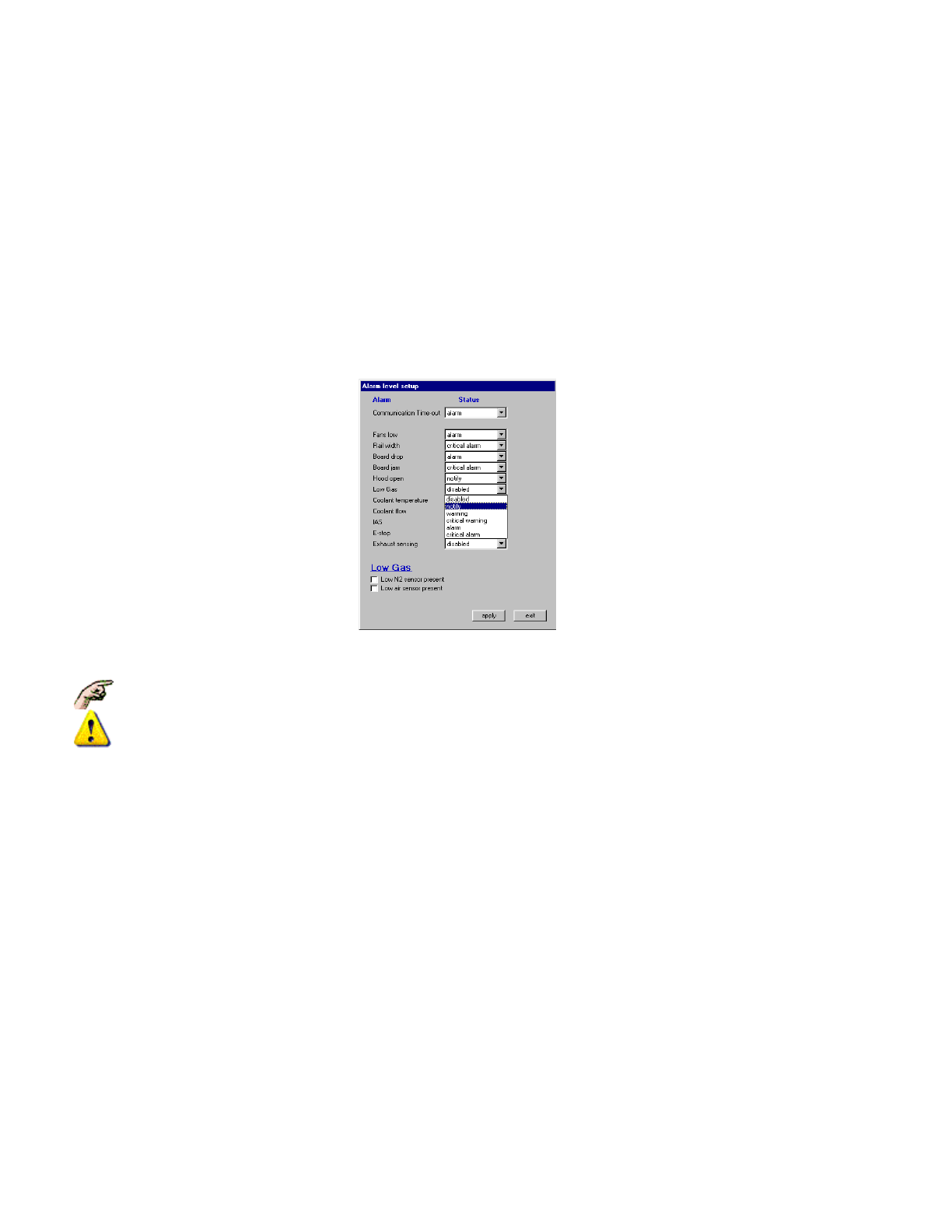
TO MODIFY AN ALARM LEVEL
Modifying the Alarm Level is done by selecting
Setup,
Alarms
, which displays the
Alarm Level Setup Dialogue
Box:
z
Click on a drop-down list to display the Level Options.
z Select the desired Level
z Select apply to modify present operation and record the changes (or select exit to cancel any changes
made and leave this Dialogue Box).
z SOME ALARMS MAY NOT EXIST DEPENDING ON OPTIONS & CONFIGURATION
z EXTREME CAUTION SHOULD BE GIVEN BEFORE ANY ALARMS ARE DISABLED
Alarm AND Event Messages
Information about changes in oven status, alarms, set points and filing updates are recorded and displayed (in the
order of occurrence) in the Event & Alarm log displayed at the bottom of the screen. A message will start with
"
Alarm:
" (or
Warning
) if some value critical to the operation of the oven is outside of expected range,or "
Event:"
if some normal operator action has occurred.
Only the last Four system messages are displayed in the oven message window, however, at the Pull-Down
Menu, (or double-click on the messages) selecting
Log, View
, then
Alarm Log
will display an
Alarm Log
Dialogue Box
which has the option of displaying the Alarms and Events Log for the Month.
Some alarms are fixed and cannot be modified or disabled.
Some Alarm inputs have a hardware wired-in safety which cannot be disabled, even if the software
action can be disabled.
Operator manual 22 August 2003