OperatorManual.pdf - 第9页
The following functions are available when a user name is selected, or when a ne w user name is added: Remove User - Delete the selected user name from the list of user names. User Password - Change the password of the s…
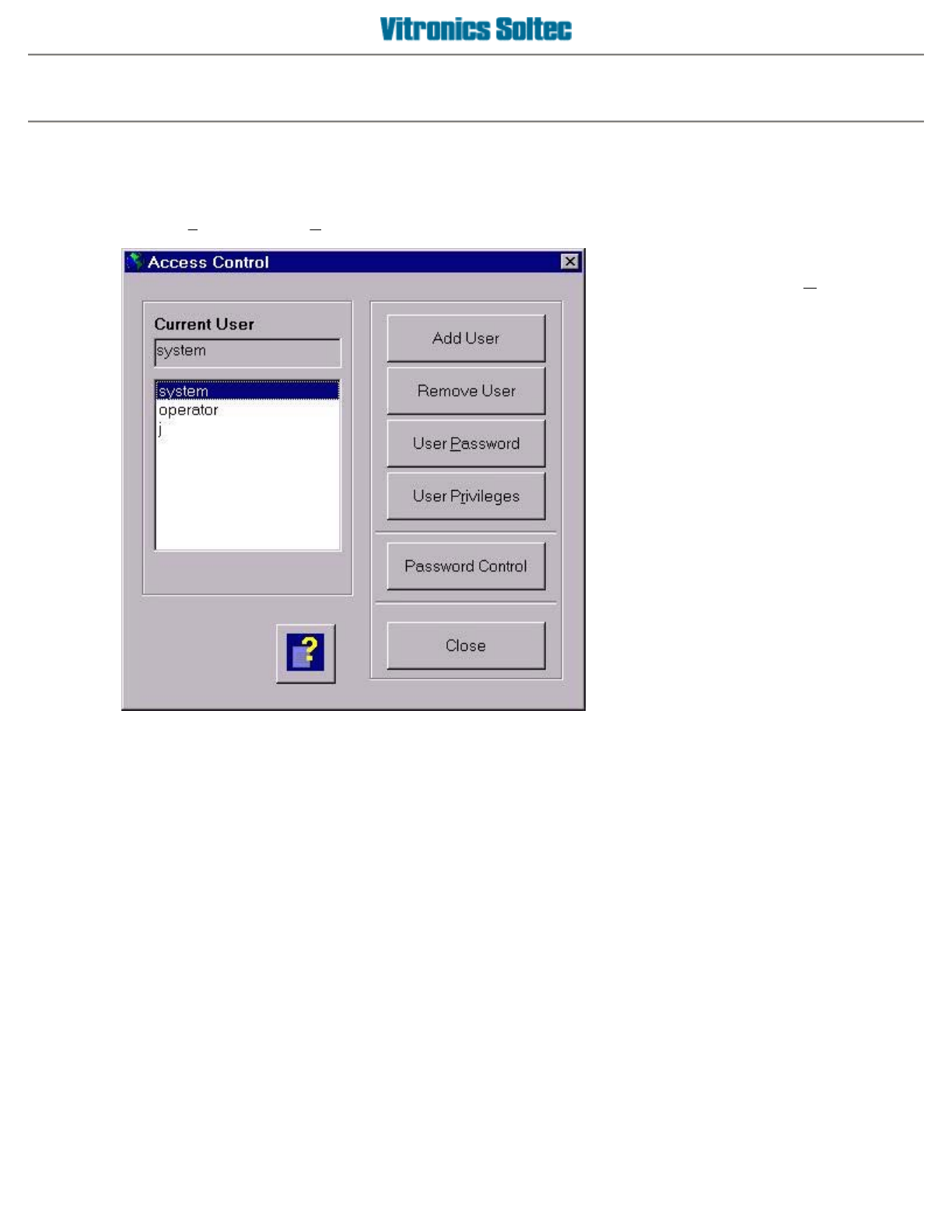
Access control
Setup the password system in the access control
From the
F
ile menu, select
A
ccess Control
z
Add User
- Select this option to
create a new user name
along with
entering a password for the user
name.
z
Password Control
- This option
contains a list of program functions
with a corresponding password
yes/no setting for each program
function. The password yes/no
setting determines if password entry
is required prior to entering each
corresponding function and applies to
all of the user names. Also the
password yes/no setting takes
precedence over user privilege
settings. When a password is set to
no, all user's are allowed to access
the program function without a
password even if a user privilege is
set to no. The list of program
functions is factory preset.
z
Close
- Close the Access Control
menu
Operator manual 8 August 2003
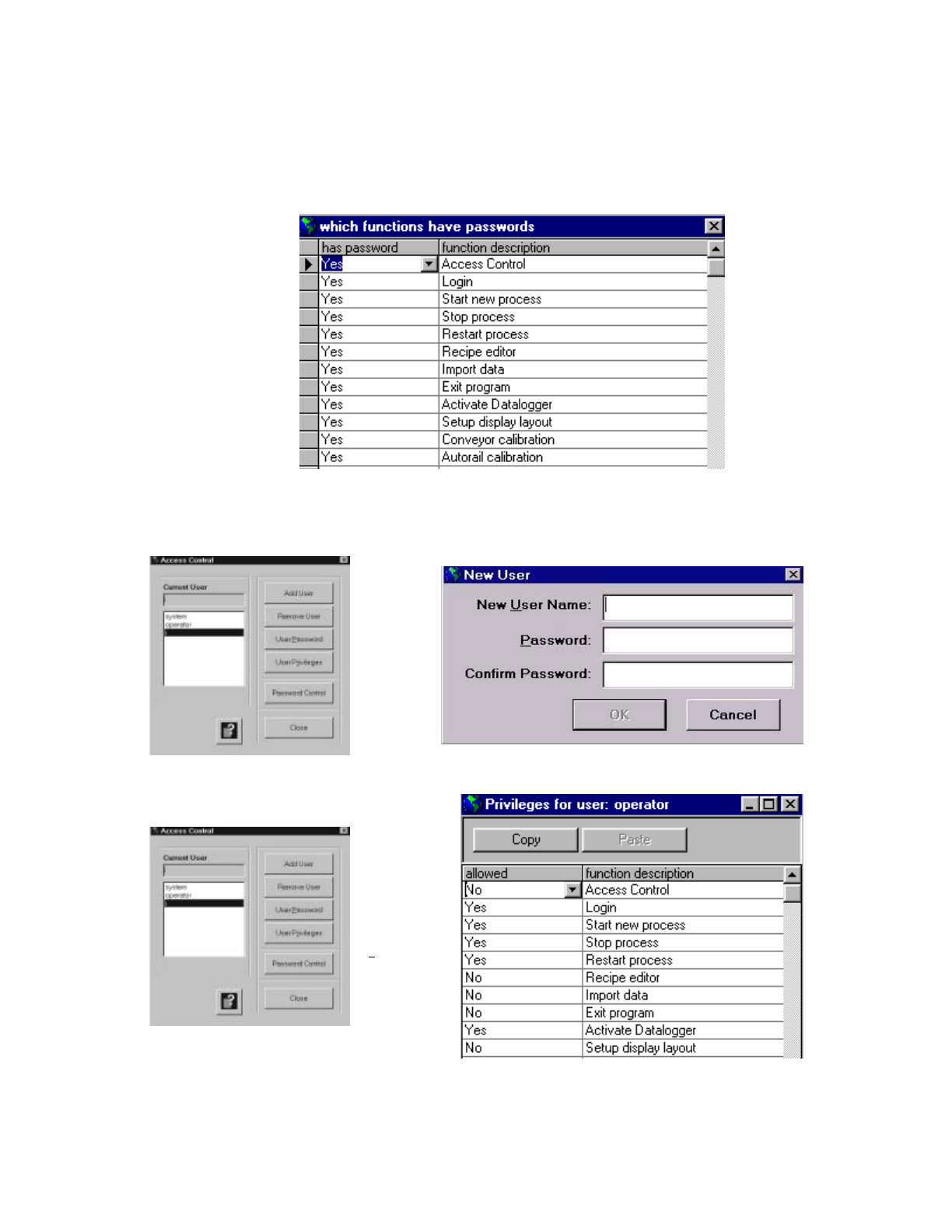
The following functions are available when a user name is selected, or when a new user name is added:
Remove User
- Delete the selected user name from the list of user names.
User Password
- Change the password of the selected user name.
User Privileges-
This option contains a list of program functions along with a corresponding yes/no setting,
and is used to determine which program functions a user name is allowed to access.
A
Copy/Paste
function is available within this function to copy a complete set of privileges from one user
name to another user name.
PASSWORD PRIVILEGES
(
INDIVIDUAL USERS
)
To add a
user, click
on the Add
User
button.
When all
information
has been
entered,
click on
the OK
button
Highlight
the new
user name
and then
click on
the User
P
r
ivileges
button.
Select
privileges
for
individual
users
here.
Operator manual 9 August 2003
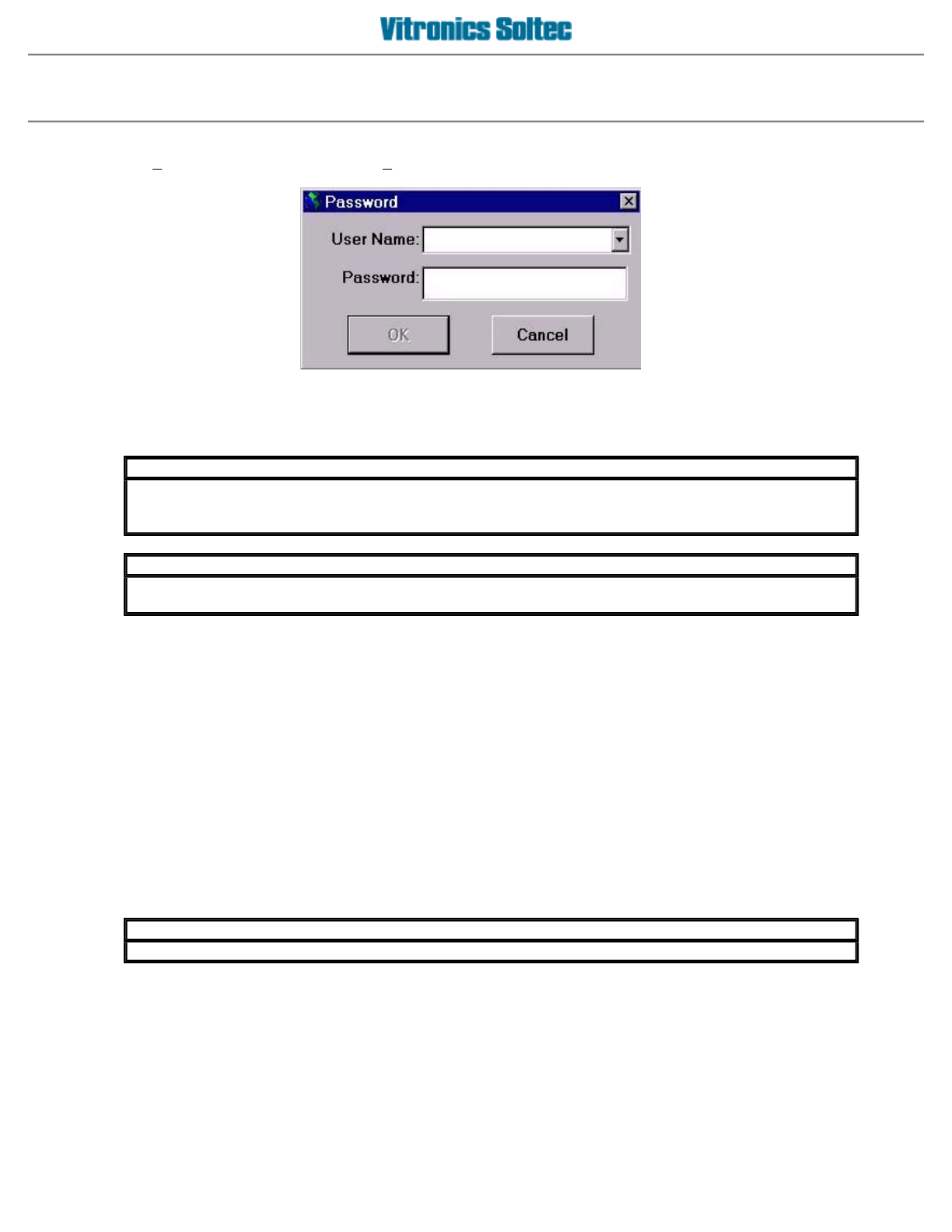
The login function
The
L
ogin option is located under the
F
ile menu.
A
s a user, you can 'login' to the system with your user name and password. Once logged in, the user has access
to the program functions that are set in their user privilege settings without requiring further password entry.
Click on the
[File][Login]
menu again to log out immediately or you will be logged out automatically after
approximately 10 minutes of mouse inactivity.
The working principle of the password system
The password system allows the creation of individual user accounts. Each user can have their own password
along with their own set of program functions (privileges) that they are allowed to access.
Nearly every program function can be setup to require or to not require a password before accessing the
function. This allows the program to be customized by configuring which program functions are available to each
user. It also allows specific program functions or all program functions to be made available to all users without
requiring a password entry.
When you create a new user account in the system, you setup a password for the user, and then setup the
user's privileges. During the setup of the privileges, you can program which functions of the program a user will
be allowed access with their password. In practice, this means that you could have one user that is only allowed
to start/stop the machine, and another user that is only allowed to reset the alarms.
The "system" user name is the 'master' user and can not be deleted. Privileges can not be changed for the
"system" user name, which has full access to all program functions, except for certain 'Vitronics-Soltec' service
mode functions.
IMPORTANT
Even if you are logged in, you can not access program functions that you are restricted from
using through your user privilege settings. The only exception applies to program functions with
p
assword control settin
g
s of no.
IMPORTANT
The current user will be automatically logged out after the mouse has not been in use for
a
pp
roximatel
y
10 minutes.
IMPORTANT
It is
p
ossible to use the same
p
assword for multi
p
le user names.
Operator manual 10 August 2003