OperatorManual.pdf - 第34页
Start/stop timer Go to the main menu and select S etup , A u to Start/Stop There are 2 choices in the men u. 1. Weekly Timer- The weekly timer is the typical timer function to use to schedul e repea ted weekly oven start…

As soon as a board passes S1, the following will happen:
z Stand-by N2 will be shut off
z Main N2 will be activated
z N2 re-purge will be activated
z
The oven will go to a
stabalize
status
SMEMA will not allow boards to enter the oven until the oven is
Ready
The event that a board is between sensor S1 and the XPM oven is latched. This appears on the screen as '
N2
conservation inhibited
' . This latch is cleared after the oven is completely empty. This means that the N2
conservation time-out should be set longer then the time that it takes for a board to travel from sensor S1 to
sensor S2 in the oven.
Operator manual 33 August 2003
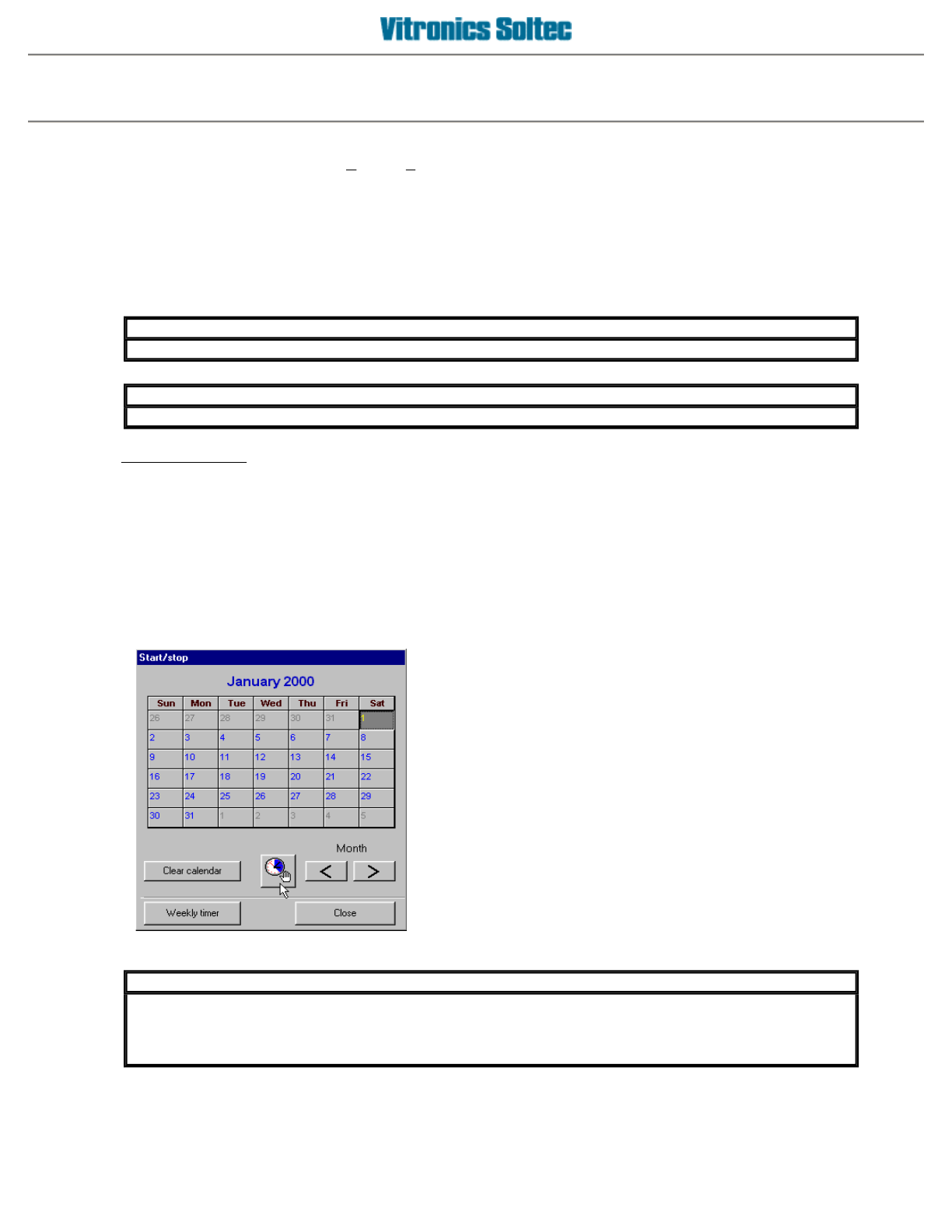
Start/stop timer
Go to the main menu and select
S
etup
,
A
u
to
Start/Stop There are 2 choices in the menu.
1.
Weekly Timer- The weekly timer is the typical timer function to use to schedule repeated weekly oven start
and stop events.
2.
Special Event Calandar- This timer function is used with the calendar to program one-time events, e.g. out
of the ordinary oven start/stop times.
The weekly timer
A separate start and stop time is displayed for each day of the week in the weekly timer. A new time can be typed
directly after clicking on a time edit box, or the
up/down buttons
can be clicked to increase or decrease the
current time setting. Each time entry is separated into hours and minutes items. All time settings are stored in the
Windows registry. A time entry of 00:00 is disregarded to allow a corresponding start or stop event to be skipped
on a given day or for several days if required.
For more details :How Does the Timer Work?
A
checkbox
below the start/stop times enables or disables the use of the timer function. The
icon button
with
the clock and the hand is a toggle switch between the start and stop status of the timer.
The
Clear button
changes all of the timer settings to zero (00:00).
The
Close button
closes the weekly timer.
IMPORTANT
The timer icon on top of the screen indicates that the timer function is in use.
IMPORTANT
The start/sto
p
timer uses the 24 Hour clock!.
10:15 AM is 10:15, however, 10:30 PM is 22:30
IMPORTANT
It is only possible to use the toggle switch if the timer function is enabled. The timer icon (clock)
on the icon bar on top of the main screen indicates the timer function is enabled. The icon is
green with a closed contact when the timer is active, and grey with an open contact when the
timer is in standb
y
mode.
Operator manual 34 August 2003
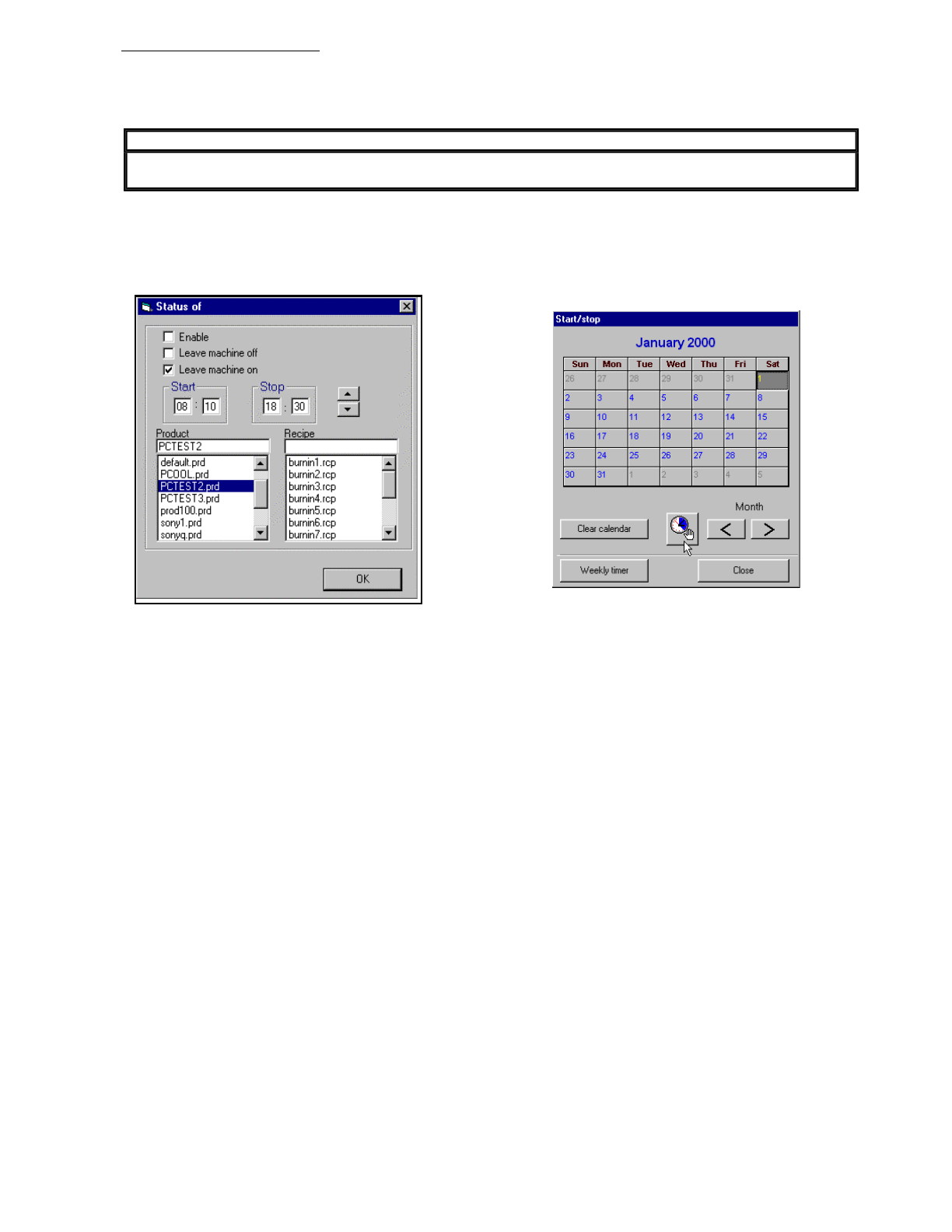
The special event calendar
A
monthly calendar
is displayed with the current day highlighted when entering the special event calendar.
Double click
on a day in the calendar to activate a dialog box to set an event for that day.
There is a choice to
not
start the oven on the selected day or to use the oven on the selected day. Selecting to
use the oven permits times to be entered for the oven to start and stop on the selected day along with a
product/recipe combination to use when starting the oven. All settings are stored in the Windows registry.
A green LED appears on the monthly calendar for the selected day if an event has been programmed.
How does the timer work?
The timer function emulates a programmable seven day home appliance timer with an active and a standby mode.
Active mode is after the timer has started the oven by closing its contact. The timer function icon button is
displayed in green with its contact closed while the timer is in active mode. Standby mode is after the timer has
stopped or shutdown the oven by opening its contact. The timer function icon button is displayed in grey with its
contact open while the timer is in standby mode. The timer shuts down the oven and changes to standby mode
when the current time is equal to the stop time setting for the current day. When the timer is in standby mode the
oven can only restarted by clicking on the timer Icon, changing the timers mode from standby to active, which
changes its contact from an open to a closed state. The timer starts the oven and changes to active mode when
the current time is equal to the start time for the current day. When the timer is in active mode the oven can be
shutdown and restarted at any time. A time setting of 00:00 for a stop or start event is disregarded and indicates
that no event has been set. This allows the timer to maintain the last state of contact over several days if required.
For example an oven can be started at the beginning of the work week with a start event setting and stopped or
shutdown at the end of the work week with a stop event setting.
IMPORTANT
Events are not permitted to be set for the current day or earlier. A message dialog is displayed
with an attem
p
t to set an invalid event.
Operator manual 35 August 2003