OperatorManual.pdf - 第39页
Oven profiling Use the profil er(s) From software version 07.00 on, the XPM softwar e has built-in support to co nnect to 3-rd party software packages. Currently, the thermal profiling so ftware of ECD and KIC have a com…
Statistical Process Control
Use the SPC function
Go to the main menu and select
[Log][Activate][SPC log]
.
What is SPC (
S
tatistical
P
rocess
C
ontrol)?
Statistical process control uses statistical methods to monitor and control a process. Those methods can be
control charts and capability analysis. SPC will inform users on the state of statistical control so that they can act
on the machine's behavior in order to keep the machine within so called
control limits
. The statistical data can
also be used to optimize the machine's performance.
What part of SPC will be used by the XPM software?
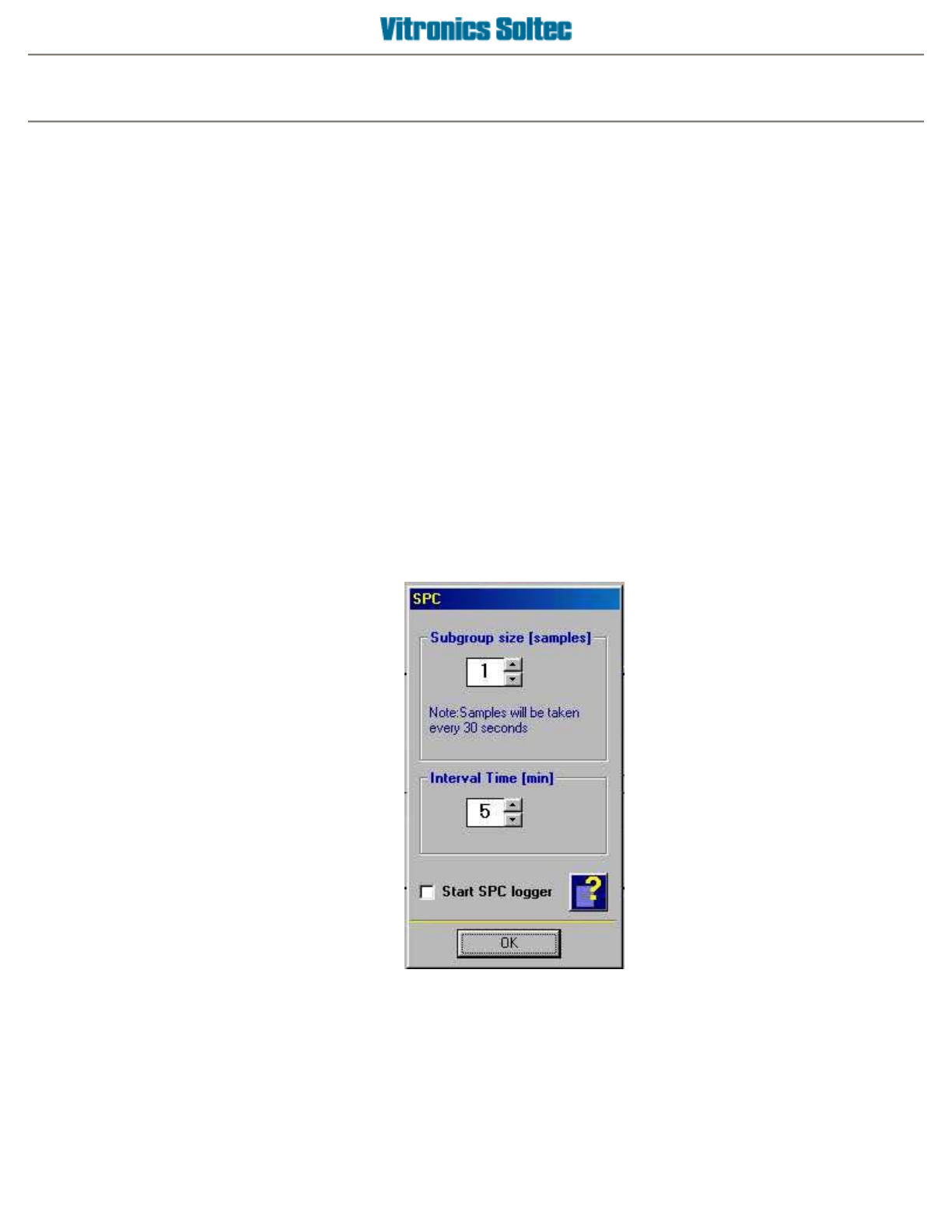
With the XPM software you can activate data logging where the data is stored in a way that is conform the SPC
specification. This means that as a user you have two settings:
Sub group size
- the number of samples that will be taken per sample event.The time between samples is fixed
30 seconds.
Interval time
- the time between to sample events.
To start logging you have to check the
Start SPC Logger checkbox
. The file that will be generated will have a
header line where all the parameters are named. Every sample will be added to the file. The number of samples in
a file is fixed to 100. If 100 records are reached, the FIFO principle will apply, that means that the earliest entry will
be deleted and the latest sample will be added.
Operator manual 38 August 2003
Oven profiling
Use the profiler(s)
From software version 07.00 on, the XPM software has built-in support to connect to 3-rd party software
packages.
Currently, the thermal profiling software of ECD and KIC have a communication compatibility with the XPM
software. Thermal profiling software in general gives you a powerful tool to setup and optimize your product
profiles. Both the KIC and ECD products can also predict product profiles using their profilers. With the XPM
communication compatiblity the predicted product profile will automatically be changed in the oven .
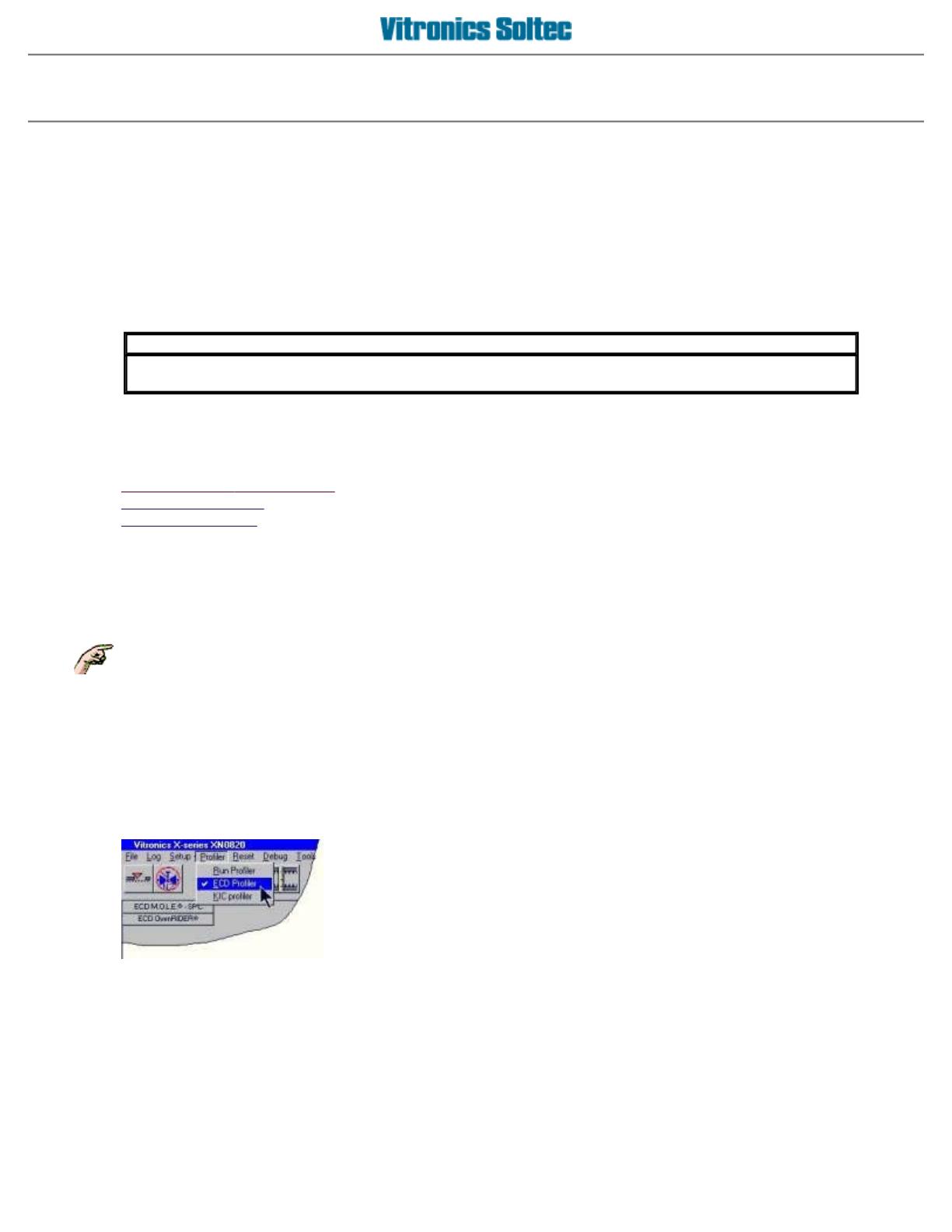
Go to the main menu and select
[Profile]
.
A submenu will appear with the following choices:
Use theVitronics-Soltec profiler This is the built-in XPM profiler
Use the ECD profiler
Use the KIC profiler
PROFILING OPTIONS - KIC, ECD, & VITRONICS-SOLTEC PROGRAM
The Vitronics Soltec Oven Control Program ver 7.0 is delivered with the software necessary to operate three
different Profiling methods within the Program.
Those methods are:
1: Vitronics Soltec Program Profiler
2: ECD (Electronic Controls Design M.O.L.E.® )
3: KIC (KIC 2000 Thermal Profler ® )
Select
PROFILER
from the Pull-down Menu,
IMPORTANT
The provided software of ECD and KIC have only limited functionallity without their profiling hardware
available.
Each method requires specific hardware NOT supplied with the Vitronics Soltec oven.
And choose a profiler to run the
VITRONICS SOLTEC
,
ECD or KIC Profiler
Operator manual 39 August 2003
Vitronics Soltec profiler
Use the Vitronics Soltec profiler
Go to the main menu and select
[Profile][Vitronics-Soltec Profiler]
.
z
File
{
Open File
- Retrieves and displays previously
saved profiles.
{
Save
- Saves a profile that was created to a file.
{
Print
- Prints a profile with the following options
Print plot and slope data
Print plot data
Print slope data table
{
Exit
- Exit the profiler program
z
View
{
View slope graph
- Displays the calculated slopes
per oven zone
{
View plot data
- Displays a list of temperature
readings derived from the profile thermocouples
z
Tools
{
Settings
- Displays a tabbed window with the
following functions
Band - an overview of the layout of the oven
Graph parameters - changes the
appearence of the graph, like displaying a
grid etc.
Tip: Increase the major tick setting of an
axis if the axis data headings overlap or
appear crowded on the axis display.
Change the major tick setting on the X-axis
from 20 to 50 ticks when running slow
conveyor speeds (under 12IPM) with long
oven models.
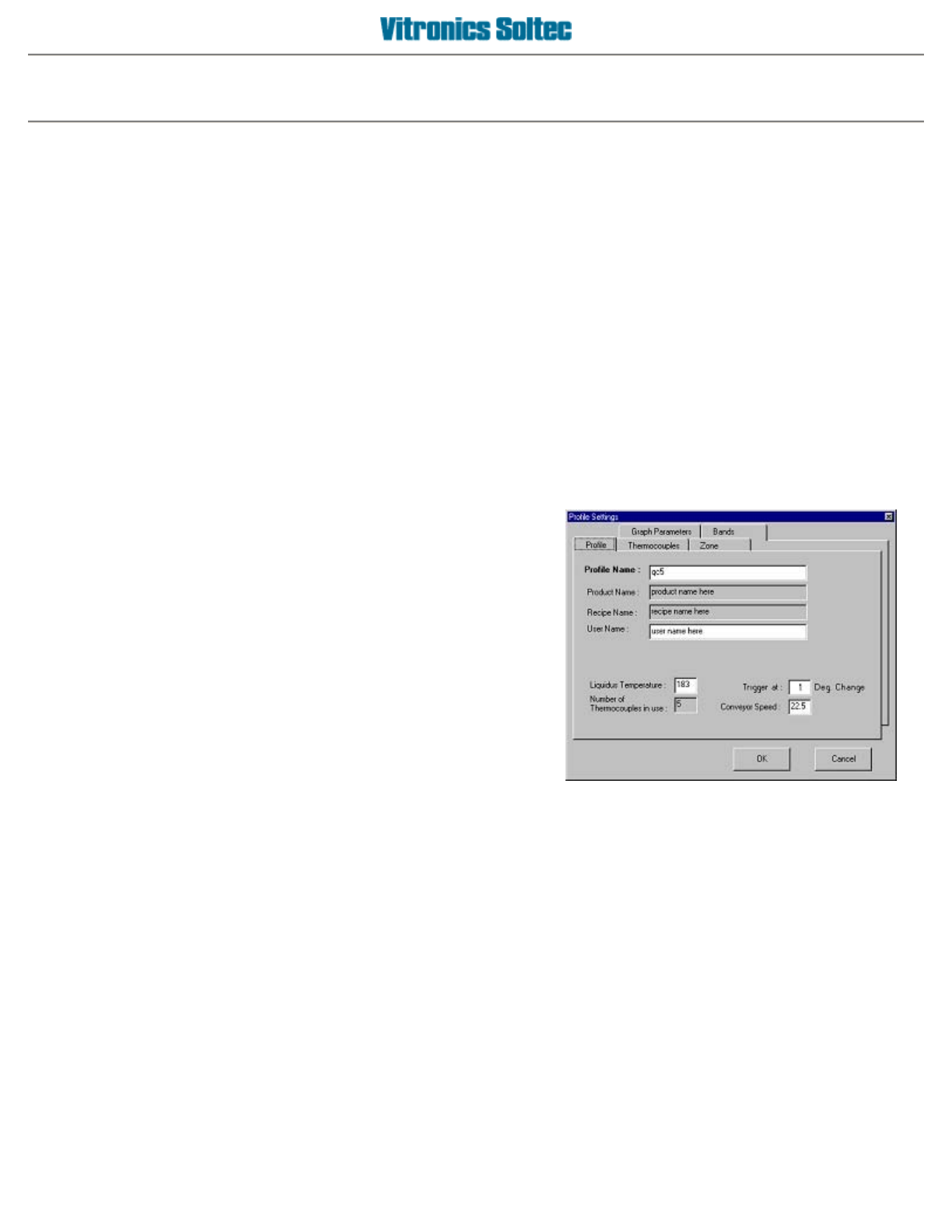
Profile - enter information about the profile,
like a name etc.
Thermocouples - select which of the 5
profile thermocouples to use when creating
a new profile, and enter text to describe the
physical board location of each profile
thermocouple
Zone info - displays an overview of the set
points of all the oven zones
z
Help
{
How do I..
- Displays this help file
{
About
- Displays a window, with software version
information of the profiler program
Operator manual 40 August 2003