OperatorManual.pdf - 第25页
Oven status SYSTEM SETUP The oven enters the system setup st ate any time an action is perfo rmed such as calibrations, during QUICK COOL, MAN UAL RAIL WIDTH ADJUST , and other similar functions. This occurs automaticall…

Alarm reset
When an alarm is generated, a message will appear on the monitor in the message box at the bottom of the
screen. An alarm icon will also appear on the icon bar at the top of the screen. Click on this icon to view the
alarm message dialog box. There will be a button to reset the alarm within this dialog box. The alarm condition
must be cleared before the alarm condition can be reset.
The Reset menu provides the ability to reset alarms, reset E-Stop, reset the board tracking, and reset the total
board count.
z
Reset Alarms
resets the alarm condition to all operation of the oven. This function is the same as using
the reset button in the alarm dialog box.
z
Reset E-Stop
clears the emergency stop condition after the emergency stop buttons have been set to the
run position. This function is similar to clicking on the E-Stop icon, but it does not provide the option to
restart the oven.
z
Reset Board Tracking
clears the display of boards and sets the count for boards in the tunnel to zero.
z
Reset Total Board Count
resets the total boards count number display.
alarm acknowledgement and the reset menu
Operator manual 24 August 2003
Oven status
SYSTEM SETUP
The oven enters the system setup state any time an action is performed such as calibrations, during
QUICK COOL, MANUAL RAIL WIDTH ADJUST
, and other similar functions. This occurs automatically to
temporarily disable any non-critical alarms which may be affected, and the Yellow light on the light tower
will be on.
The Oven Status Bar will display: SETUP
ALARM SHUTDOWN
When a Critical Alarm condition is detected in the oven, an alarm message will be displayed and shutdown
will occur. An alarm shutdown can occur when any parameter set for critical alarm goes over
(or under) acceptable limits.
The Color of the zone's temparature bar indicates the deviation to the setpoint. Green = OK, Blue =
too cold, Red = too Hot
The Oven Status Bar will display: SHUTDOWN: ALARM
The Event & Alarm log will display the reason for the alarm shutdown.
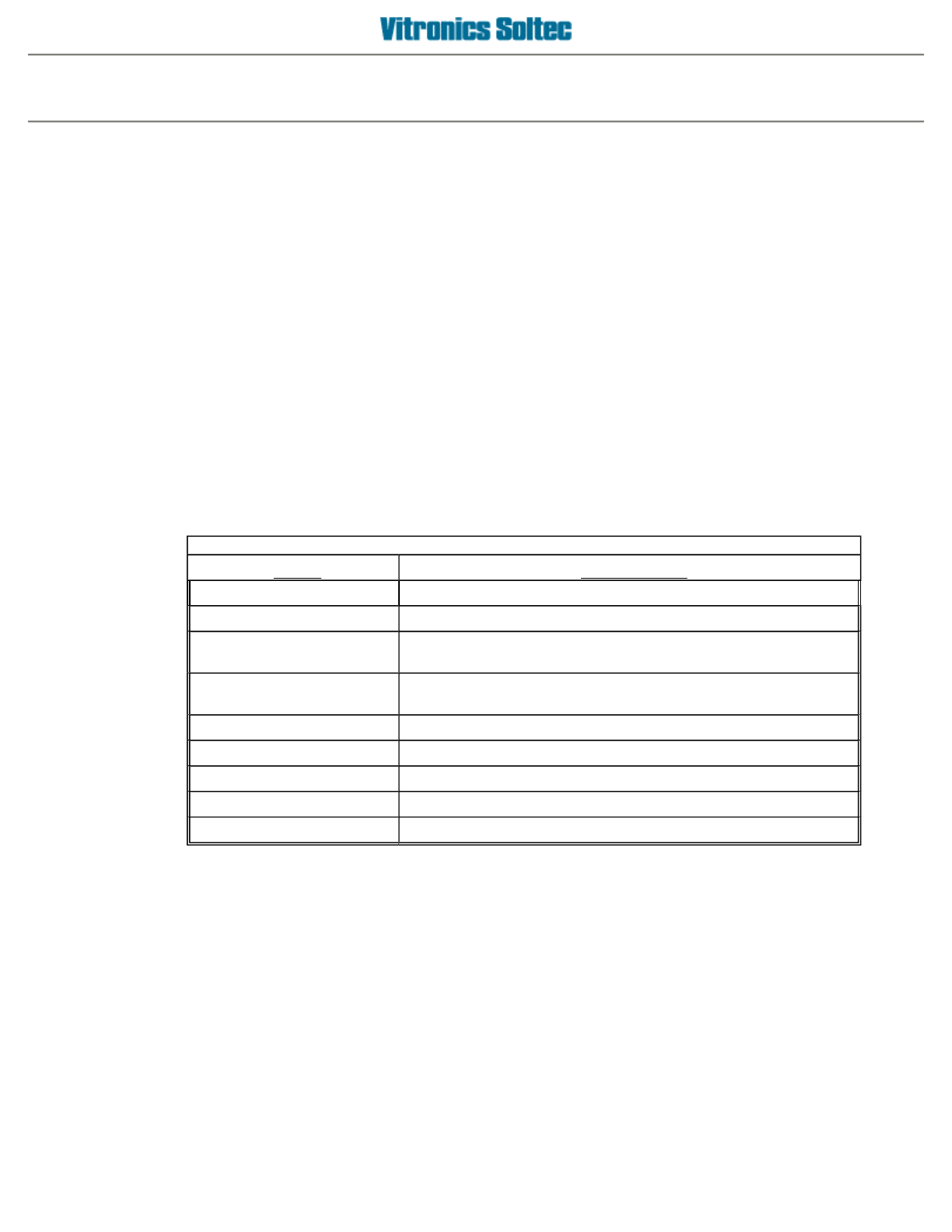
Status messages, and Oven Control Actions are based on the following definitions for the
Status Terms
used:
Status Terms
Status
DESCRIPTION
OFF
The oven is not running
SHUTDOWN
The oven is in the process of shutting down.
STABILIZING
The oven is trying to reach the set points of the present
recipe. See Oven Status Bar.
COUNTDOWN
The oven has stabilized and is in a "final countdown delay"
before going to "process ready".
READY
The oven is "process ready".
WARNING
A process variable is outside limits. See Alarm/Event Log
CRITICAL WARNING
A process variable is outside limits. See Alarm/Event Log
ALARM
A process variable is outside limits. See Alarm/Event Log
CRITICAL ALARM
A process variable is outside limits. See Alarm/Event Log
Operator manual 25 August 2003

Oven features and options
SOME FUNCTIONS IN THIS SECTION MAY NOT EXIST ON ALL OVENS BECAUSE THEY ARE
OPTIONAL!!
Operator manual 26 August 2003