OperatorManual.pdf - 第37页
Datalog The Datalog keeps a record of set po int measured va lues and output values, and is periodically recorded . The record is stored on the hard disk and cannot be eras ed within the Oven Control Program. When th e s…

Networking
Use the network to store recipes/products
Described here is only working with recipes. The same applies for working with products. Go to the main menu
and select
[File][Recipe editor]
.In the offline recipe editor, it is possible to set the recipe directory to a path on the
network instead of the local XPM recipe directory structure.Press the button in the Recipe network directory area
to browse the network for the folder you want to store your recipes in.
In the same area you can check the Use network directory to activate the use of that folder.
Using the network folder gives you the following functionality:
1.
change recipe(s) and/or product(s)on the network folder
2.
copy recipe(s)/product(s) from the local XPM path to the network folder
3.
startup a recipe/product from the network folder
1
. Change recipe(s) on the network folder
Changing recipe(s) on the network folder works in the same way as changing them on the local XPM path.
2
. Copy recipe(s) from the local XPM path to the network folder
To copy recipe(s) from your local XPM path to the network folder, you have to uncheck the Use network directory
so that you have access to the local recipes. Select the local recipe you want to save on the network, right click
the mouse and choose the send to network directory menu item.
3
. Startup a recipe from the network folder
Make sure that the Use network dir is checked, if you want to use it. To run a recipe from the network folder works
in the same way as running a recipe from the local XPM path.
How to setup a recipe using edit online
z Go to the main menu and select [File][Recipe/product editor].
z
Uncheck the Use network dir option. This will give you access to the recipes on the local PC.
At this point, edit online is available.
z
After setting up your new recipe, go back to the [File][Recipe/product editor].
z Copy the new recipe to the network.
z Check the Use network dir option so that the network folder will be us
IMPORTANT
The network location
y
ou want to use has to be ma
pp
ed on the machine PC
RESTRICTIONS
The machine PC has to be connected to a network.You cannot have a pool of recipes with
different XPM machine types. If you have different machine types, you will have to use different
directories on the network. You are not allowed to use edit online. If you want to change a recipe
on the network folder,
y
ou have to co
py
them from the local XPM
p
ath or edit them offline
.
IMPORTANT
If you create a new recipe, the recipe template used will be the default recipe/product in the local
XPM reci
p
e
p
ath root director
y
Operator manual 36 August 2003
Datalog
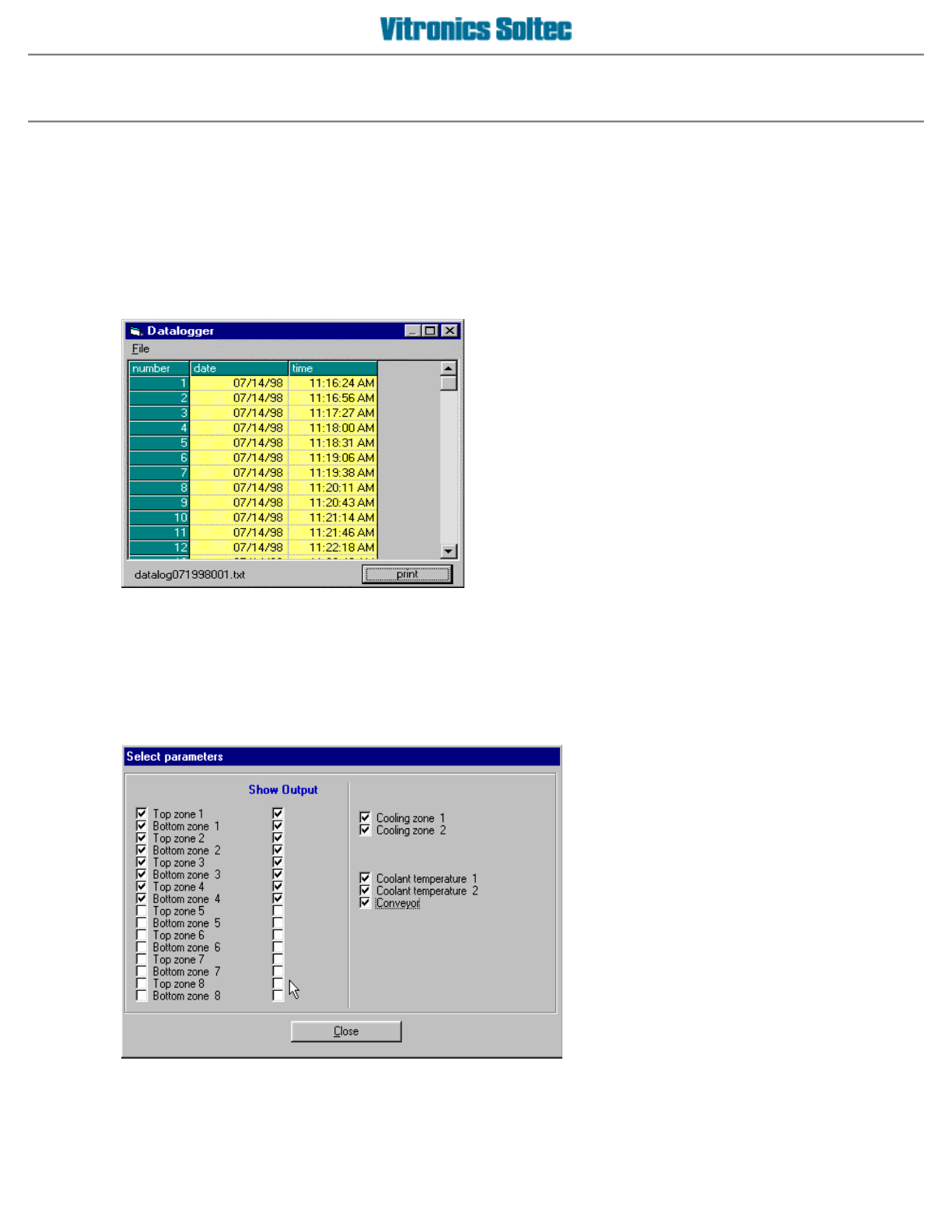
The Datalog keeps a record of set point measured values and output values, and is periodically recorded
.
The
record is stored on the hard disk and cannot be erased within the Oven Control Program. When the space
allocated for the datalog files is full, the oldest entries are discarded. Viewing and/or printing the Datalog is
achieved by selecting
Log
, then
View,
then
Datalog
, to display the
Datalog Dialogue Box:
PRINT
will send ALL the data in the DATALOG files to a connected printer, or to disk by selecting Print to file in
the Print Dialog Box. (See Printing in Table of Contents) The print-out range is NOT selectable)
DATALOG ENTRY DESCRIPTIONS
At the Main Pull-Down Menu, select:
Log
,
View
,
Data
Log, File
, and
Select
Parameters
to display this Dialogue
Box.
The Datalogger records ALL events listed in this Dialogue Box, however, which ones are displayed for viewing is
selectable by ‘clicking’ the small white boxes to display the check-marks
The columns can be stretched to display information as
desired
Operator manual 37 August 2003
Statistical Process Control
Use the SPC function
Go to the main menu and select
[Log][Activate][SPC log]
.
What is SPC (
S
tatistical
P
rocess
C
ontrol)?
Statistical process control uses statistical methods to monitor and control a process. Those methods can be
control charts and capability analysis. SPC will inform users on the state of statistical control so that they can act
on the machine's behavior in order to keep the machine within so called
control limits
. The statistical data can
also be used to optimize the machine's performance.
What part of SPC will be used by the XPM software?
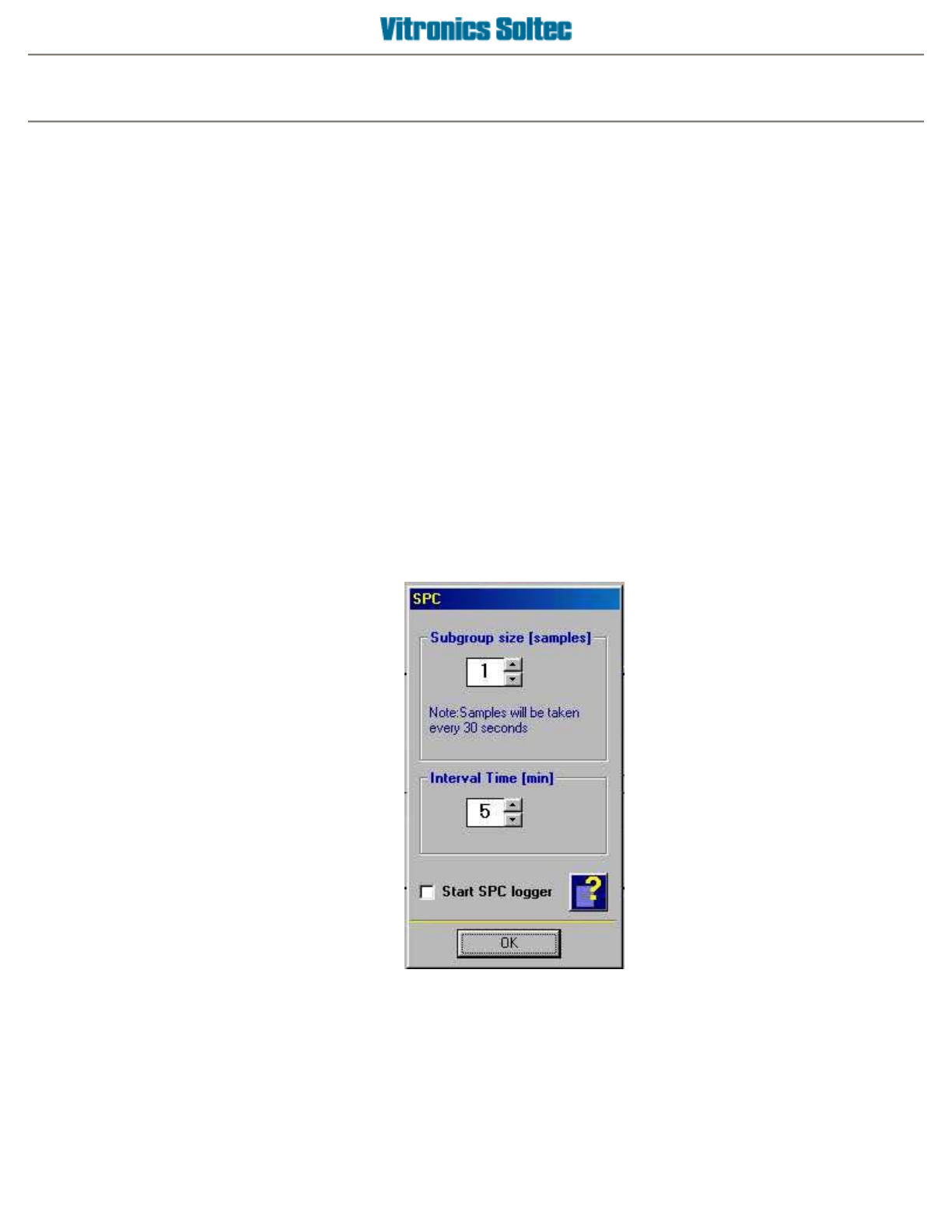
With the XPM software you can activate data logging where the data is stored in a way that is conform the SPC
specification. This means that as a user you have two settings:
Sub group size
- the number of samples that will be taken per sample event.The time between samples is fixed
30 seconds.
Interval time
- the time between to sample events.
To start logging you have to check the
Start SPC Logger checkbox
. The file that will be generated will have a
header line where all the parameters are named. Every sample will be added to the file. The number of samples in
a file is fixed to 100. If 100 records are reached, the FIFO principle will apply, that means that the earliest entry will
be deleted and the latest sample will be added.
Operator manual 38 August 2003