OperatorManual.pdf - 第29页
Rail chain lubrication (optional) The Rail Chain Lubrication Option provi des smooth operation and w ill extend the life of the rail c hain conveyor by periodically applying lubrication to the chain during oven operation…

Board tracking (optional)
BOARD TRACKING, Drop & Jam
DESCRIPTION
The board tracking option has photo-sensors mounted at the Onload and Offload ends of the oven. Boards
loading onto the conveyor are detected by the onload sensor and counted. The software program calculates
board travel through the oven. Each board is expected to pass under the Offload sensor within a certain time
period. This period is based on the conveyor speed, as measured in Encoder
P
ulses
P
er
I
nch (PPI), and the oven
length.
BOARD DROP ALARM
If a board does not arrive under the Offload sensor when expected, the board drop alarm will activate.
BOARD JAM ALARM
If the Offload board sensor remains on for a longer time than defined by the jam length in the product file, the
Board Jam Alarm will activate.
Editing PRODUCT Parameters
The printed circuit board length is defined in the Product file and must be entered accurately for Board Tracking to
operate properly. If the board length (Product length) is set to zero (0.0), then the length of each board will be
sensed automatically as it passes under the Onload Sensor. The calculated length of the boards will be used by
the program to “track” the board through the oven.
The product length as specified in the Product file determines the board length displayed on the screen.
Upon restarting the running process after an alarm, the board counts will be reset to zero
WHEN REMOVING BOARDS FROM THE PROCESS TUNNEL, TAKE SUITABLE PRECAUTIONS
AGAINST THE POSSIBILITY OF INJURY FROM THE HOT PARTS WITHIN THE HEAT ZONE.
Operator manual 28 August 2003
Rail chain lubrication (optional)
The Rail Chain Lubrication Option provides smooth operation and will extend the life of the rail chain conveyor by
periodically applying lubrication to the chain during oven operation. The Oven MUST be running for ANY
Lubrication to take place. This Option can be used, in either automatic or manual mode.
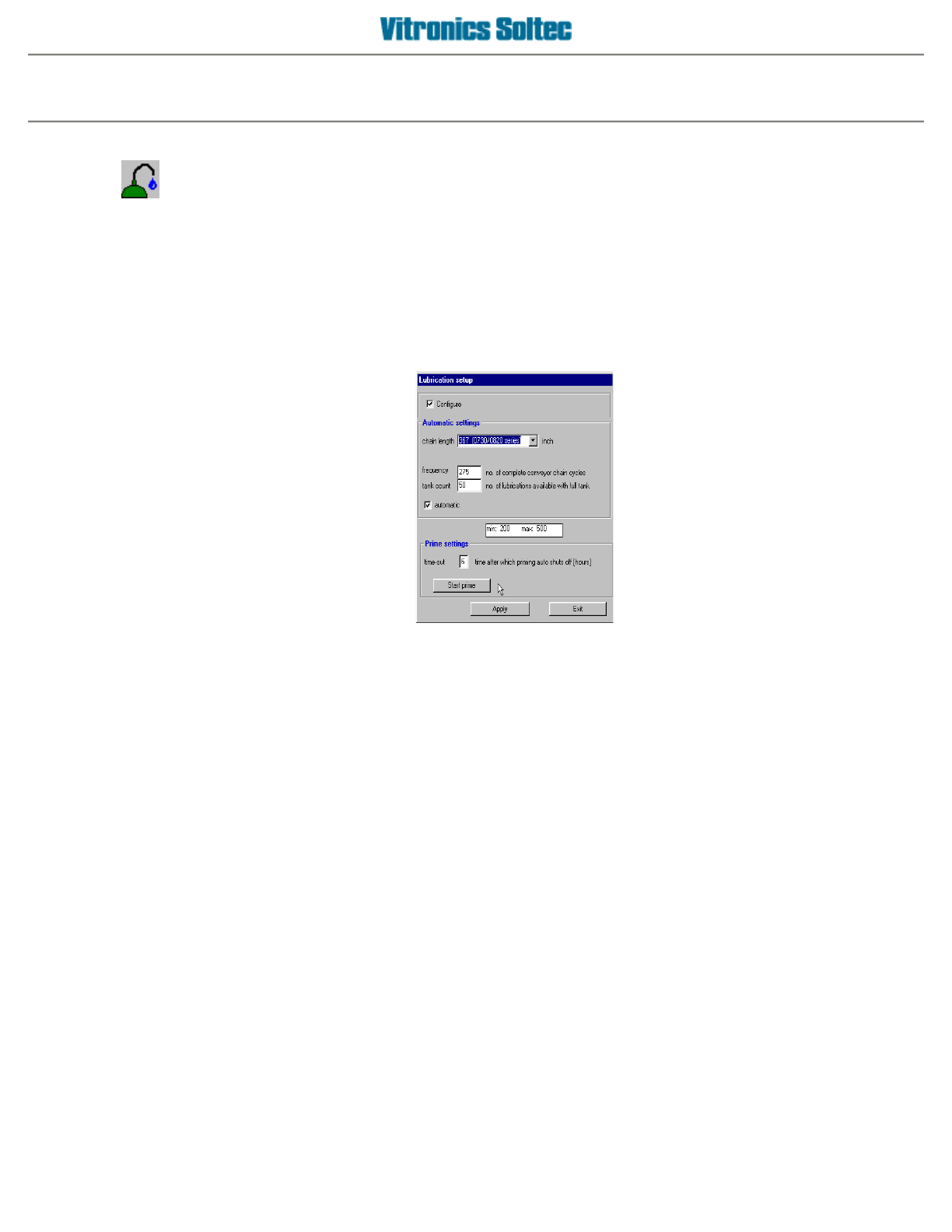
RAIL CHAIN LUBRICATION SETUP
Configuration of the Rail Lube System involves selecting
Setup
, then
Lubrication
, which produces the
Lubrication Setup Dialogue Box:
1.
A check in this box indicates that the Automatic Conveyor Lubrication Option is installed
2.
Indicates oven model / size
3.
This box must have a check mark for the lubrication process to operate automatically
4.
Time (in hours) for priming of the lubrication system (new installs, after repairs to system).
5.
Used to manually prime the system to deliver oil from the reservoir to the lubrication brushes.
6.
Apply changes or modifications to this screen.
7.
Exit this function.
Automatic Lubrication operation
The automatic lubrication starts when the chain has completed the number of cycles between lubrications.
The Lubrication Icon (symbol) is displayed with the time remaining in the Lubrication Process, as a predetermined
quantity of lube oil is applied to the rail chain.
RAIL CHAIN LUBRICATION
Operator manual 29 August 2003
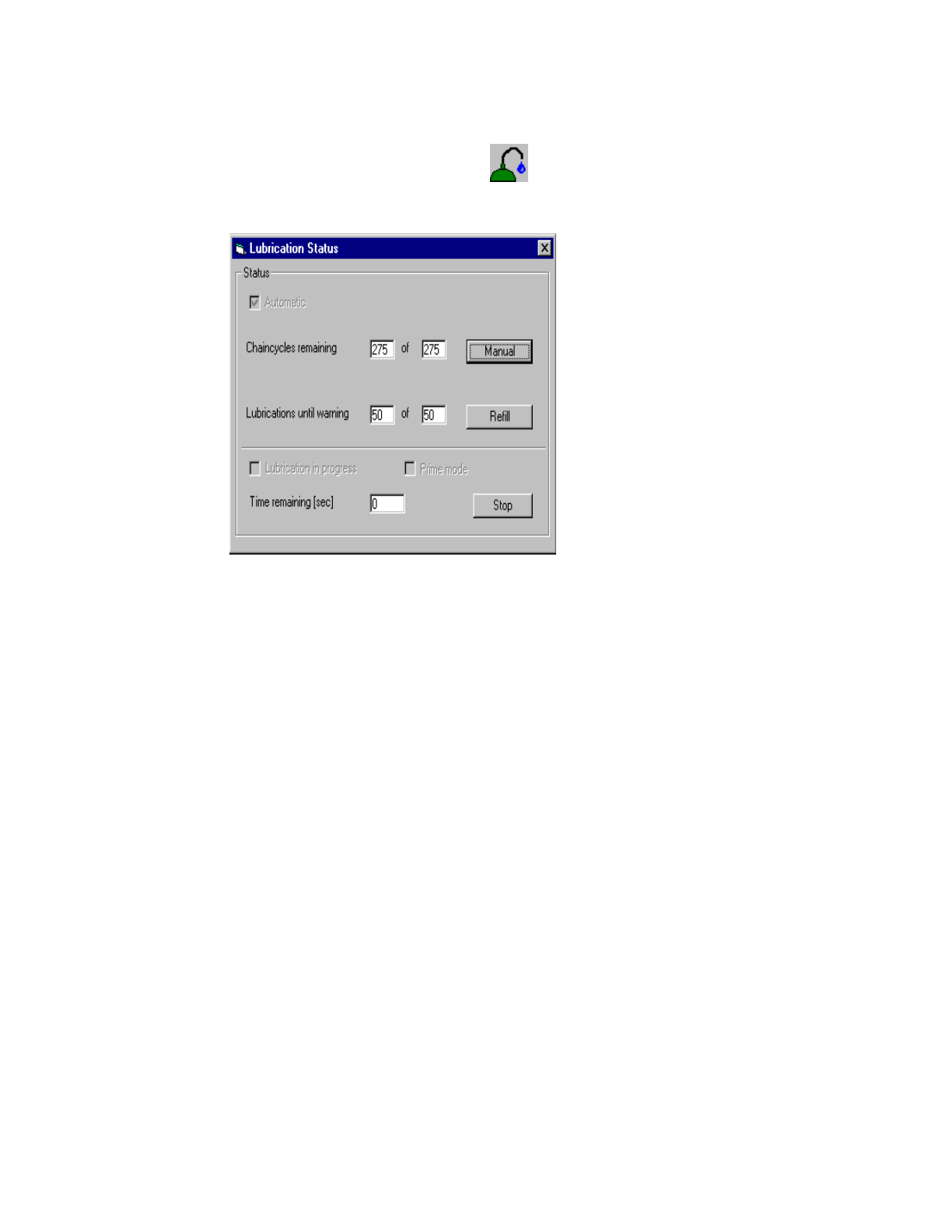
RAIL CHAIN LUBRICATION STATUS
The present status of the Rail Chain Lubrication System can be displayed by selecting the "Lubrication" symbol
at the top of the Oven Operating Screen.
(This symbol will be displayed at the bottom of the screen during the Lubrication Process)
Operator manual 30 August 2003