2OM-1086-002.pdf - 第112页
0211-005 Chapter 1 2 - 46 Tg0583-PM-D2 2.9 “Auto Stop” T ab *1 *2 *3 *4 *5 *6 2.9 "Auto Stop" T ab • Sheet Layout When you push "Auto Stop" tab in the "Pattern Program" edit win- dow , the f…
2.8 “Setup” Tab
0211-005 Chapter 1 2-45 Tg0583-PM-D2
*1
*2
*3
2.8 "Setup" Tab
• Sheet Layout
When you push "Setup" tab in the "Pattern Program" edit window,
the following tab sheet appears.
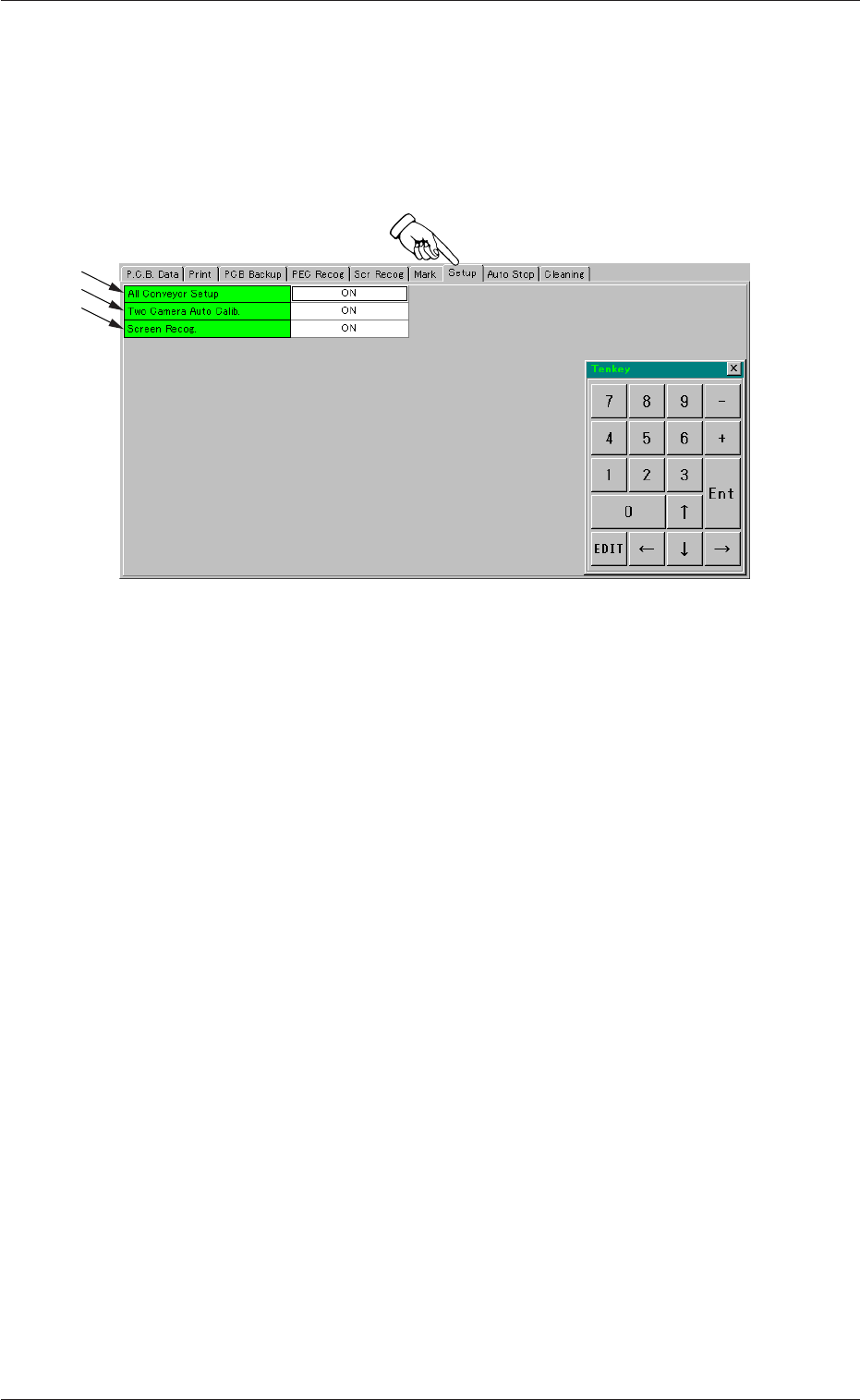
Fig. 3B92 "Setup" Tab Sheet
• Sheet Composition
*1 All Conveyor Setup
Push the text box twice. The text box changes to a combo box.
Push the down arrow to open the drop-down list. Select "OFF" or
"ON" from the drop-down list.
*2 Two Camera Auto Calib.
Push the text box twice. The text box changes to a combo box.
Push the down arrow to open the drop-down list. Select "’OFF" or
"ON" from the drop-down list.
*3 Screen Recog.
Push the text box twice. The text box changes to a combo box.
Push the down arrow to open the drop-down list. Select "’OFF" or
"ON" from the drop-down list.
0211-005 Chapter 1 2-46 Tg0583-PM-D2
2.9 “Auto Stop” Tab
*1
*2
*3
*4
*5
*6
2.9 "Auto Stop" Tab
• Sheet Layout
When you push "Auto Stop" tab in the "Pattern Program" edit win-
dow, the following tab sheet appears.
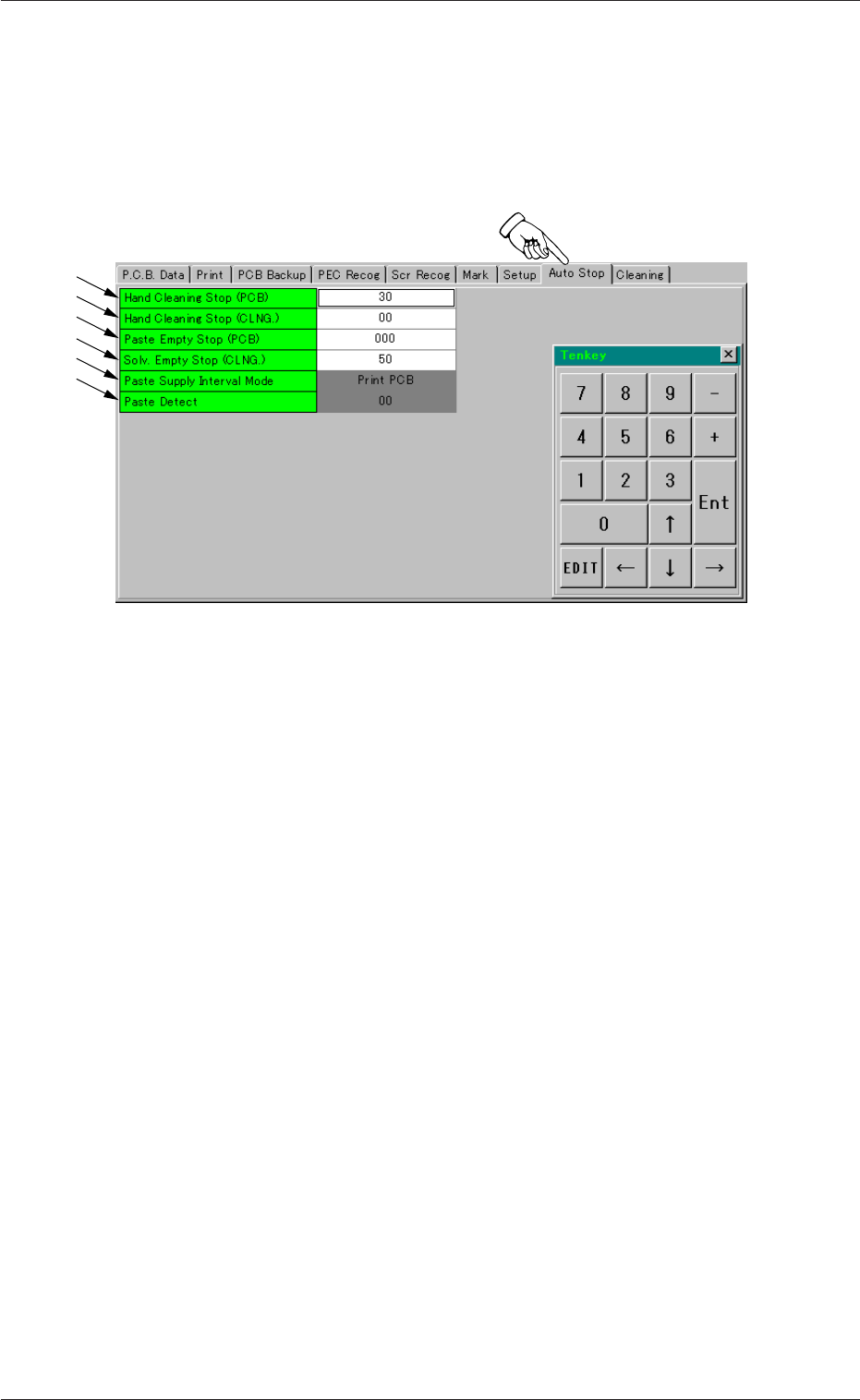
Fig. 3B93 "Auto Stop" Tab Sheet
• Sheet Composition
*1 Hand Cleaning Stop (PCB)
Make the ten-key window appear and enter a value in the text box.
*2 Hand Cleaning Stop (CLNG.)
Make the ten-key window appear and enter a value in the text box.
*3 Paste Empty Stop (PCB)
Make the ten-key window appear and enter a value in the text box.
*4 Solv. Empty Stop (CLNG.)
Make the ten-key window appear and enter a value in the text box.
*5 Paste Supply Interval Mode
Push the text box twice. The text box changes to a combo box.
Push the down arrow to open the drop-down list. Select "Paste
Detect" or "Print PCB" from the drop-down list.

0211-005 Chapter 1 2-47 Tg0583-PM-D2
2.9 “Auto Stop” Tab
*6 Paste Detect (Option)
Make the ten-key window appear and enter a value in the text box.
This data becomes valid only when "Paste Detect" is se-
lected in the "Paste Supply Interval Mode" text box *5.