2OM-1086-002.pdf - 第94页
0211-005 Chapter 1 2 - 30 Tg0583-PM-D2 2.1 Navigations in “Pattern Program” Edit Window (2) Entry of Numerical V alues When the "T enkey" icon on the toolbar is pressed, the follow- ing ten-key window appears. …
0211-005 Chapter 1 2-29 Tg0583-PM-D2
2.1 Navigations in “Pattern Program” Edit Window
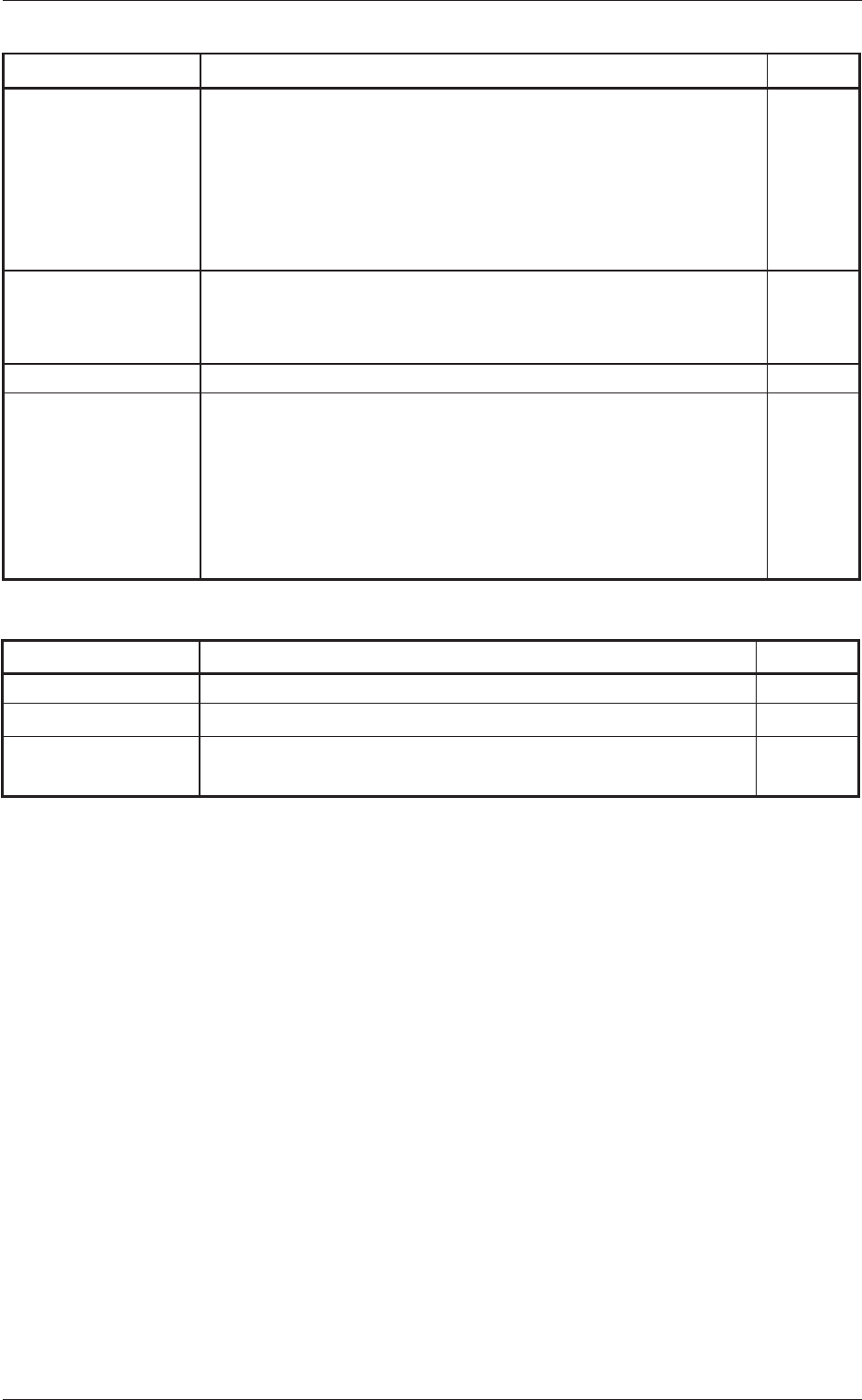
"Window" Menu Table 3B9
Command Menus Functions Icons
Cascade When several "Pattern Program" windows are opened at the
same time, cascading the windows overlays them so that
you can see each title bar.
The pattern program to be edited can be selected from "List
of Displayed Windows" located at the bottom of the pull-down
menu.
Tile When several "Pattern Program" windows are opened at the
same time, each window is re-arranged and the programs
appear in adjacent windows.
Separate This splits one sheet into two areas.
List of Displayed This lists the names (pattern program names) of all displayed
Windows windows.
In the case of "Cascade", the pattern program to be edited
can be selected from "List of Displayed Window". A check
mark (
9) appears next to the name of the currently active
window.
"Help" Menu Table 3B10
Command Menus Functions Icons
Contents... Not Available
Help Topics... Not Available
About... This displays the version of the current application
(software).
0211-005 Chapter 1 2-30 Tg0583-PM-D2
2.1 Navigations in “Pattern Program” Edit Window
(2) Entry of Numerical Values
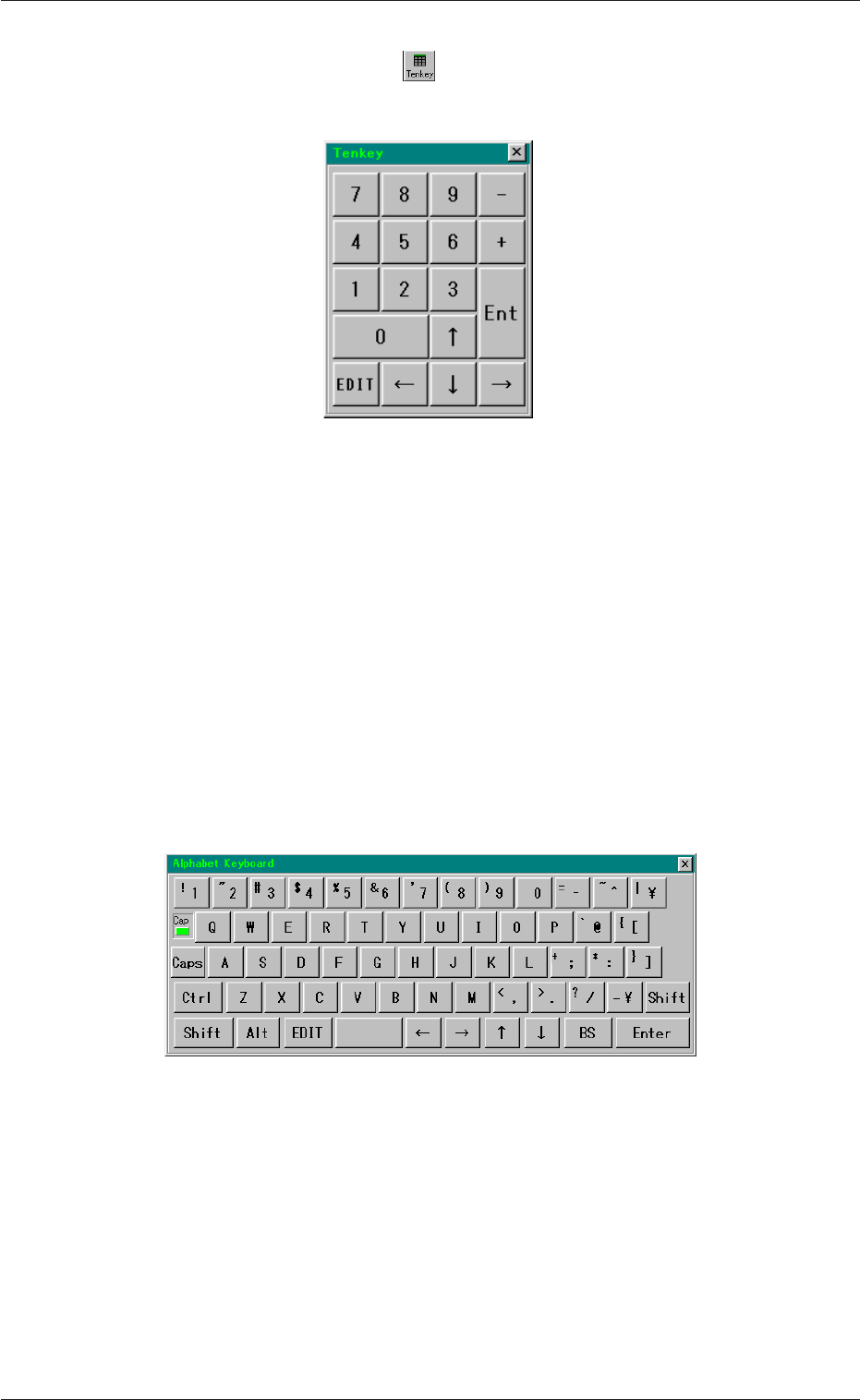
When the "Tenkey" icon
on the toolbar is pressed, the follow-
ing ten-key window appears.
Fig. 3B78 Ten-key Window
When you double-push a text box quickly in which a numerical
value should be entered, the parameter in the text box is high-
lighted, indicating that a numerical value should be entered. Enter
a value, using the number keys on the ten-key window and press
the [Ent] key.
(3) Entry of Alphabetic Characters
When a pattern program must be loaded or saved or a file name
must be entered, the following virtual keyboard (Alphabet Keyboard)
appears.
Fig. 3B79 Virtual Keyboard (Alphabet Keyboard )
Use the alphabetic keys to enter a parameter and press the [Enter]
key.
2.1 Navigations in “Pattern Program” Edit Window
0211-005 Chapter 1 2-31 Tg0583-PM-D2
Scrollbar
(4) Selection of Set Value
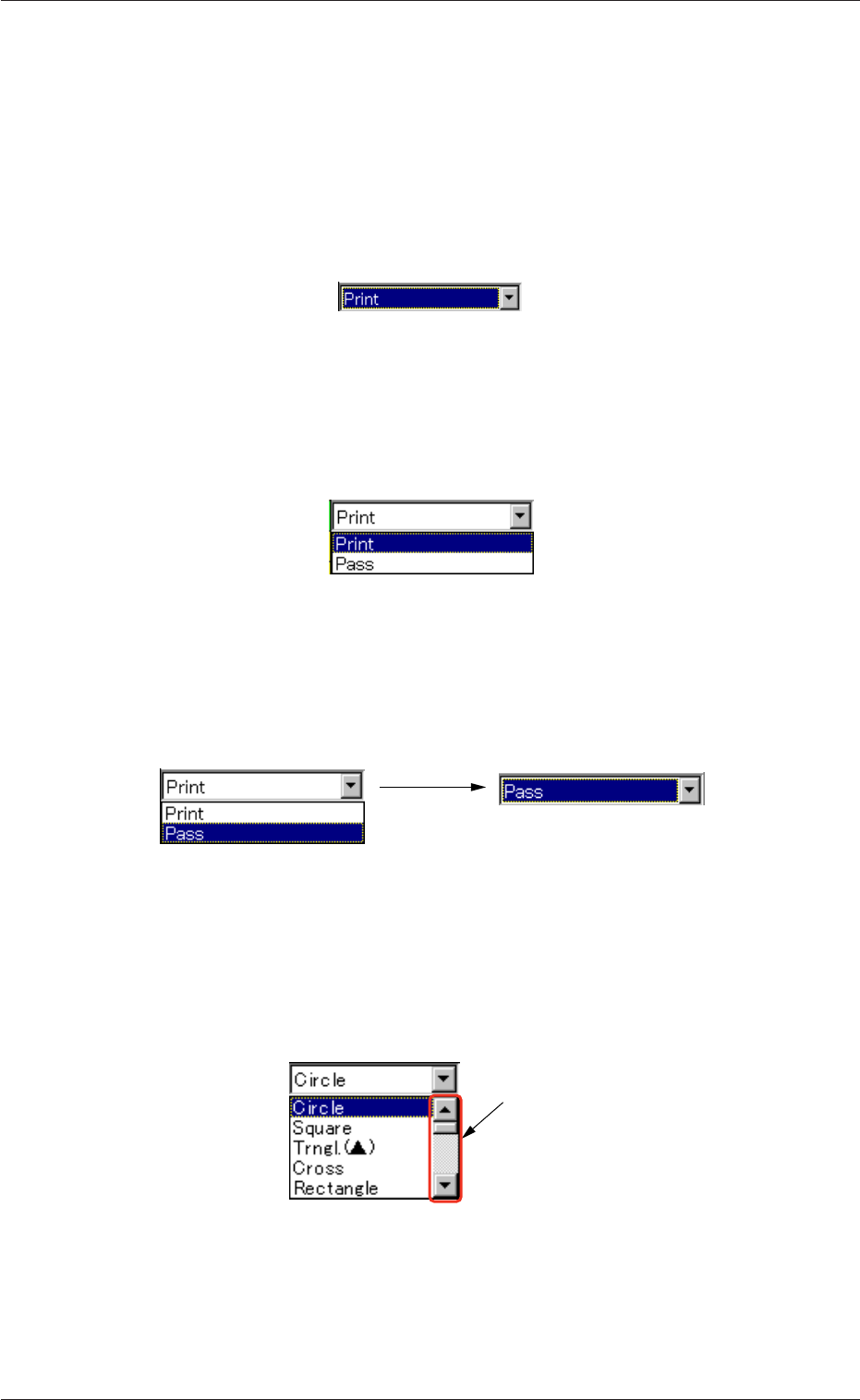
A combo box is like a text box and a list box combined and pro-
vided to make it easier to select a specific value from a list of pre-
defined values.
Step 1
When you double-push a text box quickly, the text box is changed
to a combo box that has a down arrow on the right side.
Fig. 3B80
Step 2
When you push the down arrow, a drop-down list box opens, show-
ing the rows of data to be selected.
Fig. 3B81
Step 3
When you push the desired data in the list, it is reflected in the text
box.
Fig. 3B82
When too many options are in the list box, a scrollbar appears on
the right side of the list box. Scroll the list and select the desired
option.
Fig. 3B83
Step 4
When another text box is selected, the combo box is changed to a
text box.