2OM-1086-002.pdf - 第299页
Fig. 5A6-1 Squeegee Head Section 4. Daily Maintenance 021 1-005 Chapter 3 1 - 9-1 Tg0583-PM-D2 Camera (Lens) Cleaning Remove dirt and dust, etc., with a vacuum cleaner . Glass Surface of Recognition Lighting Cleaning Rem…
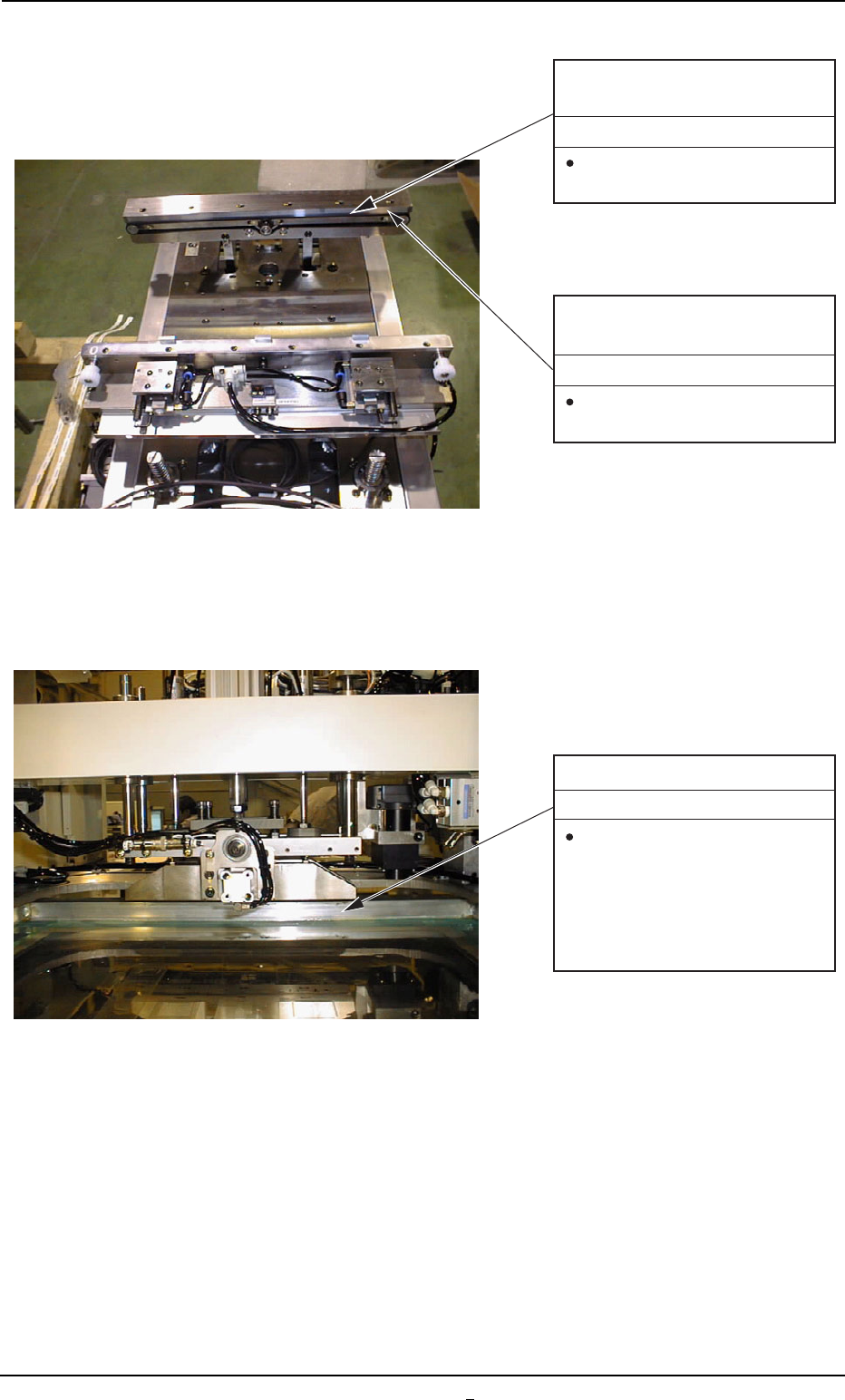
Fig. 5A5 P.C.B. Chuck Section
Fig. 5A6 Squeegee Head Section
Remove solder paste and
dust with a vacuum cleaner.
P.C.B. Positioning Side and
Upper Surface
Cleaning
Remove solder paste and
dust with a vacuum cleaner.
Upper Surface of P.C.B.
Transfer Belt
Cleaning
Squeegees
Cleaning
Clean the squeegees with a
rag soaked in industrial
alcohol (solvent) or with
industrial alcohol (solvent).
Remove deteriorated solder
paste.
0211-005 Chapter 3 1-9 Tg0583-PM-D2
4. Daily Maintenance
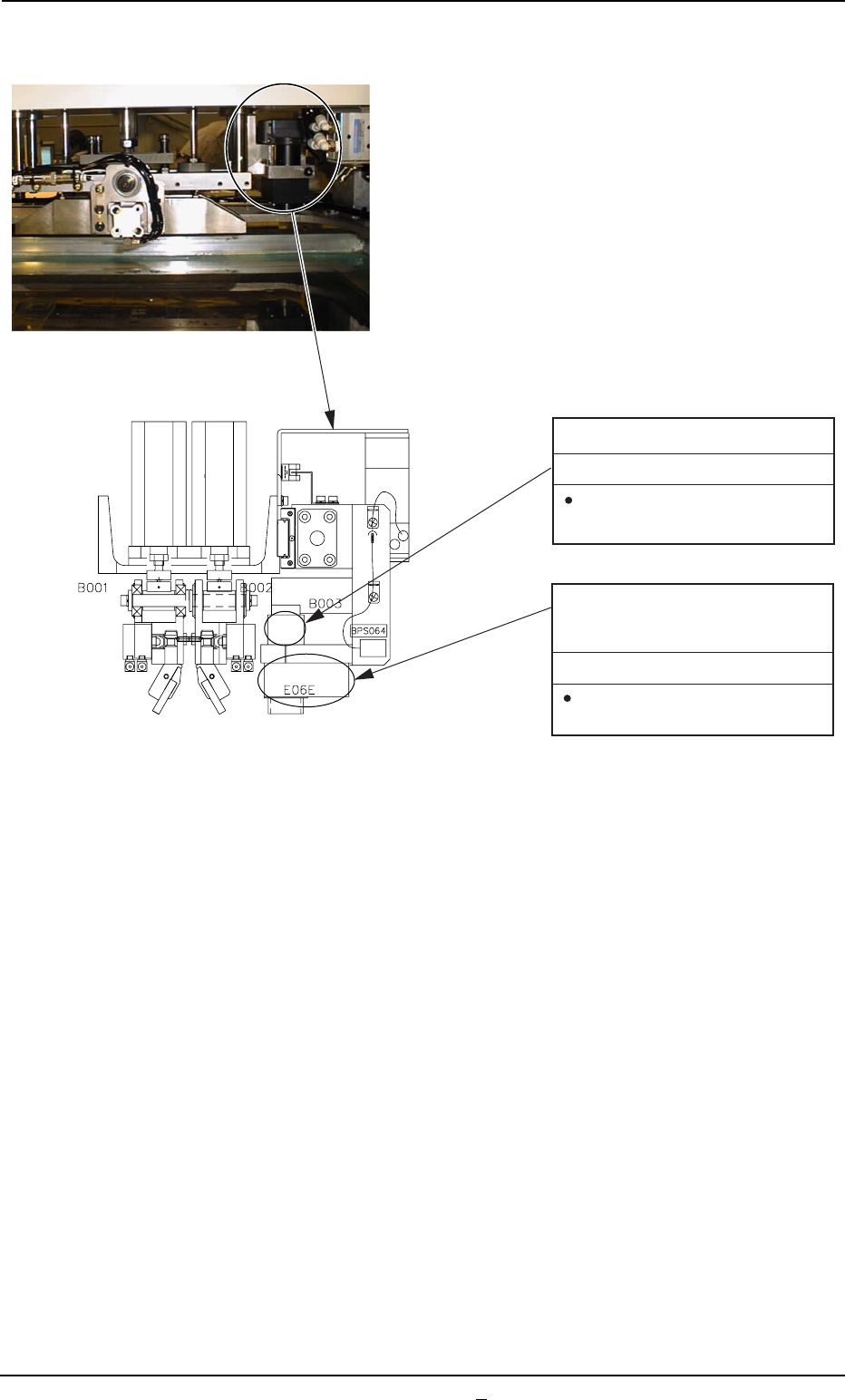
Fig. 5A6-1 Squeegee Head Section
4. Daily Maintenance
0211-005 Chapter 3 1-9-1 Tg0583-PM-D2
Camera (Lens)
Cleaning
Remove dirt and dust, etc.,
with a vacuum cleaner.
Glass Surface of Recognition
Lighting
Cleaning
Remove dirt and dust, etc.,
with a vacuum cleaner.
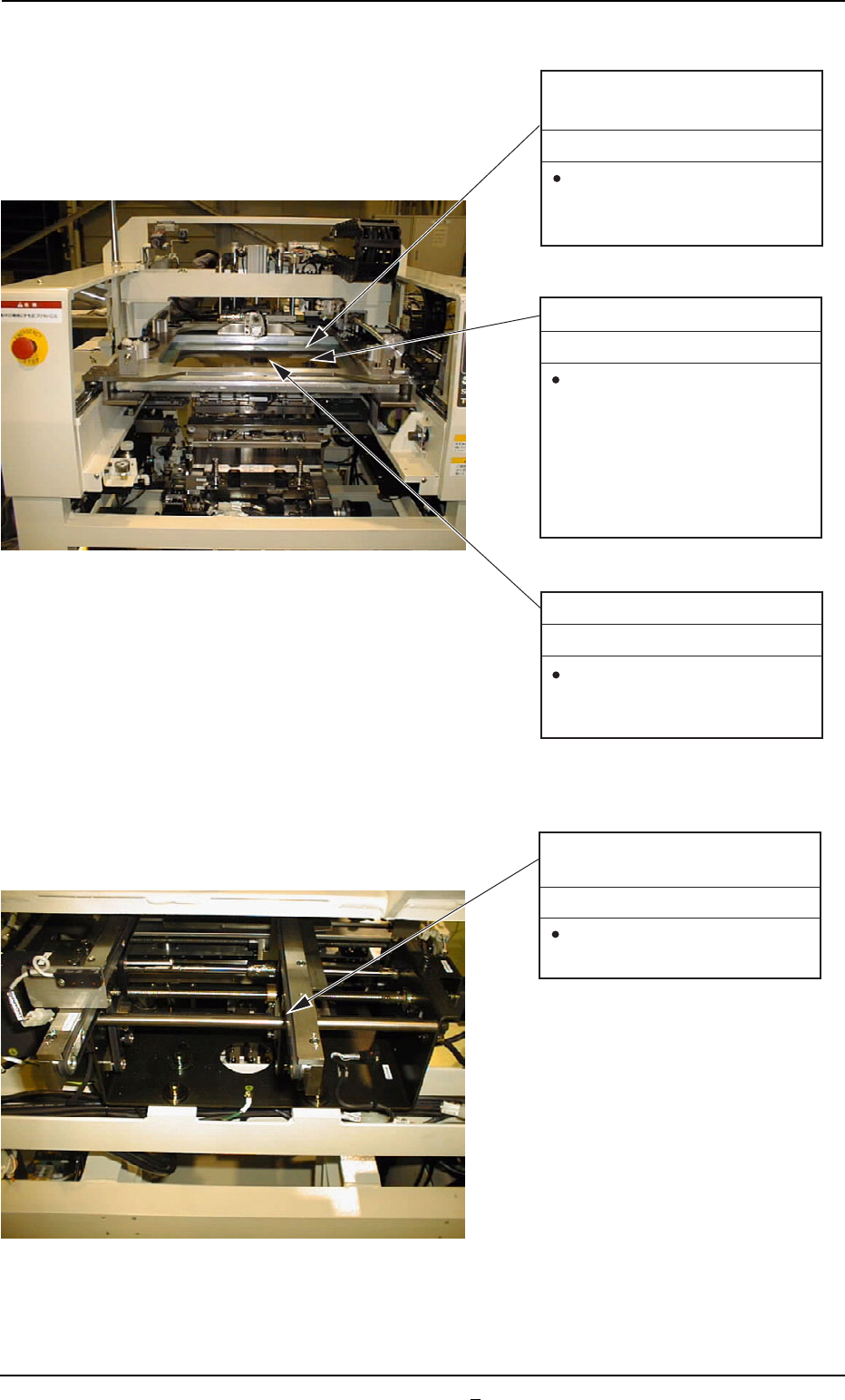
Upper Surface of Screen
Holder
Cleaning
Remove dirt on the upper
surface and side face with
a rag if any.
Screen Printing Patterns
Cleaning
After using the screen, use
industrial alcohol (solvent)
and the ultrasonic cleaner
to clean the screen such
that the mesh (pores) of the
screen (screen patterns) is
not clogged.
Lower Surface of Screen
Cleaning
Clean the screen bottom
with a rag soaked in indus-
trial alcohol (solvent).
0211-005 Chapter 3 1-10 Tg0583-PM-D2
Fig. 5A7 Screen Holder Section
Fig. 5A8 L/R Conveyor Section
Upper Surface of P.C.B.
Transfer Belt
Cleaning
Remove solder paste and
dust with a vacuum cleaner.
4. Daily Maintenance