2OM-1086-002.pdf - 第336页
在线预览 2OM-1086-002.pdf PDF 文档。
12. Replacement of Cleaning Paper
(How to change the cleaning paper width)
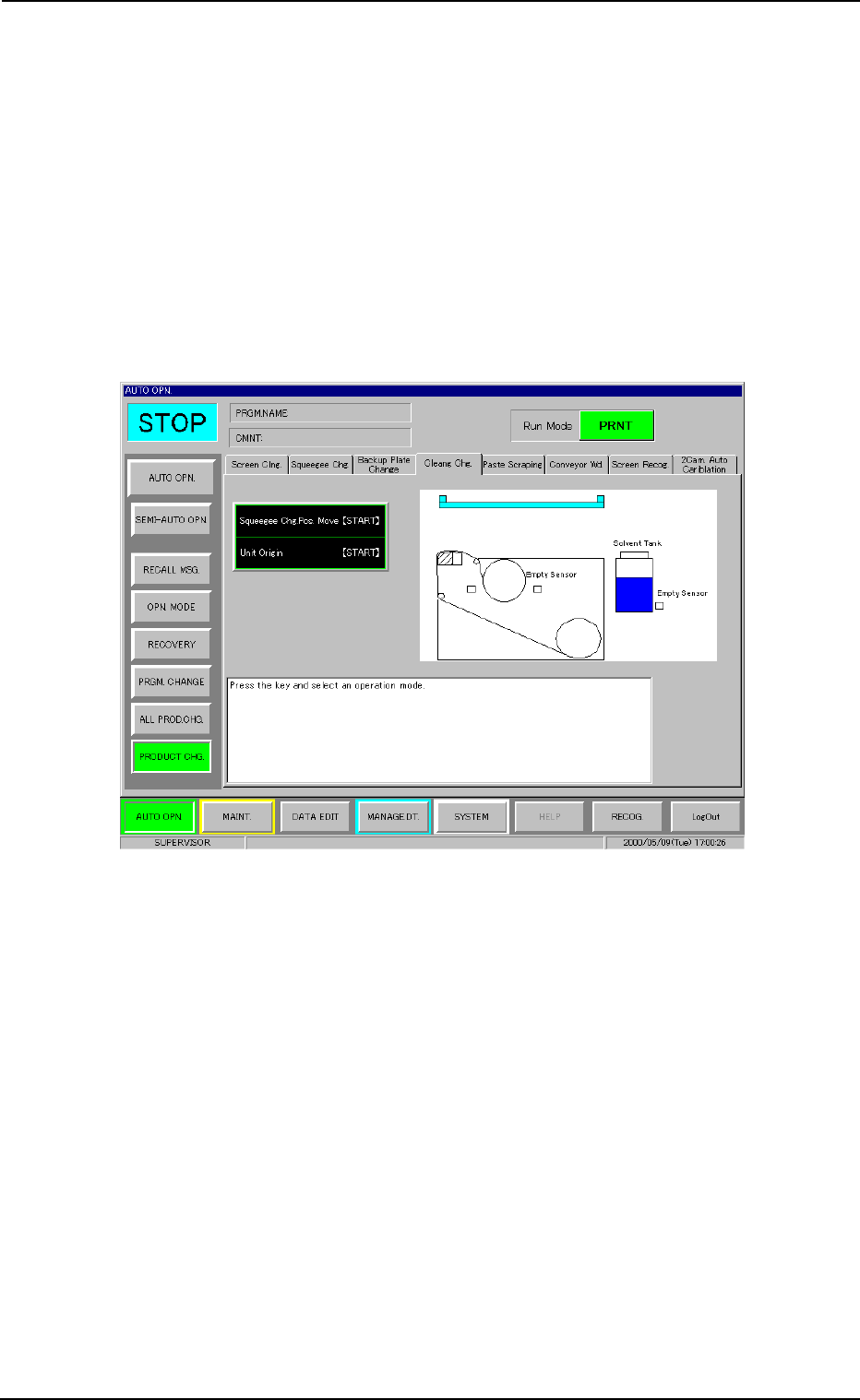
When the "PRODUCT CHG." button is pressed on the "AUTO OPN."
submenu bar, the following tab sheet appears.
Operation Procedure
(1) Press the "Cleang Chg." tab.
(2) Press the [Squeegee Chg. Pos. Move【START】] button. The back-
ground color turns blue.
Fig. 5A40
12. Replacement of Cleaning Paper (How to change the cleaning paper width)
0211-005 Chapter 3 1-34 Tg0583-PM-D2
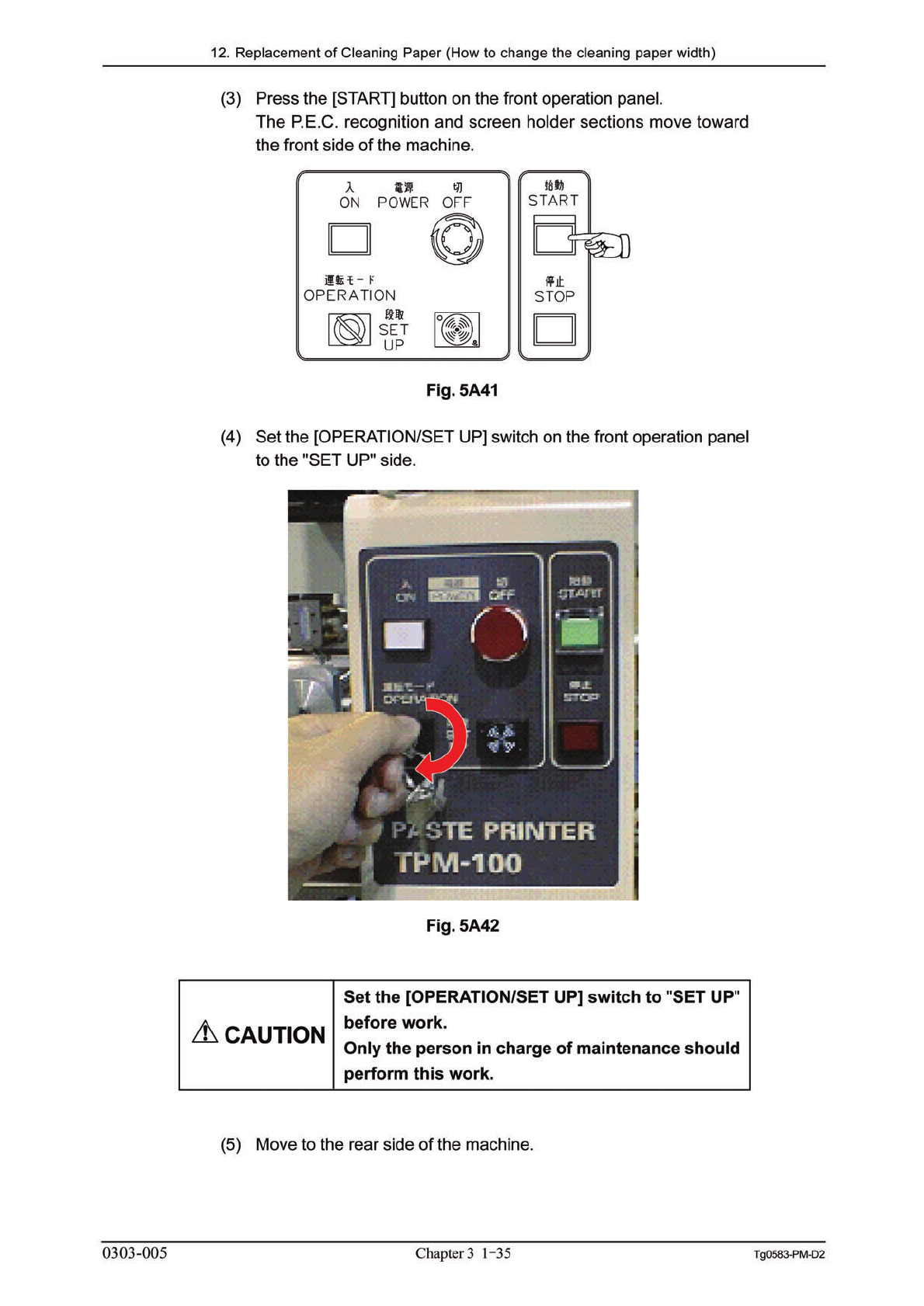
(6) Open the two safety doors on the rear side of the machine.
Fig. 5A43
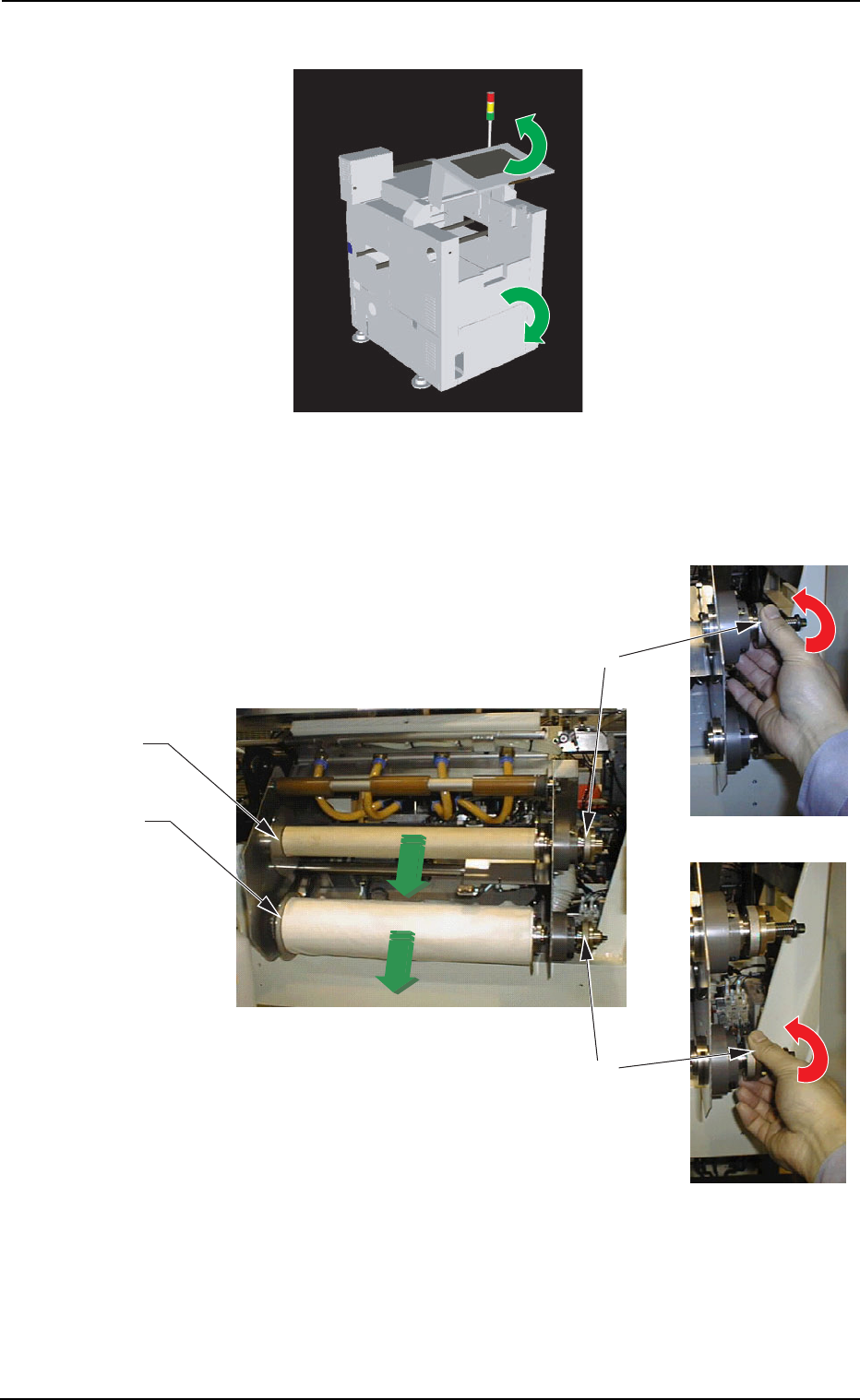
(7) Turn the knobs of both take-up and supply rollers clockwise and
pull out each roller forward to detach from the cleaning unit.
Fig. 5A44
12. Replacement of Cleaning Paper (How to change the cleaning paper width)
0211-005 Chapter 3 1-36 Tg0583-PM-D2
Supply Roller
Take-Up Roller
Knob
Knob